文章目录
-
- [openpnp2.4 - 导入kicad9.0的封装数据](#openpnp2.4 - 导入kicad9.0的封装数据)
- 概述
- 笔记
- KicadModImporter.java
- 如何快速的找kicad提供的封装文件
- 用kicad查看封装的大概样子
- END
openpnp2.4 - 导入kicad9.0的封装数据
概述
openpnp2.4中,在封装处,可以新建封装,然后自动导入kicad版本的元件封装文件(.kicad_mod). 这样就不用自己手工编辑元件焊盘数据了。
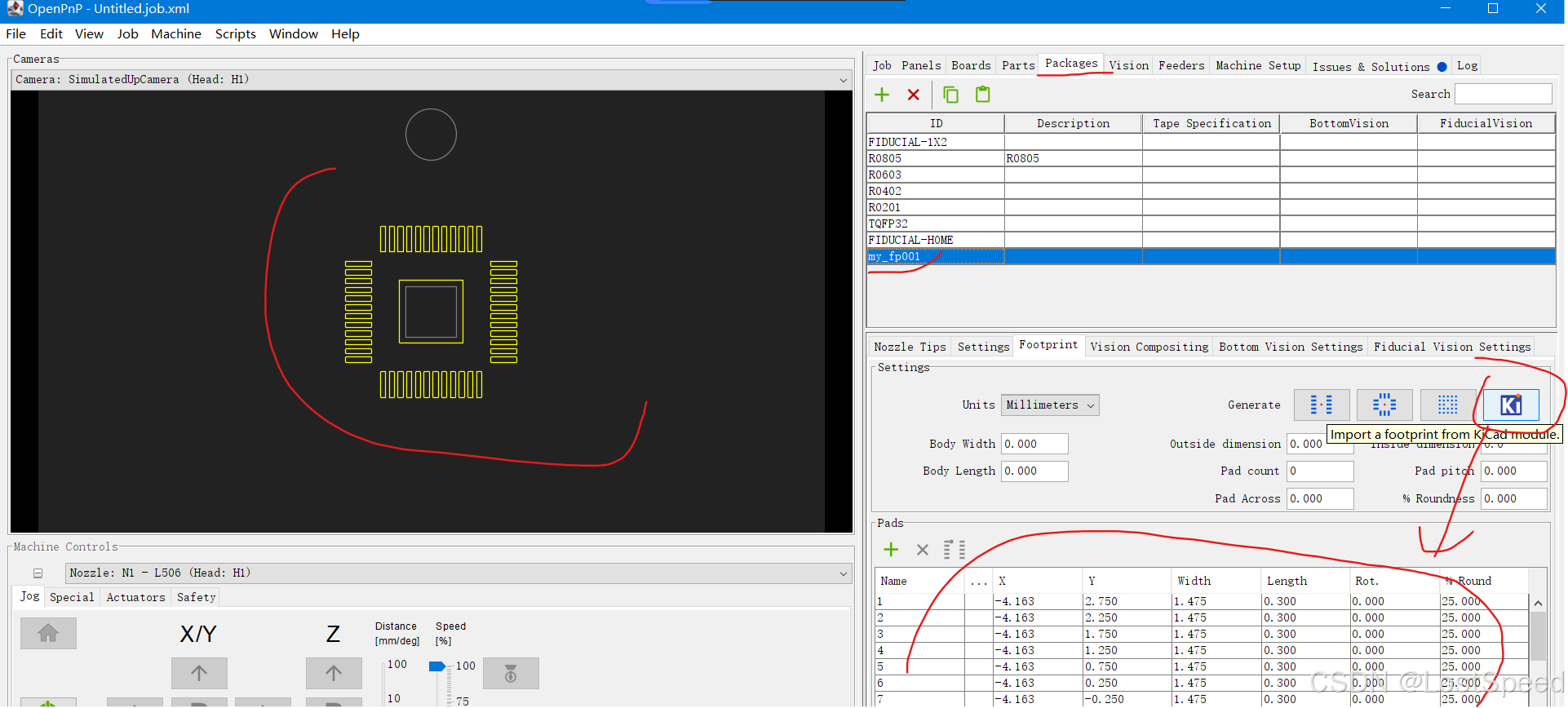
openpnp2.4只支持旧版的kicad. 我本本上装的是kicad9.0. 导入失败。
上图是我改过openpnp实现后的效果,改完了,初步测试了一下,好使。
openpnp导入kicad封装时,只能导入贴片焊盘和在铜皮上的焊盘,对于其他焊盘(通孔焊盘,机械孔)是无法导入的,但是对于openpnp贴片来说,导入贴片焊盘就够了(给视觉识别用)。
最近简单看了一下java swing编程,知道了UI界面的动作和动作处理函数之间的关系。剩下的和c++差不多。
如果要改openpnp代码,也容易多了。
上述修改,花了4个小时。
临时的修改,测试也不充分,远不到给openpnp贡献补丁的程度。自己临时用一下。
笔记
只修改了一个实现。
KicadModImporter.java
java
/*
 * Copyright (C) 2023 Jason von Nieda <jason@vonnieda.org>
 *
 * This file is part of OpenPnP.
 *
 * OpenPnP is free software: you can redistribute it and/or modify it under the terms of the GNU
 * General Public License as published by the Free Software Foundation, either version 3 of the
 * License, or (at your option) any later version.
 *
 * OpenPnP is distributed in the hope that it will be useful, but WITHOUT ANY WARRANTY; without even
 * the implied warranty of MERCHANTABILITY or FITNESS FOR A PARTICULAR PURPOSE. See the GNU General
 * Public License for more details.
 *
 * You should have received a copy of the GNU General Public License along with OpenPnP. If not, see
 * <http://www.gnu.org/licenses/>.
 *
 * For more information about OpenPnP visit http://openpnp.org
 */

package org.openpnp.gui.importer;

import java.awt.FileDialog;
import java.io.BufferedReader;
import java.io.File;
import java.io.FilenameFilter;
import java.io.FileReader;
import java.util.List;
import java.util.regex.Pattern;
import java.util.regex.Matcher;

import org.openpnp.Translations;
import org.openpnp.gui.MainFrame;
import org.openpnp.model.Footprint;
import org.openpnp.model.Footprint.Pad;
import org.pmw.tinylog.Logger;

/**
 * @author Jonas Lehmke <jonas@lehmke.xyz>
 *
 *         This module reads a KiCad footprint from file (*.kicad_mod) and
 *         parses it to a Footprint instance. Rectangular, rounded rectangular,
 *         circular and oval pad shapes are supported. Trapezoid and custom pad
 *         shapes are ignored. A FileDialog is openened to select a file once
 *         this class is instantiated. Imported pads are available as List<Pad>.
 *
 *         This module may become part of an all-in-one KiCad board import one
 *         day.
 */

public class KicadModImporter {
    private boolean useLegacySingleLineParser = true; // default to legacy (single‑line) parser
    Footprint footprint = new Footprint();

    /**
     * Represents a pad in a Kicad footprint.
     * <p>
     * Example of Kicad 9.0 pad definition:
     * <pre>{@code
     * (pad "1" smd roundrect
     *      (at -4.175 -2.8)
     *      (size 1.5 0.5)
     *      (layers "F.Cu" "F.Mask" "F.Paste")
     *      (roundrect_rratio 0.25)
     * )
     * }</pre>
     */
    public class KicadPad {
        String padDefinition;

        public KicadPad(String definition) {
            padDefinition = definition;
        }

        String getName() {
            String regex;
            if (useLegacySingleLineParser) {
                regex = "^\\(pad\\s\"?(\\w*)\"?\\s(\\w*)\\s(\\w*)";
            } else {
                regex = "\\s*\\(pad\\s+\"?([^\"\\s]+)\"?\\s+(\\w+)(?:\\s+(\\w+))?";
            }
            Pattern p = Pattern.compile(regex);
            Matcher m = p.matcher(padDefinition);
            if (m.find()) {
                return m.group(1);
            }
            return "";
        }

        String getType() {
            String regex;
            if (useLegacySingleLineParser) {
                regex = "^\\(pad\\s\"?(\\w*)\"?\\s(\\w*)\\s(\\w*)";
            } else {
                regex = "\\(pad\\s+\"?([^\"\\s]*)\"?\\s+(\\S+)\\s+(\\S+)";
            }

            Pattern p = Pattern.compile(regex);

            Matcher m = p.matcher(padDefinition);
            if (m.find()) {
                return m.group(2);
            }
            return "";
        }

        String getShape() {
            String regex;
            if (useLegacySingleLineParser) {
                regex = "^\\(pad\\s\"?(\\w*)\"?\\s(\\w*)\\s(\\w*)";
            } else {
                regex = "\\s*\\(pad\\s+\"?(\\w*)\"?\\s+(\\w+)\\s+(\\w+)";
            }
            Pattern p = Pattern.compile(regex);
            Matcher m = p.matcher(padDefinition);
            if (m.find()) {
                return m.group(3);
            }
            return "";
        }

        double getWidth() {
            String regex = "\\(size ([\\-0-9.]*) ([\\-0-9\\.]*)\\)";
            Pattern p = Pattern.compile(regex);
            Matcher m = p.matcher(padDefinition);
            if (m.find()) {

                return Double.parseDouble(m.group(1));
            }
            return 0.;
        }

        double getHeight() {
            String regex = "\\(size ([\\-0-9\\.]*) ([\\-0-9\\.]*)\\)";
            Pattern p = Pattern.compile(regex);
            Matcher m = p.matcher(padDefinition);
            if (m.find()) {
                return Double.parseDouble(m.group(2));
            }
            return 0.;
        }

        double getX() {
            String regex = "\\(at ([\\-0-9.]*) ([\\-0-9.]*)\\s?([^\\)]*)\\)";
            Pattern p = Pattern.compile(regex);
            Matcher m = p.matcher(padDefinition);
            if (m.find()) {
                return Double.parseDouble(m.group(1));
            }
            return 0.;
        }

        double getY() {
            String regex = "\\(at ([\\-0-9.]*) ([\\-0-9.]*)\\s?([^\\)]*)\\)";
            Pattern p = Pattern.compile(regex);
            Matcher m = p.matcher(padDefinition);
            if (m.find()) {
                return Double.parseDouble(m.group(2)) * (-1); // Negative because of different conventions
            }
            return 0.;
        }

        double getRotation() {
            String regex = "\\(at ([\\-0-9.]*) ([\\-0-9.]*)\\s?([^\\)]*)\\)";
            Pattern p = Pattern.compile(regex);
            Matcher m = p.matcher(padDefinition);
            if (m.find()) {
                if (m.group(3).length() > 0) {
                    return Double.parseDouble(m.group(3));
                }
            }
            return 0.;
        }

        double getRoundness() {
            String regex = "\\(roundrect_rratio ([\\-0-9.]*)\\)";
            Pattern p = Pattern.compile(regex);
            Matcher m = p.matcher(padDefinition);
            if (m.find()) {
                return Double.parseDouble(m.group(1)) * 100;
            }
            return 0.;
        }

        boolean isTopCu() {
            String regex = "\\(layers ([^\\)]*)\\)";
            Pattern p = Pattern.compile(regex);
            Matcher m = p.matcher(padDefinition);
            if (m.find()) {
                return m.group(1).contains("F.Cu") || m.group(1).contains("*.Cu");
            }
            return false;
        }
    }

    public KicadModImporter() throws Exception {
        try {
            FileDialog fileDialog = new FileDialog(MainFrame.get());
            fileDialog.setFilenameFilter(new FilenameFilter() {
                @Override
                public boolean accept(File dir, String name) {
                    return name.toLowerCase().endsWith(".kicad_mod"); //$NON-NLS-1$
                }
            });
            fileDialog.setVisible(true);
            if (fileDialog.getFile() == null) {
                return;
            }

            File file = new File(new File(fileDialog.getDirectory()), fileDialog.getFile());

            // --- Detect KiCad version from the file ---
            try (BufferedReader versionReader = new BufferedReader(new FileReader(file))) {
                // Skip first line (footprint name)
                String line;
                while ((line = versionReader.readLine()) != null) {
                    String trimmed = line.trim();
                    if (trimmed.startsWith("(version ")) {
                        Pattern versionPattern = Pattern.compile("\\(version\\s+(\\d+)\\)");
                        Matcher m = versionPattern.matcher(trimmed);
                        if (m.find()) {
                            long version = Long.parseLong(m.group(1));
                            // KiCad 9.0 uses version 20241229 and later → use multiline parser
                            if (version >= 20241229) {
                                useLegacySingleLineParser = false;
                            }
                        }
                        break; // version found, no need to read further
                    }
                }
            } catch (Exception e) {
                // If version detection fails, fall back to legacy parser and print a warning
                Logger.error("Failed to detect KiCad version, using legacy parser. error : " + e.getMessage());
            }

            // --- Parse the footprint according to the detected version ---
            if (useLegacySingleLineParser) {
                // Legacy parser: assume each pad definition is on a single line
                try (BufferedReader reader = new BufferedReader(new FileReader(file))) {
                    String line;
                    while ((line = reader.readLine()) != null) {
                        if (line.trim().startsWith("(pad ")) {
                            processPadDefinition(line.trim());
                        }
                    }
                }
            } else {
                // KiCad 9.0+ parser: pads may span multiple lines
                try (BufferedReader reader = new BufferedReader(new FileReader(file))) {
                    String line;
                    Logger.debug("Kicad Mod Importer - begin");
                    while ((line = reader.readLine()) != null) {
                        String trimmed = line.trim();
                        if (trimmed.startsWith("(pad ")) {
                            // Read the complete S‑expression for this pad
                            StringBuilder padBuilder = new StringBuilder(line);
                            int balance = countBrackets(line);
                            while (balance > 0) {
                                String nextLine = reader.readLine();
                                if (nextLine == null) {
                                    break; // Unexpected end of file -- pad is incomplete
                                }
                                padBuilder.append("\n").append(nextLine);
                                balance += countBrackets(nextLine);
                            }
                            String padDefinition = padBuilder.toString();
                            processPadDefinition(padDefinition);
                        }
                    }
                    Logger.debug("Kicad Mod Importer - end");
                }
            }
        } catch (Exception e) {
            throw new Exception(Translations.getString("KicadModImporter.LoadFile.Fail") + e.getMessage(), e); //$NON-NLS-1$
        }
    }

    /**
     * Counts the net parentheses in a line: '(' adds 1, ')' subtracts 1.
     */
    private int countBrackets(String line) {
        int count = 0;
        for (char c : line.toCharArray()) {
            if (c == '(')
                count++;
            else if (c == ')')
                count--;
        }
        return count;
    }

    /**
     * Processes a pad definition string (which may be single‑line or multi‑line)
     * and adds the corresponding Pad object to the footprint if it is an SMD pad
     * with a supported shape.
     */
    private void processPadDefinition(String padDefinition) {
        KicadPad kipad = new KicadPad(padDefinition);

        if (kipad.getType().equals("smd") && kipad.isTopCu()) {
            Pad pad = new Pad();
            pad.setName(kipad.getName());
            pad.setWidth(kipad.getWidth());
            pad.setHeight(kipad.getHeight());
            pad.setX(kipad.getX());
            pad.setY(kipad.getY());
            pad.setRotation(kipad.getRotation());

            String Shape = kipad.getShape();
            if (Shape.equals("rect")) {
                pad.setRoundness(0);
            } else if (Shape.equals("circle")) {
                pad.setRoundness(100);
            } else if (Shape.equals("oval")) {
                pad.setRoundness(100);
            } else if (Shape.equals("roundrect")) {
                pad.setRoundness(kipad.getRoundness());
            } else {
                Logger.warn("Warning: Unsupported pad type: " + kipad.getShape());
                return;
            }

            footprint.addPad(pad);
        } else {
            Logger.warn("Warning: [not smd pad] or [pad not on Front Copper], can't import pad [{}]", kipad.getName());
            return;
        }
    }

    public List<Pad> getPads() {
        return footprint.getPads();
    }
}
如何快速的找kicad提供的封装文件
kicad9.0安装后,自带封装库。位置 C:\Program Files\KiCad\9.0\share\kicad\footprints
封装文件的后缀为.kicad_mod
封装的命名规则 : https://klc.kicad.org/footprint/
kicad提供的封装很多,有15415个。封装的命名也很复杂。
如果按照官方按照功能分的文件夹,很难翻到自己想要的封装。
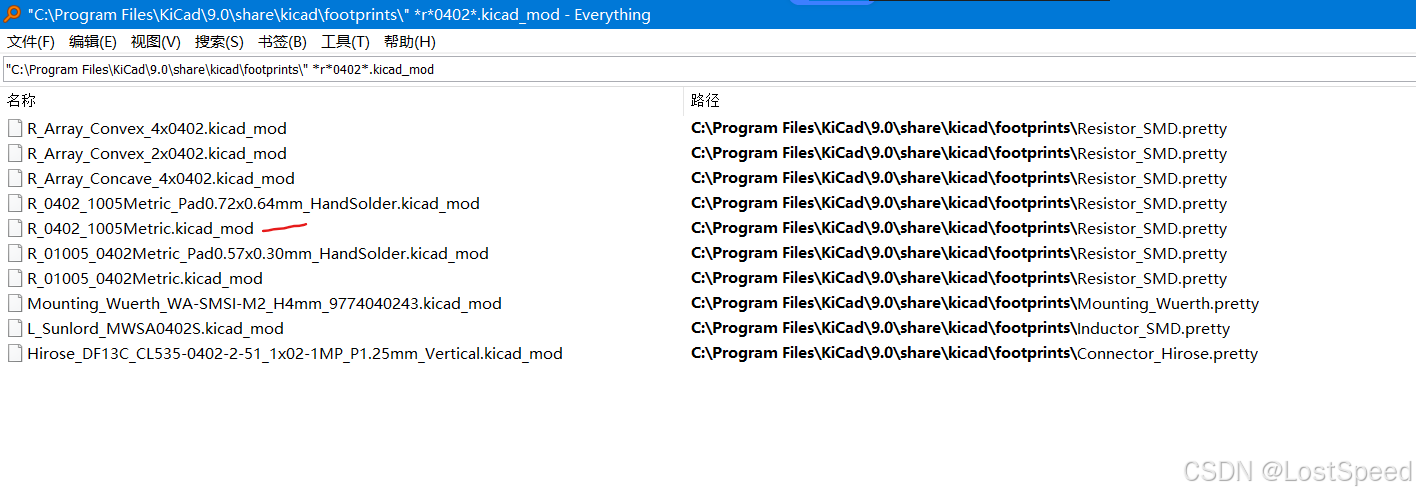
如果按照关键字,模糊的去搜索,反而能更快的找出来。
e.g. 0402封装的电阻
e.g. LQFP32的IC
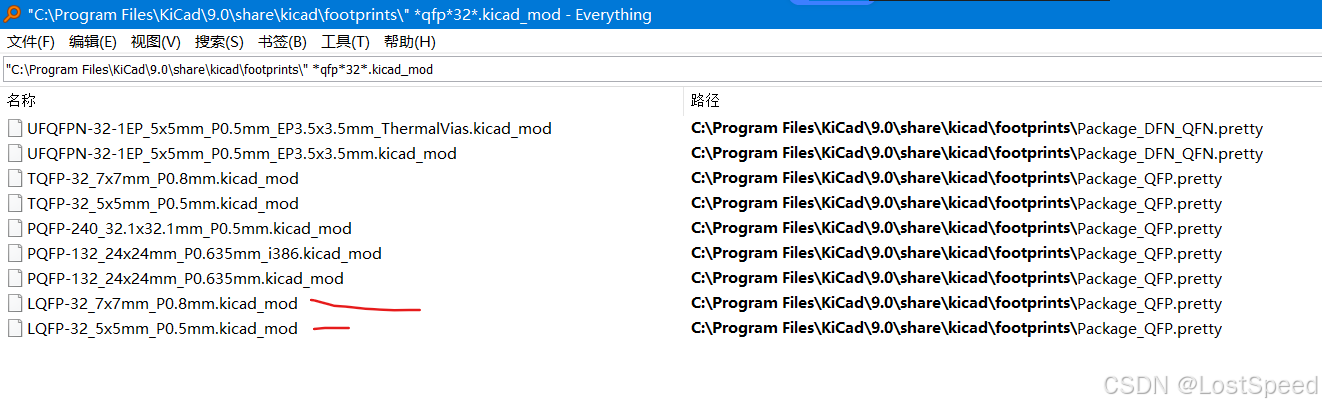
e.g. SOP-8的IC
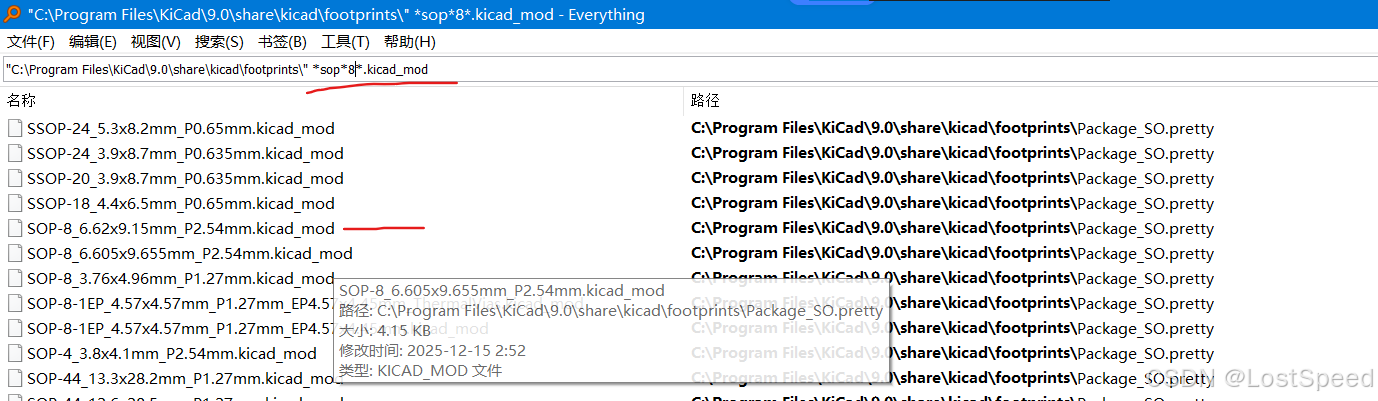
kicad中带的封装很全,对于同一类封装,可能有多个尺寸的封装,此时,比对一下自己用的元件数据表,就知道该用哪种封装了。
用kicad查看封装的大概样子
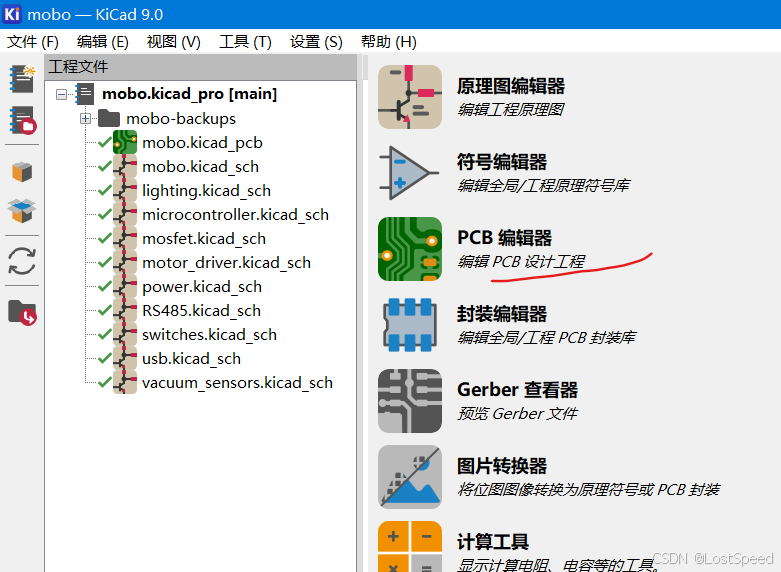
启动kicad后,选择封装编辑器
在封装编辑器中启动"封装库浏览器"
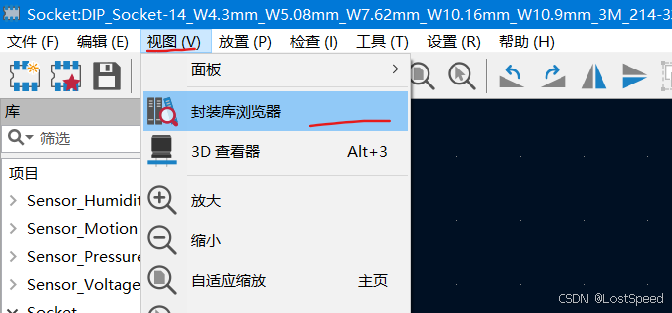
"封装库浏览器"中单击选中元件,就能看到元件封装的样子。
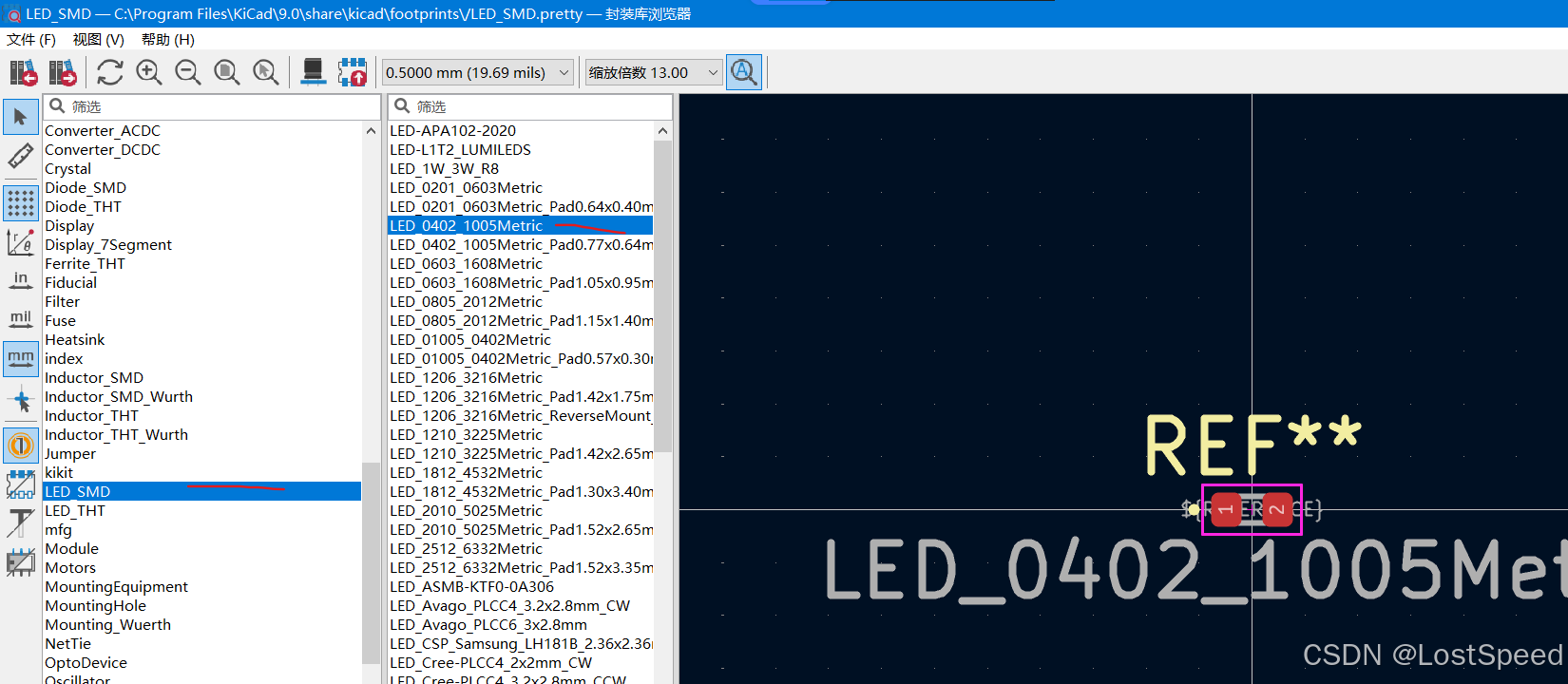
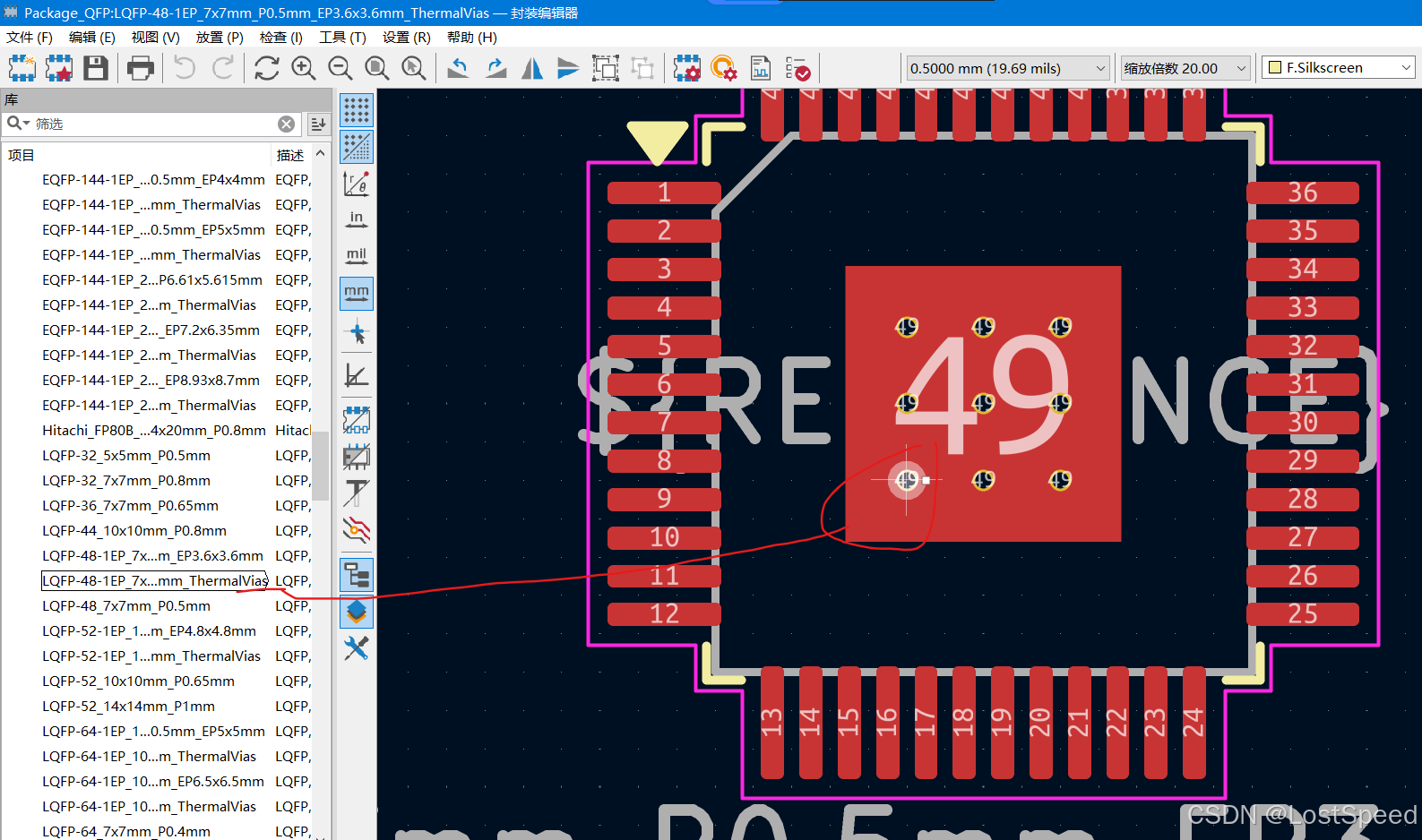
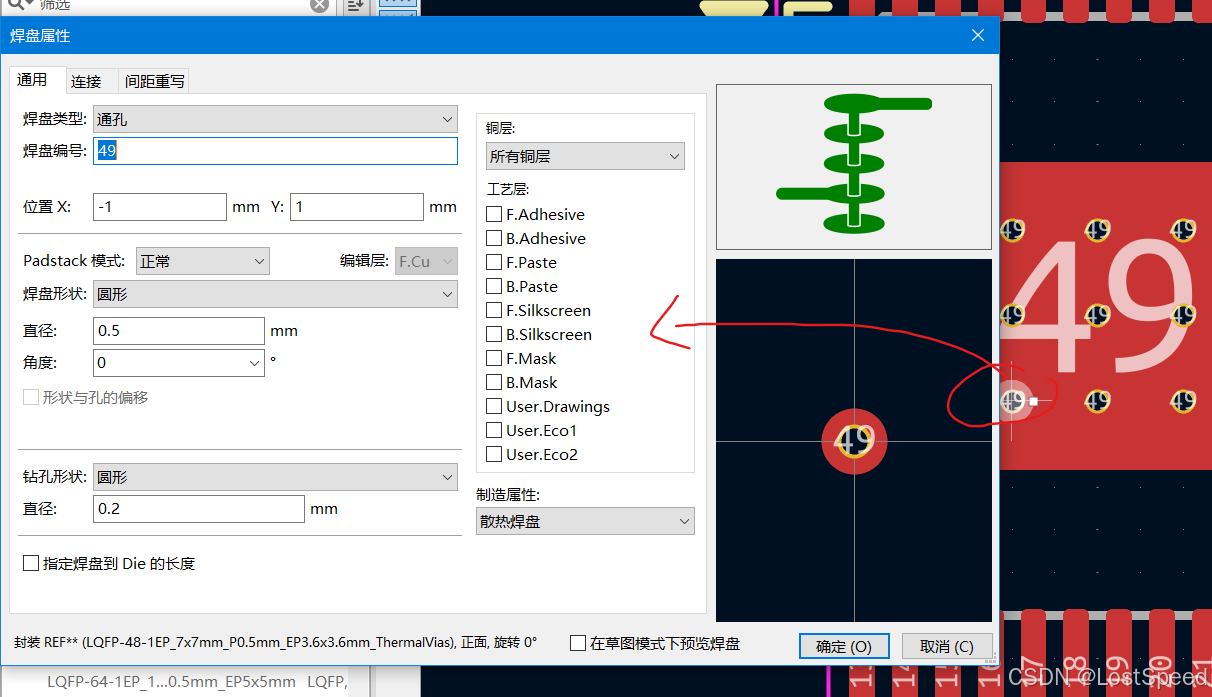
再改openpnp中的kicad封装导入时,如果哪个焊盘数据导入失败,且自己看不太懂.kicad_mod中描述的焊盘信息,对照封装编辑器中的焊盘需要和焊盘数据,就能很快明白了。
在封装编辑器中,双击焊盘,焊盘的属性就显示出来了,和.kicad_mod中自己不明白的焊盘数据对一下,就很清楚了。