前言
今天学习到一个有关状态的概念,叫State。有趣的事,这个东西在QWidget那套样式表的格式中也有应用,比方说某个控件存在不同的切换状态,我们就可以使用State的方式来写样式表,然后C++代码中进行状态切换。有点扯远了,接下来就记录一下QML中有关State的使用,顺便应用一下Transition过渡
一、State状态
没什么好说的,直接看代码。
完整代码:
cpp
import QtQuick 2.15
import QtQuick.Window 2.15

Window {
    width: 640
    height: 480
    visible: true
    title: qsTr("StateAndTransition")

    Rectangle{
        id: containerRectId
        anchors.fill: parent

        //Sky
        Rectangle{
            id:skyId
            width: parent.width
            height:200
            color: "blue"
        }

        Rectangle{
            id: groundId
            anchors.top: skyId.bottom
            anchors.bottom: parent.bottom
            width: parent.width
            color:"lime"
        }

        Rectangle{
            id: sunId
            x: parent.width - width - 100
            y:50
            width: 100
            height: 100
            color: "yellow"
            radius: 600
        }

        state: "spring"

        states: [
            //Spring
            State{

                name: "spring"
                PropertyChanges {
                    target: skyId
                    color: "deepskyblue"
                }
                PropertyChanges {
                    target: groundId
                    color: "lime"
                }
                PropertyChanges {
                    target: sunId
                    color:"lightyellow"
                }
            },

            //Summer
            State{

                name:"summer"
                PropertyChanges {
                    target: skyId
                    color:"lightblue"
                }
                PropertyChanges {
                    target:groundId
                    color:"darkkhaki"
                }
                PropertyChanges {
                    target: sunId
                    color:"yellow"
                }
            }
        ]

        transitions: [
            Transition {
                from: "summer"
                to: "spring"

                ColorAnimation {
                    duration: 500
                }
                NumberAnimation{
                    property: "opacity"
                    duration: 500
                }
            },
            Transition {
                from: "spring"
                to: "summer"

                ColorAnimation {
                    duration: 500
                }
                NumberAnimation{
                    property: "opacity"
                    duration: 500
                }
            }
        ]

        MouseArea{
            anchors.fill: parent
            onClicked:function(){
                containerRectId.state = (containerRectId.state === "spring" ? "summer" : "spring")
            }
        }
    }
}
states是一个状态数组,里面添加了两种状态,分别是spring春天和summer夏天。里面会包含几个PropertyChanges 属性变更,然后指定target对象和属性,这里是color颜色。
最后,我们通过MouseArea的点击,还有三元运算符来进行状态的切换。
代码其实比较好理解,说完下面的过渡,再贴上效果图。
二、Transition过渡
以下是过渡效果的代码:
cpp
transitions: [
            Transition {
                from: "summer"
                to: "spring"

                ColorAnimation {
                    duration: 500
                }
                NumberAnimation{
                    property: "opacity"
                    duration: 500
                }
            },
            Transition {
                from: "spring"
                to: "summer"

                ColorAnimation {
                    duration: 500
                }
                NumberAnimation{
                    property: "opacity"
                    duration: 500
                }
            }
它也是数组和单个过渡元素的设置,from和to则不是实际的组件元素,而是状态名称,这一点还是有点不同的。这里终于添加了有关动画的效果,分别是颜色动画和数值动画。最后看一下效果,我觉得还挺舒服的。
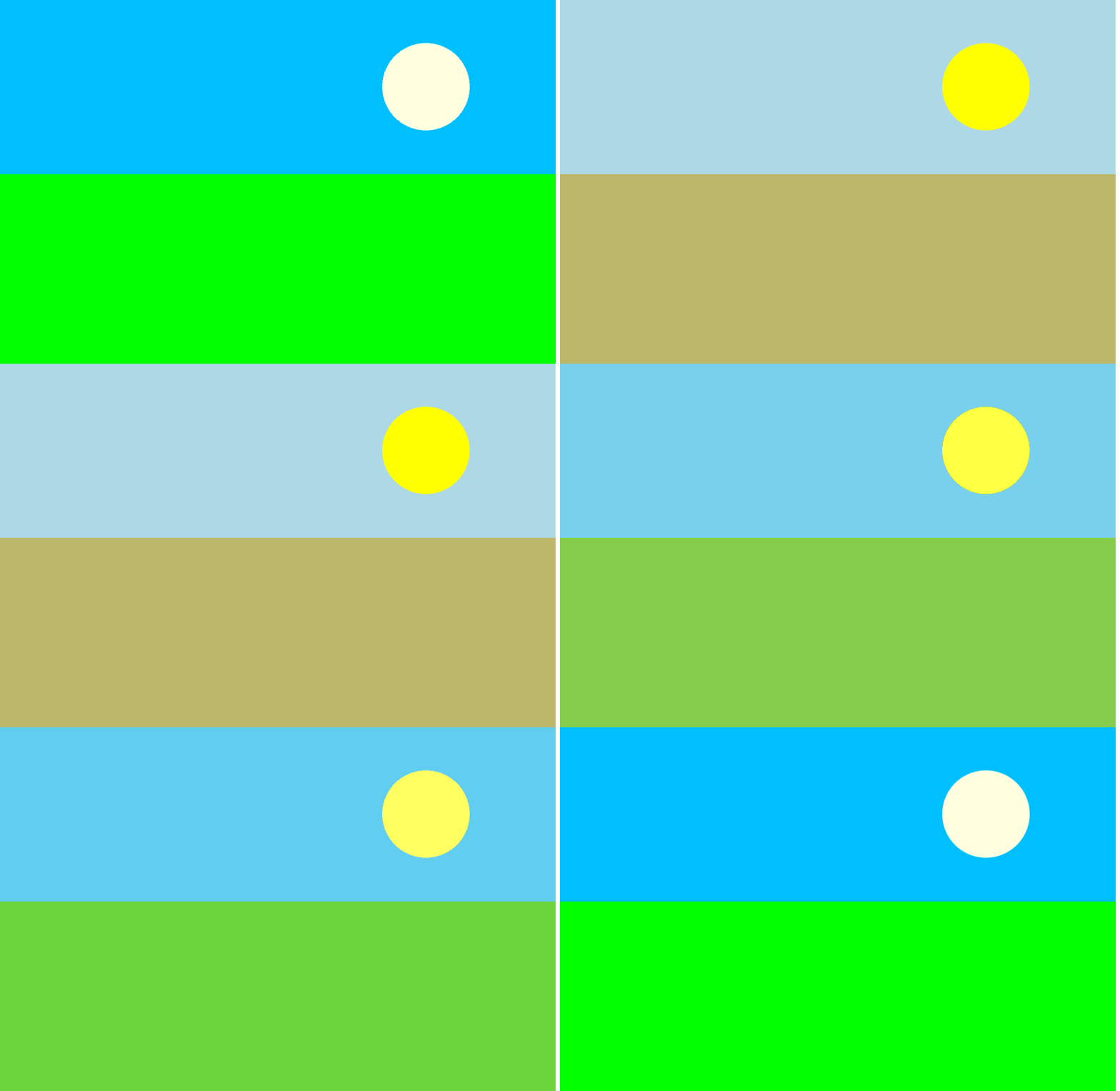
在我跟学的视频中,还有树木图片的状态切换。但我没有图片资源,我也懒得搞了。
三、带渐变的状态
使用这种方式,可以设置颜色渐变:
cpp
            gradient: Gradient{
                GradientStop{
                    id: groundStartColorId
                    position: 0.0
                    color: "lime"
                }
                GradientStop{
                    id: groundEndColorId
                    position: 1.0
                    color: "lightyellow"
                }
            }
0.0到1.0,意味着y轴上从0到1范围,也就是全部范围的颜色渐变。也可以在中间多插入几个渐变点进行控制。
下面是完整代码:
cpp
import QtQuick 2.15
import QtQuick.Window 2.15
import QtQuick.Shapes 1.10

Window {
    width: 640
    height: 480
    visible: true
    title: qsTr("StateAndTransition")

    Rectangle{
        id: containerRectId
        anchors.fill: parent

        //Sky
        Rectangle{
            id:skyId
            width: parent.width
            height:200
            // color: "blue"
            gradient: Gradient{
                GradientStop{
                    id: skyStartColorId
                    position: 0.0
                    color: "blue"
                }
                GradientStop{
                    id: skyEndColorId
                    position: 1.0
                    color: "#66CCFF"
                }
            }
        }

        Rectangle{
            id: groundId
            anchors.top: skyId.bottom
            anchors.bottom: parent.bottom
            width: parent.width
            // color:"lime"
            gradient: Gradient{
                GradientStop{
                    id: groundStartColorId
                    position: 0.0
                    color: "lime"
                }
                GradientStop{
                    id: groundEndColorId
                    position: 1.0
                    color: "lightyellow"
                }
            }
        }

        Rectangle{
            id: sunId
            x: parent.width - width - 100
            y:50
            width: 100
            height: 100
            color: "yellow"
            radius: 600
        }

        state: "spring"

        states: [
            //Spring
            State{

                name: "spring"
                // PropertyChanges {
                //     target: skyId
                //     color: "deepskyblue"
                // }
                PropertyChanges {
                    target: skyStartColorId
                    color: "deepskyblue"
                }
                PropertyChanges {
                    target: skyEndColorId
                    color: "#AACCFF"
                }
                // PropertyChanges {
                //     target: groundId
                //     color: "lime"
                // }
                PropertyChanges {
                    target: groundStartColorId
                    color: "lime"
                }
                PropertyChanges {
                    target: groundEndColorId
                    color: "#66CCFF"
                }
                PropertyChanges {
                    target: sunId
                    color:"lightyellow"
                }
            },

            //Summer
            State{

                name:"summer"
                // PropertyChanges {
                //     target: skyId
                //     color:"lightblue"
                // }
                PropertyChanges {
                    target: skyStartColorId
                    color: "lightblue"
                }
                PropertyChanges {
                    target: skyEndColorId
                    color: "#EECCFF"
                }
                // PropertyChanges {
                //     target:groundId
                //     color:"darkkhaki"
                // }
                PropertyChanges {
                    target: groundStartColorId
                    color: "lime"
                }
                PropertyChanges {
                    target: groundEndColorId
                    color: "yellow"
                }
                PropertyChanges {
                    target: sunId
                    color:"yellow"
                }
            }
        ]

        transitions: [
            Transition {
            from: "*"
            to: "*"

            ColorAnimation {
                duration: 500
            }
            NumberAnimation{
                property: "opacity"
                duration: 500
            }
        }
        ]

        MouseArea{
            anchors.fill: parent
            onClicked:function(){
                containerRectId.state = (containerRectId.state === "spring" ? "summer" : "spring")
            }
        }
    }
}
运行效果:
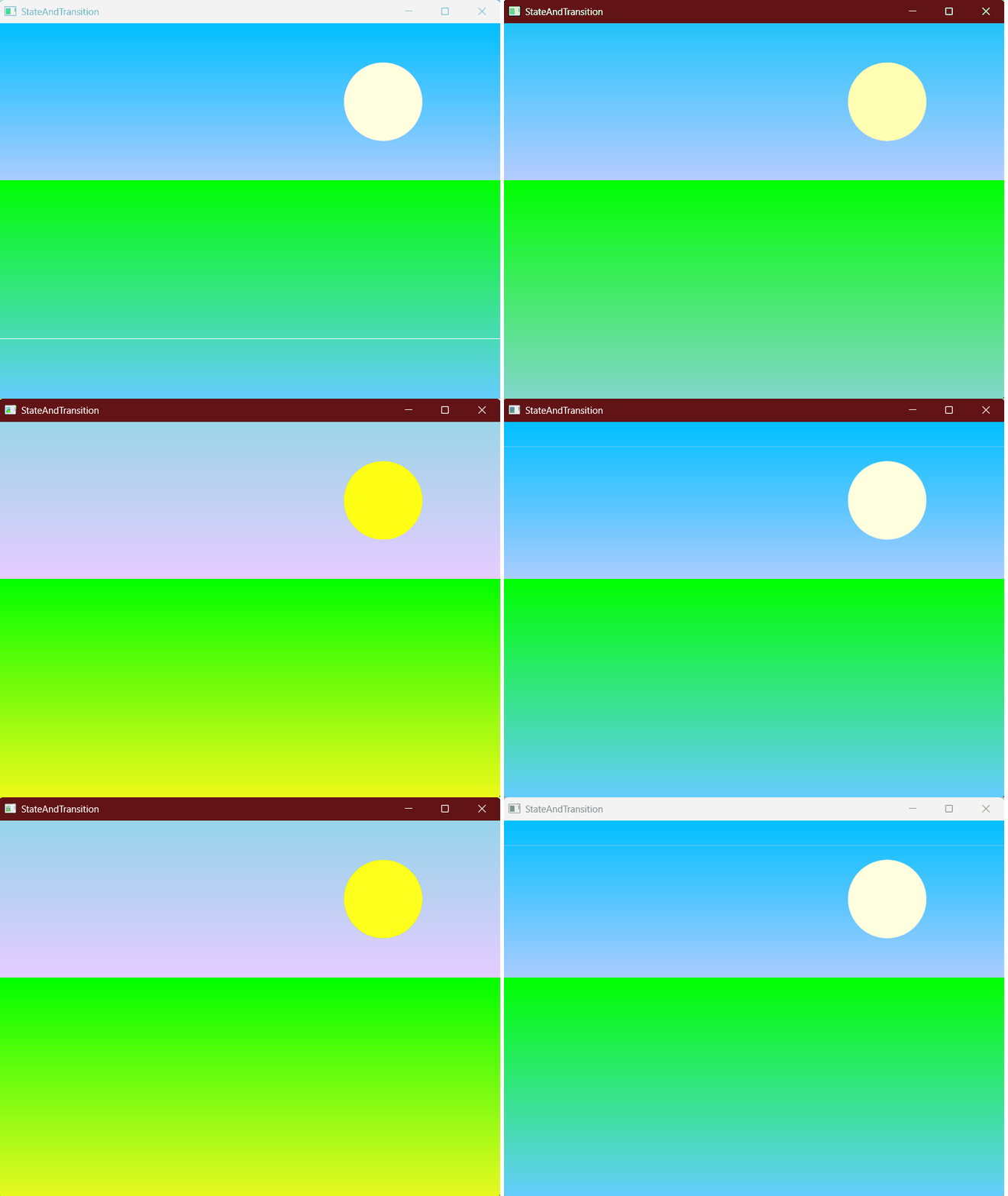
四、总结
State状态、Transition过渡和Gradient渐变,无疑更加丰富了QML中的动态效果。其实状态和渐变作为基础ui效果,在qwidget中也有应用,但配合上过渡的动画效果,给人的体验感还是挺不一样的。希望后续实际开发中也有机会使用到这个东西。