
🦆 个人主页:深邃-

目录
- strncpy函数的使用
- strncat函数的使用
- strncmp函数的使用
-
- [Return Value](#Return Value)
- strstr的使用和模拟实现
- strtok函数的使用
- strerror函数的使用
- perror函数
strncpy函数的使用
c
char * strncpy ( char * destination, const char * source, size_t num );- Copies the first num characters of source to destination. If the end of the source C string (which is signaled by a null-character) is found before num characters have been copied, destination is padded with zeros until a total of num characters have been written to it.
- 拷贝num个字符从源字符串到目标空间。
- 如果源字符串的长度小于num,则拷贝完源字符串之后,在目标的后边追加0,直到num个。
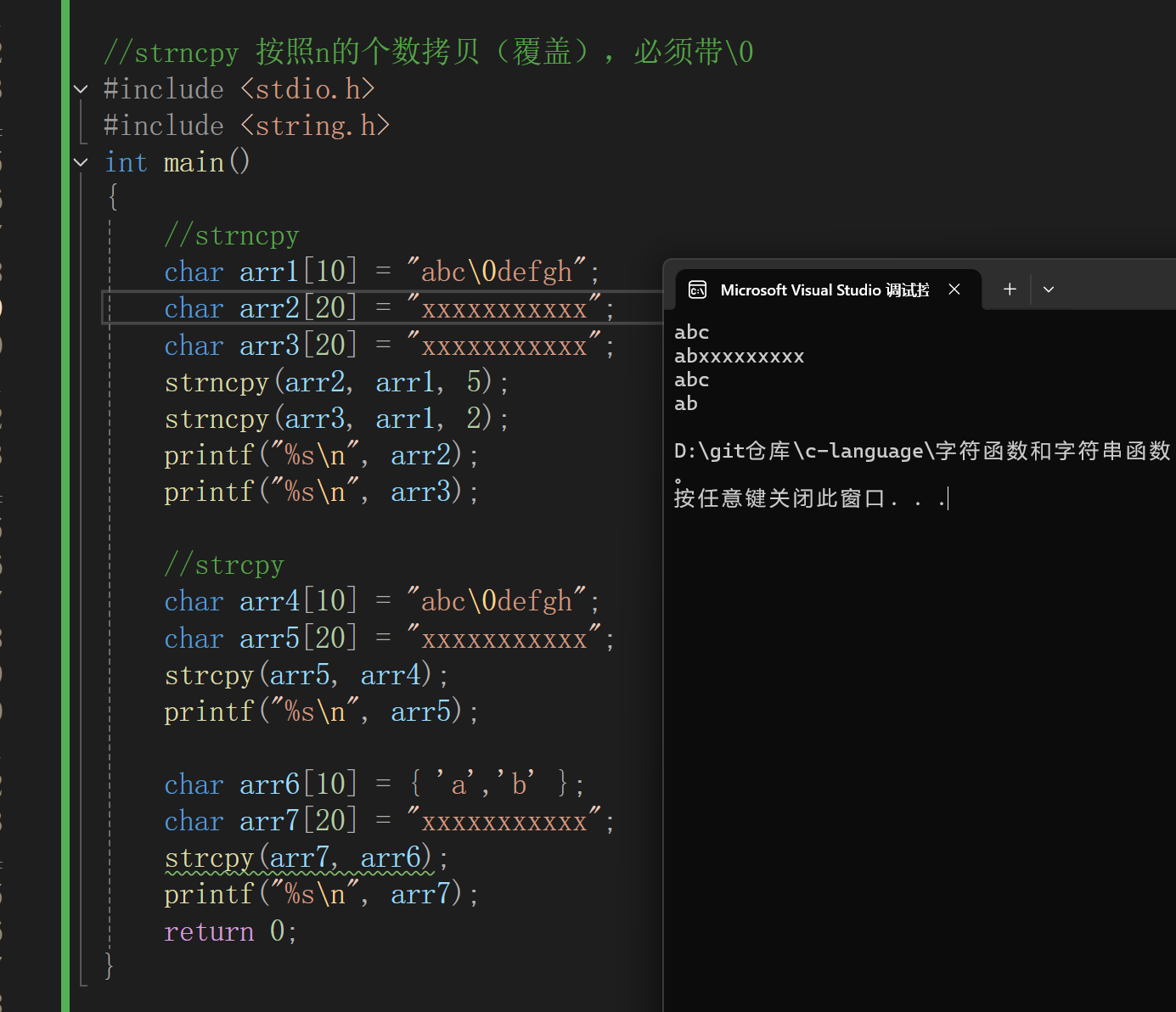
注意:strncpy 按照n的个数拷贝(覆盖),必须带\0
c
//strncpy 按照n的个数拷贝(覆盖),必须带\0
#include <stdio.h>
#include <string.h>
int main()
{
	//strncpy
	char arr1[10] = "abc\0defgh";
	char arr2[20] = "xxxxxxxxxxx";
	char arr3[20] = "xxxxxxxxxxx";
	strncpy(arr2, arr1, 5);
	strncpy(arr3, arr1, 2);
	printf("%s\n", arr2);
	printf("%s\n", arr3);

	//strcpy
	char arr4[10] = "abc\0defgh";
	char arr5[20] = "xxxxxxxxxxx";
	strcpy(arr5, arr4);
	printf("%s\n", arr5);

	char arr6[10] = { 'a','b' };
	char arr7[20] = "xxxxxxxxxxx";
	strcpy(arr7, arr6);
	printf("%s\n", arr7);
	return 0;
}
strncat函数的使用
c
char * strncat ( char * destination, const char * source, size_t num );-
Appends the first num characters of source to destination, plus a terminating null-character.
(将source指向字符串的前num个字符追加到destination指向的字符串末尾,再追加一个
\0字符)。 -
If the length of the C string in source is less than num, only the content up to the terminating null-character is copied.
(如果source 指向的字符串的长度小于num的时候,只会将字符串中到
\0的内容追加到destination指向的字符串末尾)。
c
#include <stdio.h>
#include <string.h>
int main()
{
	char arr1[10] = "abc";
	char arr2[20] = "xxxxx\0xxxxxxxxx";
	strncat(arr2, arr1, 6);
	printf("%s\n", arr2);
	strncat(arr2, arr1, 2);//strncat会自动添加\0
	printf("%s\n", arr2);
	return 0;
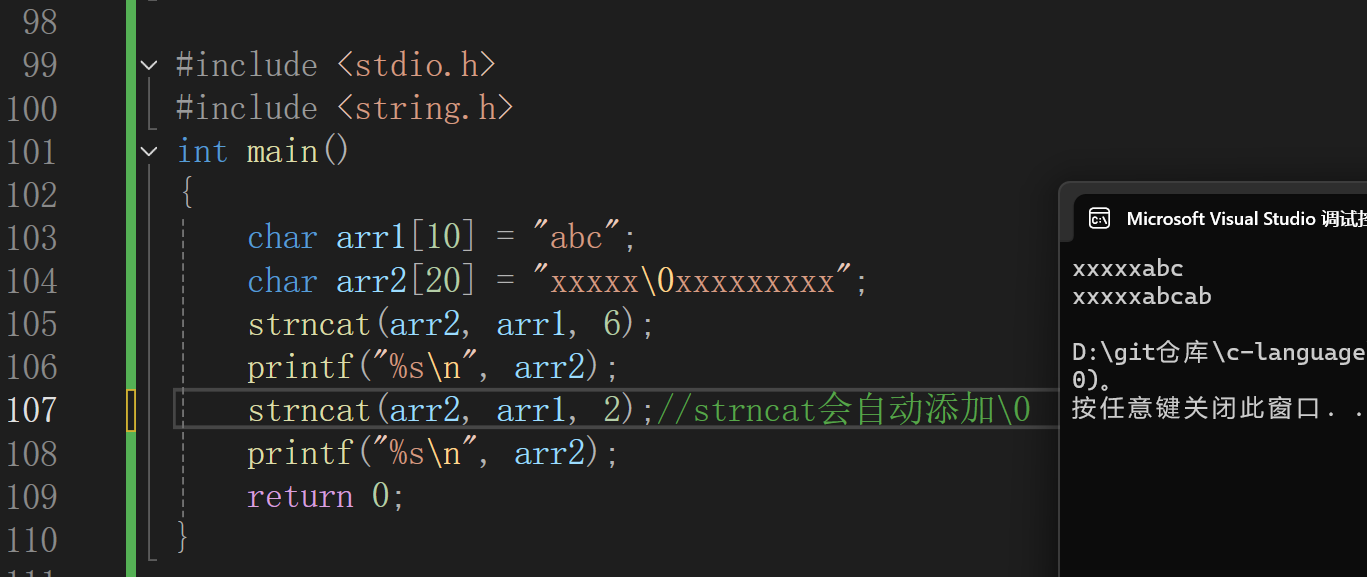
}
c
/* strncat example */
#include <stdio.h>
#include <string.h>
int main()
{
	char str1[20];
	char str2[20];
	strcpy(str1, "To be ");
	strcpy(str2, "or not to be");
	strncat(str1, str2, 6);
	printf("%s\n", str1);
	return 0;
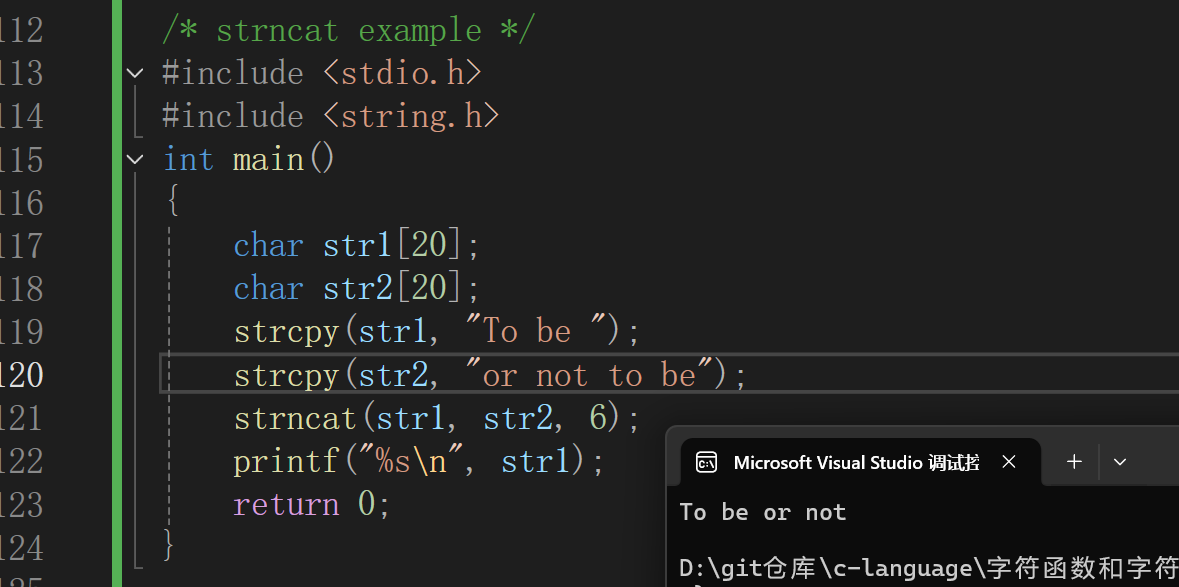
}
strncmp函数的使用
c
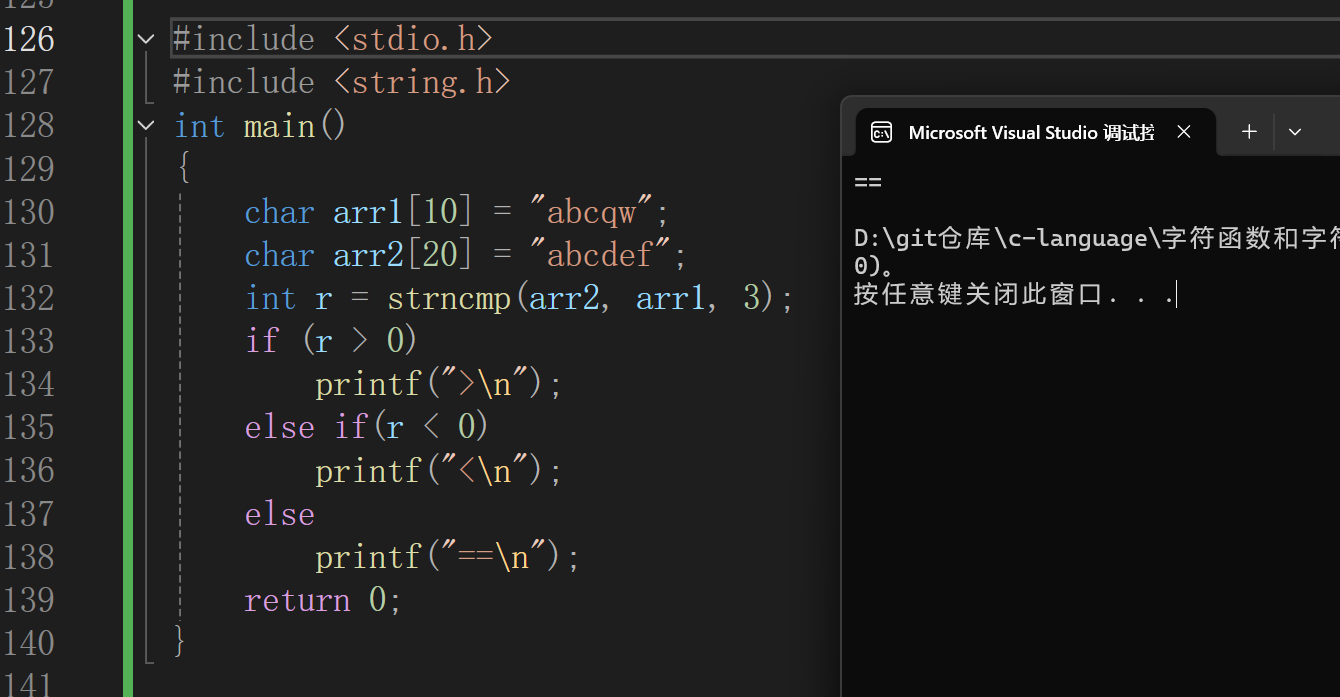
int strncmp ( const char * str1, const char * str2, size_t num );科技蓝色比较str1和str2的前num个字符,如果相等就继续往后比较,最多比较num个字母,如果提前发现不一样,就提前结束,大的字符所在的字符串大于另外一个。如果num个字符都相等,就是相等返回0.
Return Value
Returns an integral value indicating the relationship between the strings:
| return value | indicates |
|---|---|
| <0 | the first character that does not match has a lower value in str1 than in str2 |
| 0 | the contents of both strings are equal |
| >0 | the first character that does not match has a greater value in str1 than in str2 |
c
#include <stdio.h>
#include <string.h>
int main()
{
	char arr1[10] = "abcqw";
	char arr2[20] = "abcdef";
	int r = strncmp(arr2, arr1, 3);
	if (r > 0)
		printf(">\n");
	else if(r < 0)
		printf("<\n");
	else
		printf("==\n");
	return 0;
}
strstr的使用和模拟实现
strstr的使用
c
char * strstr ( const char * str1, const char * str2);- Returns a pointer to the first occurrence of str2 in str1, or a null pointer if str2 is not part of str1.
(函数返回字符串str2在字符串str1中第一次出现的位置)。 - The matching process does not include the terminating null-characters, but it stops there. (字符串的比较匹配不包含 \0 字符,以 \0 作为结束标志)。
c
#include <stdio.h>
#include <string.h>
int main()
{
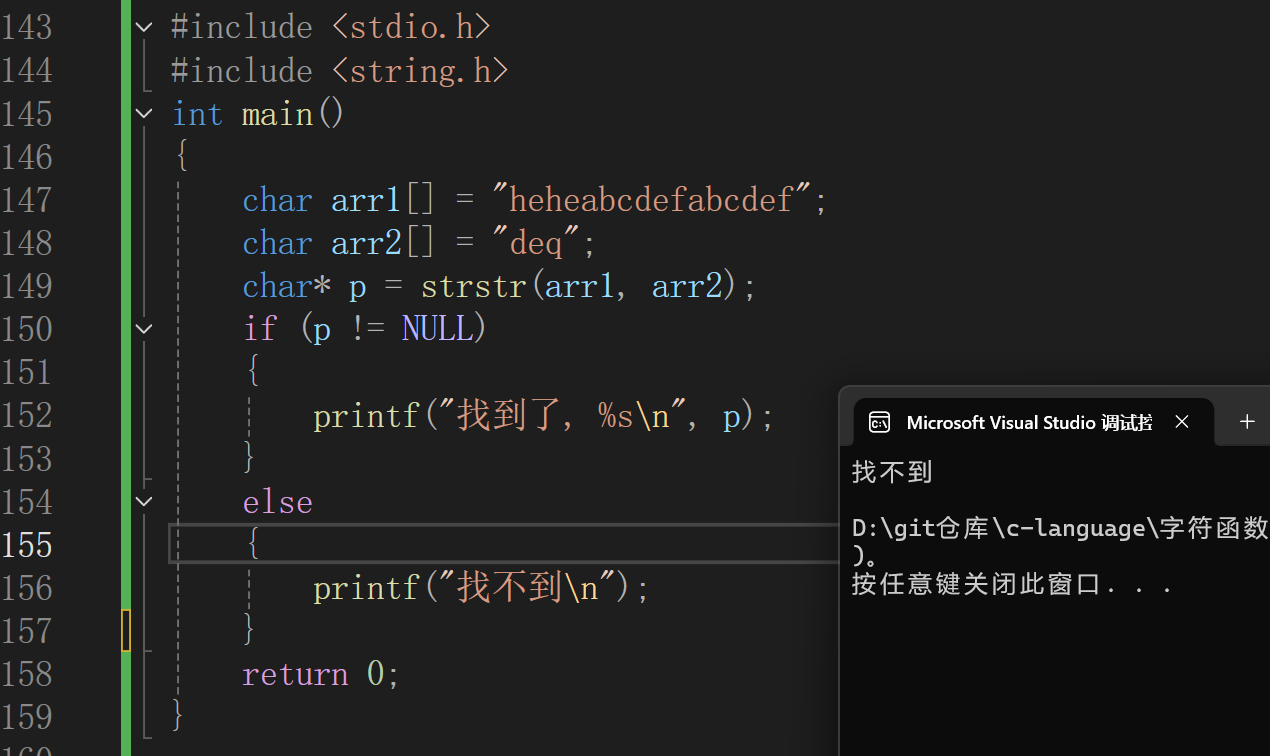
	char arr1[] = "heheabcdefabcdef";
	char arr2[] = "deq";
	char* p = strstr(arr1, arr2);
	if (p != NULL)
	{
		printf("找到了, %s\n", p);
	}
	else
	{
		printf("找不到\n");
	}
	return 0;
}
c
/* strstr example */
#include <stdio.h>
#include <string.h>
int main()
{
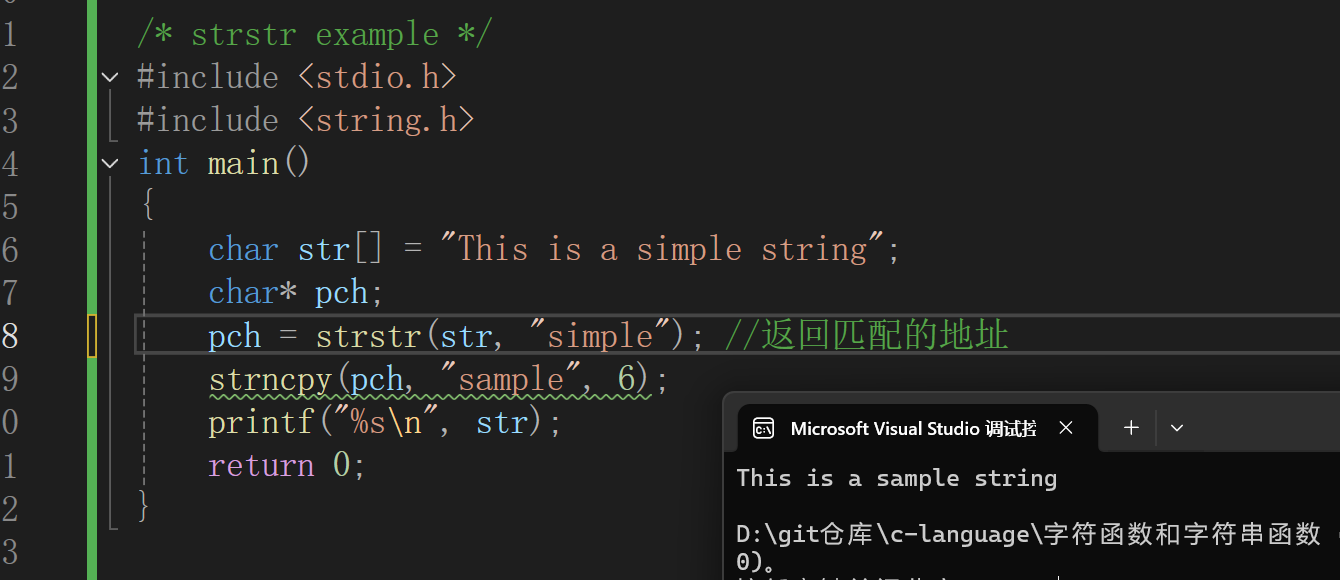
	char str[] = "This is a simple string";
	char* pch;
	pch = strstr(str, "simple"); //返回匹配的地址
	strncpy(pch, "sample", 6);
	printf("%s\n", str);
	return 0;
}
strstr的模拟实现
c
#include <stdio.h>
#include <string.h>
#include <assert.h>
//暴力写法
char* my_strstr(const char* str1, const char* str2)
{
	assert(str1 && str2);
	const char* p = str1;
	const char* s1 = NULL;
	const char* s2 = NULL;

	//特殊的场景的处理
	if (*str2 == '\0')
		return (char*)str1;

	while (*p) //枚举查找的次数
	{
		s1 = p;
		s2 = str2;
		//找一次的匹配过程
		while (*s1 && *s2 && *s1 == *s2)
		{
			s1++;
			s2++;
		}
		if (*s2 == '\0')
			return (char*)p;
		p++;
	}
	return NULL;
}

int main()
{
	/*char arr1[] = "heheabcdefabcdef";
	char arr2[] = "deq";*/

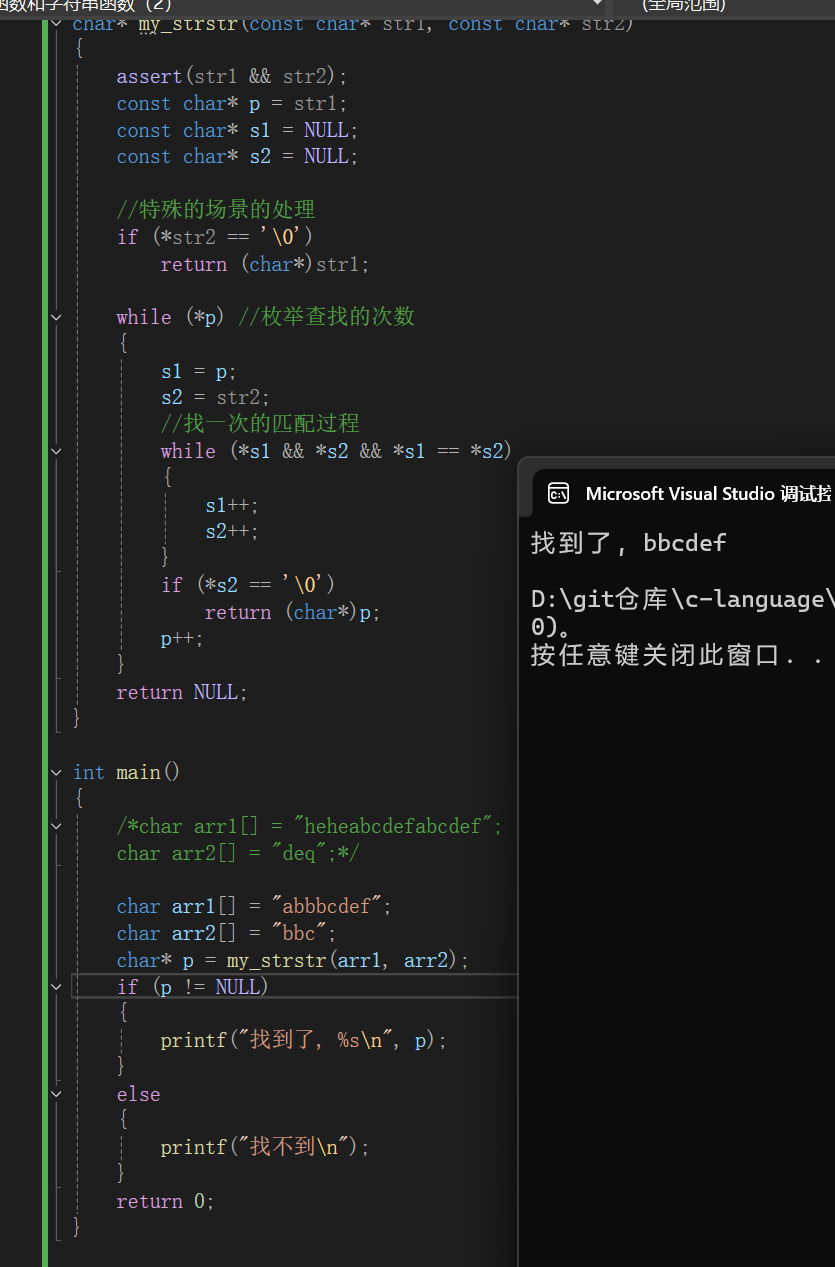
	char arr1[] = "abbbcdef";
	char arr2[] = "bbc";
	char* p = my_strstr(arr1, arr2);
	if (p != NULL)
	{
		printf("找到了, %s\n", p);
	}
	else
	{
		printf("找不到\n");
	}
	return 0;
}
strtok函数的使用
c
char * strtok ( char * str, const char * sep);- sep参数指向一个字符串,定义了用作分隔符的字符集合
- 第一个参数指定一个字符串,它包含了0个或者多个由sep字符串中一个或者多个分隔符分割的标记。
- strtok函数找到str中的下一个标记,并将其用 \0 结尾,返回一个指向这个标记的指针。(注:strtok函数会改变被操作的字符串,所以被strtok函数切分的字符串一般都是临时拷贝的内容并且可修改。)
- strtok函数的第一个参数不为 NULL ,函数将找到str中第一个标记,strtok函数将保存它在字符串中的位置。
- strtok函数的第一个参数为 NULL ,函数将在同一个字符串中被保存的位置开始,查找下一个标记。
- 如果字符串中不存在更多的标记,则返回 NULL 指针。
c
#include <stdio.h>
#include <string.h>
#include <assert.h>
int main()
{
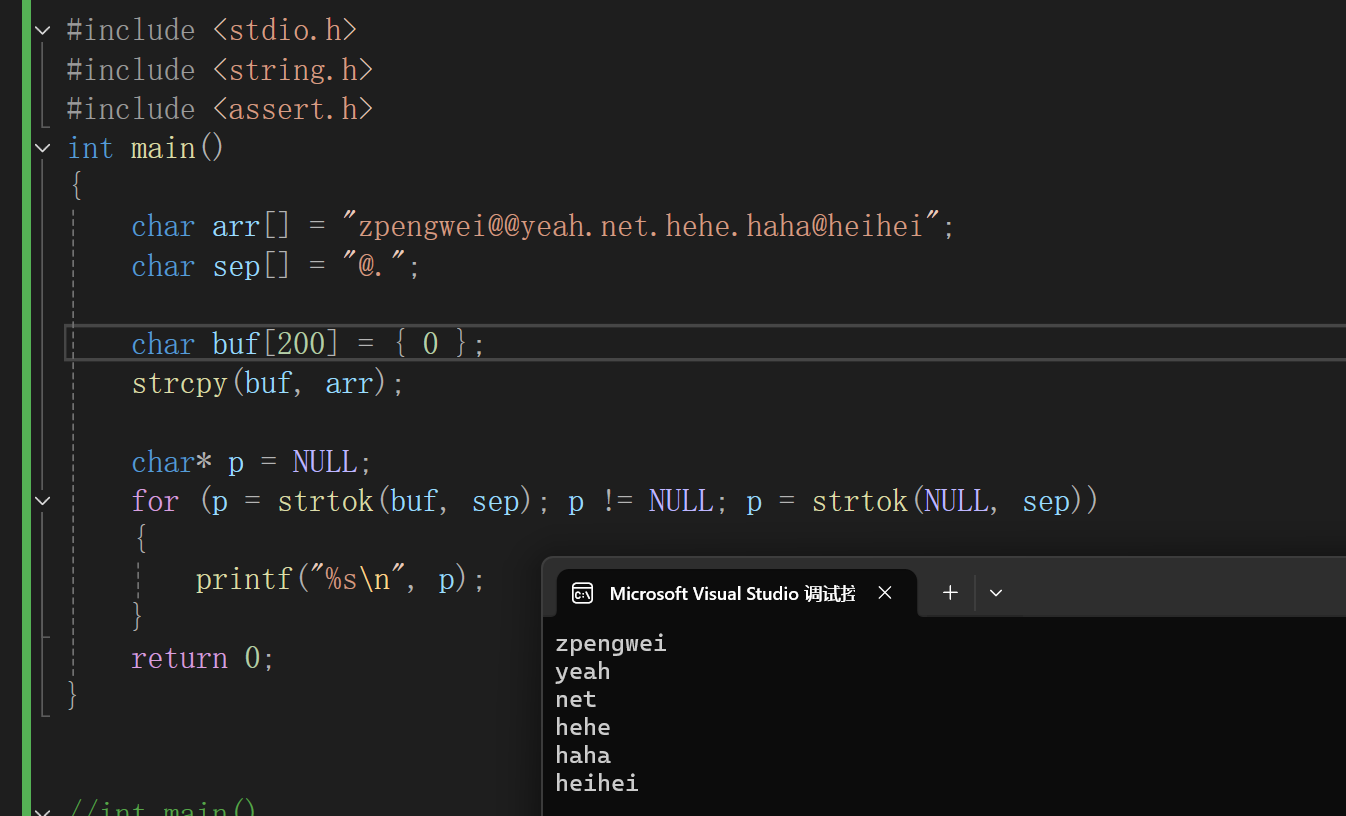
	char arr[] = "zpengwei@@yeah.net.hehe.haha@heihei";
	char sep[] = "@.";

	char buf[200] = { 0 };
	strcpy(buf, arr);

	char* p = NULL;
	for (p = strtok(buf, sep); p != NULL; p = strtok(NULL, sep))
	{
		printf("%s\n", p);
	}
	return 0;
}
strerror函数的使用
c
char* strerror ( int errnum );
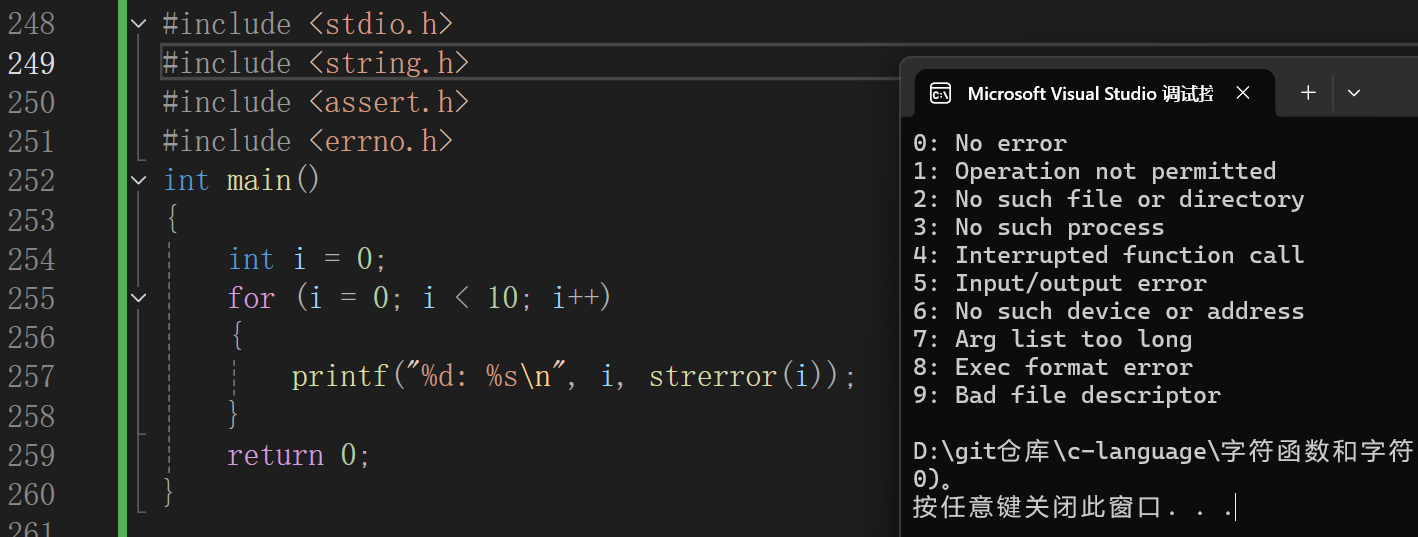
- strerror 函数可以把参数部分错误码对应的错误信息的字符串地址返回来。
- 在不同的系统和C语言标准库的实现中都规定了一些错误码,一般是放在 errno.h 这个头文件中说明的。
- C语言程序启动的时候就会使用一个全局的变量 errno 来记录程序的当前错误码,只不过程序启动的时候errno是0,表示没有错误。
- 当我们在使用标准库中的函数的时候发生了某种错误,就会将对应的错误码,存放在 errno 中。
- 而一个错误码的数字是整数很难理解是什么意思,所以每一个错误码都是有对应的错误信息的。strerror函数就可以将错误对应的错误信息字符串的地址返回。
c
#include <stdio.h>
#include <string.h>
#include <assert.h>
#include <errno.h>
int main()
{
	int i = 0;
	for (i = 0; i < 10; i++)
	{
		printf("%d: %s\n", i, strerror(i));
	}
	return 0;
}
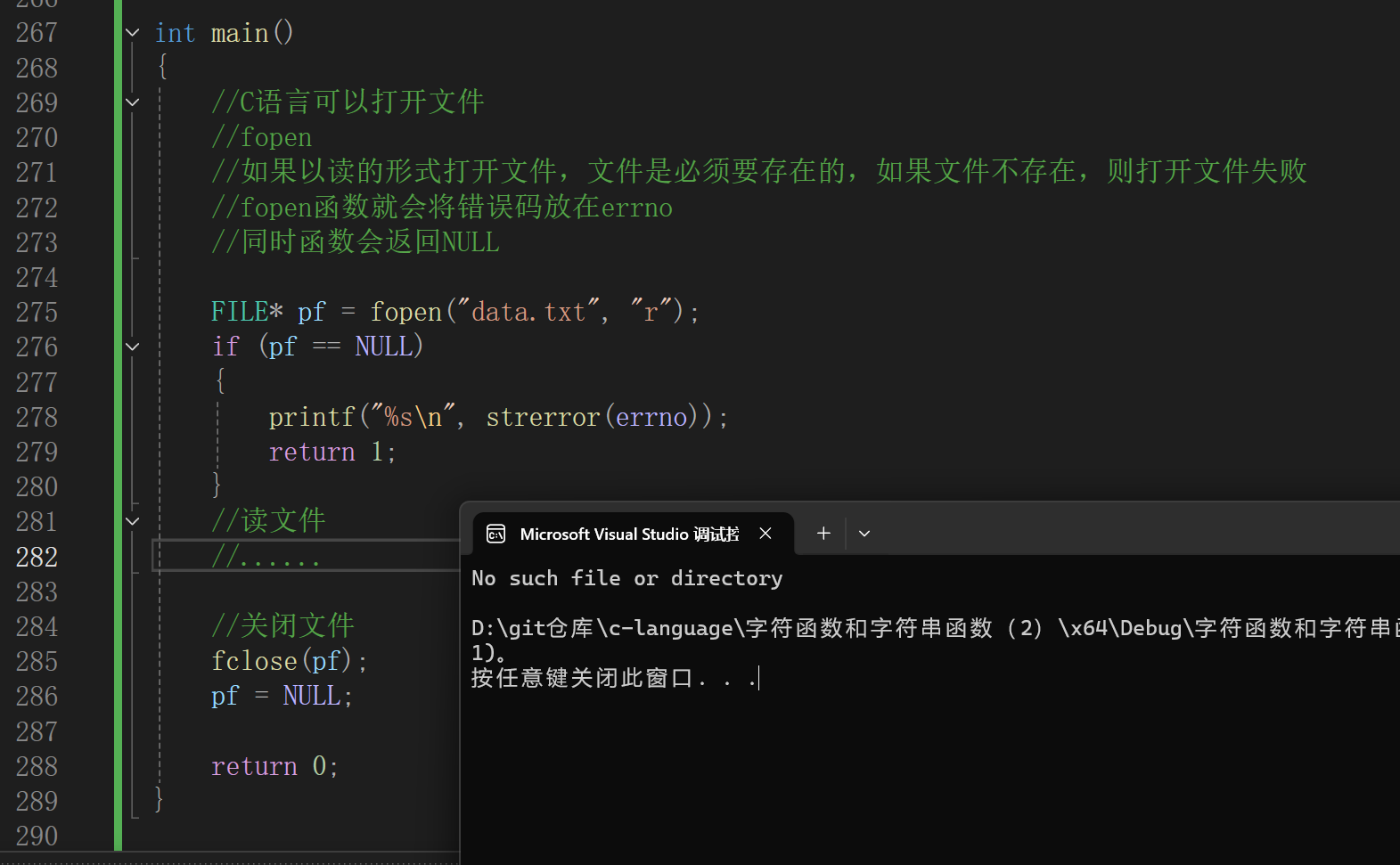
C语言可以打开文件fopen
如果以读的形式打开文件,文件是必须要存在的,如果文件不存在,则打开文件失败fopen函数就会将错误码放在errno
同时函数会返回NULL
c
#include <stdio.h>
#include <string.h>
#include <assert.h>
#include <errno.h>

int main()
{
	//C语言可以打开文件
	//fopen
	//如果以读的形式打开文件,文件是必须要存在的,如果文件不存在,则打开文件失败
	//fopen函数就会将错误码放在errno
	//同时函数会返回NULL

	FILE* pf = fopen("data.txt", "r");
	if (pf == NULL)
	{
		printf("%s\n", strerror(errno));
		return 1;
	}
	//读文件
	//......

	//关闭文件
	fclose(pf);
	pf = NULL;

	return 0;
}
perror函数
p e r r o r = p r i n t f + s t r e r r o r perror = printf + strerror perror=printf+strerror
c
#include <stdio.h>
#include <string.h>
#include <errno.h>
int main()
{
	FILE* pFile;
	pFile = fopen("unexist.ent", "r");
	if (pFile == NULL)
		perror("Error opening file unexist.ent");
	return 0;
}
也可以了解一下 perror 函数,perror函数相当于上一次将上述代码中的第9行完成了,直接将错误信息
打印出来。perror函数打印完参数部分的字符串后,再打印一个冒号和一个空格,再打印错误信息
c
perror("你可以自己标注出错误的内容")接下来可以在动态内存管理遇见perror,点击跳转-->动态内存管理