一、为什么要谈源码二次开发?
这两年,海外外卖跑腿类创业项目越来越多。很多团队选择了一条非常务实的路径------拿到一套成熟的同城外卖成品源码,以此为骨架,进行海外化技术改造,从而快速搭建一个面向国际市场的O2O配送平台。
这种"站在巨人肩膀上"的策略,核心逻辑非常清晰:从零开发一套涵盖用户端、骑手端、商家端和管理后台的完整外卖平台,技术复杂度高、开发周期长、成本巨大。而使用成品源码进行二次开发,团队可以将工作重心从"架构创造"转向"组件替换与深度定制"。
本文将深入讲解海外版外卖系统的核心技术改造点,包括多语言国际化实现、支付网关替换与多支付集成、地图服务切换 以及数据合规实施。
二、技术栈框架概览
在做具体的代码改造之前,我们需要先了解一套典型的同城外卖源码的技术构成。通常来说,这类系统采用多端分离架构:
-
前端:Vue.js或React构建管理后台,Uni-app/React Native/Flutter构建移动端应用
-
数据库:MySQL(核心业务数据)+ Redis(缓存、会话、队列)
-
消息队列:RabbitMQ或Redis Streams,用于订单派发等异步任务
核心改造任务就是将国内化的第三方服务全面替换为海外可用的替代方案,并实现多语言、多货币等国际化功能。
三、核心改造一:支付网关集成(重中之重)
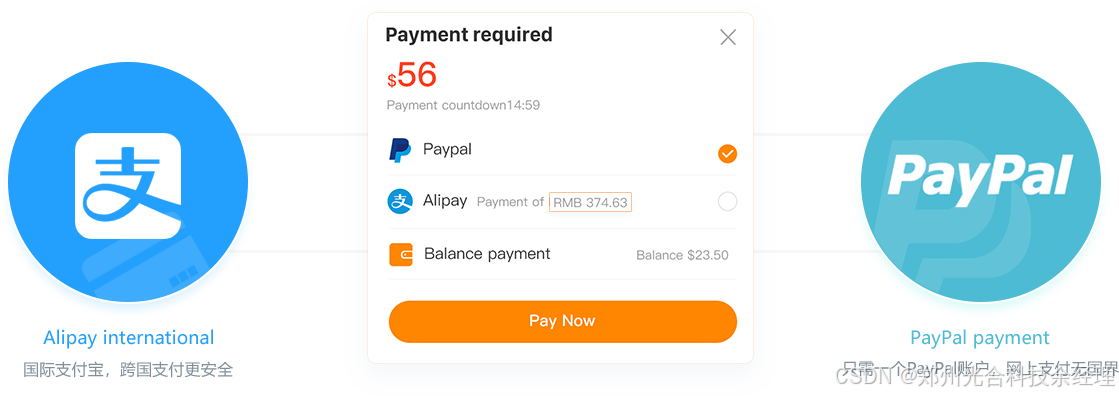
这是海外改造中最关键也最容易出问题的一步。国内源码通常集成了支付宝和微信支付,这两个网关在海外完全不可用,必须用Stripe、PayPal等替代。
3.1 支付驱动抽象设计
首先要设计一个抽象支付接口层,以支持多个支付网关的灵活切换和扩展。
<?php
// app/Payments/PaymentGatewayInterface.php
namespace App\Payments;
interface PaymentGatewayInterface
{
public function createPayment($orderData);
public function confirmPayment($paymentId);
public function refundPayment(orderId, amount);
public function handleWebhook(payload, signature);
}
这个接口层是整个支付系统的基石。通过定义统一的接口规范,后续添加新的支付网关(如PayPal、本地电子钱包等)只需要实现该接口即可,无需改动核心业务逻辑。
3.2 Stripe支付驱动实现
下面是Stripe支付网关的核心实现示例(以PHP + Laravel为例)
<?php
// app/Payments/StripeGateway.php
namespace App\Payments;
use Stripe\Stripe;
use Stripe\PaymentIntent;
use App\Models\Order;
class StripeGateway implements PaymentGatewayInterface
{
public function __construct()
{
Stripe::setApiKey(config('services.stripe.secret_key'));
}
public function createPayment($orderData)
{
$paymentIntent = PaymentIntent::create([
'amount' => $orderData'amount', // 金额必须是整数分(如19.99 → 1999)
'currency' => $orderData'currency',
'payment_method_types' => 'card',
'metadata' => 'order_id' =\> $orderData\['order_id'],
'description' => 'Order #' . $orderData'order_id'
]);
return [
'payment_id' => $paymentIntent->id,
'client_secret' => $paymentIntent->client_secret,
'status' => $paymentIntent->status
];
}
// confirmPayment、refundPayment、handleWebhook方法实现...
}
关键注意事项:
-
Stripe的金额单位是分(cent),19.99美元需要传1999
-
需要妥善处理Webhook回调,确保支付状态的可靠同步
-
生产环境务必使用环境变量管理API密钥,切勿硬编码
3.3 多支付网关配置管理
在后台管理系统中,需要增加对多支付方式的配置管理:
// config/payment.php
return [
'gateways' => [
'stripe' => [
'enabled' => env('STRIPE_ENABLED', false),
'public_key' => env('STRIPE_PUBLIC_KEY'),
'secret_key' => env('STRIPE_SECRET_KEY'),
'currency' => 'usd',
],
'paypal' => [
'enabled' => env('PAYPAL_ENABLED', false),
'client_id' => env('PAYPAL_CLIENT_ID'),
'secret' => env('PAYPAL_SECRET'),
'currency' => 'usd',
],
// 可根据目标市场添加更多支付网关
],
];
四、核心改造二:地图服务切换
国内源码通常集成高德地图或百度地图,海外必须替换为Google Maps API。
4.1 地理位置服务抽象
同样,先抽象一个地图服务接口:
<?php
// app/Services/MapServiceInterface.php
namespace App\Services;
interface MapServiceInterface
{
public function geocode($address);
public function reverseGeocode(lat, lng);
public function calculateDistance(origin, destination);
public function getRoute(origin, destination);
public function searchPlaces(query, location, $radius);
}
4.2 Google Maps驱动实现
<?php
// app/Services/GoogleMapsService.php
namespace App\Services;
use GuzzleHttp\Client;
class GoogleMapsService implements MapServiceInterface
{
protected $client;
protected $apiKey;
public function __construct()
{
$this->client = new Client();
$this->apiKey = config('services.google_maps.api_key');
}
public function geocode($address)
{
response = this->client->get('https://maps.googleapis.com/maps/api/geocode/json', [
'query' => [
'address' => $address,
'key' => $this->apiKey
]
]);
data = json_decode(response->getBody(), true);
if ($data'status' !== 'OK') {
throw new \Exception('Geocoding failed: ' . $data'status');
}
location = data'results'0'geometry''location';
return [
'lat' => $location'lat',
'lng' => $location'lng',
'formatted_address' => $data'results'0'formatted_address'
];
}
public function calculateDistance(origin, destination)
{
response = this->client->get('https://maps.googleapis.com/maps/api/distancematrix/json', [
'query' => [
'origins' => origin\['lat'\] . ',' . origin'lng',
'destinations' => destination\['lat'\] . ',' . destination'lng',
'key' => $this->apiKey
]
]);
data = json_decode(response->getBody(), true);
return $data'rows'0'elements'0'distance''value' / 1000; // 返回公里数
}
// 其他方法实现...
}
五、核心改造三:多语言与国际化
海外市场面对的是多语言用户,多语言支持不是简单的翻译,而是涉及UI适配、货币格式、时间格式、日期格式等全方位的国际化。
5.1 后端多语言实现(Laravel为例)
使用Laravel的__()辅助函数和语言包:
// resources/lang/en/messages.php
return [
'welcome' => 'Welcome to our platform',
'order_status' => [
'pending' => 'Pending',
'confirmed' => 'Confirmed',
'preparing' => 'Preparing',
'ready' => 'Ready for pickup',
'delivering' => 'Delivering',
'delivered' => 'Delivered',
'cancelled' => 'Cancelled'
],
'payment' => [
'success' => 'Payment successful',
'failed' => 'Payment failed',
'refunded' => 'Refunded'
]
];
// resources/lang/zh/messages.php
return [
'welcome' => '欢迎使用我们的平台',
'order_status' => [
'pending' => '待确认',
'confirmed' => '已确认',
'preparing' => '备餐中',
'ready' => '待取餐',
'delivering' => '配送中',
'delivered' => '已送达',
'cancelled' => '已取消'
],
// ...
];
5.2 前端多语言实现(Vue + vue-i18n为例)
// i18n/index.js
import Vue from 'vue'
import VueI18n from 'vue-i18n'
Vue.use(VueI18n)
const messages = {
en: {
app: {
title: 'Food Delivery',
search: 'Search restaurants...',
cart: 'Cart'
},
order: {
place_order: 'Place Order',
tracking: 'Track Order',
estimated_time: 'Estimated Delivery Time'
}
},
zh: {
app: {
title: '外卖平台',
search: '搜索餐厅...',
cart: '购物车'
},
order: {
place_order: '下单',
tracking: '追踪订单',
estimated_time: '预计送达时间'
}
},
ar: {
// 阿拉伯语 - 注意RTL布局支持
app: {
title: 'توصيل الطعام',
search: 'ابحث عن مطاعم...',
cart: 'عربة التسوق'
}
// ...
}
}
const i18n = new VueI18n({
locale: localStorage.getItem('locale') || 'en',
fallbackLocale: 'en',
messages
})
export default i18n
六、部署与环境准备
6.1 服务器选型
首要原则是"用户就近"。务必选择目标市场区域的云服务器,初始建议配置为2核4G以上,并预留弹性伸缩空间。
6.2 关键配置项
.env 配置文件示例
APP_NAME="FoodDelivery"
APP_ENV=production
APP_DEBUG=false
APP_URL=https://yourdomain.com
数据库
DB_CONNECTION=mysql
DB_HOST=127.0.0.1
DB_PORT=3306
DB_DATABASE=food_delivery
DB_USERNAME=root
DB_PASSWORD=your_password
Redis缓存
REDIS_HOST=127.0.0.1
REDIS_PASSWORD=null
REDIS_PORT=6379
Stripe支付
STRIPE_PUBLIC_KEY=pk_test_xxx
STRIPE_SECRET_KEY=sk_test_xxx
Google Maps
GOOGLE_MAPS_API_KEY=AIzaSyXXX
FCM推送
FCM_API_KEY=AAAAxxx
多语言默认设置
APP_LOCALE=en
APP_FALLBACK_LOCALE=en
总结
使用同城源码进行海外二次开发,是一个"站在巨人肩膀上"的策略。对于技术团队而言,工作的重点从"架构创造"转向了"组件替换与深度定制"。关键在于:
-
透彻理解原有代码架构
-
精准识别需要替换的第三方服务
-
严谨地实现支付、地图等核心模块的改造
通过以上技术实践,可以显著降低开发风险,加速产品海外上线的进程。希望这篇技术解析能为各位开发者的出海之路提供一些切实的帮助。