一、软件介绍
文末提供程序和源码下载
Vuer开源程序 是一个轻量级的可视化工具包,用于与动态 3D 和机器人数据进行交互。它支持 VR 和 AR,可以在移动设备上运行。
二、Our features include: 我们的功能包括:
- light-weight and performant
轻量级和高性能 - VR and AR ready
VR 和 AR 就绪 - Hackable and extensible 可破解和可扩展
- Open source, licensed under MIT
开源,根据 MIT 授权
三、Installation 安装
You can install vuer with pip:
您可以使用 以下命令 pip 进行安装 vuer :
pip install -U 'vuer[all]'Here is an example that loads a URDF file and displays it in the browser. For a more comprehensive list of examples, please refer to the examples page.
下面是一个加载 URDF 文件并在浏览器中显示它的示例。有关更全面的示例列表,请参阅示例页面。
from vuer import Vuer, VuerSession
from vuer.schemas import DefaultScene, Urdf

app = Vuer()


@app.spawn(start=True)
async def main(session: VuerSession):
    app.set @ DefaultScene(
        Urdf("assets/urdf/robotiq.urdf"),
    )

    while True:
        await session.sleep(0.1)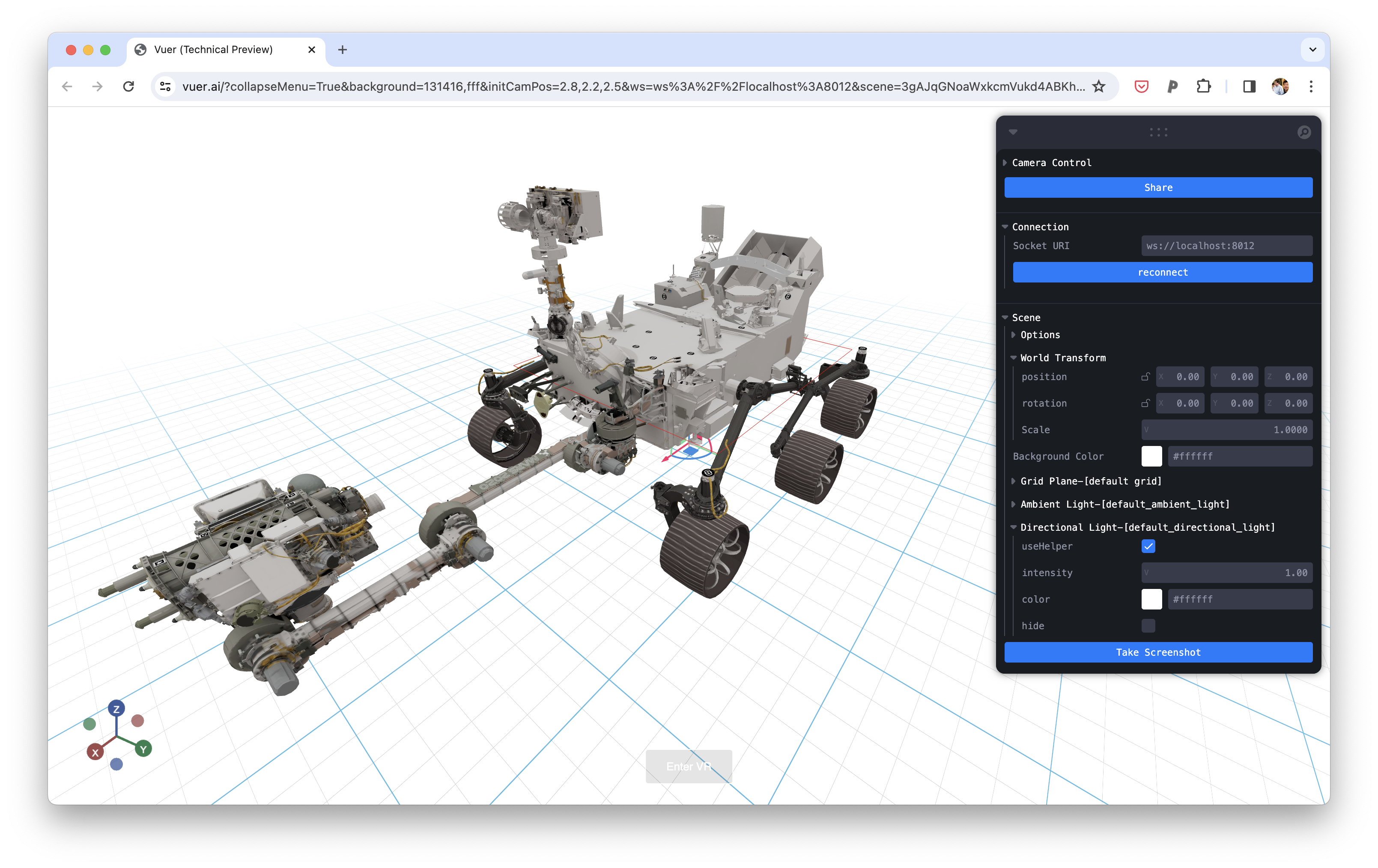
Each subdirectory in the assets directory contains a Makefile. Run the make command in each subdirectory to download the datasets. For example:
assets 目录中的每个子目录都包含一个 Makefile .在每个子目录中执行 make 命令以下载数据集。例如:
cd assets/static_3d
make
Then run the examples
然后运行示例
cd vuer/examples/vuer
python 01_trimesh.py
To Cite 引用
@software{vuer,
  author = {Ge Yang},
  title = {{VUER}: A 3D Visualization and Data Collection Environment for Robot Learning},
  version = {},
  publisher = {GitHub},
  url = {https://github.com/vuer-ai/vuer},
  year = {2024}
}
五、软件下载
本文信息来源于GitHub作者地址:https://github.com/vuer-ai/vuer