文章目录
- 学习建议
- 什么是缓存?
- 为什么要实现缓存系统?
- 在什么地方加缓存?
- [本地缓存(Local Cache)](#本地缓存(Local Cache))
- [分布式缓存(Distributed Cache)](#分布式缓存(Distributed Cache))
- [多级缓存(Two-Level Cache)](#多级缓存(Two-Level Cache))
- 做完本项目将收获
- 项目背景介绍
-
- [groupcache 架构设计](#groupcache 架构设计)
- 整体架构
- 核心组件及其关系
- 设计模式与最佳实践
- 项目部署
- 从0开始搭建项目
- 【缓存组】
- 核心结构设计
- 核心功能实现
- 功能特定分析
- group.go
- [关于报错 could not import github.com/sirupsen/logrus (no required module provides package ...) 的解决方案](#关于报错 could not import github.com/sirupsen/logrus (no required module provides package …) 的解决方案)
-
- [如果一开始没有go mod init的话(即当前目录下没有go.mod文件)先初始化一个 module](#如果一开始没有go mod init的话(即当前目录下没有go.mod文件)先初始化一个 module)
- [拉取 logrus 依赖](#拉取 logrus 依赖)
- 【缓存淘汰与实现】
- [最近最少使用(LRU, Least Recently Used)](#最近最少使用(LRU, Least Recently Used))
- [LRU-K(Least Recently Used K)](#LRU-K(Least Recently Used K))
- [LRU-2(Least Recently Used 2)](#LRU-2(Least Recently Used 2))
-
- 算法原理
- [GoCache 的实现](#GoCache 的实现)
-
- 核心设计理念
- 节点结构(node)
- 缓存结构
- 主缓存结构
- 简简单单测试一下
- 模拟插入结点
- [第一次 put](#第一次 put)
- 第二次插入(链表已有一个节点)
- [最少使用频率(LFU, Least Frequently Used)](#最少使用频率(LFU, Least Frequently Used))
- 【缓存并发】
- [缓存击穿(Cache Breakdown)](#缓存击穿(Cache Breakdown))
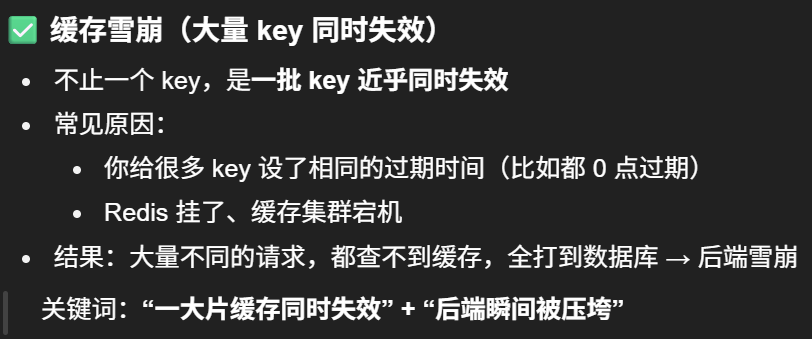
- [缓存雪崩(Cache Avalanche)](#缓存雪崩(Cache Avalanche))
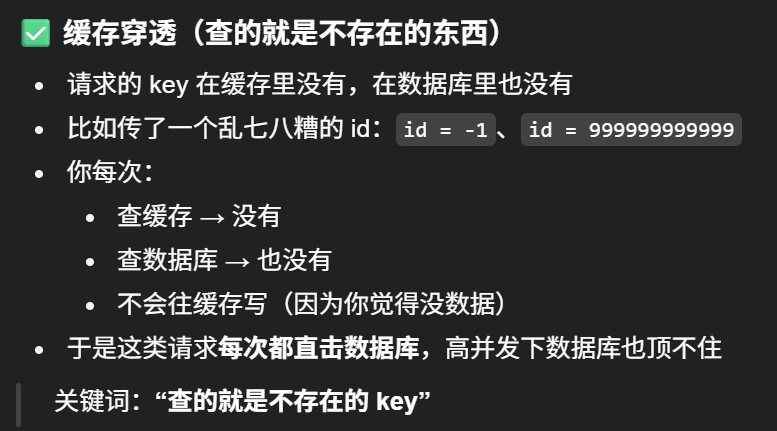
- [缓存穿透(Cache Penetration)](#缓存穿透(Cache Penetration))
- SingleFlight
学习建议
什么是缓存?
缓存是将高频访问的数据暂存到内存中,是加速数据访问的存储,降低延迟,提高吞吐率的利器。
为什么要实现缓存系统?
因缓存的使用相关需求,通过牺牲一部分服务器内存,减少对磁盘或者数据库资源进行直接读写,可换取更快响应速度,尤其是处理高并发的场景,负责存储经常访问的数据,通过设计合理的缓存机制提高资源的访问效率。由于服务器的内存是有限的,我们不能把所有数据都存放在内存中,因此需要一种机制来决定当使用内存超过一定标准时,应该删除哪些数据,这就涉及到缓存淘汰策略的选择。
在什么地方加缓存?
ps: 这里引用这篇文章中的解释:https://blog.csdn.net/chongfa2008/article/details/121956961
缓存对于每个开发者来说是相当熟悉了,为了提高程序的性能我们会去加缓存,但是在什么地方加缓存,如何加缓存呢?
举个例子:假设一个网站,需要提高性能,缓存可以放在浏览器,可以放在反向代理服务器,还可以放在应用程序进程内,同时可以放在分布式缓存系统中。
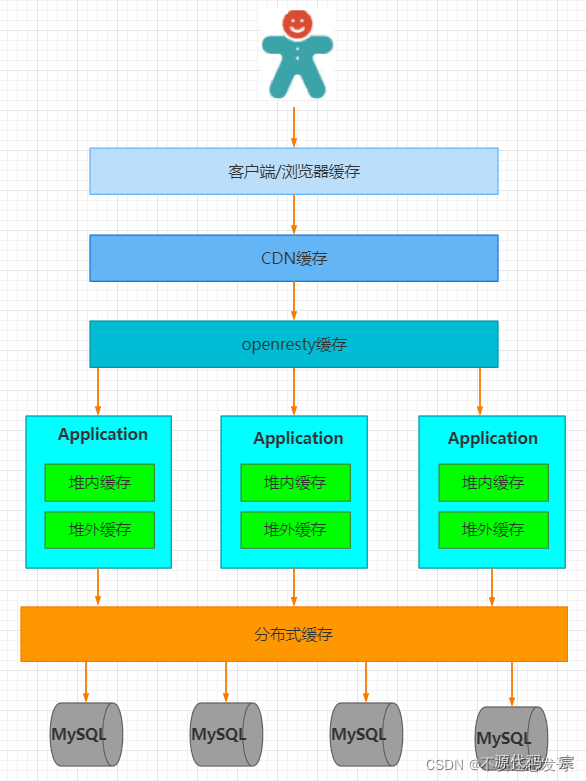
从用户请求数据到数据返回,数据经过了浏览器、CDN、代理服务器、应用服务器,以及数据库各个环节。每个环节都可以运用缓存技术。从浏览器/客户端开始请求数据,通过HTTP配合CDN获取数据的变更情况,到达代理服务器(Nginx)可以通过反向代理获取静态资源。再往下来到应用服务器可以通过进程内(堆内)缓存,分布式缓存等方式获取数据。如果以上所有缓存都没有命中数据,才会回源到数据库。
缓存的顺序:用户请求->HTTP缓存->CDN缓存->代理服务器缓存->进程内缓存->分布式缓存->数据库
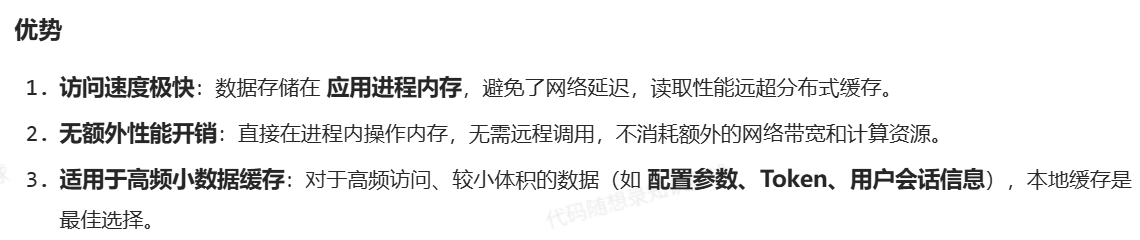
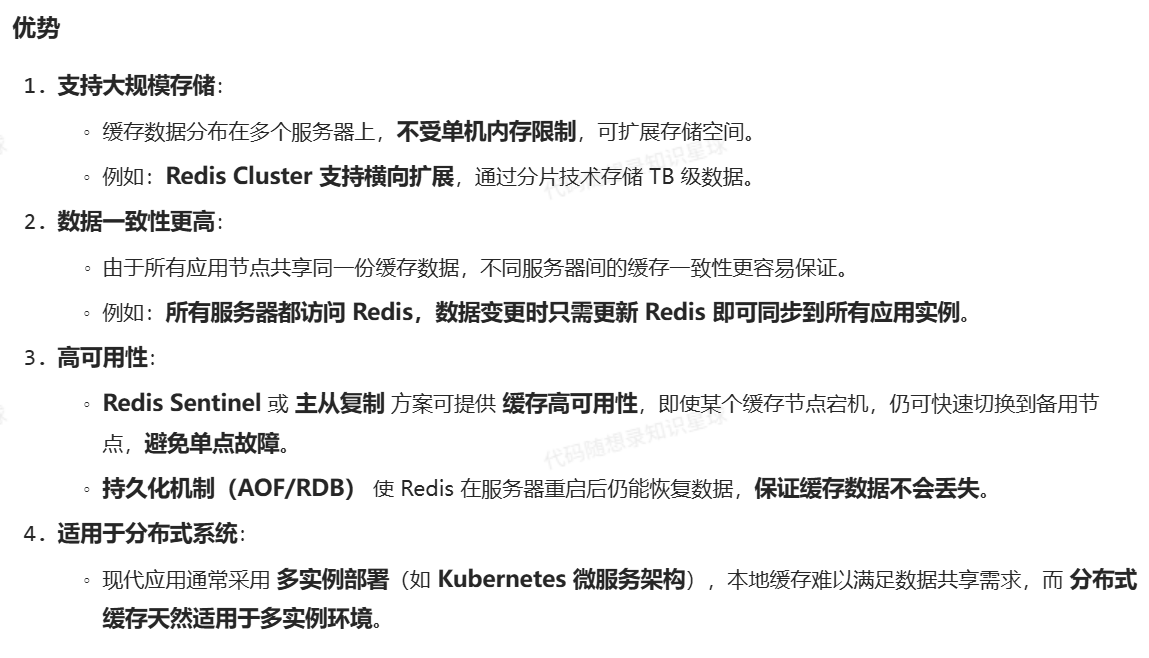
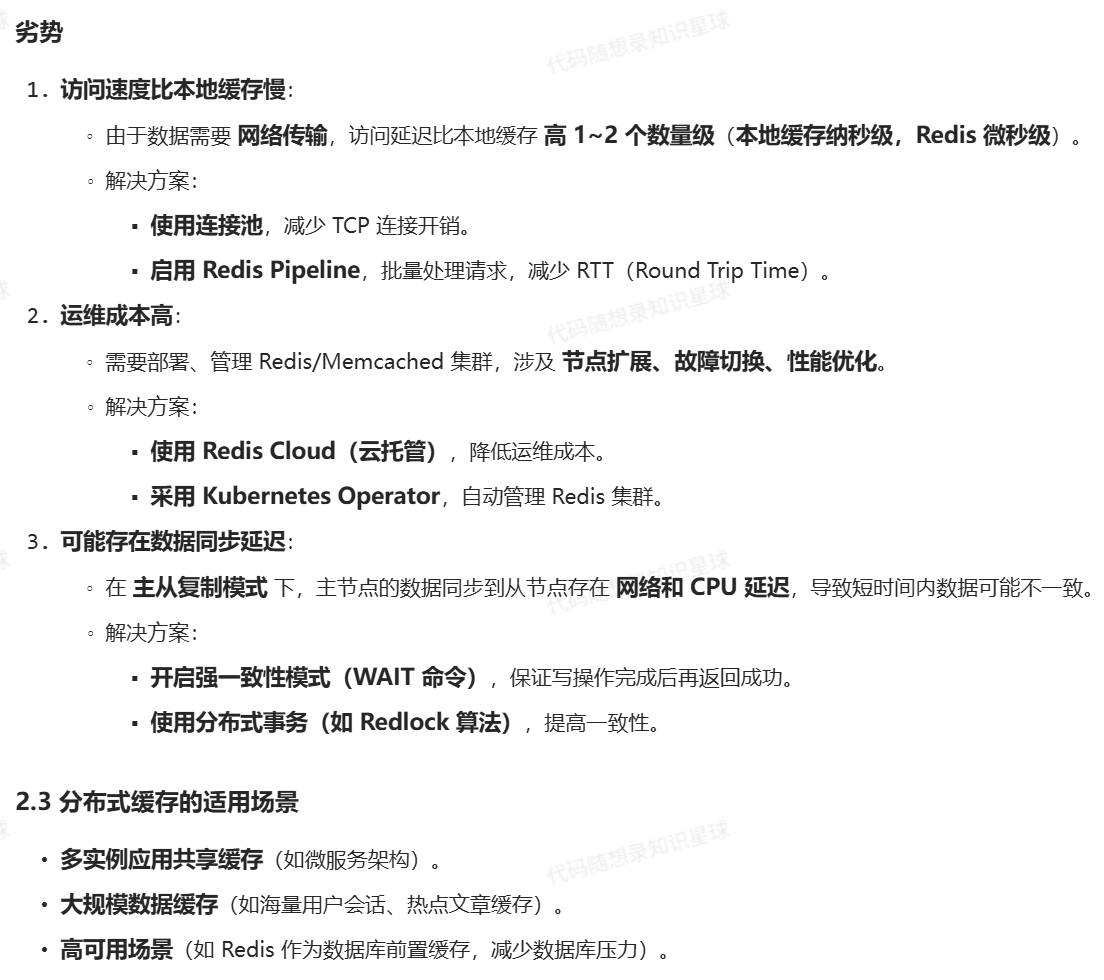
距离用户越近,缓存能够发挥的效果越好。而根据 缓存的存储方式 和 应用的耦合度,缓存可以分为 本地缓存(Local Cache) 和 分布式缓存(Distributed Cache)。本地缓存更注重 访问速度,而分布式缓存则关注 数据一致性和扩展性。
本地缓存(Local Cache)
本地缓存是 直接存储在应用进程内存中的缓存,应用程序与缓存共存于同一进程,无需网络通信即可访问数据,访问速度极快。
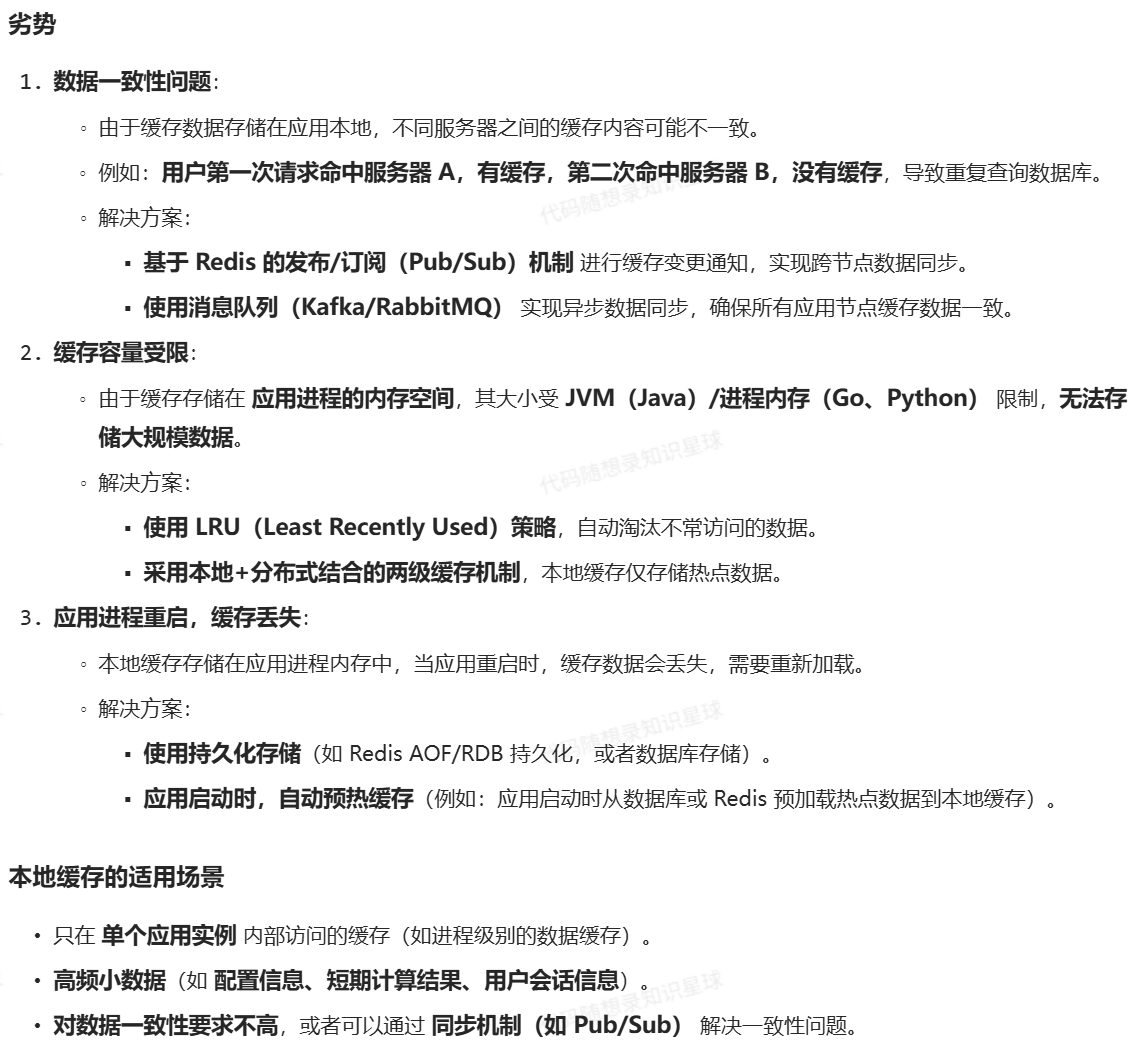
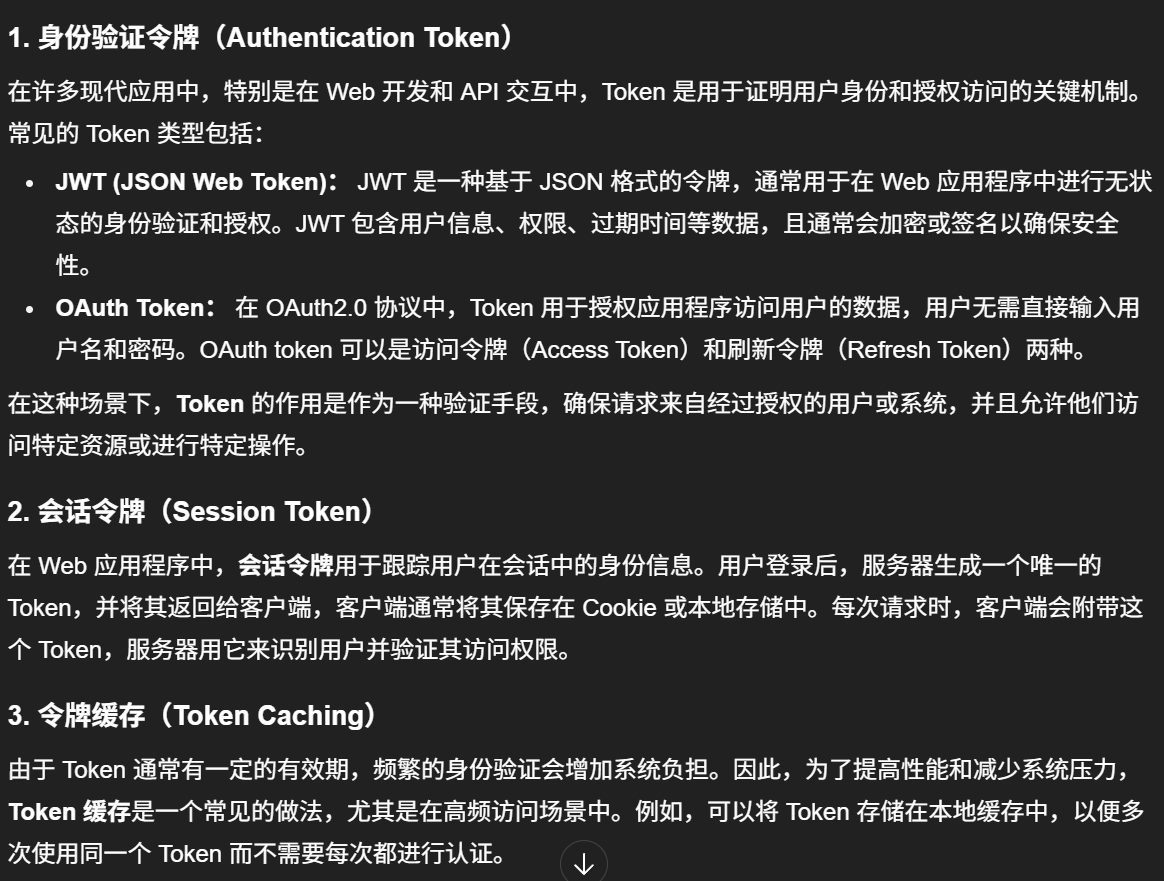
Token
分布式缓存(Distributed Cache)
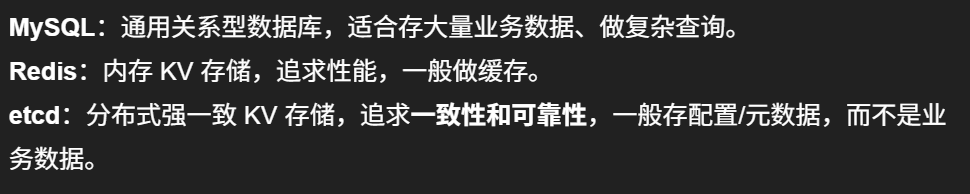
分布式缓存是一种 独立部署的缓存服务,与应用进程分离,多个应用实例共享同一份缓存数据,典型实现包括 Redis、Memcached、etcd。
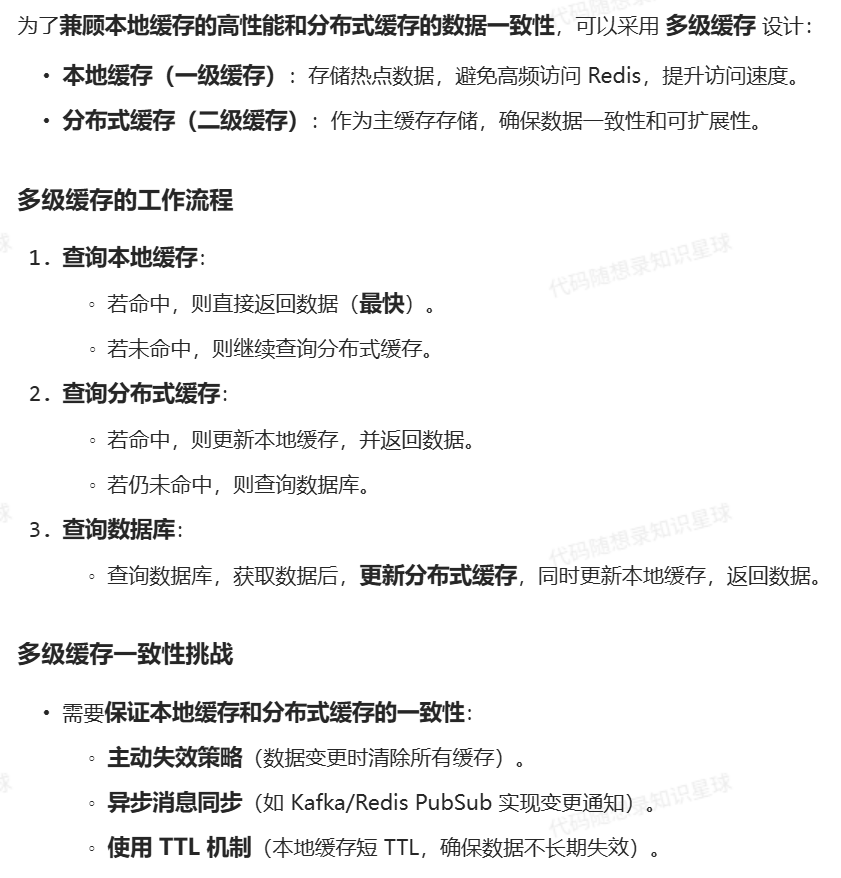
多级缓存(Two-Level Cache)
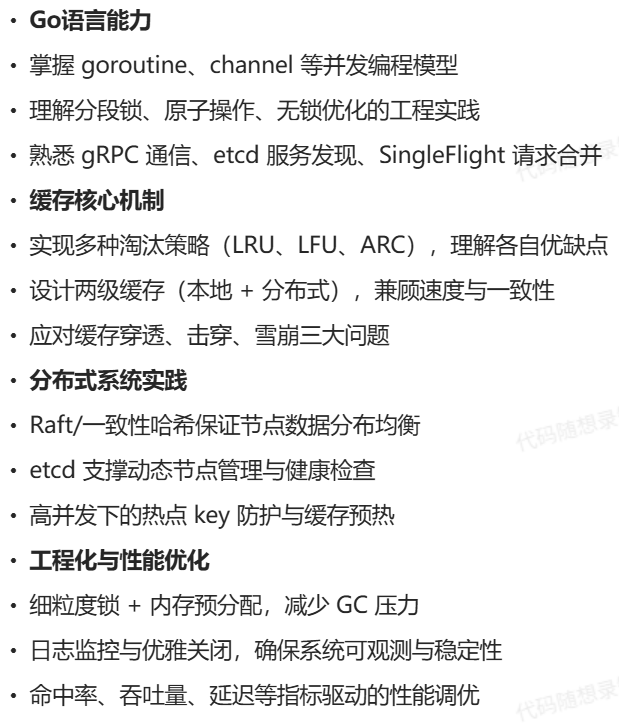
做完本项目将收获
项目背景介绍
该项⽬来⾃于极客兔兔七天实现系列中的GeeCache,是⼀个简单练⼿项⽬。
项⽬原地址:https://geektutu.com/post/geecache.html
GoDistributeCache 是一个分布式缓存,但也可以直接当作本地缓存来使用 其借鉴了开源项目 groupcache 的实现思路,在此基础上做了拓展优化:
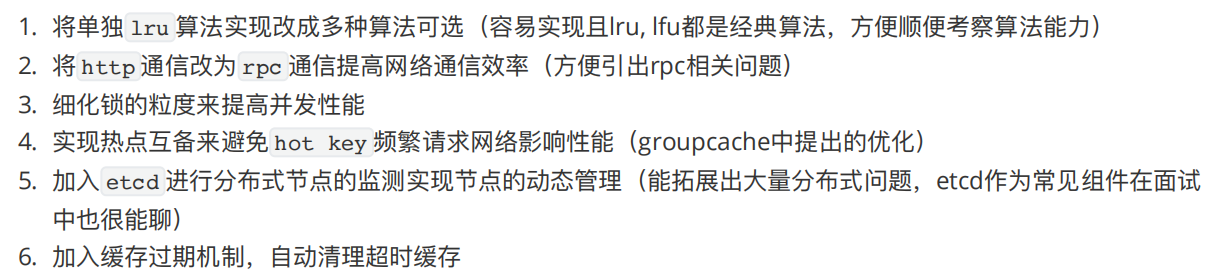
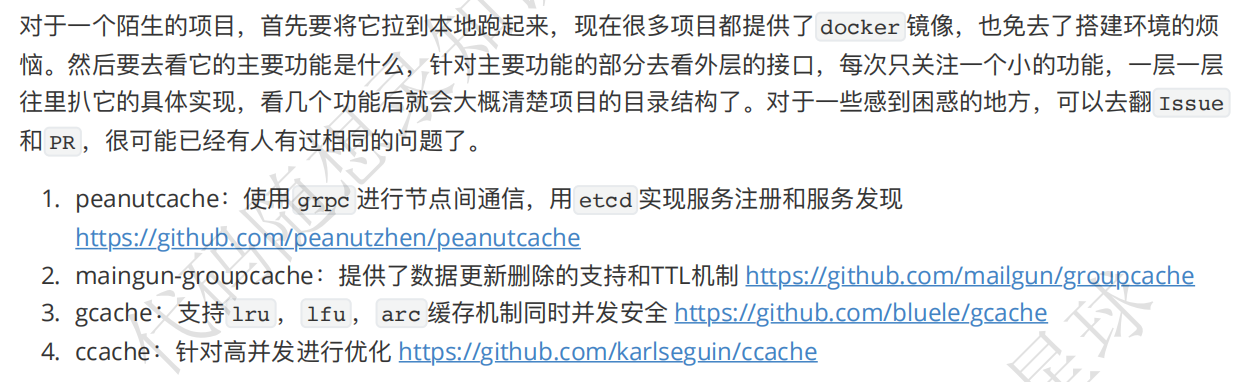
这里的 PR 指的是 Pull Request(拉取请求),一般出现在 GitHub、GitLab、Gitee 等代码托管平台上。
1. ⼀个有趣的分布式缓存实现 --- groupcache
2. 从⼊⻔到掉坑:Go 内存池/对象池技术介绍
3. groupcache官⽅⽂档
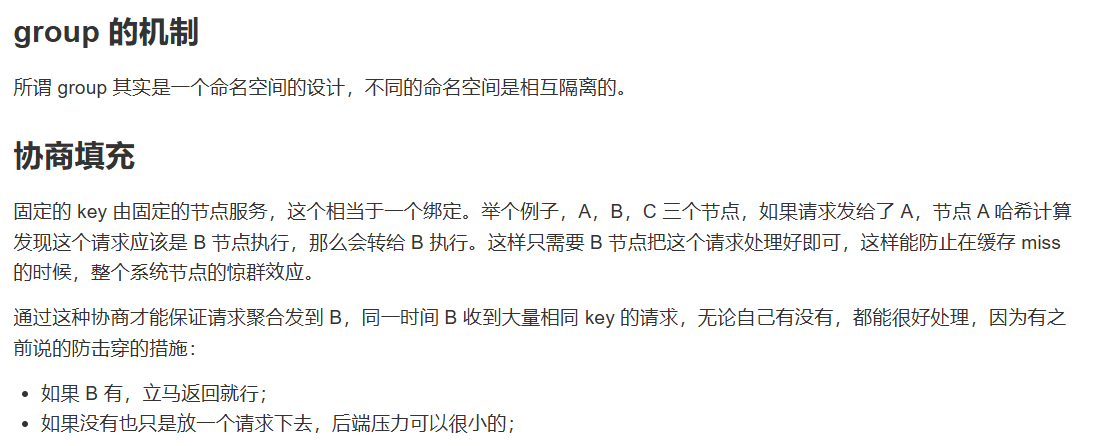
如果是单机缓存的实现可以非常简单,通过内存中维护一个 cache map,当收到查询请求时,先查询 cache 是否命中,如果命中则直接返回,否则必须到存储系统执行查询,然后缓存一份,再返回结果。缓存系统一般要考虑缓存穿透,雪崩,击穿等问题:
穿透:指查询不一定存在的数据,此时从数据源查询不到结果,因此也无法对结果进行缓存,这直接导致此类型的查询请求每次都会落到后端,加大后端的压力;
击穿:指对于那些热点数据,在缓存失效的时候,高并发的请求会导致后端请求压力骤升。缓存失效可能是多种因素引起的:
- 比如扫描式的遍历
- 比如缓存时间到期
- 或者请求过大,不断的cache不断的淘汰导致
雪崩:穿透和击穿的场景可能引发进一步的雪崩,比如大量的缓存过期时间被设置为相同或者近似,缓存批量失效,一时间所有的查询都落到后端;
groupcache 架构设计
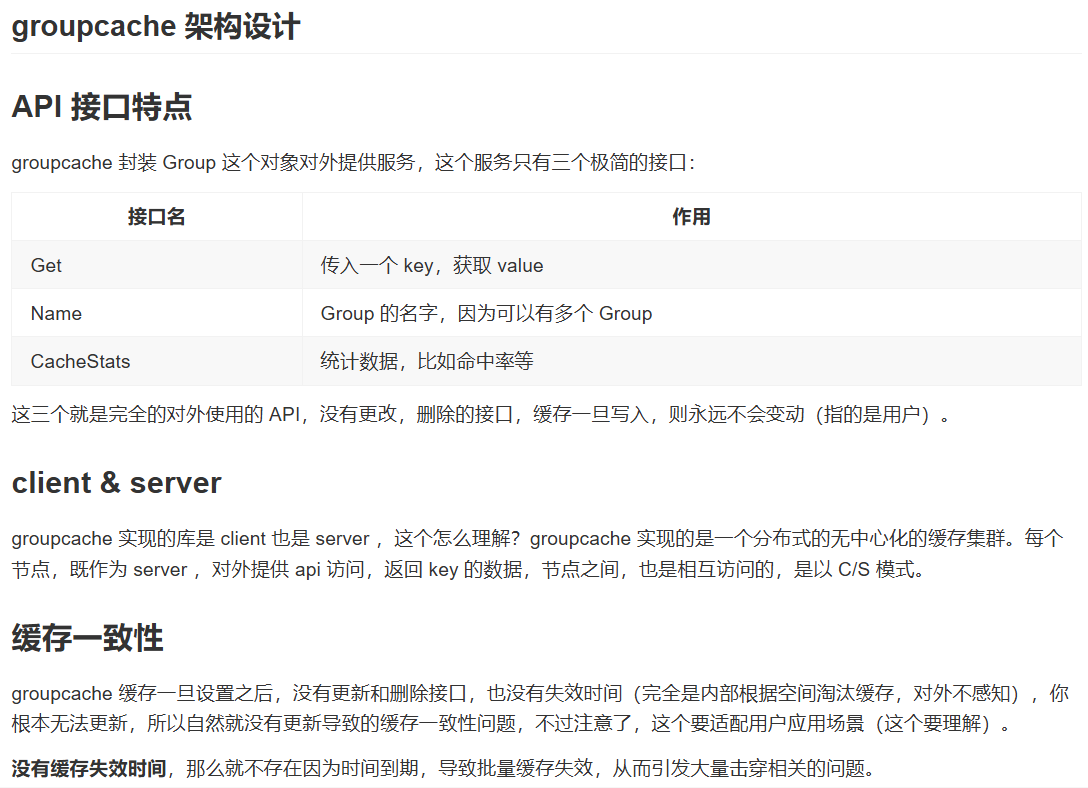
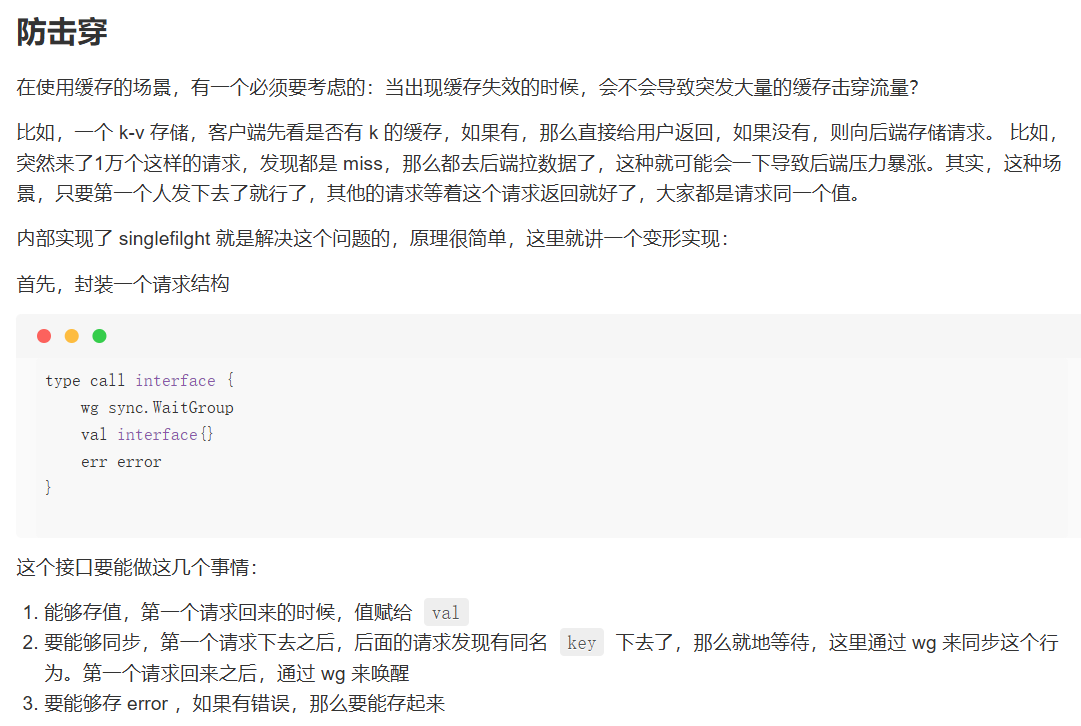
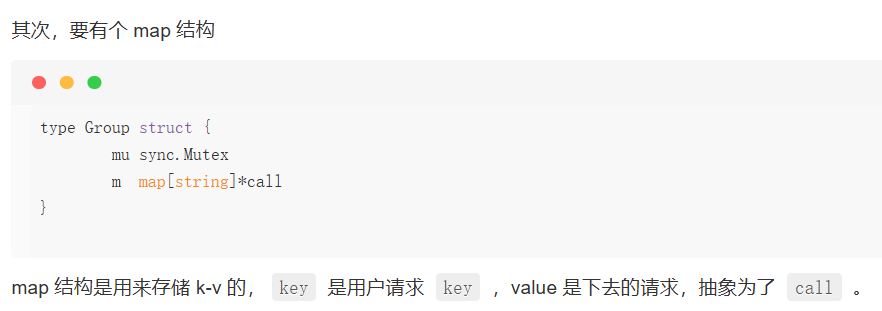

go
func (g *Group) Do(key string, fn func() (interface{}, error)) (interface{}, error) {
        g.mu.Lock()
        if g.m == nil {
                g.m = make(map[string]*call)
        }

    // 如果已经有人去拿数据了,那么等
        if c, ok := g.m[key]; ok {
                g.mu.Unlock()
                c.wg.Wait()
                return c.val, c.err
        }

    // 否则,自己下去
        c := new(call)
        c.wg.Add(1)
        g.m[key] = c
        g.mu.Unlock()

        c.val, c.err = fn()
        c.wg.Done()

        g.mu.Lock()
        delete(g.m, key)
        g.mu.Unlock()

        return c.val, c.err
}
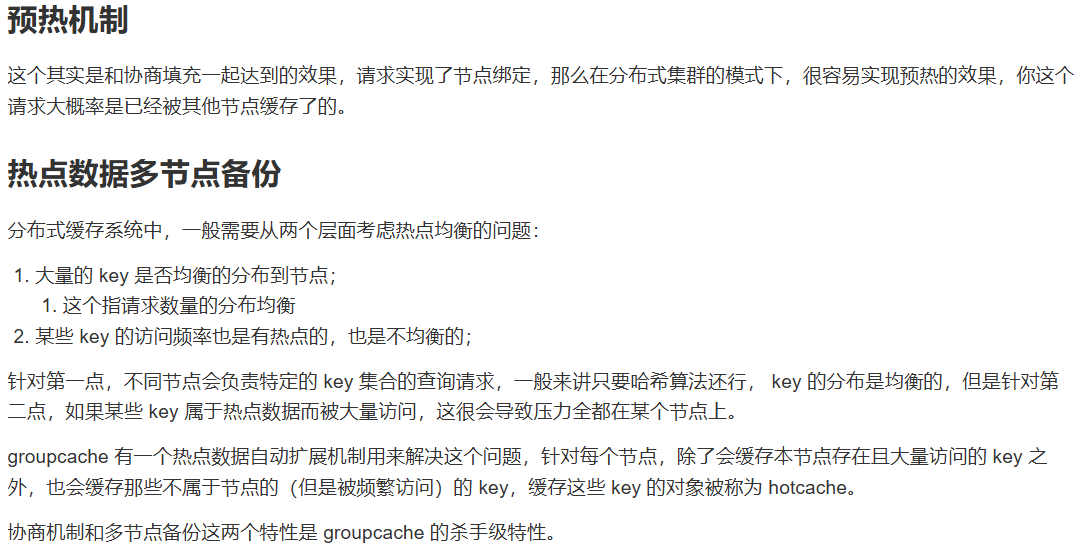
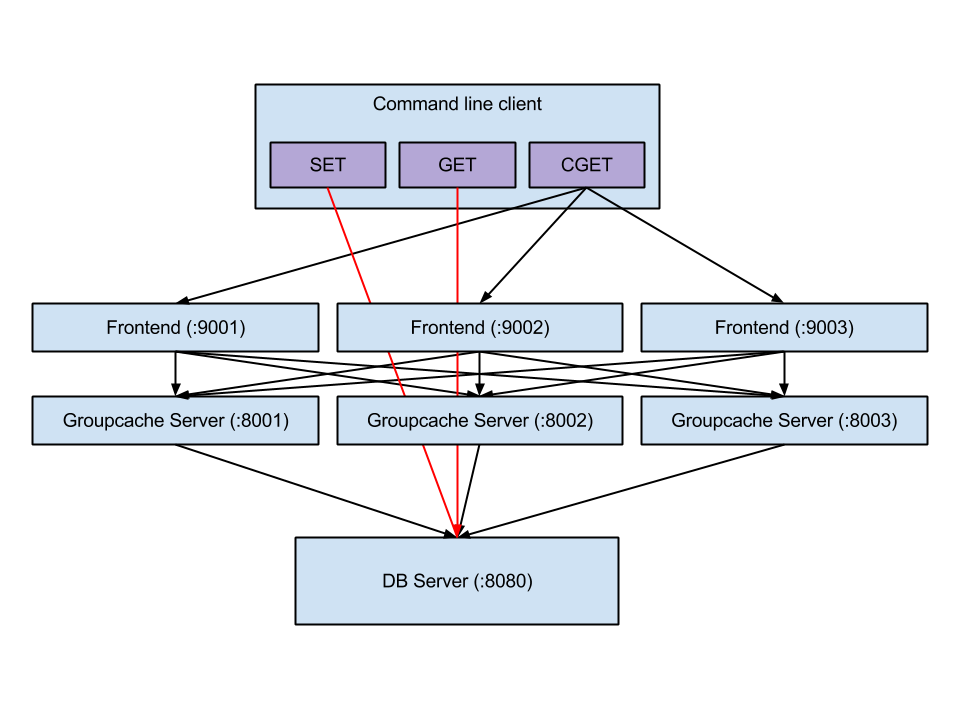
这个项⽬是基于 groupcache 实现的⼀个分布式缓存,在 groupcache 上做了⼀些拓展。
项⽬架构图如下:
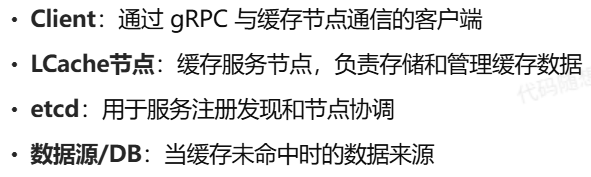
整体架构
bash
┌────────────┐    ┌────────────┐    ┌────────────┐
│  Client    │    │  Client    │    │  Client    │
└─────┬──────┘    └─────┬──────┘    └─────┬──────┘
      │                 │                 │
      │    请求分发      │                 │
      ▼                 ▼                 ▼
┌────────────┐    ┌────────────┐    ┌────────────┐
│ LCache节点 │◄──►│ LCache节点  │◄──►│ LCache节点 │
└─────┬──────┘    └─────┬──────┘    └─────┬──────┘
      │                 │                 │
      └────────┬────────┘---────────┬───────┘
               │                  │
               ▼                  ▼
        ┌──────────────┐   ┌─────────────┐
        │  数据源/DB    │   │    etcd     │
        └──────────────┘   └─────────────┘
核心组件及其关系
主要分为了 Group 模块,缓存模块,分布式⼀致性d等模块:
bash
┌─────────────────────────────────────────────────────────────────┐
│                         Client Application                       │
└───────────────┬─────────────────────────────────┬───────────────┘
                │                                 │
                ▼                                 ▼
┌───────────────────────────────┐   ┌───────────────────────────────┐
│         Local Cache           │   │     Distributed Cache         │
│                               │   │                               │
│  ┌───────────────────────┐    │   │  ┌───────────────────────┐    │
│  │                       │    │   │  │                       │    │
│  │       Group           │◄───┼───┼──┤      ClientPicker     │    │
│  │  - name               │    │   │  │  - selfAddr           │    │
│  │  - getter             │    │   │  │  - svcName            │    │
│  │  - mainCache          │◄───┼───┼──┤  - consistentHash     │    │
│  │  - peers              │    │   │  │  - clients            │    │
│  │  - loader             │    │   │  │                       │    │
│  │  - expiration         │    │   │  └───────────┬───────────┘    │
│  │                       │    │   │              │                │
│  └───────────┬───────────┘    │   │              │                │
│              │                │   │              ▼                │
│              ▼                │   │  ┌───────────────────────┐    │
│  ┌───────────────────────┐    │   │  │                       │    │
│  │                       │    │   │  │        Client         │    │
│  │        Cache          │    │   │  │  - addr               │    │
│  │  - store              │    │   │  │  - client             │    │
│  │  - opts               │    │   │  │                       │    │
│  │  - hits/misses        │    │   │  └───────────────────────┘    │
│  │                       │    │   │                               │
│  └───────────┬───────────┘    │   └───────────────────────────────┘
│              │                │
│              ▼                │                    ┌───────────────┐
│  ┌───────────────────────┐    │                    │               │
│  │                       │    │                    │     etcd      │
│  │       ByteView        │    │                    │   Registry    │
│  │  - b []byte           │    │                    │               │
│  │                       │    │                    └───────┬───────┘
│  └───────────────────────┘    │                            │
│                               │                            │
└───────────────────────────────┘                            │
                │                                            │
                ▼                                            ▼
┌───────────────────────────────┐            ┌───────────────────────────┐
│     store Package             │            │        Server             │
│                               │            │  - addr                   │
│  ┌───────────────────────┐    │            │  - svcName                │
│  │                       │    │            │  - groups                 │
│  │      Store            │    │            │  - grpcServer             │
│  │     Interface         │    │            │  - etcdCli                │
│  │                       │    │            │                           │
│  └───────────┬───────────┘    │            └───────────────────────────┘
│              │                │
│              ▼                │             ┌──────────────────────────┐
│  ┌───────────────────────┐    │             │                          │
│  │      Store Impls      │    │             │    Protobuf API          │
│  │  ┌─────────┐ ┌──────┐ │    │             │  - LCacheServer         │
│  │  │  LRU2   │ │ LRU  │ │    │             │  - Request/Response     │
│  │  └─────────┘ └──────┘ │    │             │                          │
│  └───────────────────────┘    │             └──────────────────────────┘
│                               │
└───────────────────────────────┘
    ┌───────────────────────────────┐
    │     Helper Components         │
    │                               │
    │  ┌─────────────────────────┐  │
    │  │    consistenthash       │  │
    │  │  - Map                  │  │
    │  │  - LoadBalancing        │  │
    │  └─────────────────────────┘  │
    │                               │
    │  ┌─────────────────────────┐  │
    │  │      singleflight       │  │
    │  │  - Group                │  │
    │  │  - call                 │  │
    │  └─────────────────────────┘  │
    │                               │
    └───────────────────────────────┘
数据存储层
ByteView
ByteView 是缓存值的不可变视图,用于防止缓存数据被外部修改
go
package gocache

// ByteView 只读的字节视图,用于缓存数据
type ByteView struct {
	// type byte = uint8
	b []byte
}

func (b ByteView) Len() int {
	return len(b.b)
}

// 拷贝一份字节切片,返回一个新的切片,跟原来的底层数组不共享内存。
func cloneBytes(b []byte) []byte {
	c := make([]byte, len(b))
	copy(c, b)
	return c
}

func (b ByteView) ByteSLice() []byte {
	return cloneBytes(b.b)
}

func (b ByteView) String() string {
	return string(b.b)
}
Storer 接口
定义了缓存存储的抽象接口,支持多种缓存实现
Storer 是 Go 语言中定义的 接口(interface),用于描述一个存储系统的行为。接口是 Go 中实现抽象的一种方式,可以用于定义一组方法签名 ,而不需要指定具体的实现。实现这个接口的类型需要提供这些方法的具体实现。
go
type Storer interface {
    Get(key string) (Value, bool)
    Set(key string, value Value) error
    SetWithExpiration(key string, value Value, expiration time.Duration) error
    Delete(key string) bool
    Clear()
    Len() int
    Close()
}
LRU
传统的 LRU (Least Recently Used) 算法实现,基于标准库的 container/list 实现双向链表
go
type lruCache struct {
    mu              sync.RWMutex
    list            *list.List               // 双向链表,用于维护 LRU 顺序
    items           map[string]*list.Element // 键到链表节点的映射
    expires         map[string]time.Time     // 过期时间映射
    maxBytes        int64                    // 最大允许字节数
    usedBytes       int64                    // 当前使用的字节数
    onEvicted       func(key string, value Value)
    cleanupInterval time.Duration
    cleanupTicker   *time.Ticker
    closeCh         chan struct{}            // 用于优雅关闭清理协程
}
LRU2
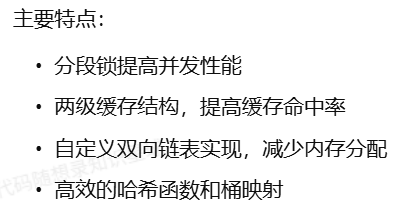
两级 LRU 缓存实现,将数据分散到多个桶中,提高并发性能:
go
type lru2Store struct {
    locks       []sync.Mutex  // 分段锁
    caches      [][2]*cache   // 两级缓存:[桶索引][级别]
    onEvicted   func(key string, value Value)
    cleanupTick *time.Ticker
    mask        int32         // 哈希掩码,用于快速定位桶
}
缓存核心层
Cache
Cache 是底层缓存存储的封装,管理底层存储实现:
go
type Cache struct {
    mu sync.RWMutex
    storer storer.Storer 	// 底层存储实现
    opts CacheOptions 		// 缓存配置选项
    hits int64 				// 缓存命中次数
    misses int64 			// 缓存未命中次数
    initialized int32 		// 原子变量,标记缓存是否已初始化
    closed int32 			// 原子变量,标记缓存是否已关闭
}
Group
Group模块是对外提供服务接⼝的部分,Group 是缓存的命名空间,提供对特定数据集合的缓存管理
go
type Group struct {
    name       string
    getter     Getter          // 数据加载接口
    mainCache  *Cache          // 本地缓存
    peers      PeerPicker      // 节点选择器
    loader     *singleflight.Group // 请求合并
    expiration time.Duration   // 缓存过期时间
    closed     int32           // 标记组是否已关闭
    stats      groupStats      // 统计信息
}
分布式协调层
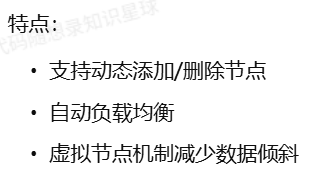
一致性哈希
基于一致性哈希算法的节点选择实现
go
type Map struct {
    mu sync.RWMutex
    config       *Config
    keys         []int        // 哈希环
    hashMap      map[int]string // 哈希环到节点的映射
    nodeReplicas map[string]int // 节点到虚拟节点数量的映射
    nodeCounts   map[string]int64 // 节点负载统计
    totalRequests int64        // 总请求数
}
SingleFlight
防止缓存击穿的请求合并机制
go
type Group struct {
    m sync.Map // 使用sync.Map优化并发性能
}

// 针对相同的key,保证多次调用Do(),都只会调用一次fn
func (g *Group) Do(key string, fn func() (interface{}, error)) (interface{}, error) {
    // ... 实现代码
}核心思想:对于同一个key的并发请求,只执行一次实际的加载操作,其他请求共享结果。
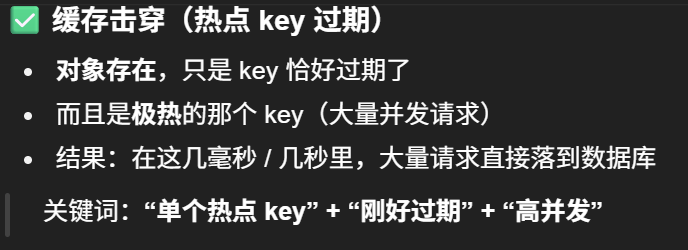
缓存击穿 vs 缓存雪崩 vs 缓存穿透
服务注册与发现
基于 etcd 的服务注册与发现
网络通信层
grpc 客户端
gprc 服务端
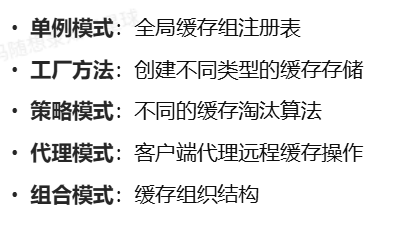
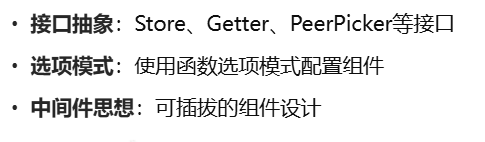
设计模式与最佳实践
使用的设计模式
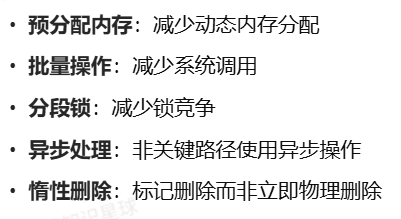
性能优化技巧
扩展性设计
项目部署
本地缓存一般运行于服务器上,因此需要使用 linux 系统或 mac 系统运行本项目。也可使用虚拟机或 windows 的 WSL 来模拟环境。
项目依赖于 etcd 作为注册中心,因此需要提前启动 etcd 并设置好端口和地址。为避免复杂性,建议如本文档所示直接用 docker 启动 etcd 即可。
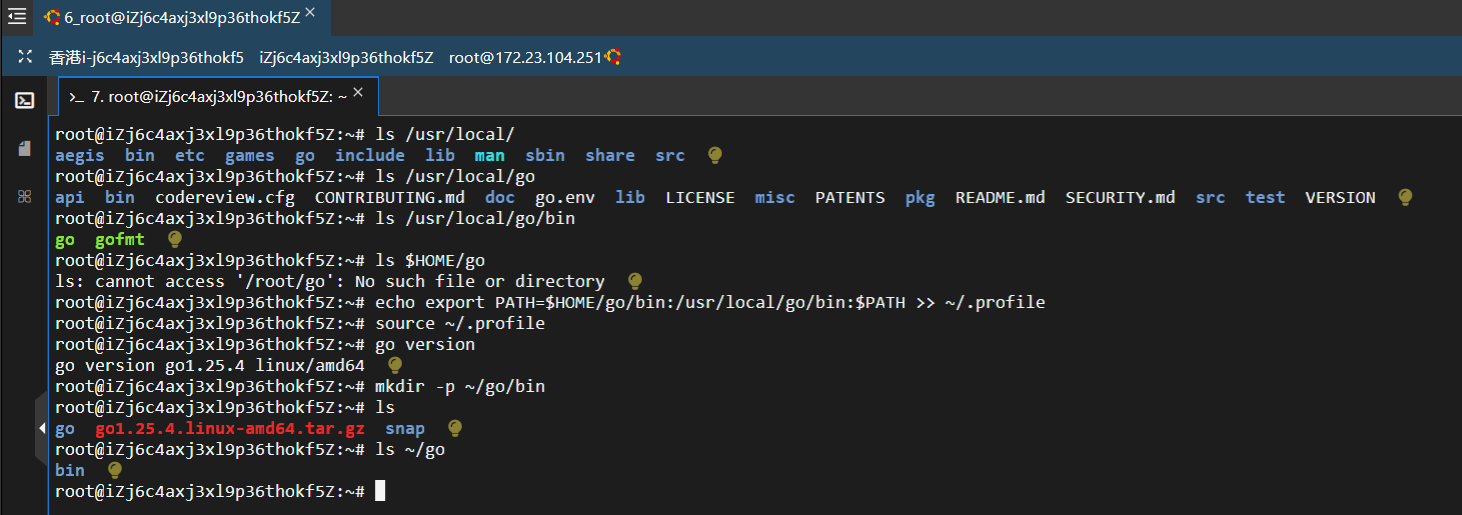
安装GoLang
如下例所示,运行 wget 命令。您可以指定自定义文件名来下载文件。
bash
root@iZj6c4axj3xl9p36thokf5Z:~# wget https://go.dev/dl/go1.25.4.linux-amd64.tar.gz
root@iZj6c4axj3xl9p36thokf5Z:~# sudo tar -xzvf go1.25.4.linux-amd64.tar.gz -C /usr/local
go 可执行文件现在位于 /usr/local/go/bin/go
设置 PATH 环境变量
使用 Go 语言时,必须能够从系统的任何目录访问 Go 命令。要启用此功能,需要在 ~/.profile 或 ~/.bashrc 文件中添加 Go 可执行文件的路径,从而配置 PATH 环境变量。使用以下命令设置路径。
bash
root@iZj6c4axj3xl9p36thokf5Z:~# echo export PATH=$HOME/go/bin:/usr/local/go/bin:$PATH >> ~/.profile此命令会将更新后的 PATH 变量插入到配置文件中。或者,也可以使用"vi"或"nano"编辑器打开配置文件,直接插入上述代码行。
使用以下命令保存更改:
bash
root@iZj6c4axj3xl9p36thokf5Z:~# source ~/.profile验证 Golang 安装
在 Ubuntu 上安装 Go 后,可以使用以下命令验证安装是否成功。
bash
root@iZj6c4axj3xl9p36thokf5Z:~# go version
安装项目源码
bash
root@iZj6c4axj3xl9p36thokf5Z:~/proj1/KamaCache-Go# git clone https://github.com/LingoRihood/GoDistributeCache.gitetcd 概览
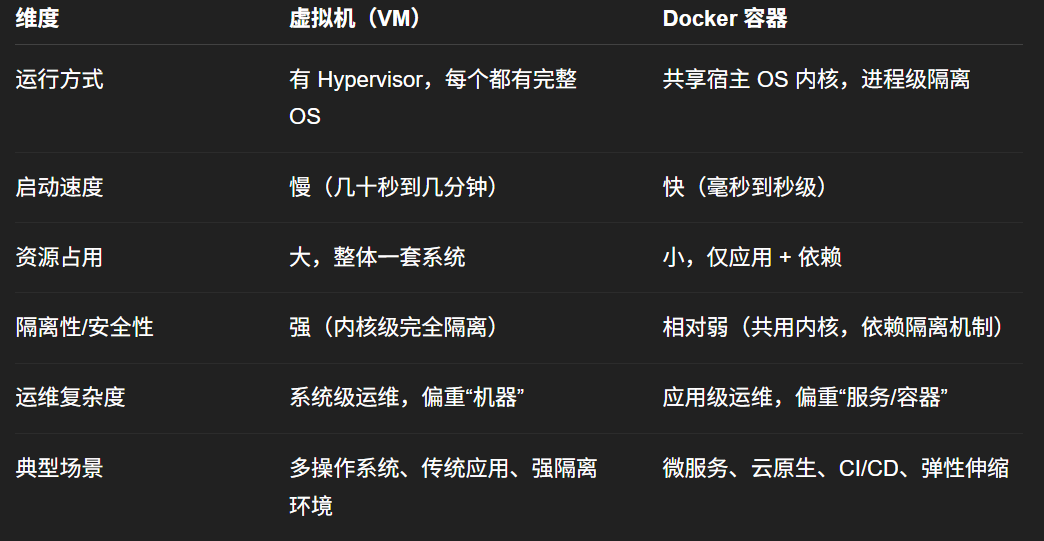
虚拟化技术和Docker的异同点
虚拟机 = "一台台完整的电脑"
Docker 容器 = "在同一台电脑上隔离开的一个个应用运行环境"
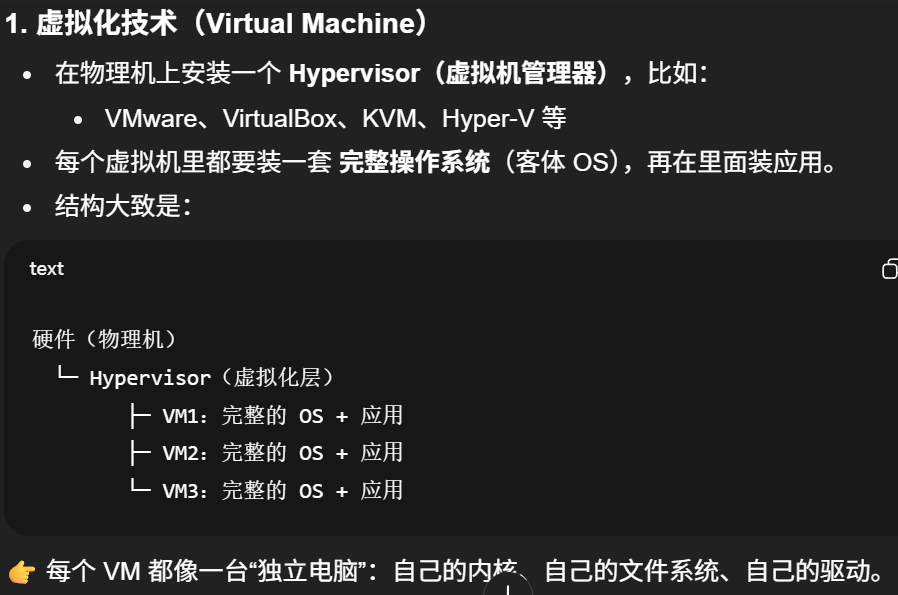
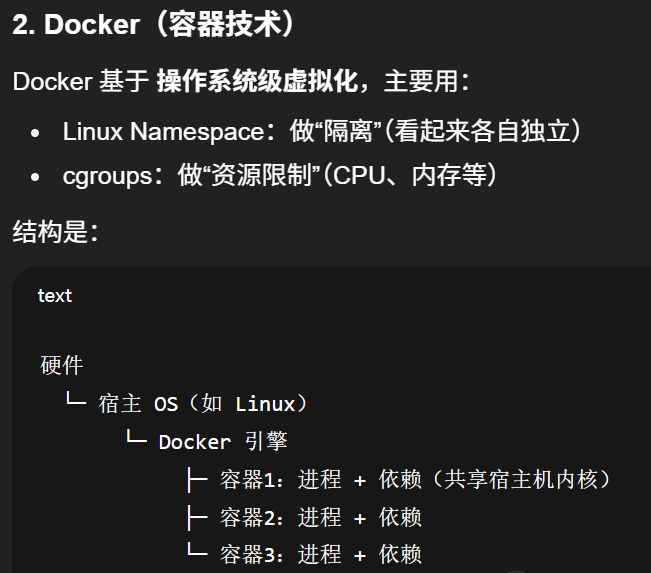
容器本质上就是运行在宿主机上的普通进程,只是被"隔离+打包"起来而已,不是一个完整操作系统。
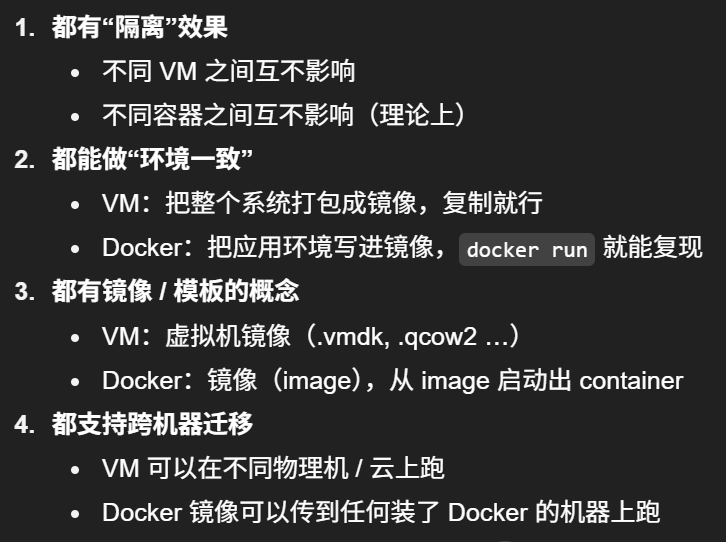
相同点
不同点
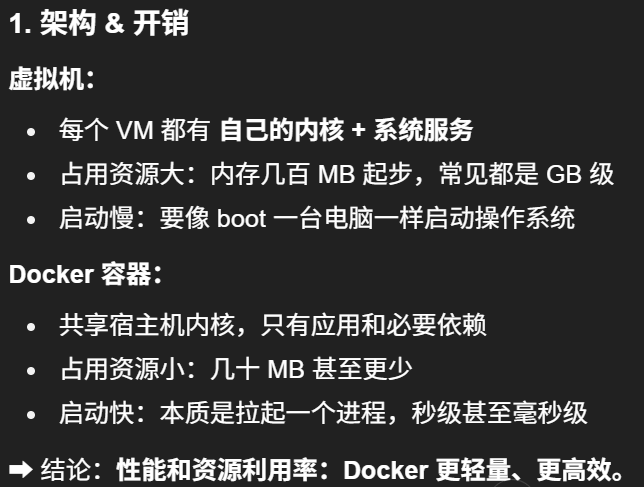
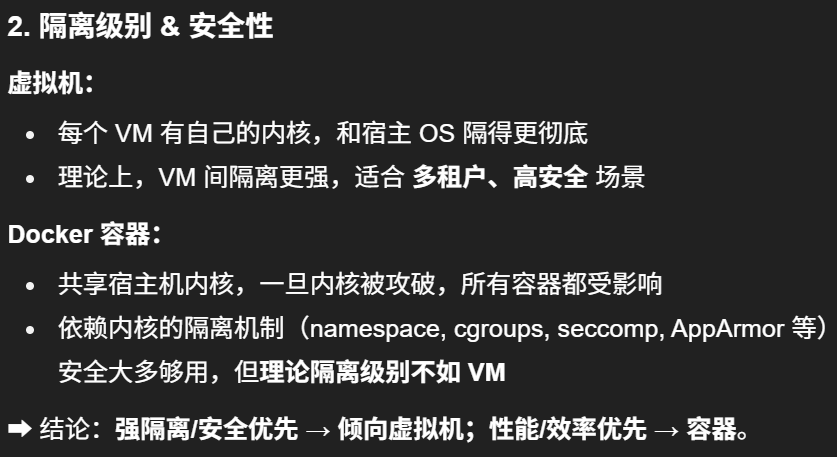
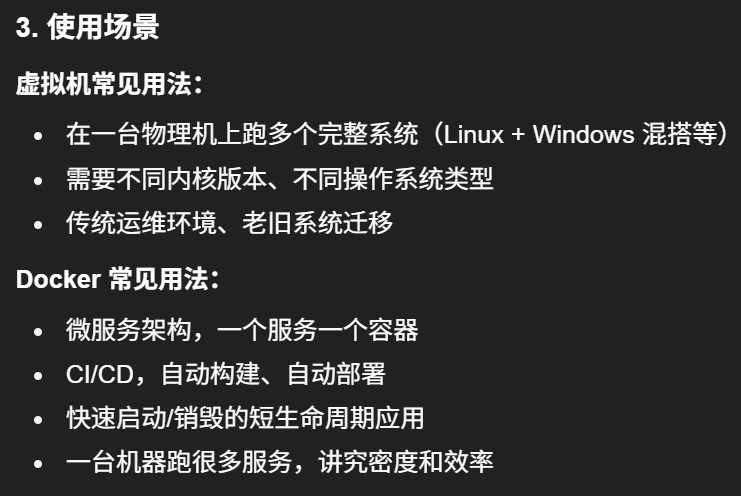
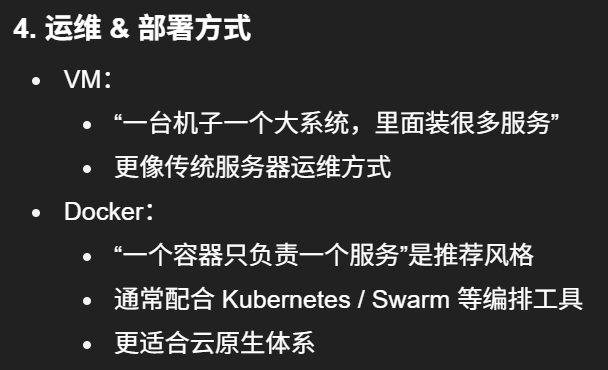
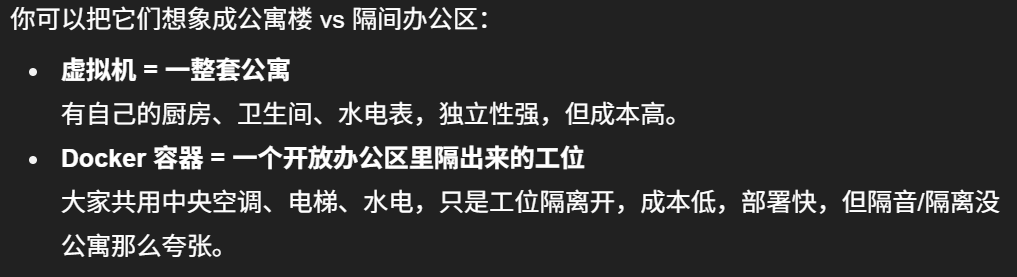
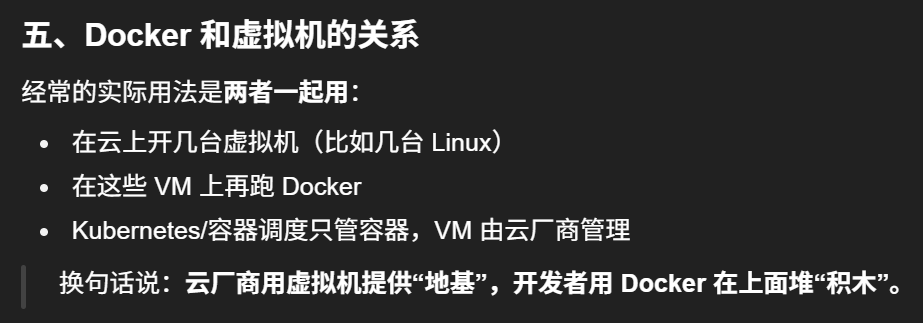
对比表
安装 Docker
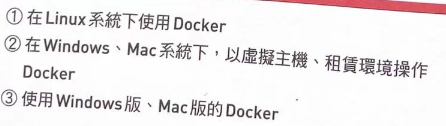
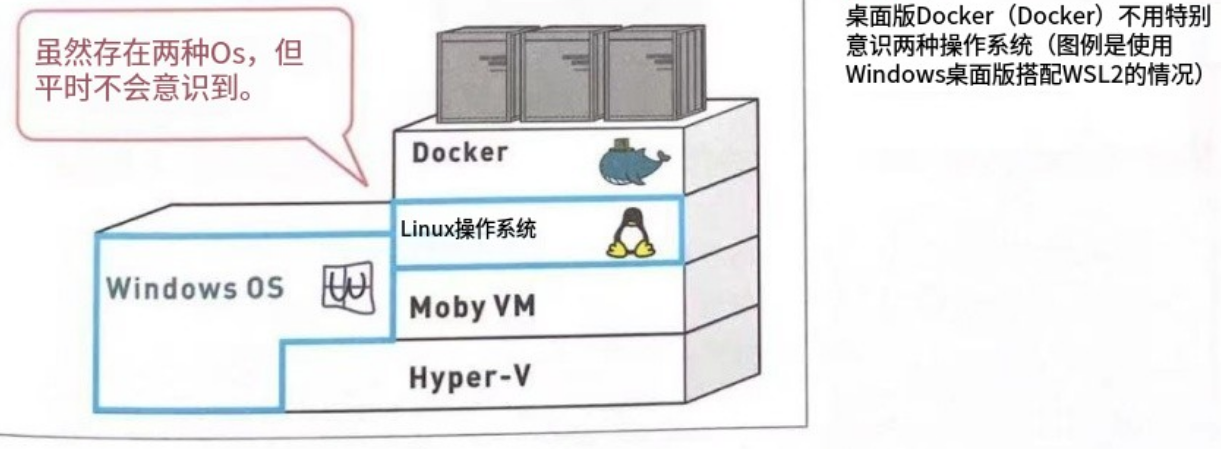
有三种安装方式,因为我用的阿里云Ubuntu 22.04 64位,所以就直接用第一种方法,可以直接按照官方文档给的安装指令,很清晰简洁
bash
root@GoLang:~/proj1# lsb_release -a
LSB Version:    core-11.1.0ubuntu4-noarch:security-11.1.0ubuntu4-noarch
Distributor ID: Ubuntu
Description:    Ubuntu 22.04.5 LTS
Release:        22.04
Codename:       jammy
root@GoLang:~/proj1# sudo apt-get update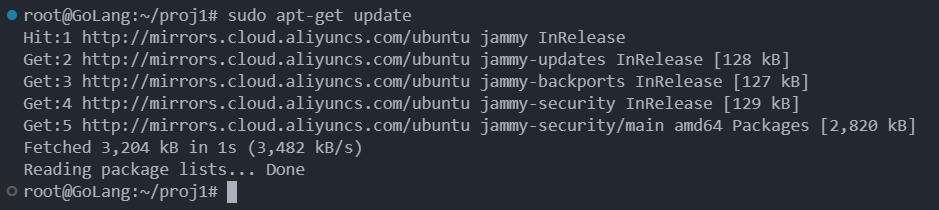
bash
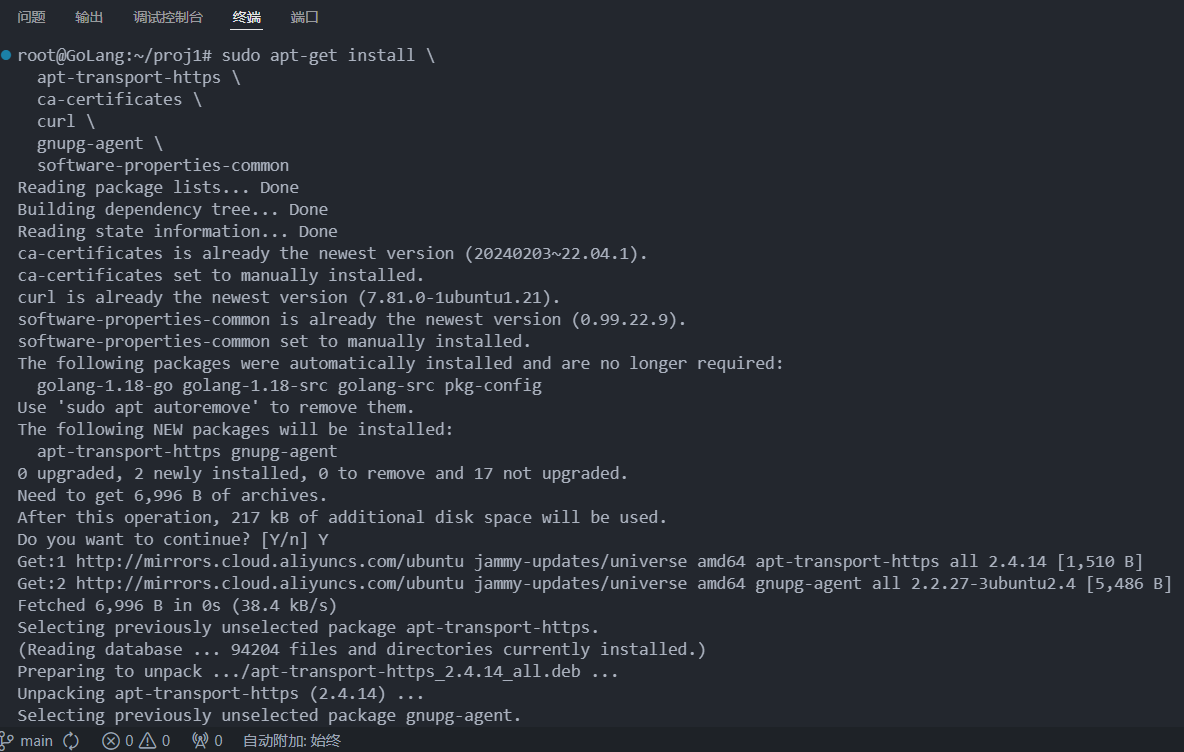
root@GoLang:~/proj1# sudo apt-get install \
  apt-transport-https \
  ca-certificates \
  curl \
  gnupg-agent \
  software-properties-common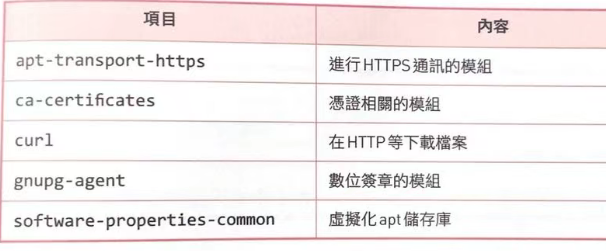
bash
root@GoLang:~/proj1# sudo apt update
Hit:1 http://mirrors.cloud.aliyuncs.com/ubuntu jammy InRelease
Hit:2 http://mirrors.cloud.aliyuncs.com/ubuntu jammy-updates InRelease
Hit:3 http://mirrors.cloud.aliyuncs.com/ubuntu jammy-backports InRelease
Hit:4 http://mirrors.cloud.aliyuncs.com/ubuntu jammy-security InRelease
Reading package lists... Done
Building dependency tree... Done
Reading state information... Done
17 packages can be upgraded. Run 'apt list --upgradable' to see them.
root@GoLang:~/proj1# sudo apt install ca-certificates curl
Reading package lists... Done
Building dependency tree... Done
Reading state information... Done
ca-certificates is already the newest version (20240203~22.04.1).
curl is already the newest version (7.81.0-1ubuntu1.21).
The following packages were automatically installed and are no longer required:
  golang-1.18-go golang-1.18-src golang-src pkg-config
Use 'sudo apt autoremove' to remove them.
0 upgraded, 0 newly installed, 0 to remove and 17 not upgraded.
bash
# 用 root 身份创建 /etc/apt/keyrings 这个目录,如果已经存在就只是保证权限是 0755
sudo install -m 0755 -d /etc/apt/keyrings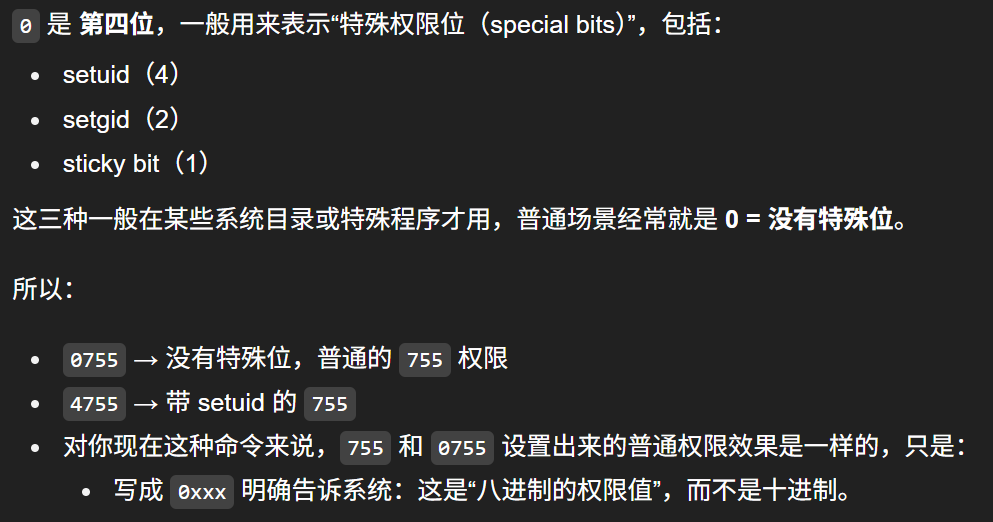
bash
# 以 root 身份,下载 Docker 官方的 GPG 公钥,并保存到 /etc/apt/keyrings/docker.asc
sudo curl -fsSL https://download.docker.com/linux/ubuntu/gpg -o /etc/apt/keyrings/docker.asc
bash
# 给 /etc/apt/keyrings/docker.asc 这个公钥文件,开放所有用户的"读"权限,让 APT 等程序都能读取它
root@GoLang:~/proj1# sudo chmod a+r /etc/apt/keyrings/docker.asc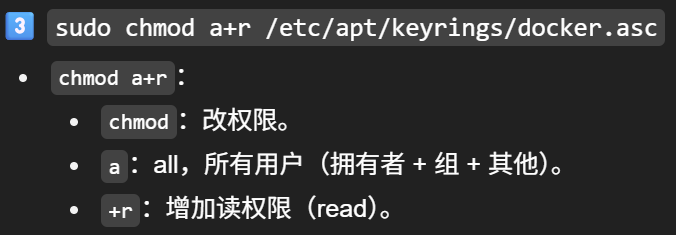
"把 Docker 的软件源配置写进一个文件,然后刷新一下 apt 软件列表。"
bash
root@GoLang:~/proj1# sudo tee /etc/apt/sources.list.d/docker.sources <<EOF
Types: deb
URIs: https://download.docker.com/linux/ubuntu
Suites: $(. /etc/os-release && echo "${UBUNTU_CODENAME:-$VERSION_CODENAME}")
Components: stable
Signed-By: /etc/apt/keyrings/docker.asc
EOF

sudo apt update
bash
sudo apt install docker-ce docker-ce-cli containerd.io docker-buildx-plugin docker-compose-plugin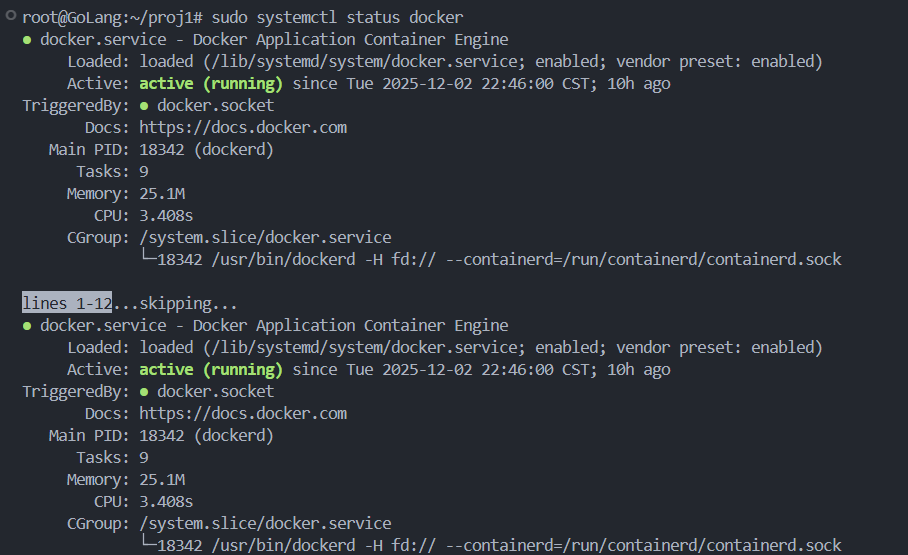
bash
root@GoLang:~/proj1# sudo docker run hello-world
Unable to find image 'hello-world:latest' locally
latest: Pulling from library/hello-world
17eec7bbc9d7: Pull complete
ea52d2000f90: Download complete
Digest: sha256:f7931603f70e13dbd844253370742c4fc4202d290c80442b2e68706d8f33ce26
Status: Downloaded newer image for hello-world:latest

Hello from Docker!
This message shows that your installation appears to be working correctly.

To generate this message, Docker took the following steps:
 1. The Docker client contacted the Docker daemon.
 2. The Docker daemon pulled the "hello-world" image from the Docker Hub.
    (amd64)
 3. The Docker daemon created a new container from that image which runs the
    executable that produces the output you are currently reading.
 4. The Docker daemon streamed that output to the Docker client, which sent it
    to your terminal.

To try something more ambitious, you can run an Ubuntu container with:
 $ docker run -it ubuntu bash

Share images, automate workflows, and more with a free Docker ID:
 https://hub.docker.com/

For more examples and ideas, visit:
 https://docs.docker.com/get-started/
bash
root@GoLang:~/proj1# docker version
Client: Docker Engine - Community
 Version:           29.1.1
 API version:       1.52
 Go version:        go1.25.4
 Git commit:        0aedba5
 Built:             Fri Nov 28 11:33:04 2025
 OS/Arch:           linux/amd64
 Context:           default

Server: Docker Engine - Community
 Engine:
  Version:          29.1.1
  API version:      1.52 (minimum version 1.44)
  Go version:       go1.25.4
  Git commit:       9a84135
  Built:            Fri Nov 28 11:33:04 2025
  OS/Arch:          linux/amd64
  Experimental:     false
 containerd:
  Version:          v2.2.0
  GitCommit:        1c4457e00facac03ce1d75f7b6777a7a851e5c41
 runc:
  Version:          1.3.4
  GitCommit:        v1.3.4-0-gd6d73eb8
 docker-init:
  Version:          0.19.0
  GitCommit:        de40ad0
root@GoLang:~/proj1# docker --version
Docker version 29.1.1, build 0aedba5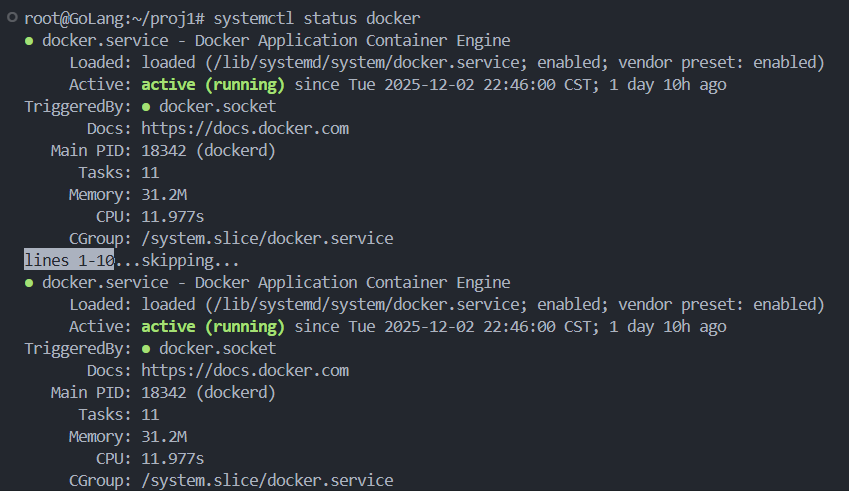
启动 etcd
bash
# 使用 Docker 启动 etcd
docker run -d --name etcd \
  -p 2379:2379 \
  quay.io/coreos/etcd:v3.5.0 \
  etcd --advertise-client-urls http://0.0.0.0:2379 \
       --listen-client-urls http://0.0.0.0:2379
运行示例
go
package main

import (
	"context"
	"flag"
	"fmt"
	"log"
	"time"

	lcache "github.com/LingoRihood/GoDistributeCache"
)

func main() {
	// 添加命令行参数,用于区分不同节点
	port := flag.Int("port", 8001, "节点端口")
	nodeID := flag.String("node", "A", "节点标识符")
	flag.Parse()

	addr := fmt.Sprintf(":%d", *port)
	log.Printf("[节点%s] 启动,地址: %s", *nodeID, addr)

	// 创建节点
	node, err := lcache.NewServer(addr, "kama-cache",
		lcache.WithEtcdEndpoints([]string{"localhost:2379"}),
		lcache.WithDialTimeout(5*time.Second),
	)
	if err != nil {
		log.Fatal("创建节点失败:", err)
	}

	// 创建节点选择器
	picker, err := lcache.NewClientPicker(addr)
	if err != nil {
		log.Fatal("创建节点选择器失败:", err)
	}

	// 创建缓存组
	group := lcache.NewGroup("test", 2<<20, lcache.GetterFunc(
		func(ctx context.Context, key string) ([]byte, error) {
			log.Printf("[节点%s] 触发数据源加载: key=%s", *nodeID, key)
			return []byte(fmt.Sprintf("节点%s的数据源值", *nodeID)), nil
		}),
	)

	// 注册节点选择器
	group.RegisterPeers(picker)

	// 启动节点
	go func() {
		log.Printf("[节点%s] 开始启动服务...", *nodeID)
		if err := node.Start(); err != nil {
			log.Fatal("启动节点失败:", err)
		}
	}()

	// 等待节点注册完成
	log.Printf("[节点%s] 等待节点注册...", *nodeID)
	time.Sleep(5 * time.Second)

	ctx := context.Background()

	// 设置本节点的特定键值对
	localKey := fmt.Sprintf("key_%s", *nodeID)
	localValue := []byte(fmt.Sprintf("这是节点%s的数据", *nodeID))

	fmt.Printf("\n=== 节点%s:设置本地数据 ===\n", *nodeID)
	err = group.Set(ctx, localKey, localValue)
	if err != nil {
		log.Fatal("设置本地数据失败:", err)
	}
	fmt.Printf("节点%s: 设置键 %s 成功\n", *nodeID, localKey)

	// 等待其他节点也完成设置
	log.Printf("[节点%s] 等待其他节点准备就绪...", *nodeID)
	time.Sleep(30 * time.Second)

	// 打印当前已发现的节点
	picker.PrintPeers()

	// 测试获取本地数据
	fmt.Printf("\n=== 节点%s:获取本地数据 ===\n", *nodeID)
	fmt.Printf("直接查询本地缓存...\n")

	// 打印缓存统计信息
	stats := group.Stats()
	fmt.Printf("缓存统计: %+v\n", stats)

	if val, err := group.Get(ctx, localKey); err == nil {
		fmt.Printf("节点%s: 获取本地键 %s 成功: %s\n", *nodeID, localKey, val.String())
	} else {
		fmt.Printf("节点%s: 获取本地键失败: %v\n", *nodeID, err)
	}

	// 测试获取其他节点的数据
	otherKeys := []string{"key_A", "key_B", "key_C"}
	for _, key := range otherKeys {
		if key == localKey {
			continue // 跳过本节点的键
		}
		fmt.Printf("\n=== 节点%s:尝试获取远程数据 %s ===\n", *nodeID, key)
		log.Printf("[节点%s] 开始查找键 %s 的远程节点", *nodeID, key)
		if val, err := group.Get(ctx, key); err == nil {
			fmt.Printf("节点%s: 获取远程键 %s 成功: %s\n", *nodeID, key, val.String())
		} else {
			fmt.Printf("节点%s: 获取远程键失败: %v\n", *nodeID, err)
		}
	}

	// 保持程序运行
	select {}
}
多节点部署
go
# 启动节点 A
go run example/test.go -port 8001 -node A

# 启动节点 B
go run example/test.go -port 8002 -node B

# 启动节点 C
go run example/test.go -port 8003 -node C
从0开始搭建项目
bash
root@GoLang:~/proj1/GoDistributeCache# go mod init github.com/LingoRihood/GoDistributeCache
go: creating new go.mod: module github.com/LingoRihood/GoDistributeCache
go: to add module requirements and sums:
        go mod tidy
root@GoLang:~/proj1/GoDistributeCache# go mod tidy
【缓存组】
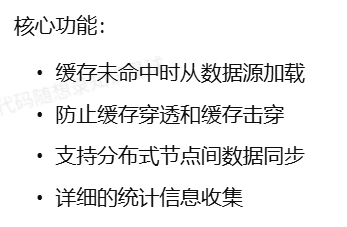
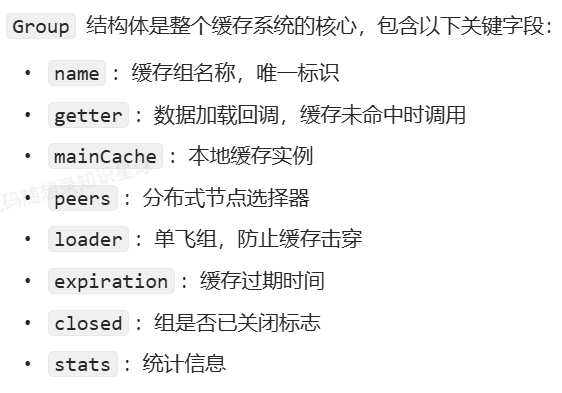
缓存组是一个命名空间,管理特定类别数据的缓存,提供了数据的获取、设置、删除等基本操作,同时负责缓存未命中时的数据加载和分布式节点间的数据同步。
该模块将缓存、分布式通信和数据加载策略融为一体,通过单飞(singleflight)机制防止缓存击穿 ,通过分布式协议保持数据一致性,通过统计指标监控缓存效率,是整个 LCache 系统的中枢组件。
核心结构设计
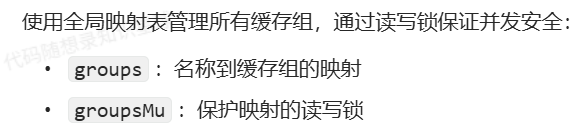
全局缓存组管理
go
var (
    groupsMu sync.RWMutex
    groups   = make(map[string]*Group)
)
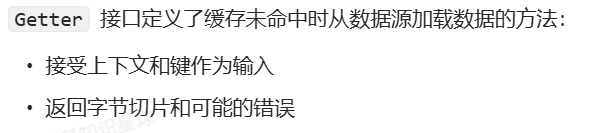
数据加载接口
go
// Getter 加载键值的回调函数接口
type Getter interface {
    Get(ctx context.Context, key string) ([]byte, error)
}

// GetterFunc 函数类型实现 Getter 接口
type GetterFunc func(ctx context.Context, key string) ([]byte, error)

// Get 实现 Getter 接口
func (f GetterFunc) Get(ctx context.Context, key string) ([]byte, error) {
    return f(ctx, key)
}
缓存组结构
go
// Group 是一个缓存命名空间
type Group struct {
    name       string
    getter     Getter
    mainCache  *Cache
    peers      PeerPicker
    loader     *singleflight.Group
    expiration time.Duration // 缓存过期时间,0表示永不过期
    closed     int32         // 原子变量,标记组是否已关闭
    stats      groupStats    // 统计信息
}

// groupStats 保存组的统计信息
type groupStats struct {
    loads        int64 // 加载次数
    localHits    int64 // 本地缓存命中次数
    localMisses  int64 // 本地缓存未命中次数
    peerHits     int64 // 从对等节点获取成功次数
    peerMisses   int64 // 从对等节点获取失败次数
    loaderHits   int64 // 从加载器获取成功次数
    loaderErrors int64 // 从加载器获取失败次数
    loadDuration int64 // 加载总耗时(纳秒)
}
核心功能实现
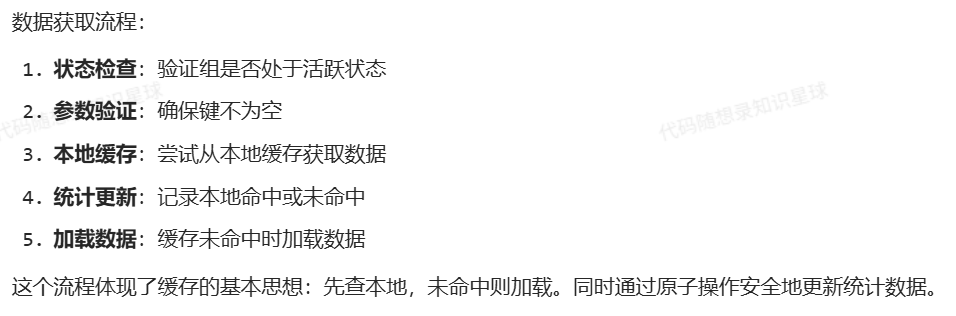
数据获取
go
// Get 从缓存获取数据
func (g *Group) Get(ctx context.Context, key string) (ByteView, error) {
    // 检查组是否已关闭
    if atomic.LoadInt32(&g.closed) == 1 {
        return ByteView{}, ErrGroupClosed
    }

    if key == "" {
        return ByteView{}, ErrKeyRequired
    }

    // 从本地缓存获取
    view, ok := g.mainCache.Get(ctx, key)
    if ok {
        atomic.AddInt64(&g.stats.localHits, 1)
        return view, nil
    }

    atomic.AddInt64(&g.stats.localMisses, 1)

    // 尝试从其他节点获取或加载
    return g.load(ctx, key)
}
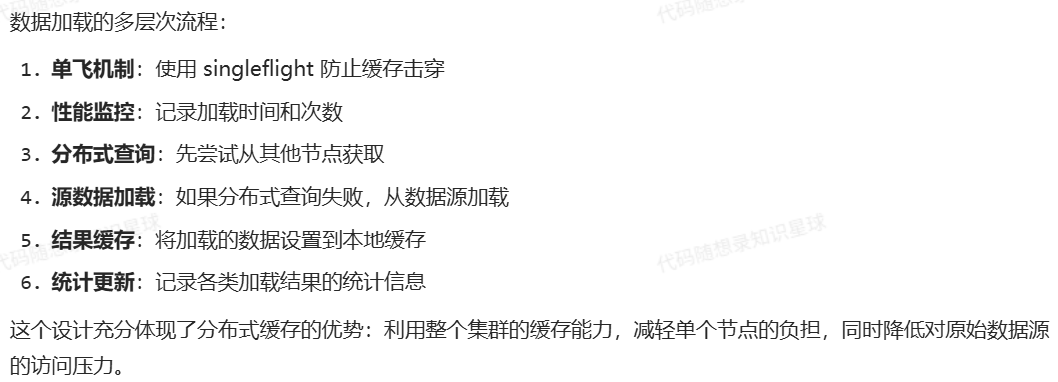
数据加载
go
// load 加载数据
func (g *Group) load(ctx context.Context, key string) (value ByteView, err error) {
    // 使用 singleflight 确保并发请求只加载一次
    startTime := time.Now()
    viewi, err := g.loader.Do(key, func() (interface{}, error) {
        return g.loadData(ctx, key)
    })

    // 记录加载时间
    loadDuration := time.Since(startTime).Nanoseconds()
    atomic.AddInt64(&g.stats.loadDuration, loadDuration)
    atomic.AddInt64(&g.stats.loads, 1)

    if err != nil {
        atomic.AddInt64(&g.stats.loaderErrors, 1)
        return ByteView{}, err
    }

    view := viewi.(ByteView)

    // 设置到本地缓存
    if g.expiration > 0 {
        g.mainCache.AddWithExpiration(key, view, time.Now().Add(g.expiration))
    } else {
        g.mainCache.Add(key, view)
    }

    return view, nil
}

// loadData 实际加载数据的方法
func (g *Group) loadData(ctx context.Context, key string) (value ByteView, err error) {
    // 尝试从远程节点获取
    if g.peers != nil {
        peer, ok, isSelf := g.peers.PickPeer(key)
        if ok && !isSelf {
            value, err := g.getFromPeer(ctx, peer, key)
            if err == nil {
                atomic.AddInt64(&g.stats.peerHits, 1)
                return value, nil
            }

            atomic.AddInt64(&g.stats.peerMisses, 1)
            logrus.Warnf("[LCache] failed to get from peer: %v", err)
        }
    }

    // 从数据源加载
    bytes, err := g.getter.Get(ctx, key)
    if err != nil {
        return ByteView{}, fmt.Errorf("failed to get data: %w", err)
    }

    atomic.AddInt64(&g.stats.loaderHits, 1)
    return ByteView{b: cloneBytes(bytes)}, nil
}

// getFromPeer 从其他节点获取数据
func (g *Group) getFromPeer(ctx context.Context, peer Peer, key string) (ByteView, error) {
    bytes, err := peer.Get(g.name, key)
    if err != nil {
        return ByteView{}, fmt.Errorf("failed to get from peer: %w", err)
    }
    return ByteView{b: bytes}, nil
}
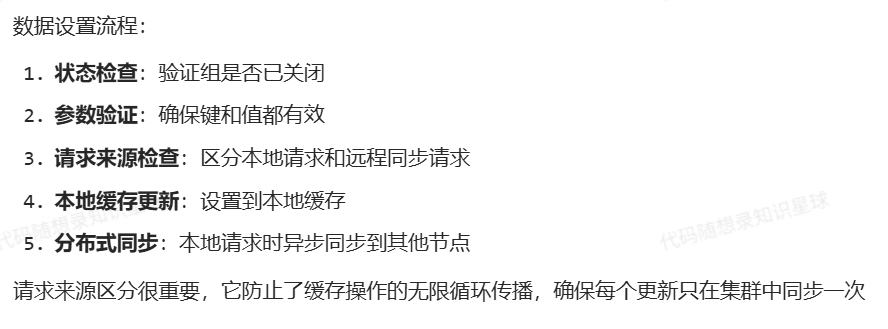
数据设置
go
// Set 设置缓存值
func (g *Group) Set(ctx context.Context, key string, value []byte) error {
    // 检查组是否已关闭
    if atomic.LoadInt32(&g.closed) == 1 {
        return ErrGroupClosed
    }

    if key == "" {
        return ErrKeyRequired
    }
    if len(value) == 0 {
        return ErrValueRequired
    }

    // 检查是否是从其他节点同步过来的请求
    isPeerRequest := ctx.Value("from_peer") != nil

    // 创建缓存视图
    view := ByteView{b: cloneBytes(value)}

    // 设置到本地缓存
    if g.expiration > 0 {
        g.mainCache.AddWithExpiration(key, view, time.Now().Add(g.expiration))
    } else {
        g.mainCache.Add(key, view)
    }

    // 如果不是从其他节点同步过来的请求,且启用了分布式模式,同步到其他节点
    if !isPeerRequest && g.peers != nil {
        go g.syncToPeers(ctx, "set", key, value)
    }

    return nil
}
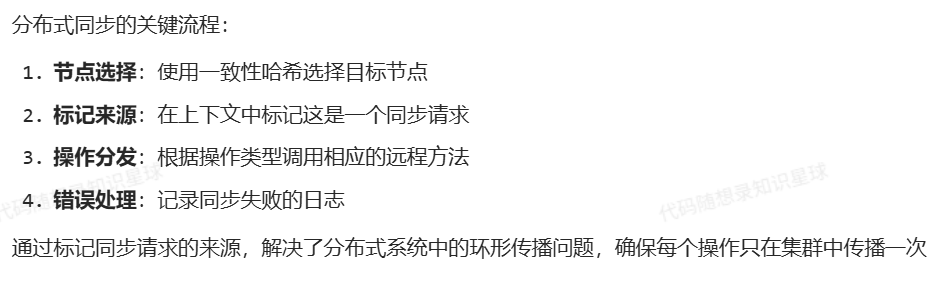
分布式操作同步
go
// syncToPeers 同步操作到其他节点
func (g *Group) syncToPeers(ctx context.Context, op string, key string, value []byte) {
    if g.peers == nil {
        return
    }

    // 选择对等节点
    peer, ok, isSelf := g.peers.PickPeer(key)
    if !ok || isSelf {
        return
    }

    // 创建同步请求上下文
    syncCtx := context.WithValue(context.Background(), "from_peer", true)

    var err error
    switch op {
    case "set":
        err = peer.Set(syncCtx, g.name, key, value)
    case "delete":
        _, err = peer.Delete(g.name, key)
    }

    if err != nil {
        logrus.Errorf("[LCache] failed to sync %s to peer: %v", op, err)
    }
}
功能特定分析
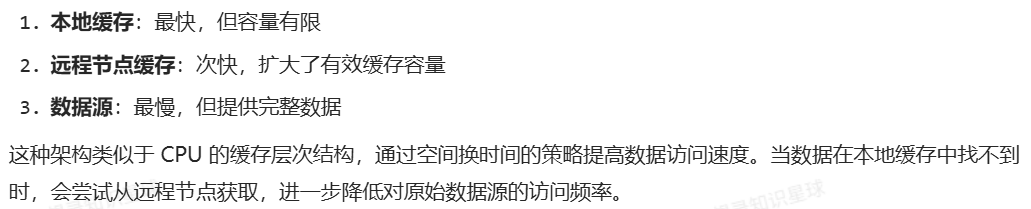
多级缓存架构
gocache 实现了典型的多级缓存架构
防止击穿
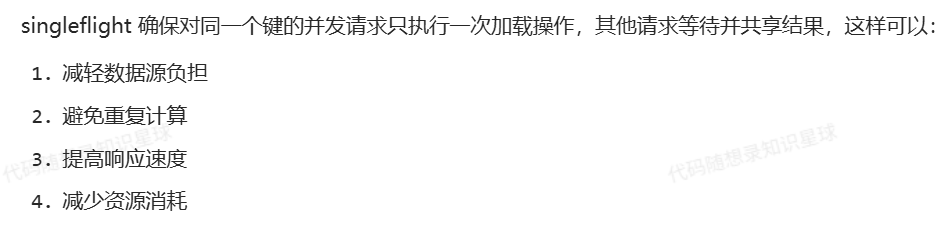
缓存击穿是指热点数据过期瞬间,大量请求同时涌入数据源的现象。通过 singleflight 机制有效防止了这个问题:
go
viewi, err := g.loader.Do(key, func() (interface{}, error) {
    return g.loadData(ctx, key)
})
group.go
go
/***************************************************************
* 版权所有 (C)2025, Simon·Richard
* 完成时间: 2025.12.4 16:31
***************************************************************/

package gocache

import (
	"context"
	"errors"
	"fmt"
	"sync"
	"sync/atomic"
	"time"

	"github.com/LingoRihood/GoDistributeCache/singleflight"
	"github.com/sirupsen/logrus"
)

// 定义包级别的全局变量
var (
	groupsMu sync.RWMutex
	groups   = make(map[string]*Group)
)

// ErrKeyRequired 键不能为空错误
var ErrKeyRequired = errors.New("key is required")

// ErrValueRequired 值不能为空错误
var ErrValueRequired = errors.New("value is required")

// ErrGroupClosed 组已关闭错误
var ErrGroupClosed = errors.New("cache group is closed")

// 定义了一个接口 Getter,里面只有一个方法 Get
// Getter 加载键值的回调函数接口
type Getter interface {
	Get(ctx context.Context, key string) ([]byte, error)
}

// GetterFunc:函数也能当成实现接口的"对象"
// GetterFunc 函数类型实现 Getter 接口
type GetterFunc func(ctx context.Context, key string) ([]byte, error)

// "GetterFunc 的 Get 方法其实就是调用自己这个函数。"
// Get 实现 Getter 接口
func (f GetterFunc) Get(ctx context.Context, key string) ([]byte, error) {
	// 把这个函数本身当作函数来调用
	return f(ctx, key)
}

// Group 提供命名管理缓存/填充缓存的能⼒
type Group struct {
	name       string              // 缓存空间的名字
	getter     Getter              // 数据加载接口
	mainCache  *Cache              // 本地缓存
	peers      PeerPicker          // 节点选择器
	loader     *singleflight.Group // 请求合并
	expiration time.Duration       // 缓存过期时间
	closed     int32               // 标记组是否已关闭
	stats      groupStats          // 统计信息
}

// groupStats 保存组的统计信息
type groupStats struct {
	loads        int64 // 加载次数
	localHits    int64 // 本地缓存命中次数
	localMisses  int64 // 本地缓存未命中次数
	peerHits     int64 // 从对等节点获取成功次数
	peerMisses   int64 // 从对等节点获取失败次数
	loaderHits   int64 // 从加载器获取成功次数
	loaderErrors int64 // 从加载器获取失败次数
	loadDuration int64 // 加载总耗时(纳秒)
}

// GroupOption 定义Group的配置选项, 接收 *Group 的函数
type GroupOption func(*Group)

// WithExpiration 设置缓存过期时间
func WithExpiration(d time.Duration) GroupOption {
	return func(g *Group) {
		g.expiration = d
	}
}

// WithPeers 设置分布式节点
func WithPeers(peers PeerPicker) GroupOption {
	return func(g *Group) {
		g.peers = peers
	}
}

// WithCacheOptions 设置缓存选项
func WithCacheOptions(opts CacheOptions) GroupOption {
	return func(g *Group) {
		g.mainCache = NewCache(opts)
	}
}

// NewGroup 创建一个新的 Group 实例
// 可以传 0 个、1 个或多个 GroupOption
func NewGroup(name string, cacheBytes int64, getter Getter, opts ...GroupOption) *Group {
	if getter == nil {
		panic("nil Getter")
	}

	// 创建默认缓存选项
	cacheOpts := DefaultCacheOptions()
	cacheOpts.MaxBytes = cacheBytes

	g := &Group{
		name:      name,
		getter:    getter,
		mainCache: NewCache(cacheOpts),
		loader:    &singleflight.Group{},
	}

	// 应用选项
	for _, opt := range opts {
		opt(g)
	}

	// 注册到全局组映射
	// Lock() 获得写锁
	groupsMu.Lock()
	defer groupsMu.Unlock()

	if _, exists := groups[name]; exists {
		logrus.Warnf("Group with name %s already exists, will be replaced", name)
	}

	// 把新的 Group 放入全局 map,并输出日志
	groups[name] = g
	logrus.Infof("Created cache group [%s] with cacheBytes=%d, expiration=%v", name, cacheBytes, g.expiration)

	return g
}

// GetGroup 获取指定名称的组
func GetGroup(name string) *Group {
	// RLock() 是"读锁" 即使只是"读",也要用锁来保证"不会在别人写的时候读"
	groupsMu.RLock()
	defer groupsMu.RUnlock()
	return groups[name]
}

// Get 从缓存获取数据
func (g *Group) Get(ctx context.Context, key string) (ByteView, error) {
	// 为了在多协程下 线程安全地读取 g.closed,使用原子操作
	// 检查组是否已关闭
	if atomic.LoadInt32(&g.closed) == 1 {
		return ByteView{}, ErrGroupClosed
	}

	if key == "" {
		return ByteView{}, ErrKeyRequired
	}

	// 从本地缓存获取
	view, ok := g.mainCache.Get(ctx, key)
	if ok {
		atomic.AddInt64(&g.stats.localHits, 1)
		return view, nil
	}

	atomic.AddInt64(&g.stats.localMisses, 1)

	// 尝试从其他节点获取或加载
	return g.load(ctx, key)
}

// Set 设置缓存值
func (g *Group) Set(ctx context.Context, key string, value []byte) error {
	// 检查组是否已关闭
	if atomic.LoadInt32(&g.closed) == 1 {
		return ErrGroupClosed
	}

	if key == "" {
		return ErrKeyRequired
	}

	if len(value) == 0 {
		return ErrValueRequired
	}

	// 检查是否是从其他节点同步过来的请求
	isPeerRequest := ctx.Value("from_peer") != nil

	// 创建缓存视图
	view := ByteView{b: cloneBytes(value)}

	// 设置到本地缓存
	if g.expiration > 0 {
		g.mainCache.AddWithExpiration(key, view, time.Now().Add(g.expiration))
	} else {
		g.mainCache.Add(key, view)
	}

	// 如果不是从其他节点同步过来的请求,且启用了分布式模式,同步到其他节点
	if !isPeerRequest && g.peers != nil {
		go g.syncToPeers(ctx, "set", key, value)
	}

	return nil
}

// Delete 删除缓存值
func (g *Group) Delete(ctx context.Context, key string) error {
	// 检查组是否已关闭
	if atomic.LoadInt32(&g.closed) == 1 {
		return ErrGroupClosed
	}

	if key == "" {
		return ErrKeyRequired
	}

	// 从本地缓存删除
	g.mainCache.Delete(key)

	// 检查是否是从其他节点同步过来的请求
	isPeerRequest := ctx.Value("from_peer") != nil

	// 如果不是从其他节点同步过来的请求,且启用了分布式模式,同步到其他节点
	if !isPeerRequest && g.peers != nil {
		go g.syncToPeers(ctx, "delete", key, nil)
	}

	return nil
}

// syncToPeers 同步操作到其他节点
func (g *Group) syncToPeers(ctx context.Context, op string, key string, value []byte) {
	// 是否启用了分布式
	if g.peers == nil {
		return
	}

	// 选择对等节点
	peer, ok, isSelf := g.peers.PickPeer(key)
	// 只有当"我确实找到了一个 peer,且那个 peer 不是自己"时,才继续往下同步
	if !ok || isSelf {
		return
	}

	// 创建同步请求上下文
	syncCtx := context.WithValue(context.Background(), "from_peer", true)

	var err error
	switch op {
	case "set":
		err = peer.Set(syncCtx, g.name, key, value)
	case "delete":
		_, err = peer.Delete(g.name, key)
	}

	if err != nil {
		logrus.Errorf("[GoCache] failed to sync %s to peer: %v", op, err)
	}
}

// Clear 清空缓存
func (g *Group) Clear() {
	// 检查组是否已关闭
	if atomic.LoadInt32(&g.closed) == 1 {
		return
	}

	g.mainCache.Clear()
	logrus.Infof("[GoCache] cleared cache for group [%s]", g.name)
}

// Close 关闭组并释放资源
func (g *Group) Close() error {
	// 如果已经关闭,直接返回
	if !atomic.CompareAndSwapInt32(&g.closed, 0, 1) {
		return nil
	}

	// 关闭本地缓存
	if g.mainCache != nil {
		g.mainCache.Close()
	}

	// 从全局组映射中移除
	// groupsMu.Lock()	会造成死锁,不要这样!!!
	// delete(groups, g.name)
	// groupsMu.Unlock()

	logrus.Infof("[GoCache] closed cache group [%s]", g.name)
	return nil
}

// load 加载数据
func (g *Group) load(ctx context.Context, key string) (value ByteView, err error) {
	// 使用 singleflight 确保并发请求只加载一次
	startTime := time.Now()
	viewi, err := g.loader.Do(key, func() (interface{}, error) {
		return g.loadData(ctx, key)
	})

	// 记录加载时间
	// 从 startTime 到现在,过去了多久,把这段时间用"纳秒数(int64)"表示出来,存到 loadDuration 里
	loadDuration := time.Since(startTime).Nanoseconds()
	atomic.AddInt64(&g.stats.loadDuration, loadDuration)
	atomic.AddInt64(&g.stats.loads, 1)

	if err != nil {
		atomic.AddInt64(&g.stats.loaderErrors, 1)

		// 相当于明确告诉调用者:"这次没加载到数据(空值),而且有错误信息"。
		return ByteView{}, err
	}

	// 对 viewi 做了一个类型断言:认为 viewi 一定是 ByteView 类型。
	view := viewi.(ByteView)

	// 设置到本地缓存
	if g.expiration > 0 {
		// 上层 load 会再把这个 value 存入本地缓存
		g.mainCache.AddWithExpiration(key, view, time.Now().Add(g.expiration))
	} else {
		g.mainCache.Add(key, view)
	}

	return view, nil
}

// loadData 实际加载数据的方法
func (g *Group) loadData(ctx context.Context, key string) (value ByteView, err error) {
	// 尝试从远程节点获取
	if g.peers != nil {
		peer, ok, isSelf := g.peers.PickPeer(key)
		if ok && !isSelf {
			value, err := g.getFromPeer(ctx, peer, key)
			if err == nil {
				atomic.AddInt64(&g.stats.peerHits, 1)
				return value, nil
			}

			atomic.AddInt64(&g.stats.peerMisses, 1)
			logrus.Warnf("[GoCache] failed to get from peer: %v", err)
		}
	}

	// 从数据源加载
	bytes, err := g.getter.Get(ctx, key)
	if err != nil {
		return ByteView{}, fmt.Errorf("failed to get data: %w", err)
	}

	atomic.AddInt64(&g.stats.loaderHits, 1)
	return ByteView{b: cloneBytes(bytes)}, nil
}

// getFromPeer 从其他节点获取数据
func (g *Group) getFromPeer(ctx context.Context, peer Peer, key string) (ByteView, error) {
	bytes, err := peer.Get(g.name, key)
	if err != nil {
		return ByteView{}, fmt.Errorf("failed to get from peer: %w", err)
	}
	return ByteView{b: bytes}, nil
}

// RegisterPeers 注册PeerPicker
func (g *Group) RegisterPeers(peers PeerPicker) {
	// PeerPicker 只允许在初始化时设置一次,不能在运行期乱改。
	if g.peers != nil {
		panic("RegisterPeers called more than once")
	}
	g.peers = peers
	logrus.Infof("[GoCache] registered peers for group [%s]", g.name)
}

// Stats 返回缓存统计信息
func (g *Group) Stats() map[string]interface{} {
	stats := map[string]interface{}{
		"name":          g.name,
		"closed":        atomic.LoadInt32(&g.closed) == 1,
		"expiration":    g.expiration,
		"loads":         atomic.LoadInt64(&g.stats.loads),
		"local_hits":    atomic.LoadInt64(&g.stats.localHits),
		"local_misses":  atomic.LoadInt64(&g.stats.localMisses),
		"peer_hits":     atomic.LoadInt64(&g.stats.peerHits),
		"peer_misses":   atomic.LoadInt64(&g.stats.peerMisses),
		"loader_hits":   atomic.LoadInt64(&g.stats.loaderHits),
		"loader_errors": atomic.LoadInt64(&g.stats.loaderErrors),
	}

	// 计算各种命中率
	totalGets := stats["local_hits"].(int64) + stats["local_misses"].(int64)
	if totalGets > 0 {
		// 计算本地缓存命中率 hit_rate
		stats["hit_rate"] = float64(stats["local_hits"].(int64)) / float64(totalGets)
	}

	totalLoads := stats["loads"].(int64)
	if totalLoads > 0 {
		// 每次 load 调用的平均耗时(ms)
		stats["avg_load_time_ms"] = float64(atomic.LoadInt64(&g.stats.loadDuration)) / float64(totalLoads) / float64(time.Millisecond)
	}

	// 添加缓存大小
	if g.mainCache != nil {
		cacheStats := g.mainCache.Stats()
		for k, v := range cacheStats {
			stats["cache_"+k] = v
		}
	}

	return stats
}

// ListGroups 返回所有缓存组的名称
func ListGroups() []string {
	// RLock / RUnlock:读锁,允许多个读者并行;
	// Lock / Unlock:写锁,写时独占,阻塞其它读写
	groupsMu.RLock()
	defer groupsMu.RUnlock()

	names := make([]string, 0, len(groups))
	for name := range groups {
		names = append(names, name)
	}

	return names
}

// DestroyGroup 销毁指定名称的缓存组
func DestroyGroup(name string) bool {
	groupsMu.Lock()
	defer groupsMu.Unlock()

	if g, exists := groups[name]; exists {
		g.Close()
		delete(groups, name)
		logrus.Infof("[GoCache] destroyed cache group [%s]", name)
		return true
	}

	return false
}

// DestroyAllGroups 销毁所有缓存组
func DestroyAllGroups() {
	groupsMu.Lock()
	defer groupsMu.Unlock()

	for name, g := range groups {
		g.Close()
		delete(groups, name)
		logrus.Infof("[GoCache] destroyed cache group [%s]", name)
	}
}
关于报错 could not import github.com/sirupsen/logrus (no required module provides package ...) 的解决方案
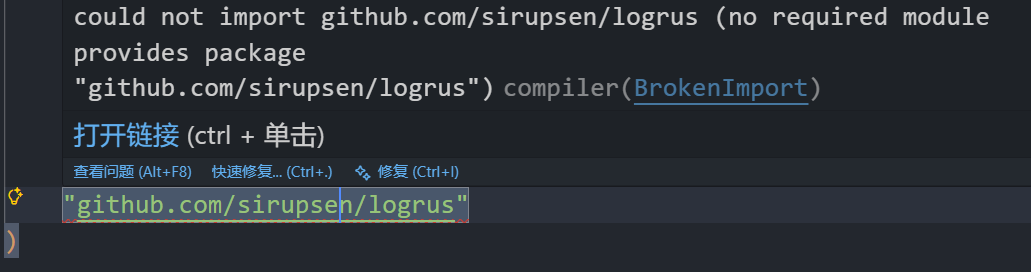
如果一开始没有go mod init的话(即当前目录下没有go.mod文件)先初始化一个 module
bash
go mod init github.com/LingoRihood/GoDistributeCache拉取 logrus 依赖
在同一个目录下执行:
bash
# 如果在国内网络,先设置代理(只需设置一次)
go env -w GOPROXY=https://goproxy.cn,direct

# 拉取 logrus
go get github.com/sirupsen/logrus@latest

# 顺便整理一下依赖
go mod tidy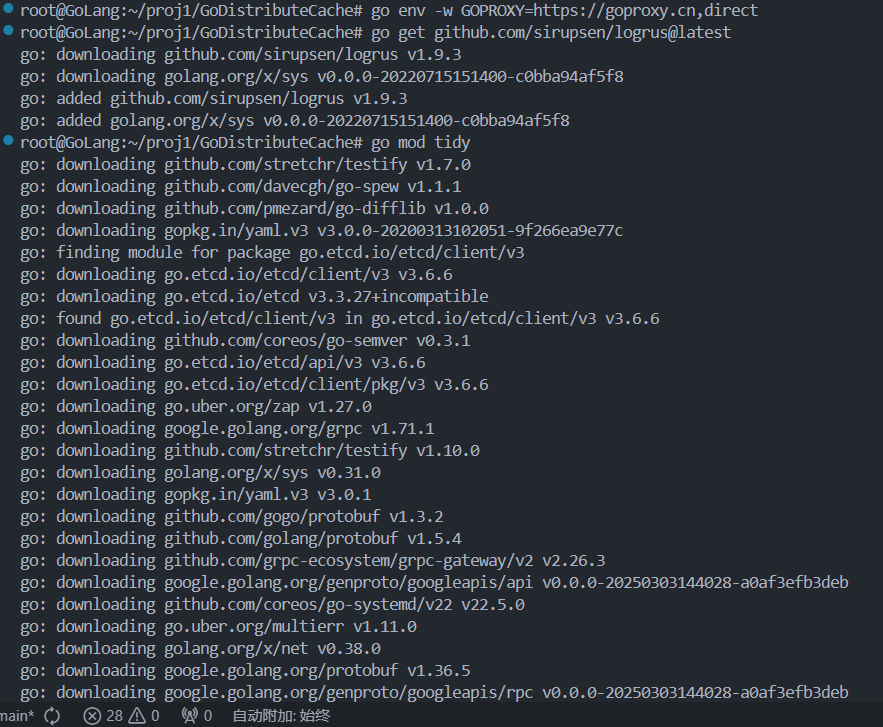
【缓存淘汰与实现】
最近最少使用(LRU, Least Recently Used)
算法原理
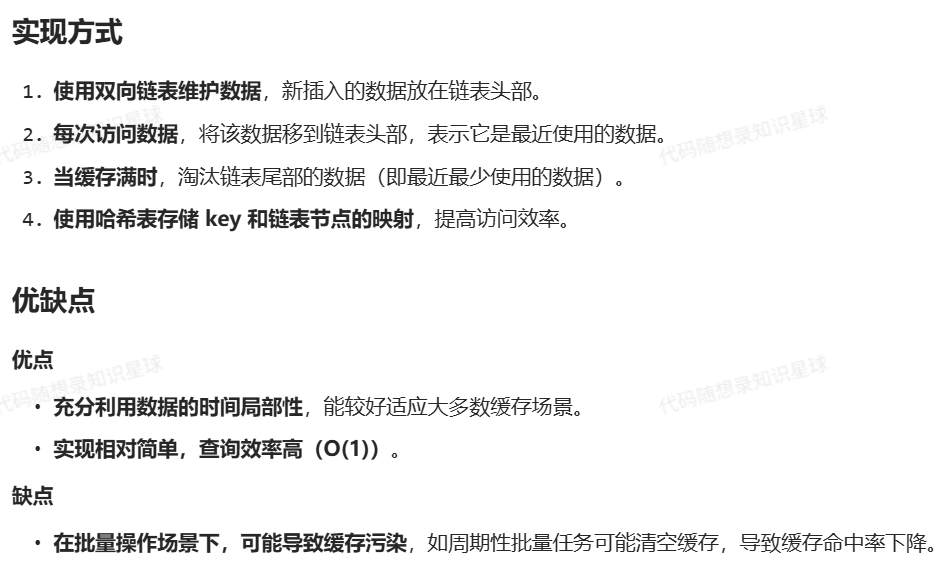
LRU 认为最近使用的数据在未来仍可能被访问,因此它会淘汰最久未被使用的数据。
GoCache 的实现
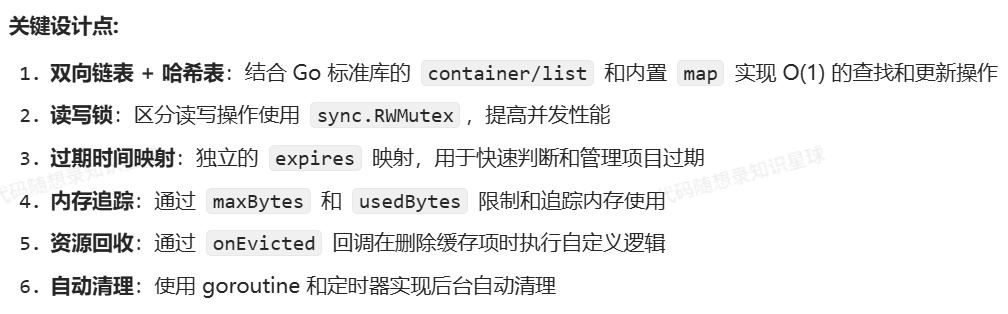
数据结构设计
go
type lruCache struct {
    mu              sync.RWMutex        	 // 读写锁,保证并发安全
    list            *list.List          	 // 双向链表,用于维护 LRU 顺序
    items           map[string]*list.Element // 键到链表节点的映射
    expires         map[string]time.Time     // 过期时间映射
    maxBytes        int64               	 // 最大允许字节数
    usedBytes       int64               	 // 当前使用的字节数
    onEvicted       func(key string, value Value) // 淘汰回调
    cleanupInterval time.Duration       	 // 清理间隔
    cleanupTicker   *time.Ticker        	 // 定时器
    closeCh         chan struct{}       	 // 关闭通道
}
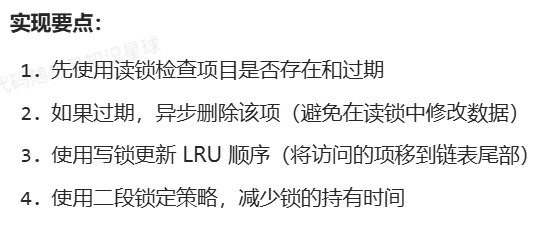
获取缓存项(Get 方法获取给定键的缓存项)
go
func (c *lruCache) Get(key string) (Value, bool) {
    c.mu.RLock()
    elem, ok := c.items[key]
    if !ok {
        c.mu.RUnlock()
        return nil, false
    }

    // 检查是否过期
    if expTime, hasExp := c.expires[key]; hasExp && time.Now().After(expTime) {
        c.mu.RUnlock()
        // 异步删除过期项,避免在读锁内操作
        go c.Delete(key)
        return nil, false
    }

    // 获取值并释放读锁
    entry := elem.Value.(*lruEntry)
    value := entry.value
    c.mu.RUnlock()

    // 更新 LRU 位置需要写锁
    c.mu.Lock()
    // 再次检查元素是否仍然存在
    if _, ok := c.items[key]; ok {
        c.list.MoveToBack(elem)
    }
    c.mu.Unlock()

    return value, true
}
设置缓存项
go
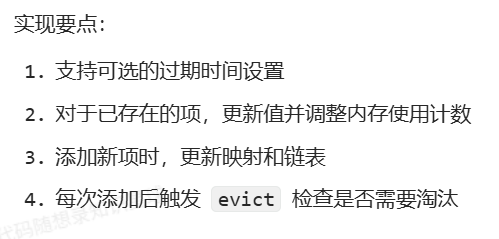
func (c *lruCache) Set(key string, value Value) error {
    return c.SetWithExpiration(key, value, 0)
}

func (c *lruCache) SetWithExpiration(key string, value Value, expiration time.Duration) error {
    if value == nil {
        c.Delete(key)
        return nil
    }

    c.mu.Lock()
    defer c.mu.Unlock()

    // 计算过期时间
    var expTime time.Time
    if expiration > 0 {
        expTime = time.Now().Add(expiration)
        c.expires[key] = expTime
    } else {
        delete(c.expires, key)
    }

    // 如果键已存在,更新值
    if elem, ok := c.items[key]; ok {
        oldEntry := elem.Value.(*lruEntry)
        c.usedBytes += int64(value.Len() - oldEntry.value.Len())
        oldEntry.value = value
        c.list.MoveToBack(elem)
        return nil
    }

    // 添加新项
    entry := &lruEntry{key: key, value: value}
    elem := c.list.PushBack(entry)
    c.items[key] = elem
    c.usedBytes += int64(len(key) + value.Len())

    // 检查是否需要淘汰旧项
    c.evict()

    return nil
}
淘汰策略
go
func (c *lruCache) removeElement(elem *list.Element) {
    entry := elem.Value.(*lruEntry)
    c.list.Remove(elem)
    delete(c.items, entry.key)
    delete(c.expires, entry.key)
    c.usedBytes -= int64(len(entry.key) + entry.value.Len())

    if c.onEvicted != nil {
        c.onEvicted(entry.key, entry.value)
    }
}

func (c *lruCache) evict() {
    // 先清理过期项
    now := time.Now()
    for key, expTime := range c.expires {
        if now.After(expTime) {
            if elem, ok := c.items[key]; ok {
                c.removeElement(elem)
            }
        }
    }

    // 再根据内存限制清理最久未使用的项
    for c.maxBytes > 0 && c.usedBytes > c.maxBytes && c.list.Len() > 0 {
        elem := c.list.Front() // 获取最久未使用的项(链表头部)
        if elem != nil {
            c.removeElement(elem)
        }
    }
}
LRU-K(Least Recently Used K)
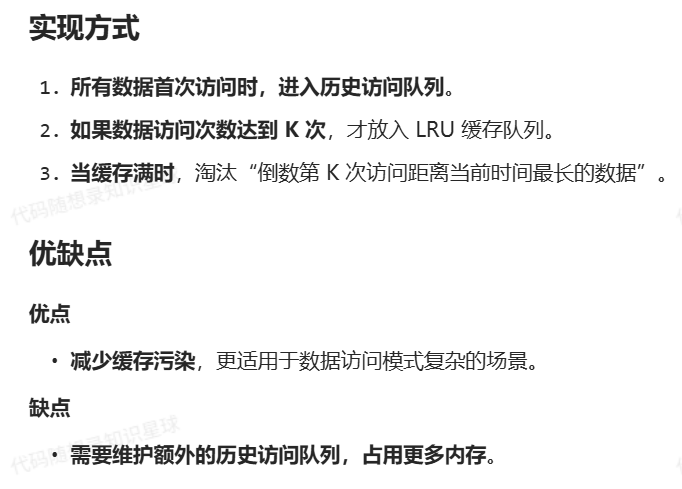
算法原理
LRU-K 通过维护访问历史,只有当数据被访问K 次后,才将其放入缓存,以减少缓存污染。
LRU-2(Least Recently Used 2)
算法原理
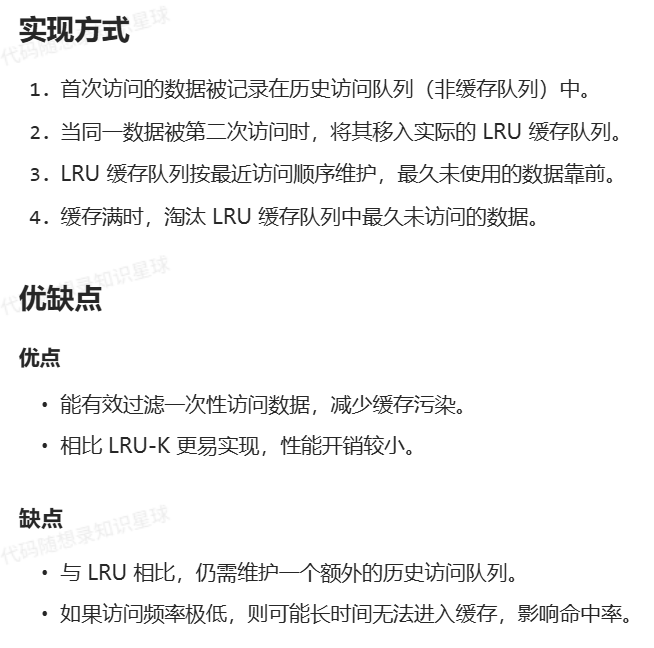
LRU-2 是 LRU-K 算法的特例(K=2),即只有当某个数据被访问至少两次后,才可能被缓存。相比传统 LRU 更能抵抗缓存污染,适用于访问模式中存在临时热点的情况。
GoCache 的实现
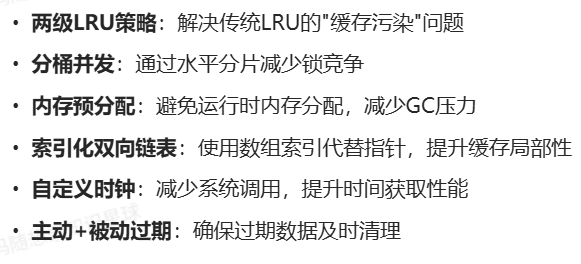
核心设计理念
节点结构(node)
go
type node struct {
    k        string // 键
    v        Value  // 值
    expireAt int64  // 过期时间戳,expireAt = 0 表示已删除
}
缓存结构
go
type cache struct {
	dlnk [][2]uint16       // 双向链表,0 表示前驱,1 表示后继
	m    []node            // 预分配内存存储节点
	hmap map[string]uint16 // 键到节点索引的映射
	last uint16            // 最后一个节点元素的索引
}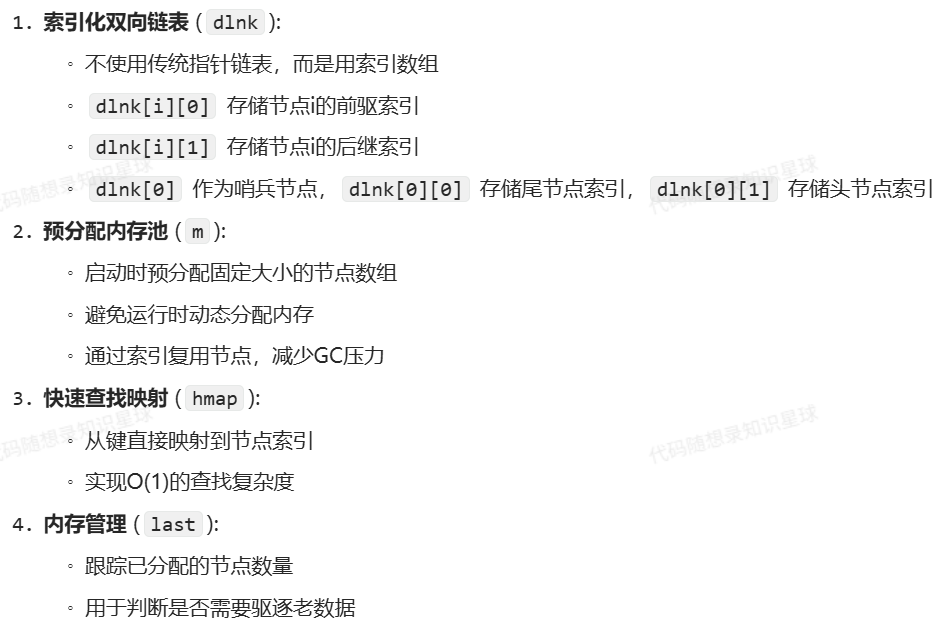
内存布局示例:
bash
dlnk数组布局:
[0]: [尾索引,头索引]   // 哨兵节点
[1]: [前驱,后继]       // 节点1的链表关系
[2]: [前驱,后继]       // 节点2的链表关系
...

m数组布局:
[0]: {key1,value1,expireAt1}   // 对应dlnk[1]
[1]: {key2,value2,expireAt2}   // 对应dlnk[2]
...
主缓存结构
go
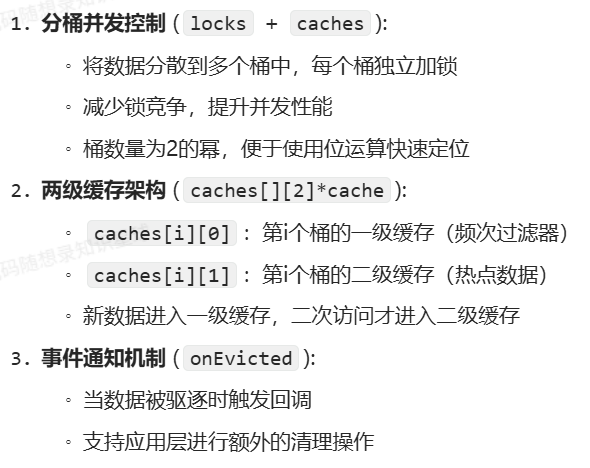
type lru2Store struct {
	locks       []sync.Mutex                    // 每个桶的独立锁
	caches      [][2]*cache                     // 每个桶包含两级缓存
	onEvicted   func(key string, value Value)   // 驱逐回调函数
	cleanupTick *time.Ticker                   // 定期清理定时器
	mask        int32                          // 用于哈希取模的掩码
}
简简单单测试一下
go
package storer

import (
	_ "fmt"
	_ "strconv"
	_ "sync"
	"testing"
	_ "time"
)

// 为测试定义一个简单的Value类型
type testValue string

func (v testValue) Len() int {
	return len(v)
}

// 测试缓存基本操作
func TestCacheBasic(t *testing.T) {
	t.Run("初始化缓存", func(t *testing.T) {
		c := Create(10)
		if c == nil {
			t.Fatal("创建缓存失败")
		}
		if c.last != 0 {
			t.Fatalf("初始last应为0,实际为%d", c.last)
		}
		if len(c.m) != 10 {
			t.Fatalf("缓存容量应为10,实际为%d", len(c.m))
		}
		if len(c.dlnk) != 11 {
			t.Fatalf("链表长度应为cap+1(11),实际为%d", len(c.dlnk))
		}
	})

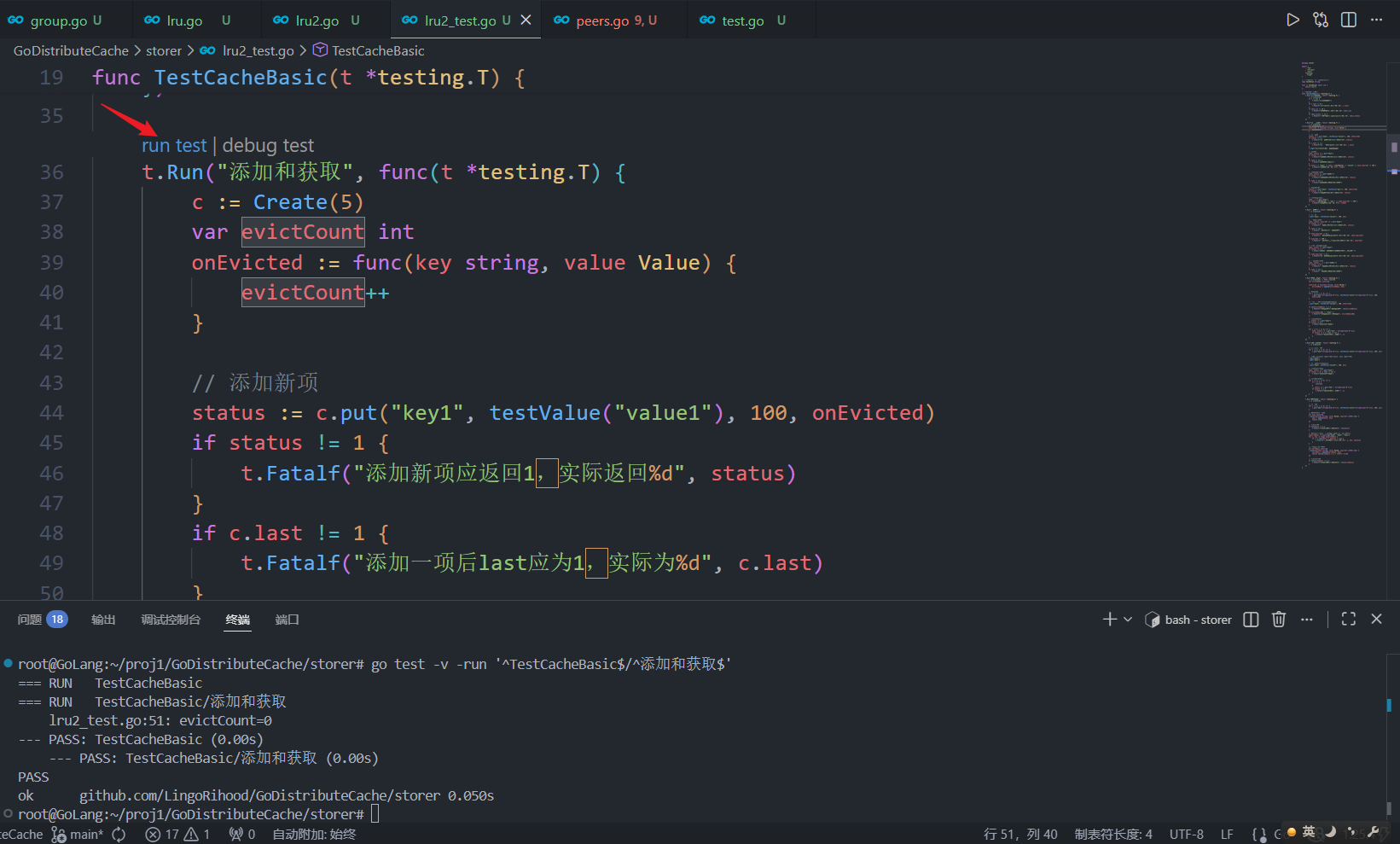
	t.Run("添加和获取", func(t *testing.T) {
		c := Create(5)
		var evictCount int
		onEvicted := func(key string, value Value) {
			evictCount++
		}

		// 添加新项
		status := c.put("key1", testValue("value1"), 100, onEvicted)
		if status != 1 {
			t.Fatalf("添加新项应返回1,实际返回%d", status)
		}
		if c.last != 1 {
			t.Fatalf("添加一项后last应为1,实际为%d", c.last)
		}
		t.Logf("evictCount=%v", evictCount)

		// 获取项
		node, status := c.get("key1")
		if status != 1 {
			t.Fatalf("获取存在项应返回1,实际返回%d", status)
		}
		if node == nil {
			t.Fatal("获取项返回了nil")
		}
		if node.k != "key1" || node.v.(testValue) != "value1" || node.expireAt != 100 {
			t.Fatalf("获取项值不一致: %+v", *node)
		}

		// 获取不存在的项
		node, status = c.get("不存在")
		if status != 0 {
			t.Fatalf("获取不存在项应返回0,实际返回%d", status)
		}
		if node != nil {
			t.Fatal("获取不存在项不应返回节点")
		}

		// 更新现有项
		status = c.put("key1", testValue("新值"), 200, onEvicted)
		if status != 0 {
			t.Fatalf("更新项应返回0,实际返回%d", status)
		}

		// 验证更新后的值
		node, _ = c.get("key1")
		if node.v.(testValue) != "新值" || node.expireAt != 200 {
			t.Fatalf("更新项后值不一致: %+v", *node)
		}
	})

	t.Run("删除操作", func(t *testing.T) {
		c := Create(5)

		// 添加项
		c.put("key1", testValue("value1"), 100, nil)

		// 删除存在的项
		node, status, expireAt := c.del("key1")
		if status != 1 {
			t.Fatalf("删除存在项应返回1,实际返回%d", status)
		}
		if node == nil {
			t.Fatal("删除应返回被删除的节点")
		}
		if node.expireAt != 0 {
			t.Fatalf("删除后节点expireAt应为0,实际为%d", node.expireAt)
		}
		if expireAt != 100 {
			t.Fatalf("删除应返回原始expireAt(100),实际为%d", expireAt)
		}

		// 验证删除后无法获取
		node, status = c.get("key1")
		if status != 1 {
			t.Fatal("获取已删除项失败,但键仍应存在于哈希表中")
		}
		if node.expireAt != 0 {
			t.Fatalf("已删除项的expireAt应为0,实际为%d", node.expireAt)
		}

		// 删除不存在的项
		node, status, _ = c.del("不存在")
		if status != 0 {
			t.Fatalf("删除不存在项应返回0,实际返回%d", status)
		}
		if node != nil {
			t.Fatal("删除不存在项不应返回节点")
		}
	})

	t.Run("容量和淘汰", func(t *testing.T) {
		c := Create(3) // 容量为3的缓存
		var evictedKeys []string

		onEvicted := func(key string, value Value) {
			evictedKeys = append(evictedKeys, key)
		}

		// 填满缓存
		for i := 1; i <= 3; i++ {
			c.put("key"+string(rune('0'+i)), testValue("value"+string(rune('0'+i))), 100, onEvicted)
		}

		// 再添加一项,应该淘汰最早的key1
		c.put("key4", testValue("value4"), 100, onEvicted)

		if len(evictedKeys) != 1 {
			t.Fatalf("应淘汰1项,实际淘汰%d项", len(evictedKeys))
		}
		if evictedKeys[0] != "key1" {
			t.Fatalf("应淘汰key1,实际淘汰%s", evictedKeys[0])
		}

		// 验证缓存状态
		_, status := c.get("key1")
		if status != 0 {
			t.Fatal("key1应已被淘汰")
		}

		for i := 2; i <= 4; i++ {
			node, status := c.get("key" + string(rune('0'+i)))
			if status != 1 || node == nil {
				t.Fatalf("key%d应存在于缓存中", i)
			}
		}
	})

	t.Run("LRU顺序维护", func(t *testing.T) {
		c := Create(3)

		// 按顺序添加3项
		for i := 1; i <= 3; i++ {
			c.put("key"+string(rune('0'+i)), testValue("value"+string(rune('0'+i))), 100, nil)
		}

		// 访问顺序:key1 (最后访问),key2, key3 (最早访问)
		c.get("key2")
		c.get("key1")

		// 添加新项,应淘汰key3
		c.put("key4", testValue("value4"), 100, nil)

		// 验证key3被淘汰
		node, status := c.get("key3")
		if status != 0 || node != nil {
			t.Fatal("key3应已被淘汰")
		}

		// 其他键应该存在
		for i := 1; i <= 4; i++ {
			if i == 3 {
				continue
			}
			_, status := c.get("key" + string(rune('0'+i)))
			if status != 1 {
				t.Fatalf("key%d应存在于缓存中", i)
			}
		}
	})

	t.Run("遍历缓存", func(t *testing.T) {
		c := Create(5)

		// 添加3项
		for i := 1; i <= 3; i++ {
			c.put("key"+string(rune('0'+i)), testValue("value"+string(rune('0'+i))), 100, nil)
		}

		// 遍历并收集所有键
		var keys []string
		c.walk(func(key string, value Value, expireAt int64) bool {
			keys = append(keys, key)
			return true
		})

		// 应有3个键
		if len(keys) != 3 {
			t.Fatalf("应有3个键,实际有%d个", len(keys))
		}

		// 键应该是反向添加顺序(因为新项是添加到链表头)
		expectedKeys := []string{"key3", "key2", "key1"}
		for i, key := range expectedKeys {
			if i >= len(keys) || keys[i] != key {
				t.Fatalf("第%d个键应为%s,实际为%s", i, key, keys[i])
			}
		}

		// 测试提前终止遍历
		var earlyKeys []string
		c.walk(func(key string, value Value, expireAt int64) bool {
			earlyKeys = append(earlyKeys, key)
			return len(earlyKeys) < 2 // 只收集前2个键
		})

		// 应只有2个键
		if len(earlyKeys) != 2 {
			t.Fatalf("应有2个键,实际有%d个", len(earlyKeys))
		}
	})
}
bash
root@GoLang:~/proj1/GoDistributeCache/storer# go test -v -run '^TestCacheBasic$/^添加和获取$'
=== RUN   TestCacheBasic
=== RUN   TestCacheBasic/添加和获取
    lru2_test.go:51: evictCount=0
--- PASS: TestCacheBasic (0.00s)
    --- PASS: TestCacheBasic/添加和获取 (0.00s)
PASS
ok      github.com/LingoRihood/GoDistributeCache/storer 0.050s
模拟插入结点
第一次 put
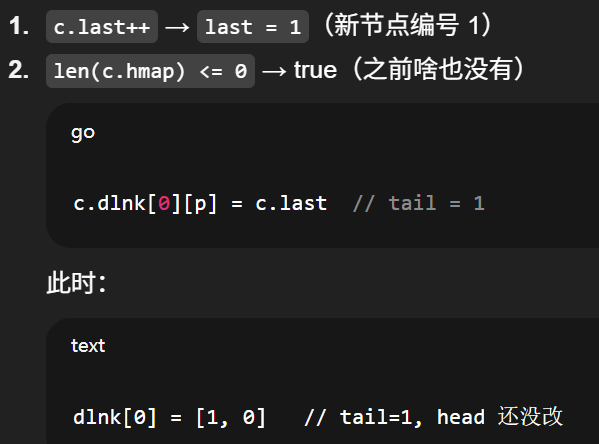
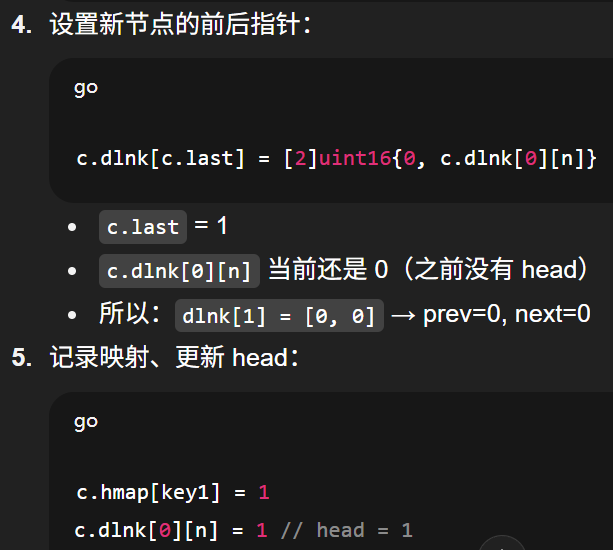
最终状态
go
dlnk[0] = [1, 1]   // tail=1, head=1
dlnk[1] = [0, 0]   // 节点1没有前驱、没有后继(孤立一个点)
也就是一条只有一个节点的双向链表。
第二次插入(链表已有一个节点)
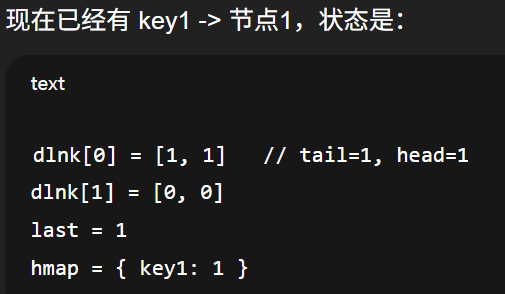
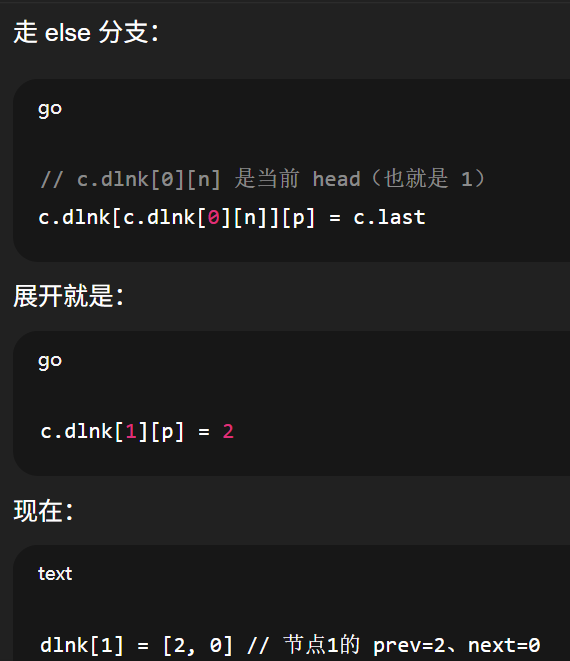
bash
dlnk[1] = [2, 0] // 节点1的 prev=2、next=0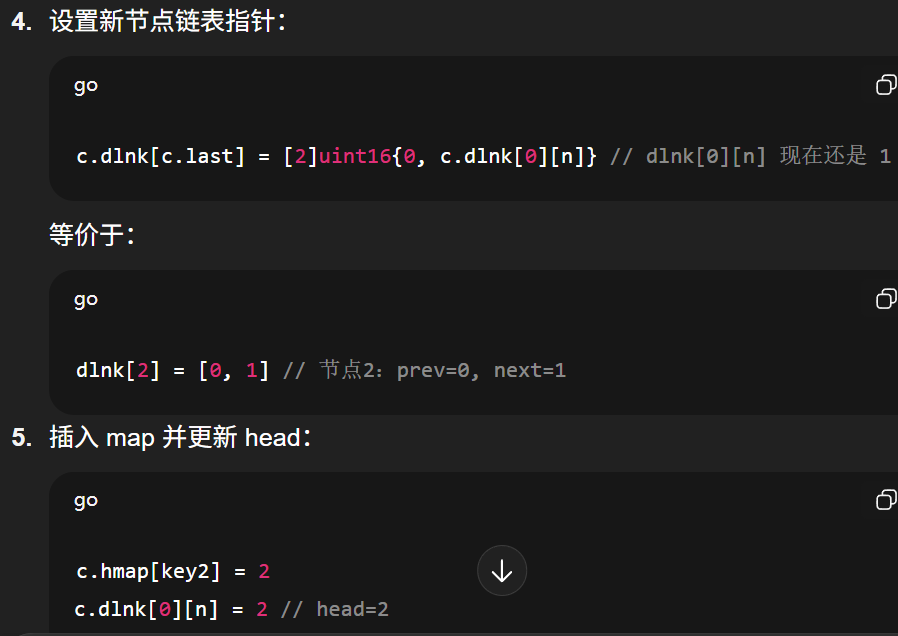
bash
dlnk[0] = [1, 2]   // tail=1, head=2
dlnk[1] = [2, 0]   // 节点1:prev=2, next=0
dlnk[2] = [0, 1]   // 节点2:prev=0, next=1
最少使用频率(LFU, Least Frequently Used)
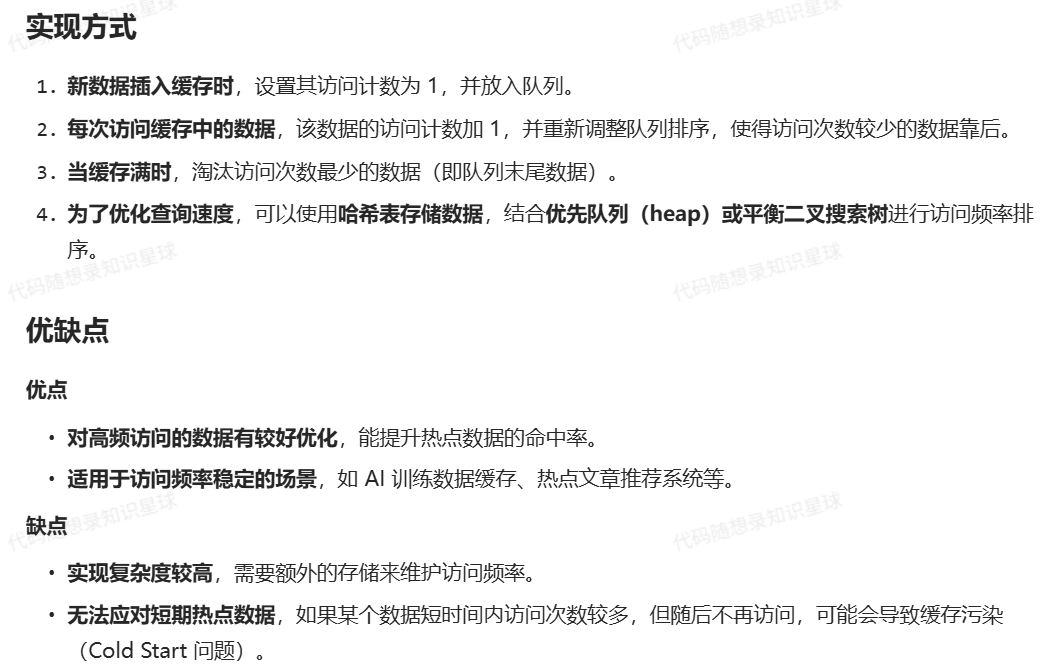
算法原理
LFU 通过统计数据的访问次数来决定淘汰策略,使用次数最少的数据将被淘汰。
【缓存并发】
当系统面临突发流量时,缓存层可能成为性能瓶颈:
缓存击穿(Cache Breakdown)
● 现象:热点key过期瞬间,大量请求穿透缓存直达数据库
● 后果:数据库瞬时压力陡增(案例:电商大促期间因秒杀商品key失效导致DB过载)
缓存雪崩(Cache Avalanche)
● 现象:大量key集中过期或缓存集群宕机
● 后果:请求洪峰压垮后端系统(案例:社交平台定时批量刷新缓存引发服务中断)
缓存穿透(Cache Penetration)
● 现象:恶意请求不存在的数据(如负向ID查询)
● 后果:缓存完全失效,持续冲击数据库(案例:金融系统遭恶意爬虫攻击)
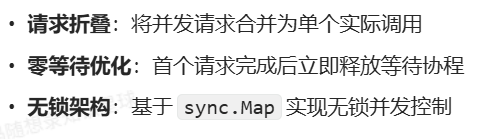
为了应对突发性的缓存失效导致大量请求直接打到数据库,GoCache 采用了SingleFlight机制
SingleFlight
核心数据结构
go
type call struct {
    wg  sync.WaitGroup // 协程同步器
    val interface{}    // 执行结果容器
    err error          // 错误信息容器
}

type Group struct {
    m sync.Map // 并发安全存储(key:string → value:*call)
}
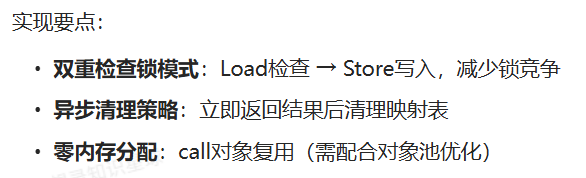
实现
go
func (g *Group) Do(key string, fn func() (interface{}, error)) (interface{}, error) {
    // 存在性检查(无锁快速路径)
    if existing, ok := g.m.Load(key); ok {
        c := existing.(*call)
        c.wg.Wait() // 等待正在进行的请求
        return c.val, c.err
    }

    // 慢速路径(初始化请求)
    c := new(call)
    c.wg.Add(1)
    g.m.Store(key, c)

    // 执行实际函数
    c.val, c.err = fn()
    c.wg.Done()

    // 异步清理(避免阻塞返回)
    go func() {
        g.m.Delete(key)
    }()

    return c.val, c.err
}
之后我会持续更新,如果喜欢我的文章,请记得一键三连哦,点赞关注收藏,你的每一个赞每一份关注每一次收藏都将是我前进路上的无限动力 !!!↖(▔▽▔)↗感谢支持!