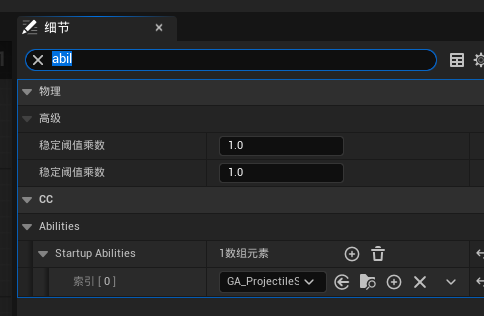
1.创建一个抛射物类:
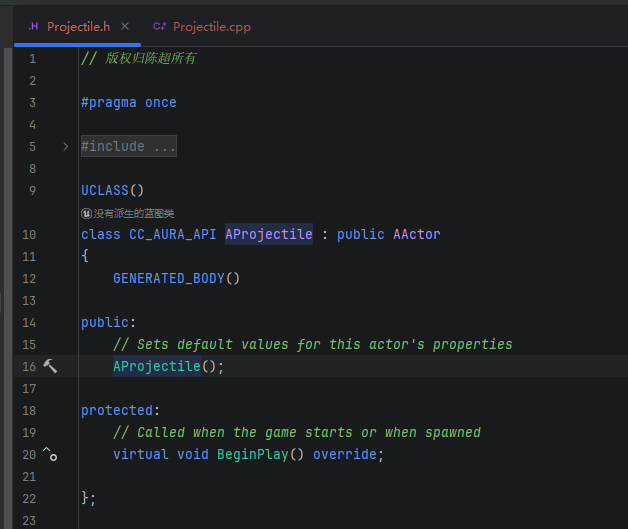
(1)去掉Tick函数, 添加可复制:

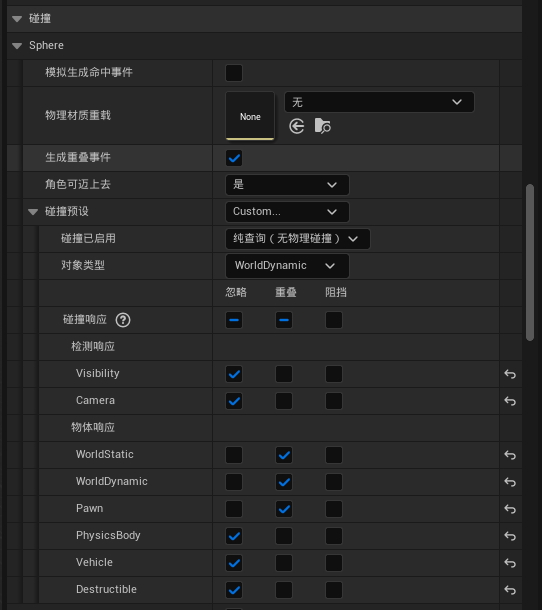
(2)添加一个球型碰撞体
cpp
private:
	UPROPERTY(VisibleAnywhere)
	TObjectPtr<USphereComponent> Sphere;		//球形碰撞组件
在构造函数中,对碰撞体进行初始化
cpp
AProjectile::AProjectile()
{
 	// Set this actor to call Tick() every frame.  You can turn this off to improve performance if you don't need it.
	PrimaryActorTick.bCanEverTick = false;
	bReplicates = true;		//可复制

	Sphere = CreateDefaultSubobject<USphereComponent>("Sphere");
	SetRootComponent(Sphere);
	Sphere->SetCollisionEnabled(ECollisionEnabled::QueryOnly);		//设置其只用作查询使用
	Sphere->SetCollisionResponseToChannels(ECR_Ignore);		//设置其忽略所有碰撞检测
	Sphere->SetCollisionResponseToChannel(ECC_WorldDynamic, ECR_Overlap);	//设置其与世界动态物体产生重叠事件
	Sphere->SetCollisionResponseToChannel(ECC_WorldStatic, ECR_Overlap);	//设置其与世界静态物体产生重叠事件
	Sphere->SetCollisionResponseToChannel(ECC_Pawn, ECR_Overlap);			//设置其与Pawn类型物体产生重叠事件

}
效果:
(3)增加对应的碰撞检测回调
在BeginPlay()调用重叠事件:
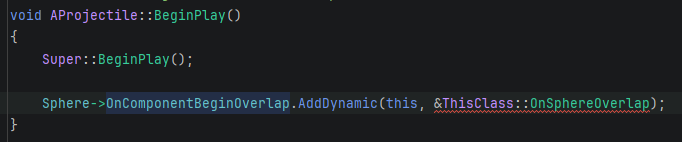
但是,回调函数里面的参数是什么?
我需要转到OnComponentBeginOverlap定义去看看:
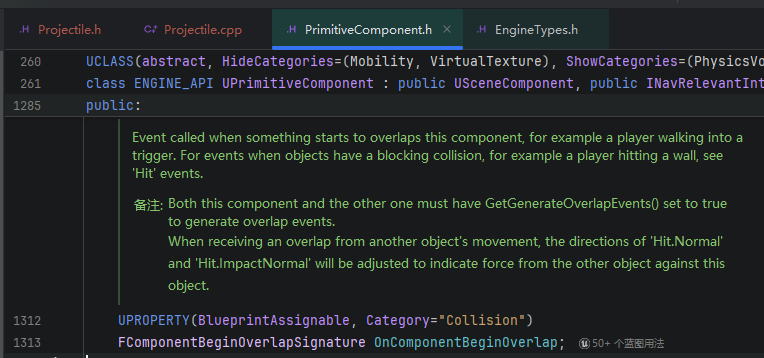
这是一个FComponentBeginOverlapSignature声明,再转到FComponentBeginOverlapSignature定义去看看:
cpp
/** Delegate for notification of start of overlap with a specific component */
DECLARE_DYNAMIC_MULTICAST_SPARSE_DELEGATE_SixParams( FComponentBeginOverlapSignature, UPrimitiveComponent, OnComponentBeginOverlap, UPrimitiveComponent*, OverlappedComponent, AActor*, OtherActor, UPrimitiveComponent*, OtherComp, int32, OtherBodyIndex, bool, bFromSweep, const FHitResult &, SweepResult)
这段代码是Unreal Engine中的动态多播稀疏委托声明,用于处理组件开始重叠事件。
这是一个C++宏,用于声明一个可以绑定多个回调函数的委托类型,当游戏中的两个组件开始重叠时触发。该委托包含六个参数:
- OverlappedComponent:发生重叠的原始组件
- OtherActor:参与重叠的另一个角色
- OtherComp:参与重叠的另一个组件
- OtherBodyIndex:其他物体的索引
- bFromSweep:是否来自扫描检测
- SweepResult:扫描检测的命中结果
这种委托机制允许游戏开发者轻松订阅和处理碰撞检测事件,实现游戏逻辑的响应式编程。
所以, 回调函数,要有6个参数:
cpp
	UFUNCTION()
	void OnSphereOverlap(UPrimitiveComponent* OverlappedComponent, AActor* OtherActor, UPrimitiveComponent* OtherComp, int32 OtherBodyIndex, bool bFromSweep, const FHitResult& SweepResult);
(4)我们创建一个抛射物移动组件,抛射物移动组件通常用于控制投射物的移动,例如子弹或火箭。这个组件通常负责处理投射物的速度、加速度、路径等。
cpp
    ProjectileMovement = CreateDefaultSubobject<UProjectileMovementComponent>("ProjectileMovement");
	ProjectileMovement->InitialSpeed = 550.f; //设置初始速度
	ProjectileMovement->MaxSpeed = 550.f; //设置最大速度
	ProjectileMovement->ProjectileGravityScale = 0.f; //设置重力影响因子,0为不受影响
源码:
Source/CC_Aura/Public/Actor/Projectile.h:
cpp
// 版权归陈超所有

#pragma once

#include "CoreMinimal.h"
#include "GameFramework/Actor.h"
#include "Projectile.generated.h"

class UProjectileMovementComponent;
class USphereComponent;

UCLASS()
class CC_AURA_API AProjectile : public AActor
{
	GENERATED_BODY()

public:
	// Sets default values for this actor's properties
	AProjectile();

protected:
	// Called when the game starts or when spawned
	virtual void BeginPlay() override;

private:
	UPROPERTY(VisibleAnywhere)
	TObjectPtr<USphereComponent> Sphere;		//球形碰撞组件

	UFUNCTION()
	void OnSphereOverlap(UPrimitiveComponent* OverlappedComponent, AActor* OtherActor, UPrimitiveComponent* OtherComp, int32 OtherBodyIndex, bool bFromSweep, const FHitResult& SweepResult);

public:
	UPROPERTY(VisibleAnywhere)
	TObjectPtr<UProjectileMovementComponent> ProjectileMovement;
};
Source/CC_Aura/Private/Actor/Projectile.cpp:
cpp
// 版权归陈超所有


#include "Actor/Projectile.h"

#include "Components/SphereComponent.h"
#include "GameFramework/ProjectileMovementComponent.h"

// Sets default values
AProjectile::AProjectile()
{
 	// Set this actor to call Tick() every frame.  You can turn this off to improve performance if you don't need it.
	PrimaryActorTick.bCanEverTick = false;
	bReplicates = true;		//可复制

	Sphere = CreateDefaultSubobject<USphereComponent>("Sphere");
	SetRootComponent(Sphere);
	Sphere->SetCollisionEnabled(ECollisionEnabled::QueryOnly);		//设置其只用作查询使用
	Sphere->SetCollisionResponseToChannels(ECR_Ignore);		//设置其忽略所有碰撞检测
	Sphere->SetCollisionResponseToChannel(ECC_WorldDynamic, ECR_Overlap);	//设置其与世界动态物体产生重叠事件
	Sphere->SetCollisionResponseToChannel(ECC_WorldStatic, ECR_Overlap);	//设置其与世界静态物体产生重叠事件
	Sphere->SetCollisionResponseToChannel(ECC_Pawn, ECR_Overlap);			//设置其与Pawn类型物体产生重叠事件

	ProjectileMovement = CreateDefaultSubobject<UProjectileMovementComponent>("ProjectileMovement");
	ProjectileMovement->InitialSpeed = 550.f; //设置初始速度
	ProjectileMovement->MaxSpeed = 550.f; //设置最大速度
	ProjectileMovement->ProjectileGravityScale = 0.f; //设置重力影响因子,0为不受影响
}

// Called when the game starts or when spawned
void AProjectile::BeginPlay()
{
	Super::BeginPlay();

	Sphere->OnComponentBeginOverlap.AddDynamic(this, &ThisClass::OnSphereOverlap);
}

void AProjectile::OnSphereOverlap(UPrimitiveComponent* OverlappedComponent, AActor* OtherActor,
	UPrimitiveComponent* OtherComp, int32 OtherBodyIndex, bool bFromSweep, const FHitResult& SweepResult)
{

}
(5)接下来,编译打开UE,我们创建一个对应的蓝图
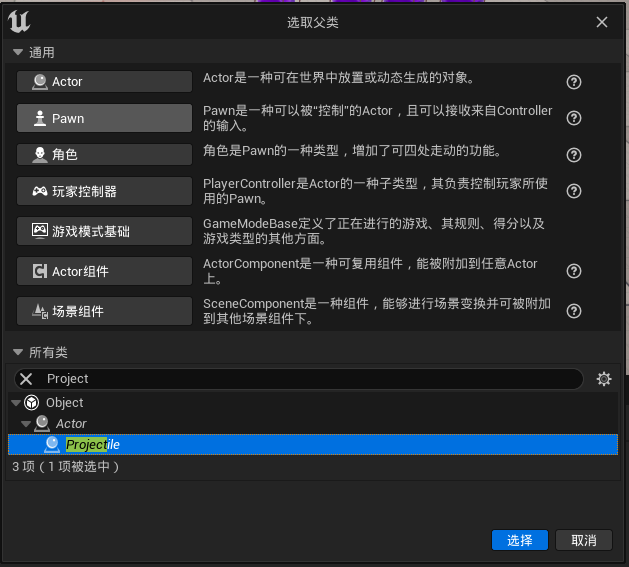
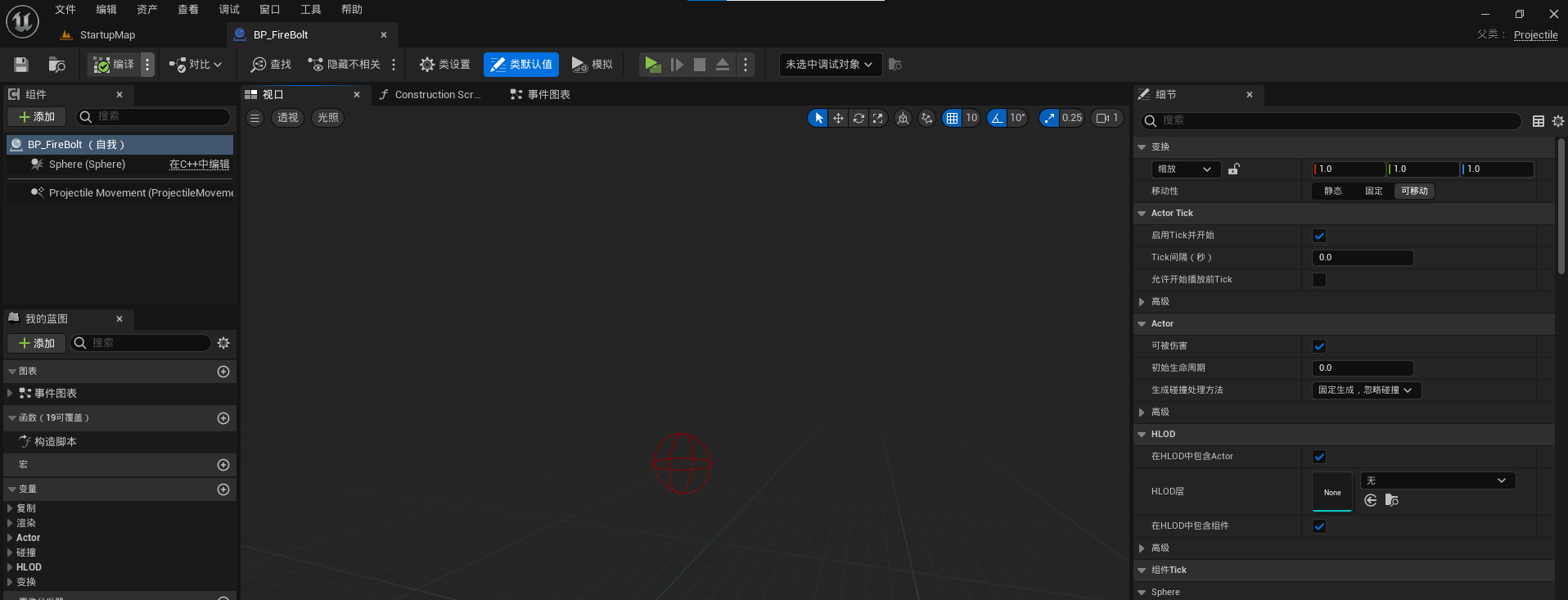
(6) 在根节点(碰撞体)下面添加一个Niagara组件,用于播放粒子特效
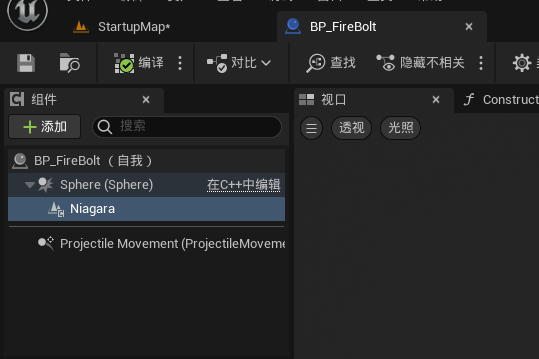
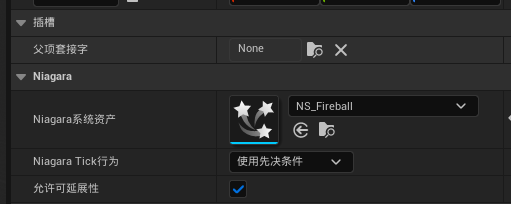
放在地图里,会向前移动:
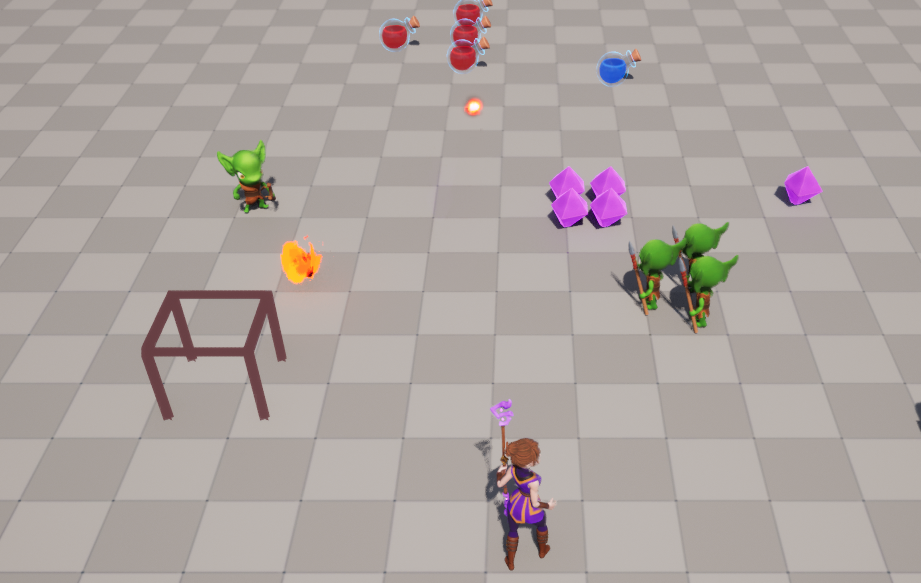
2. 创建ProjectileSpell (技能)
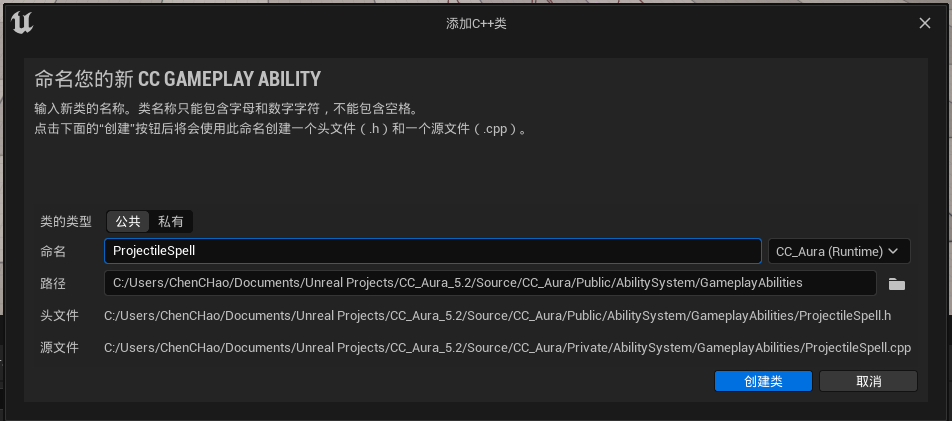
(1) 首先基于之前创建的技能基类创建一个子类,命名为ProjectileSpell,我们将其作为这种炮弹类的技能的特定类型的技能类
cpp
#pragma once

#include "CoreMinimal.h"
#include "AbilitySystem/Abilities/AuraGameplayAbility.h"
#include "AuraProjectileSpell.generated.h"

class AAuraProjectile;
/**
 *
 */
UCLASS()
class AURA_API UAuraProjectileSpell : public UAuraGameplayAbility
{
	GENERATED_BODY()

protected:

	virtual void ActivateAbility(const FGameplayAbilitySpecHandle Handle, const FGameplayAbilityActorInfo* ActorInfo, const FGameplayAbilityActivationInfo ActivationInfo, const FGameplayEventData* TriggerEventData) override;

	UPROPERTY(EditAnywhere, BlueprintReadOnly)
	TSubclassOf<AAuraProjectile> ProjectileClass;
};
cpp
#include "AbilitySystem/Abilities/AuraProjectileSpell.h"

#include "Actor/AuraProjectile.h"
#include "Interaction/CombatInterface.h"

void UAuraProjectileSpell::ActivateAbility(const FGameplayAbilitySpecHandle Handle,
                                           const FGameplayAbilityActorInfo* ActorInfo, const FGameplayAbilityActivationInfo ActivationInfo,
                                           const FGameplayEventData* TriggerEventData)
{
	Super::ActivateAbility(Handle, ActorInfo, ActivationInfo, TriggerEventData);

	const bool bIsServer = HasAuthority(&ActivationInfo);
	if (!bIsServer) return;

	ICombatInterface* CombatInterface = Cast<ICombatInterface>(GetAvatarActorFromActorInfo());
	if (CombatInterface)
	{
		const FVector SocketLocation = CombatInterface->GetCombatSocketLocation();

		FTransform SpawnTransform;
		SpawnTransform.SetLocation(SocketLocation);
		//TODO: Set the Projectile Rotation

		AAuraProjectile* Projectile = GetWorld()->SpawnActorDeferred<AAuraProjectile>(
			ProjectileClass,
			SpawnTransform,
			GetOwningActorFromActorInfo(),
			Cast<APawn>(GetOwningActorFromActorInfo()),
			ESpawnActorCollisionHandlingMethod::AlwaysSpawn);

		//TODO: Give the Projectile a Gameplay Effect Spec for causing Damage.

		Projectile->FinishSpawning(SpawnTransform);
	}

}
代码分析
1. 函数作用
这是一个游戏技能激活函数,用于创建并发射一个投射物。
2. 执行流程
cpp
// 1. 调用父类的激活逻辑
Super::ActivateAbility(Handle, ActorInfo, ActivationInfo, TriggerEventData);

// 2. 权限检查 - 只在服务器端执行
const bool bIsServer = HasAuthority(&ActivationInfo);
if (!bIsServer) return;
3. 关键逻辑
cpp
// 获取战斗接口来获取角色上的战斗插槽位置
ICombatInterface* CombatInterface = Cast<ICombatInterface>(GetAvatarActorFromActorInfo());
if (CombatInterface)
{
    // 从战斗接口获取发射位置
    const FVector SocketLocation = CombatInterface->GetCombatSocketLocation();

    // 设置生成变换
    FTransform SpawnTransform;
    SpawnTransform.SetLocation(SocketLocation);
    // TODO: 需要设置投射物的旋转方向
4. 投射物生成
cpp
// 使用延迟生成的方式创建投射物
AAuraProjectile* Projectile = GetWorld()->SpawnActorDeferred<AAuraProjectile>(
    ProjectileClass,            // 投射物类
    SpawnTransform,            // 生成位置
    GetOwningActorFromActorInfo(), // 拥有者
    Cast<APawn>(GetOwningActorFromActorInfo()), // 控制器(可能为空)
    ESpawnActorCollisionHandlingMethod::AlwaysSpawn); // 碰撞处理方式
5. 待完善的部分
代码中有两个明显的 TODO:
cpp
// TODO: Set the Projectile Rotation - 需要设置投射物的旋转方向
// TODO: Give the Projectile a Gameplay Effect Spec for causing Damage - 需要给投射物添加造成伤害的 Gameplay Effect
建议改进
1. 设置旋转方向
cpp
// 可以获取角色的朝向或目标方向
if (APawn* OwningPawn = Cast<APawn>(GetOwningActorFromActorInfo()))
{
    FRotator Rotation = OwningPawn->GetControlRotation();
    SpawnTransform.SetRotation(Rotation.Quaternion());
}
// 或者根据目标位置计算方向
2. 添加伤害效果
cpp
// 在 FinishSpawning 之前添加伤害效果
if (Projectile && DamageEffectSpecHandle.IsValid())
{
    Projectile->SetDamageEffectSpecHandle(DamageEffectSpecHandle);
}
3. 错误处理改进
cpp
// 添加更多的空指针检查
if (!ProjectileClass)
{
    UE_LOG(LogTemp, Error, TEXT("ProjectileClass is null in UAuraProjectileSpell"));
    return;
}
4. 优化建议
-
考虑添加投射物速度、伤害等参数的配置
-
可以添加生成时的视觉效果(VFX、SFX)
-
考虑网络同步的优化
代码结构总结
这是一个典型的 UE 技能系统实现,遵循了:
-
服务器权威 - 只在服务器执行生成逻辑
-
接口驱动 - 通过 CombatInterface 获取必要信息
-
延迟生成模式 - 使用 SpawnActorDeferred 允许在生成前进行配置
-
组件化设计 - 技能作为独立的 Ability 组件
整体代码结构清晰,但需要完善旋转和伤害效果的实现。
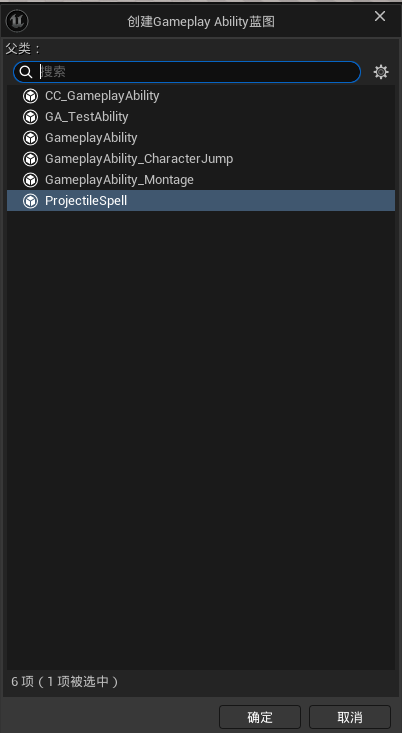
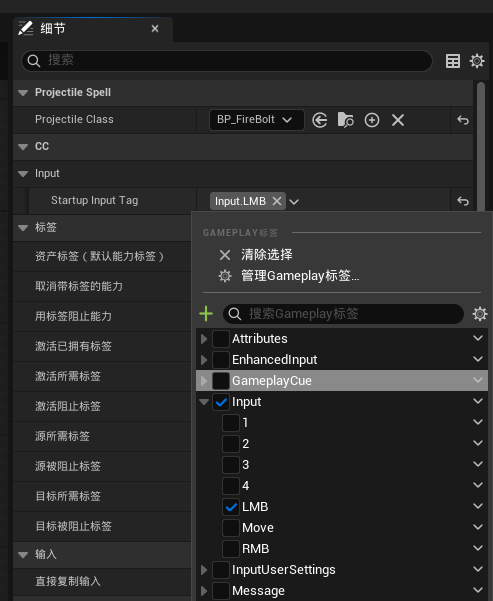
(2)创建技能蓝图类GA_ProjectileSpell
添加抛射物:

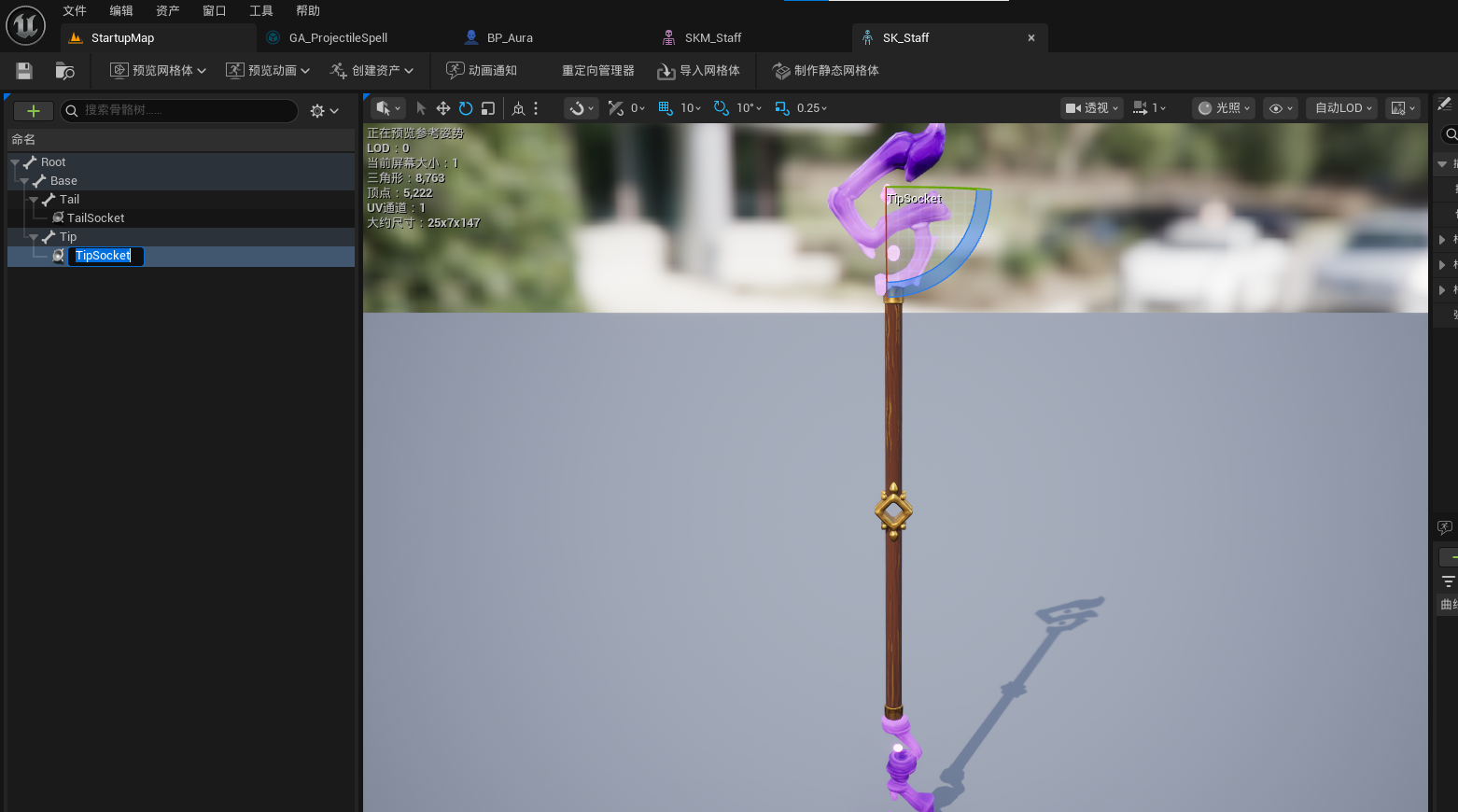
找到武器插槽:
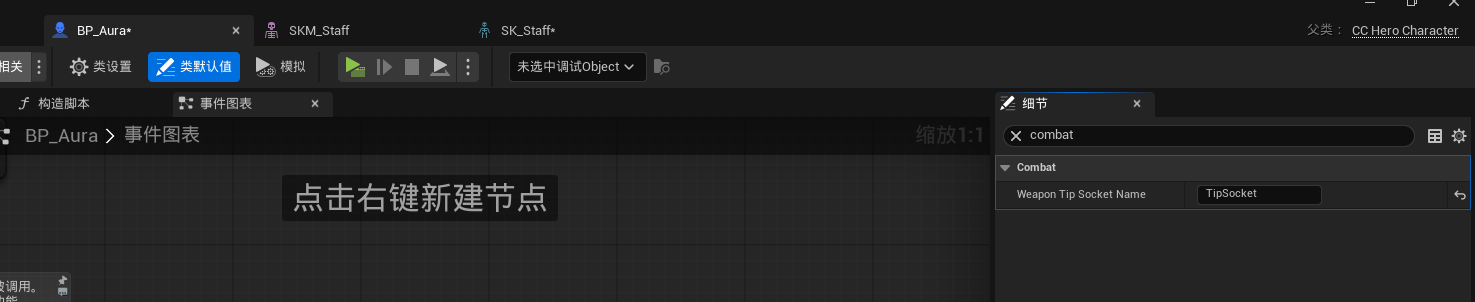
角色里添加:
武器槽
技能: