上篇热文:Linux线程:从内存分页机制(Page Table/TLB/Page Fault)彻底读懂 Linux 线程本质
目录
[前言:Linux 独特的"轻量级进程"哲学](#前言:Linux 独特的“轻量级进程”哲学)
[1. POSIX线程库](#1. POSIX线程库)
[2. 创建线程](#2. 创建线程)
[2.1 函数原型与参数说明](#2.1 函数原型与参数说明)
[2.2 代码验证:主线程与子线程在同一个进程中](#2.2 代码验证:主线程与子线程在同一个进程中)
[2.3 反汇编底层机制剖析](#2.3 反汇编底层机制剖析)
[3. 深入理解用户级线程 ID(pthread_t)与内核级 LWP 的区别](#3. 深入理解用户级线程 ID(pthread_t)与内核级 LWP 的区别)
[3.1 核心概念对比](#3.1 核心概念对比)
[3.2 线程栈的进程地址空间布局分布](#3.2 线程栈的进程地址空间布局分布)
[4. 经典踩坑与实战:多线程竞态条件与 C++ 对象传参](#4. 经典踩坑与实战:多线程竞态条件与 C++ 对象传参)
[4.1 共享栈缓冲区的竞态条件](#4.1 共享栈缓冲区的竞态条件)
[4.2 【实战】向线程传递 C++ 自定义类对象](#4.2 【实战】向线程传递 C++ 自定义类对象)
[5. 线程终止](#5. 线程终止)
[5.1 方式一:从线程函数 return](#5.1 方式一:从线程函数 return)
[5.2 方式二:线程调用 pthread_exit 终止自己](#5.2 方式二:线程调用 pthread_exit 终止自己)
[5.3 方式三:调用 pthread_cancel 异常取消线程](#5.3 方式三:调用 pthread_cancel 异常取消线程)
[6. 线程等待](#6. 线程等待)
[6.1 为什么需要线程等待?](#6.1 为什么需要线程等待?)
[6.2 函数原型](#6.2 函数原型)
[实验:正常 join 阻塞等待](#实验:正常 join 阻塞等待)
[6.3 为什么 join 无法收集"线程异常退出"信号?](#6.3 为什么 join 无法收集“线程异常退出”信号?)
[6.4 高级实战:多线程派发与双向 Task 对象回收](#6.4 高级实战:多线程派发与双向 Task 对象回收)
[7. 分离线程](#7. 分离线程)
[7.1 函数原型](#7.1 函数原型)
[7.2 Joinable 与分离状态的冲突实证](#7.2 Joinable 与分离状态的冲突实证)
前言:Linux 独特的"轻量级进程"哲学
在传统操作系统的定义中,进程和线程被赋予了截然不同的实体。但在 Linux 系统中,这种界限变得极其模糊。在 CPU 眼中,只存在一个又一个的执行流,而没有专门用来描述线程的"独立结构体"。Linux 巧妙地复用了进程的代码,使用轻量级进程(LWP, Light Weight Process)实现了线程。
本文将在 Linux 环境下进行的多线程编程实战、反汇编底层探究和竞态条件调试,彻底打通 Linux 线程控制(从创建、终止、等待再到分离)的用户态与内核态全链路流程。
1. POSIX线程库
Linux 的内核并没有为线程提供专有的系统调用(内核只有轻量级进程),为了让应用层开发者能够使用符合 POSIX 标准的多线程编程规范,Linux 采用了用户态的原生线程库 NPTL(Native POSIX Thread Library)。
使用该库时需注意以下规范:
-
命名约定 :与线程有关的函数构成了一个完整的系列,绝大多数函数的名字都是以
pthread_打头的。 -
头文件 :必须引入
<pthread.h>头文件。 -
链接选项 :链接这些线程函数库时,要使用编译器命令的
-lpthread选项(例如:g++ test.cpp -lpthread)。
2. 创建线程
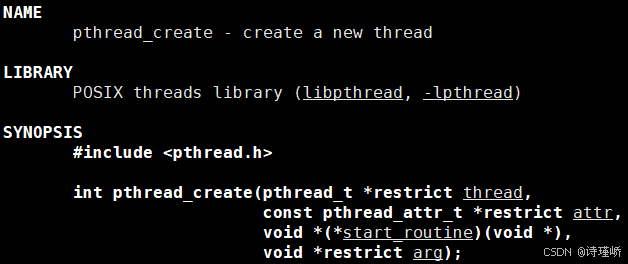
2.1 函数原型与参数说明
-
thread:输出型参数,返回线程 ID。 -
attr:设置线程属性,传入NULL表示使用默认属性。 -
start_routine:一个函数指针,子线程启动后要执行的回调函数。 -
arg:传递给回调函数的参数。 -
返回值 :成功返回
0,失败返回错误码。与传统系统调用不同,pthread出错时不会设置全局变量errno,而是直接将错误码通过返回值返回。
2.2 代码验证:主线程与子线程在同一个进程中
在 Linux 系统中,主线程和子线程运行在同一个进程空间内。我们可以编写如下代码进行观察:
cpp
#include <iostream>
#include <threads.h>
#include <unistd.h>

void *hello(void *args)
{
    while(true)
    {
        std::cout << "子线程, pid:" << getpid() << std::endl;
        sleep(1);
    }
}

int main()
{
    pthread_t tid;
    pthread_create(&tid, nullptr, hello, (void*)"new-thread");

    while(true)
    {
        std::cout << "主线程, pid:" << getpid() << std::endl;
        sleep(1);
    }

    return 0;
}
结果:

通过ps -aL命令可以查看(此命令是 Linux 中查看系统进程及其所有线程 的常用命令)

可以观察到,在相同pid的前提下,lwp(light weight process:轻量级进程)不同。
也就是说,操作系统和CPU调度的基本单位是线程(轻量级进程),而进程是承担分配系统资源的基本实体。
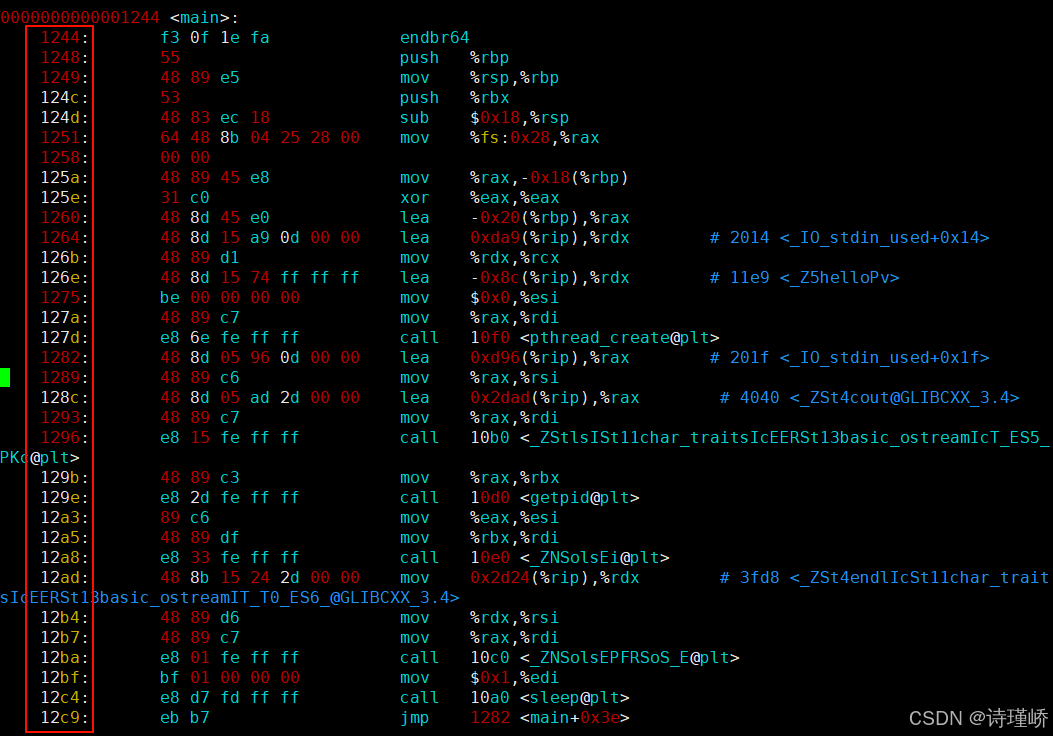
2.3 反汇编底层机制剖析
main:
hello:
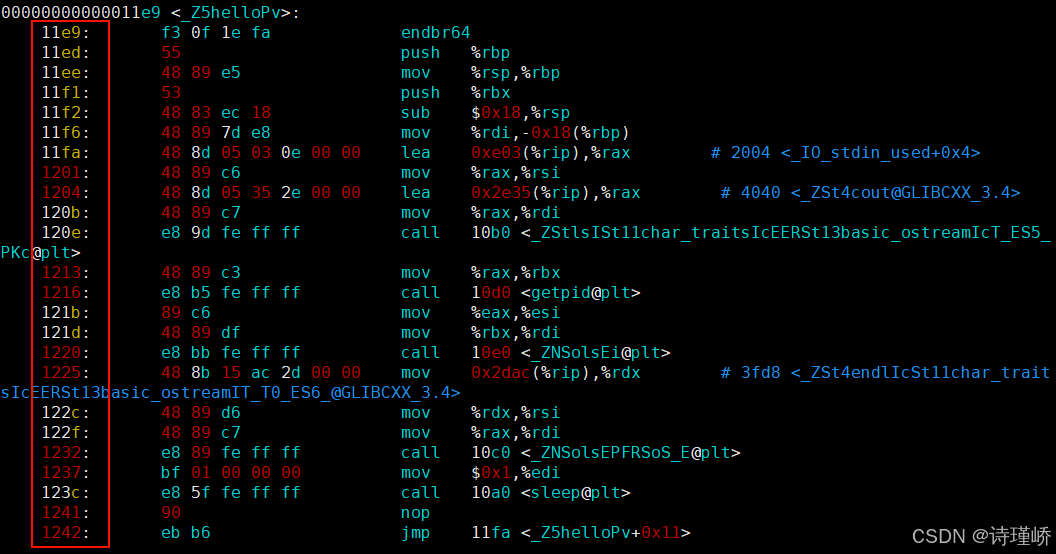
底层机制: 划分页表所映射的页框,将代码资源合理分配给指定的线程执行,其底层逻辑十分朴素:本质上是让不同的线程执行不同的函数接口。 因为各函数在编译链接阶段,编译器就已经为它们在代码段分配了唯一、确定且互不重叠的虚拟地址区间 。当我们将函数指针传递给 pthread_create 时,内核线程在被调度时只需将 PC 寄存器指向对应的虚拟地址入口即可。
3. 深入理解用户级线程 ID(pthread_t)与内核级 LWP 的区别
在打印线程 ID 时,我们会发现通过 pthread_self() 得到的 pthread_t 与通过 ps -aL 查看到的 LWP 截然不同。我们通过以下代码进行验证:
cpp
#include <iostream>
#include <stdio.h>
#include <string>
#include <unistd.h>
#include <pthread.h>

void *threadrun1(void *args)
{
    std::string threadname = static_cast<const char *>(args);
    while (true)
    {
        sleep(1);

        std::cout << threadname << std::endl;
    }
}

void *threadrun2(void *args)
{
    std::string threadname = static_cast<const char *>(args);
    while (true)
    {
        sleep(1);

        std::cout << threadname << std::endl;
    }
}

int main()
{
    pthread_t t1, t2;

    pthread_create(&t1, nullptr, threadrun1, (void *)"thread-1");
    pthread_create(&t2, nullptr, threadrun2, (void *)"thread-2");

    while (true)
    {
        printf("Main thread, thread1 id: %p, thread2 id: %p\n", t1, t2);
        sleep(1);
    }
    return 0;
}
运行输出结果:
Main thread, thread1 id: 0x72205b9ff6c0, thread2 id: 0x72205b1fe6c0
thread-1
thread-2
3.1 核心概念对比
-
用户级线程 ID(
pthread_t): 我们通过pthread_self()得到的这个数(如0x72205b9ff6c0),实际上是pthread库给每个线程定义的进程内唯一标识。怎么理解这个 "ID" 呢?这个 "ID" 纯粹是由pthread库在用户态维持的。 由于每个进程都有自己独立的虚拟地址空间,故此 "ID" 的作用域是进程级而非系统级(内核并不认识这个地址)。 -
内核级线程 ID(
LWP):LWP得到的是真正的、系统全局唯一的线程 ID。虽然pthread库是通过内核提供的系统调用(例如clone)来创建线程的,且内核会为每个轻量级进程分配全局唯一的LWP来进行 CPU 调度,但在用户态我们无法直接通过简单变量获取它(需要通过syscall(SYS_gettid)等间接手段)。 -
两者的桥梁关系: 之前使用
pthread_self得到的pthread_t实际上是一个指针地址 ,即位于虚拟地址空间共享区(mmap区域)上的一个内存地址。通过这个地址,用户态线程库可以瞬间找到关于这个线程的所有基本维护信息,包括线程在库内部的线程控制块(TCB)、线程私有栈空间、寄存器上下文等属性。
3.2 线程栈的进程地址空间布局分布
在 ps -aL 得到的线程信息中,有一个线程的 LWP 和进程 PID 相同,这个线程就是主线程。
-
主线程的栈:在虚拟地址空间的传统栈区(Stack)上。主线程的栈随着函数调用动态向下生长。
-
其他线程的栈 :全部存在于共享区(堆栈之间,即
mmap区域) 。因为pthread库是一个动态链接库,加载时映射在共享区。库在创建子线程时,通过mmap在共享区内划拨出一块专属的、固定大小(一般默认$8\text{MB}$)的内存作为该子线程的私有栈。
4. 经典踩坑与实战:多线程竞态条件与 C++ 对象传参
4.1 共享栈缓冲区的竞态条件
我们来看一个经典的因"共享栈上局部变量"导致的线程命名混乱 Bug:
cpp
#include <iostream>
#include <cstdio>
#include <string>
#include <vector>
#include <unistd.h>
#include <pthread.h>

const int gsize = 64;

void *threadrun(void *args)
{
    std::string name = static_cast<const char *>(args);
    while(true)
    {
        printf("我是一个新线程: tid: 0x%lx, pid: %d, name : %s\n", pthread_self(), getpid(), name.c_str());
        sleep(1);
    }

    return nullptr;
}

int main(int argc, char *argv[])
{
    if(argc != 2)
    {
        std::cout << argv[0] << " num" << std::endl;
        return 1;
    }

    int num = std::stoi(argv[1]);
    std::vector<pthread_t> tids;
    for(int i = 0; i < num; i++)
    {
        // 创建多线程
        pthread_t tid;
        char threadname[gsize];
        snprintf(threadname, sizeof(threadname), "thread-%d", i+1);

        pthread_create(&tid, nullptr, threadrun, (void *)threadname);
        tids.push_back(tid);
    }

    sleep(1);

    for(auto &tid : tids)
    {
        printf("main for 创建新线程成功, new tid: %lu, main tip: %lu, pid: %d\n", tid, pthread_self(), getpid());
    }

    // 主线程
    while(true)
    {
        std::cout << "main thread running..." << std::endl;
        sleep(1);
    }

    return 0;
}运行结果见下,发现其线程名每次都不一样。原因剖析 : 因为代码中 char threadname[gsize] 是在主线程的循环栈帧中分配的,属于被多线程共享的栈区域。当主线程快速运转进行循环并修改缓冲区时,部分子线程尚未被 CPU 调度起来执行 std::string name = ... 的读取拷贝。当它们调度起来时,缓冲区的数据早已被修改。这属于典型的竞态条件(Race Condition)引发的线程安全问题。
cpp
$ ./createThread 10
我是一个新线程: tid: 0x7bb57f7ff6c0, pid: 4049290, name : thread-3
我是一个新线程: tid: 0x7bb57effe6c0, pid: 4049290, name : thread-4
我是一个新线程: tid: 0x7bb57e7fd6c0, pid: 4049290, name : thread-4
我是一个新线程: tid: 0x7bb57dffc6c0, pid: 4049290, name : thread-6
我是一个新线程: tid: 0x7bb577fff6c0, pid: 4049290, name : thread-6
我是一个新线程: tid: 0x7bb57d7fb6c0, pid: 4049290, name : thread-7
我是一个新线程: tid: 0x7bb57cffa6c0, pid: 4049290, name : thread-8
我是一个新线程: tid: 0x7bb5777fe6c0, pid: 4049290, name : thread-9
我是一个新线程: tid: 0x7bb576ffd6c0, pid: 4049290, name : thread-9
我是一个新线程: tid: 0x7bb5767fc6c0, pid: 4049290, name : thread-10
我是一个新线程: tid: 0x7bb57effe6c0, pid: 4049290, name : thread-4
我是一个新线程: tid: 0x7bb57e7fd6c0, pid: 4049290, name : thread-4
我是一个新线程: tid: 0x7bb57f7ff6c0, pid: 4049290, name : thread-3
我是一个新线程: tid: 0x7bb57dffc6c0, pid: 4049290, name : thread-6
我是一个新线程: tid: 0x7bb577fff6c0, pid: 4049290, name : thread-6
我是一个新线程: tid: 0x7bb57d7fb6c0, pid: 4049290, name : thread-7
我是一个新线程: tid: 0x7bb57cffa6c0, pid: 4049290, name : thread-8
我是一个新线程: tid: 0x7bb5777fe6c0, pid: 4049290, name : thread-9
我是一个新线程: tid: 0x7bb576ffd6c0, pid: 4049290, name : thread-9
我是一个新线程: tid: 0x7bb5767fc6c0, pid: 4049290, name : thread-10
main thread running...
我是一个新线程: tid: 0x7bb57effe6c0, pid: 4049290, name : thread-4
我是一个新线程: tid: 0x7bb57dffc6c0, pid: 4049290, name : thread-6
我是一个新线程: tid: 0x7bb57d7fb6c0, pid: 4049290, name : thread-7
我是一个新线程: tid: 0x7bb57f7ff6c0, pid: 4049290, name : thread-3
我是一个新线程: tid: 0x7bb577fff6c0, pid: 4049290, name : thread-6
我是一个新线程: tid: 0x7bb57cffa6c0, pid: 4049290, name : thread-8
我是一个新线程: tid: 0x7bb57e7fd6c0, pid: 4049290, name : thread-4
我是一个新线程: tid: 0x7bb5777fe6c0, pid: 4049290, name : thread-9
我是一个新线程: tid: 0x7bb576ffd6c0, pid: 4049290, name : thread-9
我是一个新线程: tid: 0x7bb5767fc6c0, pid: 4049290, name : thread-10
修改代码,给每个线程创建一份堆空间:
cpp
#include <iostream>
#include <cstdio>
#include <string>
#include <vector>
#include <unistd.h>
#include <pthread.h>

const int gsize = 64;

void *threadrun(void *args)
{
    std::string name = static_cast<const char *>(args);
    delete [](char*)args;
    while(true)
    {
        printf("我是一个新线程: tid: 0x%lx, pid: %d, name : %s\n", pthread_self(), getpid(), name.c_str());
        sleep(1);
    }

    return nullptr;
}

int main(int argc, char *argv[])
{
    if(argc != 2)
    {
        std::cout << argv[0] << " num" << std::endl;
        return 1;
    }

    int num = std::stoi(argv[1]);
    std::vector<pthread_t> tids;
    for(int i = 0; i < num; i++)
    {
        // 创建多线程
        pthread_t tid;
        char *threadname = new char[gsize];
        snprintf(threadname, gsize, "thread-%d", i+1);

        pthread_create(&tid, nullptr, threadrun, (void *)threadname);
        tids.push_back(tid);
    }

    sleep(1);

    for(auto &tid : tids)
    {
        printf("main for 创建新线程成功, new tid: %lu, main tip: %lu, pid: %d\n", tid, pthread_self(), getpid());
    }

    // 主线程
    while(true)
    {
        std::cout << "main thread running..." << std::endl;
        sleep(1);
    }

    return 0;
}
4.2 【实战】向线程传递 C++ 自定义类对象
在线程创建时,不仅仅可以传递整数、字符指针,因为形参是 void*,我们还可以传递任意 C++ 中的自定义类对象。
Tesk.hpp:
cpp
#pragma once

#include <iostream>
#include <string>

class Task
{
public:
    Task(const std::string &who, int x, int y):_x(x), _y(y), _who(who)
    {}
    Task()
    {}
    void operator()()
    {
        std::cout << _who << " execute task: " << _x << " + " << _y << " = " << _x + _y << std::endl;
    }
    ~Task()
    {}
private:
    int _x;
    int _y;
    std::string _who;
};
testThread.cpp:
cpp
#include <iostream>
#include <cstdio>
#include <string>
#include <vector>
#include <unistd.h>
#include <pthread.h>
#include "Tesk.hpp"

const int gsize = 64;

void *threadrun(void *args)
{
    Task *t = static_cast<Task *>(args);
    sleep(1);
    (*t)();
    sleep(1);

    while(true)
    {
        sleep(1);
    }

    return nullptr;
}

int main(int argc, char *argv[])
{
    if(argc != 2)
    {
        std::cout << argv[0] << " num" << std::endl;
        return 1;
    }

    int num = std::stoi(argv[1]);
    std::vector<pthread_t> tids;
    for(int i = 0; i < num; i++)
    {
        // 创建多线程
        pthread_t tid;
        // char *threadname = new char[gsize];
        char threadname[gsize];
        snprintf(threadname, gsize, "thread-%d", i+1);

        Task *t = new Task(threadname, 10 + i, 20 * i);

        pthread_create(&tid, nullptr, threadrun, (void *)t);
        tids.push_back(tid);
        sleep(1);
    }

    sleep(10);
    for(auto &tid : tids)
    {
        printf("main for 创建新线程成功, new tid: %lu, main tip: %lu, pid: %d\n", tid, pthread_self(), getpid());
    }

    // 主线程
    while(true)
    {
        std::cout << "main thread running..." << std::endl;
        sleep(1);
    }

    return 0;
}
结果实证:
cpp
$ ./createThread 5
thread-1 execute task: 10 + 0 = 10
thread-2 execute task: 11 + 20 = 31
thread-3 execute task: 12 + 40 = 52
thread-4 execute task: 13 + 60 = 73
thread-5 execute task: 14 + 80 = 94
这强有力地说明:通过 void* 强转,应用层能够实现极其灵活的面向对象多线程任务派发。
5. 线程终止
如果需要只终止某个线程而不终止整个进程,可以有三种方法:
5.1 方式一:从线程函数 return
这是最常规的退出方式。
- 注意 :这种方法对主线程(
main函数)不适用,从main函数return相当于调用了exit(),会导致整个进程及内部所有子线程全部终止。
cpp
#include <iostream>
#include <cstdio>
#include <string>
#include <vector>
#include <unistd.h>
#include <pthread.h>

const int gsize = 64;

void *threadrun(void *args)
{
    std::string name = static_cast<const char *>(args);
    int cnt = 5;
    while (cnt)
    {
        printf("我是一个新线程: tid: 0x%lx, pid: %d, name : %s, cnt: %d\n",
            pthread_self(), getpid(), name.c_str(), cnt);
        cnt--;
        sleep(1);
    }

    return nullptr;
}

int main()
{
    pthread_t tid;
    char threadname[gsize];
    snprintf(threadname, gsize, "thread-%d", 1);

    pthread_create(&tid, nullptr, threadrun, (void *)threadname);

    while(true)
        pause();

    return 0;
}
现象:
cpp
$ ./createThread
我是一个新线程: tid: 0x7eda675ff6c0, pid: 4061333, name : thread-1, cnt: 5
我是一个新线程: tid: 0x7eda675ff6c0, pid: 4061333, name : thread-1, cnt: 4
我是一个新线程: tid: 0x7eda675ff6c0, pid: 4061333, name : thread-1, cnt: 3
我是一个新线程: tid: 0x7eda675ff6c0, pid: 4061333, name : thread-1, cnt: 2
我是一个新线程: tid: 0x7eda675ff6c0, pid: 4061333, name : thread-1, cnt: 1
5.2 方式二:线程调用 pthread_exit 终止自己
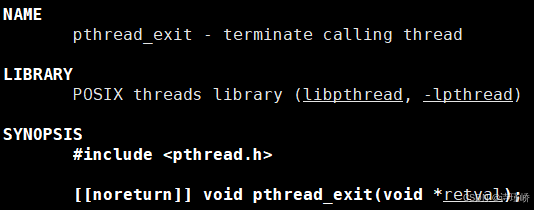
void pthread_exit(void *value_ptr);- 核心警示 :在多线程中,千万不能调用
exit()!exit的职责是终止当前进程。在多线程程序的任何一个线程中调用exit(),都表示整个进程退出,瞬间抹杀所有其他线程执行流。
5.3 方式三:调用 pthread_cancel 异常取消线程
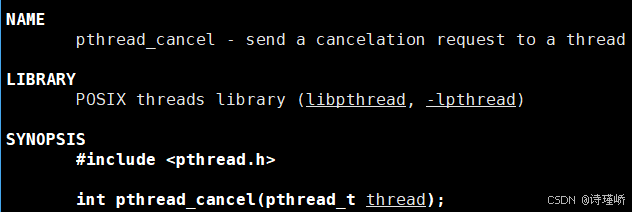
int pthread_cancel(pthread_t thread);- 返回值 :被别的线程调用
pthread_cancel异常取消掉的线程,其通过pthread_join拿到的退出码将被设置为常数PTHREAD_CANCELED(即(void*)-1)。
终止综合测试代码:
cpp
const int gsize = 64;

void *threadrun(void *args)
{
    std::string name = static_cast<const char *>(args);
    int cnt = 5;
    while (cnt)
    {
        printf("我是一个新线程: tid: 0x%lx, pid: %d, name : %s, cnt: %d\n",
            pthread_self(), getpid(), name.c_str(), cnt);
        cnt--;
        sleep(1);
    }
    pthread_exit((void*)100);
}

int main()
{
    pthread_t tid;
    char threadname[gsize];
    snprintf(threadname, gsize, "thread-%d", 1);

    pthread_create(&tid, nullptr, threadrun, (void *)threadname);

    sleep(7);
    int n = pthread_cancel(tid);
    printf("cancel new thread done, n : %d\n", n);

    void *ret = nullptr;
    pthread_join(tid, &ret);

    printf("join %lx success, ret code: %lld\n", tid, (long long)ret);

    return 0;
}
结果:
cpp
$ ./createThread
我是一个新线程: tid: 0x7009501ff6c0, pid: 4071303, name : thread-1, cnt: 5
我是一个新线程: tid: 0x7009501ff6c0, pid: 4071303, name : thread-1, cnt: 4
我是一个新线程: tid: 0x7009501ff6c0, pid: 4071303, name : thread-1, cnt: 3
我是一个新线程: tid: 0x7009501ff6c0, pid: 4071303, name : thread-1, cnt: 2
我是一个新线程: tid: 0x7009501ff6c0, pid: 4071303, name : thread-1, cnt: 1
cancel new thread done, n : 0
join 7009501ff6c0 success, ret code: 100
之后创建多线程,推荐这样做,代码:
cpp
#include <iostream>
#include <cstdio>
#include <string>
#include <vector>
#include <unistd.h>
#include <pthread.h>

const int gsize = 64;

void *threadrun(void *args)
{
    int cnt = 5;
    while(cnt--)
    {
        sleep(1);
    }

    return nullptr;
}

int main(int argc, char *argv[])
{
    if(argc != 2)
    {
        std::cout << argv[0] << " num" << std::endl;
        return 1;
    }

    int num = std::stoi(argv[1]);
    std::vector<pthread_t> tids;
    for(int i = 0; i < num; i++)
    {
        // 创建多线程
        pthread_t tid;

        char threadname[gsize];
        snprintf(threadname, gsize, "thread-%d", i+1);

        pthread_create(&tid, nullptr, threadrun, threadname);
        tids.push_back(tid);
        sleep(1);
    }

    for(auto &tid: tids)
    {
        pthread_join(tid, nullptr);
        std::cout << "join success: " << tid << std::endl;
    }

    return 0;
}
结果:
cpp
$ ./createThread 5
join success: 132617013819072
join success: 132617005426368
join success: 132616997033664
join success: 132616988640960
join success: 132616980248256
6. 线程等待
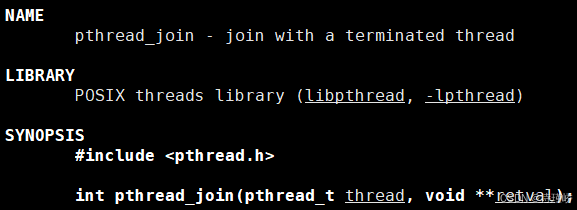
6.1 为什么需要线程等待?
-
已经退出的线程,其系统内部控制块空间(TCB)及栈资源没有被完全释放,仍然驻留在进程的地址空间内,会造成类似于僵尸进程的内存泄漏。
-
创建新的线程时,系统不会主动复用刚才退出线程的地址空间。
6.2 函数原型
int pthread_join(pthread_t thread, void **value_ptr);-
thread:目标线程 ID。 -
value_ptr:指向指针的指针,用来接收子线程退出的返回值(即return的值或pthread_exit的参数)。
实验:正常 join 阻塞等待
cpp
const int gsize = 64;

void *threadrun(void *args)
{
    std::string name = static_cast<const char *>(args);
    int cnt = 5;
    while (cnt)
    {
        printf("我是一个新线程: tid: 0x%lx, pid: %d, name : %s, cnt: %d\n",
            pthread_self(), getpid(), name.c_str(), cnt);
        cnt--;
        sleep(1);
        // return nullptr;
        // pthread_exit(nullptr);
    }

    return (void*)10; // 将数字写到指针变量中
    // return nullptr;
    // pthread_exit(nullptr);
}

int main()
{
    pthread_t tid;
    char threadname[gsize];
    snprintf(threadname, gsize, "thread-%d", 1);

    pthread_create(&tid, nullptr, threadrun, (void *)threadname);

    void *ret = nullptr;
    pthread_join(tid, &ret);
    printf("join %lx success, ret code: %lld\n", tid, (long long)ret);

    // while(true)
    //     pause();

    return 0;
}
结果:
cpp
$ ./createThread
我是一个新线程: tid: 0x72fe251ff6c0, pid: 4068480, name : thread-1, cnt: 5
我是一个新线程: tid: 0x72fe251ff6c0, pid: 4068480, name : thread-1, cnt: 4
我是一个新线程: tid: 0x72fe251ff6c0, pid: 4068480, name : thread-1, cnt: 3
我是一个新线程: tid: 0x72fe251ff6c0, pid: 4068480, name : thread-1, cnt: 2
我是一个新线程: tid: 0x72fe251ff6c0, pid: 4068480, name : thread-1, cnt: 1
join 72fe251ff6c0 success, ret code: 10
6.3 为什么 join 无法收集"线程异常退出"信号?
在进程等待中,waitpid 可以检测进程是否因异常信号(如段错误)退出。为什么 pthread_join 却完全没有相关的异常状态位? 原因解析: 因为线程是进程内的一个执行流。只要任何一个线程发生致命异常(如除 0、越界),操作系统发送的信号是针对整个进程 的。信号会导致整个进程挂掉,所有的线程也会在一瞬间覆灭。既然崩溃会引发整个进程退出,那么在进程内进行 join 收集子线程异常也就失去了物理意义。所以,pthread_join 只关心正常退出,如果不退出,pthread_join 会一直阻塞等待下去。
6.4 高级实战:多线程派发与双向 Task 对象回收
我们可以让子线程不仅在启动时接收类对象参数,在退出时还能通过 join 将在堆区计算完毕的类对象完整返回给主线程进行结果统计。
Task.hpp 优化版:
cpp
#pragma once

#include <iostream>
#include <string>

class Task
{
public:
    Task(const std::string &who, int x, int y):_x(x), _y(y), _who(who)
    {}
    Task()
    {}
    void Execute()
    {
        _result = _x + _y;
    }
    std::string Result()
    {
        return std::to_string(_x) + "+" + std::to_string(_y) + "=" + std::to_string(_result);
    }
    ~Task()
    {}
private:
    int _x;
    int _y;
    int _result;
    std::string _who;
};
testThread.cpp:
cpp
#include <iostream>
#include <cstdio>
#include <string>
#include <vector>
#include <unistd.h>
#include <pthread.h>

#include "Task.hpp"

const int gsize = 64;

void *threadrun(void *args)
{
    Task *t = static_cast<Task *>(args);
    t->Execute();
    return t;
}

int main(int argc, char *argv[])
{
    if(argc != 2)
    {
        std::cout << argv[0] << " num" << std::endl;
        return 1;
    }

    int num = std::stoi(argv[1]);
    std::vector<pthread_t> tids;
    for(int i = 0; i < num; i++)
    {
        sleep(1);
        pthread_t tid;

        char threadname[gsize];
        snprintf(threadname, gsize, "thread-%d", i+1);

        Task *t = new Task(threadname, 10+i, 20*i);

        pthread_create(&tid, nullptr, threadrun, threadname);
        tids.push_back(tid);
        std::cout << "create thread" << threadname << " done" << std::endl;
    }

    std::vector<Task*> result_list;
    for(auto &tid: tids)
    {
        Task *t;
        pthread_join(tid, (void **)&t);
        result_list.push_back(t);
        std::cout << "join success: " << tid << std::endl;
    }

    std::cout << "处理结果清单:" << std::endl;
    for(auto &res: result_list)
    {
        std::cout << res->Result() << std::endl;
    }

    return 0;
}
结果:
cpp
$ ./createThread 10
create threadthread-1 done
create threadthread-2 done
create threadthread-3 done
create threadthread-4 done
create threadthread-5 done
create threadthread-6 done
create threadthread-7 done
create threadthread-8 done
create threadthread-9 done
create threadthread-10 done
join success: 134049439938240
join success: 134049431545536
join success: 134049423152832
join success: 134049414760128
join success: 134049406367424
join success: 134049397974720
join success: 134049389582016
join success: 134049381189312
join success: 134049372796608
join success: 134049364403904
处理结果清单:
1701996660+825058401=-1767912235
1701996660+825058401=-1767912235
1701996660+825058401=-1767912235
1701996660+825058401=-1767912235
1701996660+825058401=-1767912235
1701996660+825058401=-1767912235
1701996660+825058401=-1767912235
1701996660+825058401=-1767912235
1701996660+825058401=-1767912235
1701996660+825058401=-1767912235
7. 分离线程
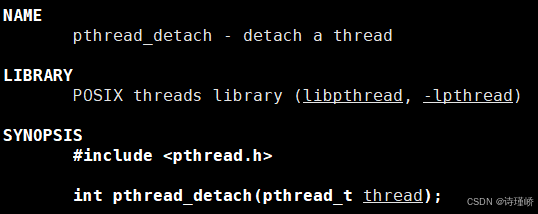
-
默认情况下,新创建的子线程是 joinable(可等待) 的。线程退出后,必须对其进行
pthread_join回收,否则会导致系统资源泄漏。 -
但如果我们完全不关心子线程的返回值,阻塞等待反而会限制主线程的并发效率。这时,我们可以利用线程分离,告诉操作系统:该线程退出时,请自动释放其所有资源。
7.1 函数原型
int pthread_detach(pthread_t thread);分离可以是由线程组内其他线程对目标线程发起,也可以是子线程自我分离:
pthread_detach(pthread_self());7.2 Joinable 与分离状态的冲突实证
一个线程不能既是 joinable 又是分离的。 让我们用代码实测强行 join 一个已分离的线程:
实测:主线程分离子线程后强行 join
cpp
void *threadrun(void *args)
{
    std::string name = static_cast<const char *>(args);
    int cnt = 3;
    while (cnt)
    {
        std::cout << name << " is running" << std::endl;
        cnt--;
        sleep(1);
    }
    std::cout << name << " is  quit..." << std::endl;
    return nullptr;
}

int main()
{
    pthread_t tid;
    pthread_create(&tid, nullptr, threadrun, (void *)"thread-1");
    pthread_detach(tid);

    sleep(1);
    int n = pthread_join(tid, nullptr);
    std::cout << "main thread, n = " << n << std::endl;
}
结果:
cpp
$ ./createThread
thread-1 is running
main thread, n = 22
实测:子线程自我分离后主线程强行 join
cpp
void *threadrun(void *args)
{
    pthread_detach(pthread_self());
    std::string name = static_cast<const char *>(args);
    int cnt = 3;
    while (cnt)
    {
        std::cout << name << " is running" << std::endl;
        cnt--;
        sleep(1);
    }
    std::cout << name << " is  quit..." << std::endl;
    return nullptr;
}

int main()
{
    pthread_t tid;
    pthread_create(&tid, nullptr, threadrun, (void *)"thread-1");

    sleep(1);
    int n = pthread_join(tid, nullptr);
    std::cout << "main thread, n = " << n << std::endl;
}
以上两份测试代码的运行结果高度一致:
thread-1 is running
main thread, join return n = 22
深层内核原理解释: 我们看到,无论是谁发起的 detach,当主线程强行等待一个已经被分离的子线程时,pthread_join 没有阻塞,而是立刻返回并带回了错误码 n = 22。 我们在 Linux 系统底层的系统错误码文件 /usr/include/asm-generic/errno-base.h 中可以找到如下定义:
#define EINVAL 22 /* Invalid argument */这铁证如山地表明:对于一个已经处于分离状态(detached)的线程,试图通过 pthread_join 进行阻塞等待回收是一项非法参数操作(EINVAL, Invalid argument),API 会立即抛出错误码返回。 该子线程退出时,其 TCB 结构和栈资源会自动由系统内核安全收回。
本章完。