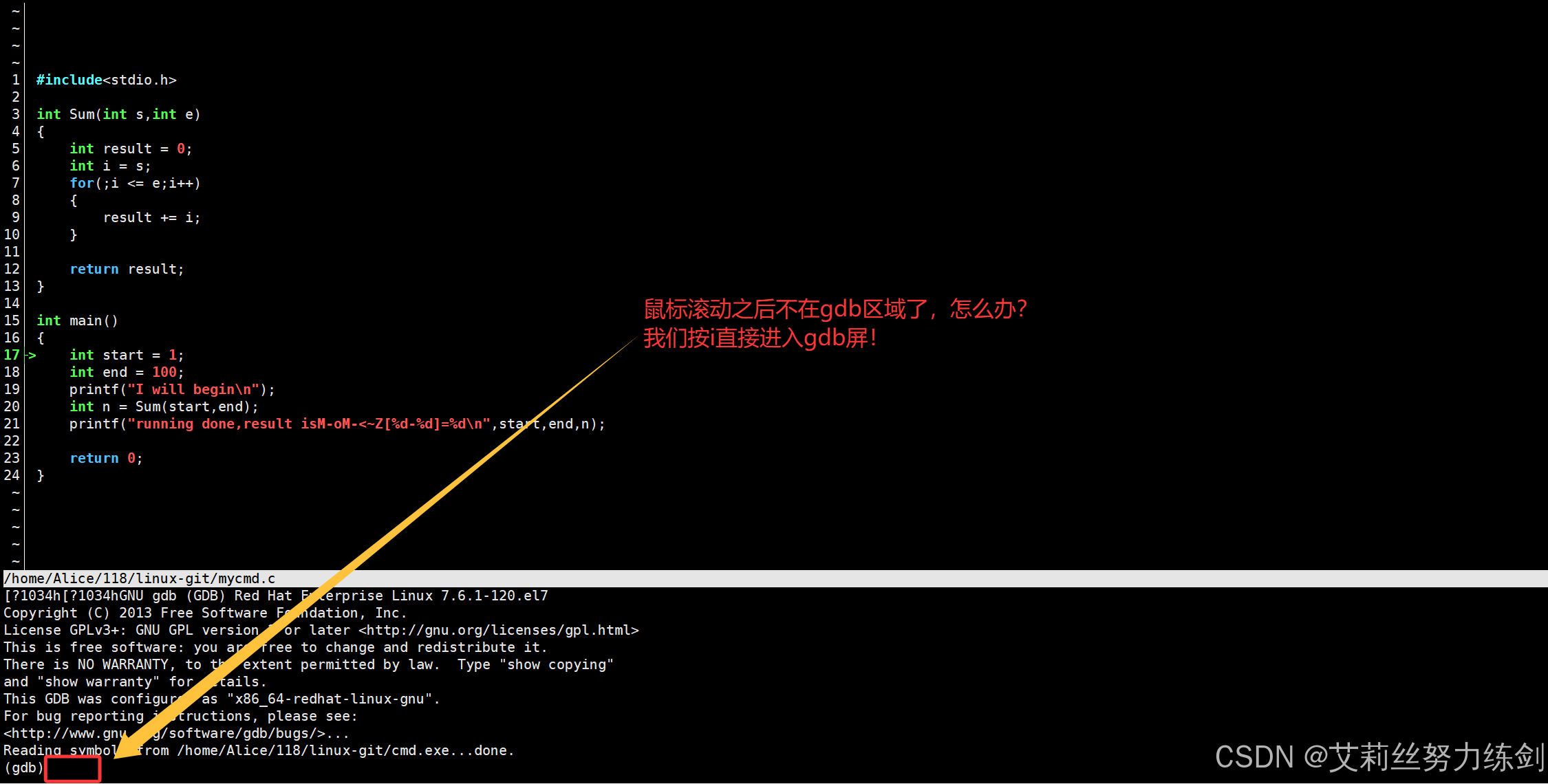
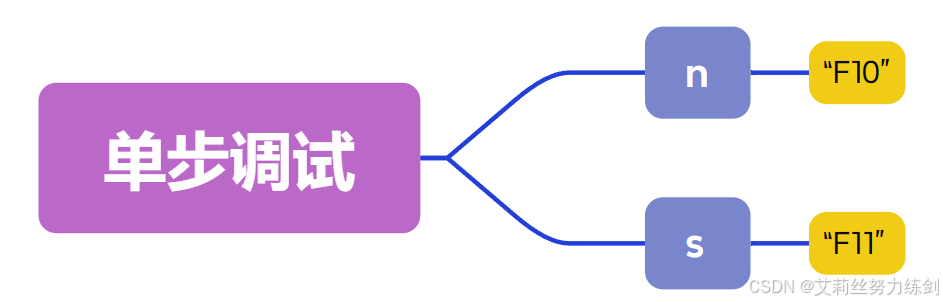
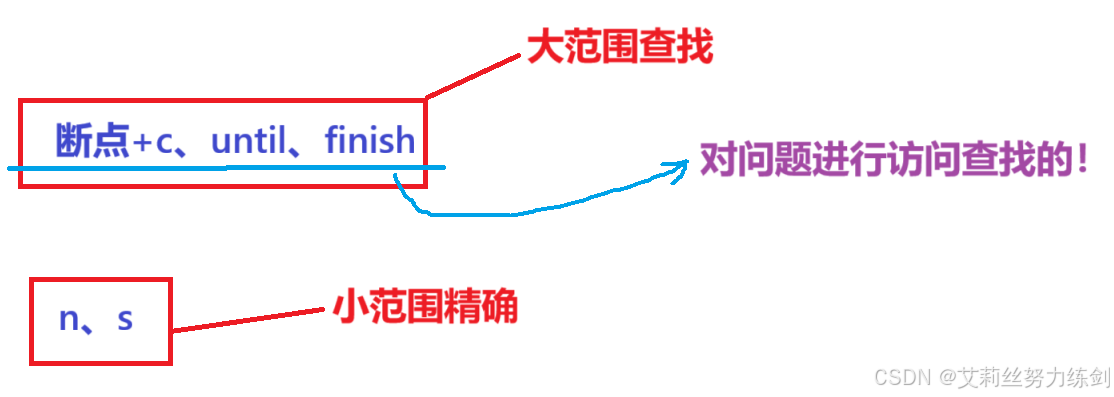
1 #include<stdio.h>
  2
  3 int Sum(int s,int e)
  4 {
  5     int result = 0;
  6     int i = s;
  7     for(;i <= e;i++)
  8     {
  9         result += i;
 10     }
 11
 12     return result;
 13 }
 14
 15 int main()
 16 {
 17     int start = 1;
 18     int end = 100;
 19     printf("I will begin\n");
 20     int n = Sum(start,end);
 21     printf("running done,result is:[%d-%d]=%d\n",start,end,n);
 22
 23     return 0;
 24 }
7.1.2 代码运行
bash复制代码
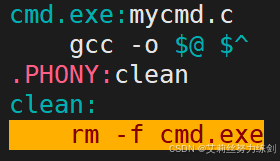
[Alice@VM-4-17-centos mycmd]$ vim Makefile
[Alice@VM-4-17-centos mycmd]$ make
gcc -o cmd.exe mycmd.c
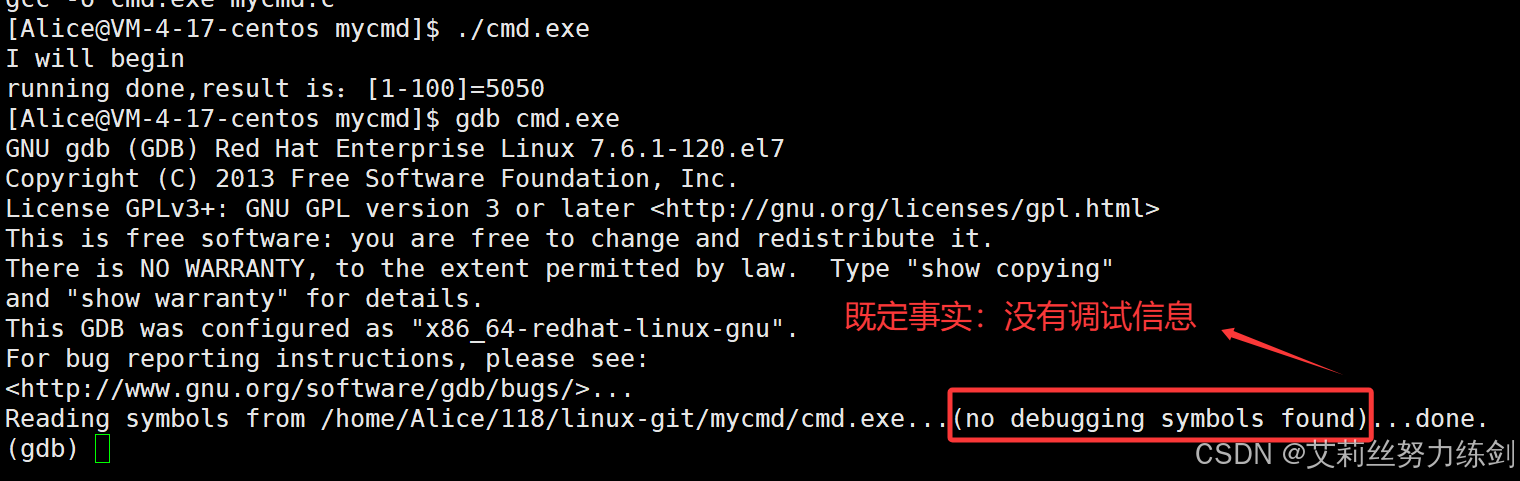
[Alice@VM-4-17-centos mycmd]$ ./cmd.exe
I will begin
running done,result is:[1-100]=5050
[Alice@VM-4-17-centos mycmd]$ gdb cmd.exe
GNU gdb (GDB) Red Hat Enterprise Linux 7.6.1-120.el7
Copyright (C) 2013 Free Software Foundation, Inc.
License GPLv3+: GNU GPL version 3 or later <http://gnu.org/licenses/gpl.html>
This is free software: you are free to change and redistribute it.
There is NO WARRANTY, to the extent permitted by law.  Type "show copying"
and "show warranty" for details.
This GDB was configured as "x86_64-redhat-linux-gnu".
For bug reporting instructions, please see:
<http://www.gnu.org/software/gdb/bugs/>...
Reading symbols from /home/Alice/118/linux-git/mycmd/cmd.exe...(no debugging symbols found)...done.
(gdb) quit
$ gcc mycmd.c -o mycmd # 默认模式,不⽀持调试
$ file mycmd
mycmd: ELF 64-bit LSB shared object, x86-64, version 1 (SYSV), dynamically
linked, interpreter /lib64/ld-linux-x86-64.so.2,
BuildID[sha1]=82f5cbaada10a9987d9f325384861a88d278b160, for GNU/Linux
3.2.0, not stripped
$ gcc mycmd.c -o mycmd -g # debug模式
$ file mycmd
mycmd: ELF 64-bit LSB shared object, x86-64, version 1 (SYSV), dynamically
linked, interpreter /lib64/ld-linux-x86-64.so.2,
BuildID[sha1]=3d5a2317809ef86c7827e9199cfefa622e3c187f, for GNU/Linux
3.2.0, with debug_info, not stripped
7.2.5 演示添加 -g 之后的效果
我们来看一下添加-g之后的效果------
bash复制代码
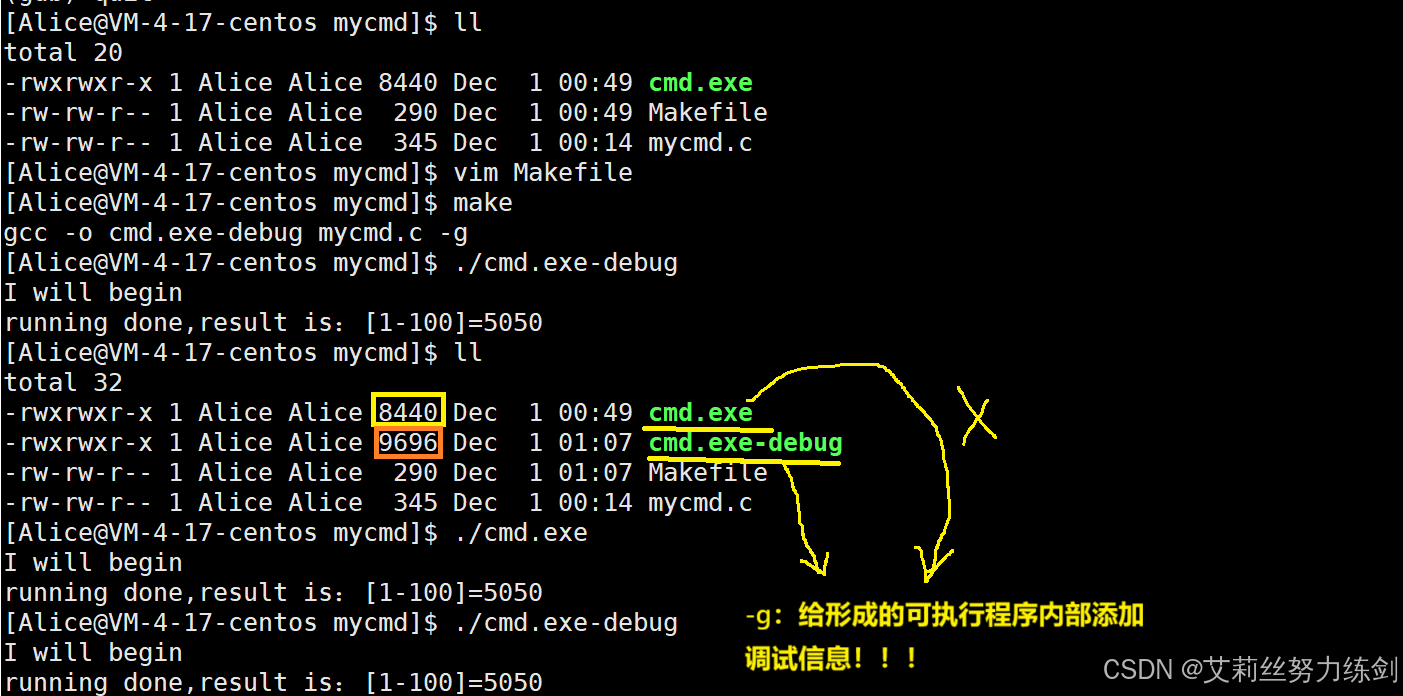
[Alice@VM-4-17-centos mycmd]$ vim Makefile
[Alice@VM-4-17-centos mycmd]$ make
gcc -o cmd.exe-debug mycmd.c -g
[Alice@VM-4-17-centos mycmd]$ ./cmd.exe-debug
I will begin
running done,result is:[1-100]=5050
[Alice@VM-4-17-centos mycmd]$ ll
total 32
-rwxrwxr-x 1 Alice Alice 8440 Dec  1 00:49 cmd.exe
-rwxrwxr-x 1 Alice Alice 9696 Dec  1 01:07 cmd.exe-debug
-rw-rw-r-- 1 Alice Alice  290 Dec  1 01:07 Makefile
-rw-rw-r-- 1 Alice Alice  345 Dec  1 00:14 mycmd.c
[Alice@VM-4-17-centos mycmd]$ ./cmd.exe
I will begin
running done,result is:[1-100]=5050
[Alice@VM-4-17-centos mycmd]$ ./cmd.exe-debug
I will begin
running done,result is:[1-100]=5050
7.3 怎么证明确实存在调试信息呢?
上面我们说 -g 给形成的可执行程序内部添加调试信息,那怎么证明确实存在调试信息呢?
我们来看看Linux是怎么读取一个二进制文件的格式的------
7.3.1 readelf -S cmd.exe-debug
bash复制代码
[Alice@VM-4-17-centos mycmd]$ readelf -S cmd.exe-debug
There are 35 section headers, starting at offset 0x1d20:

Section Headers:
  [Nr] Name              Type             Address           Offset
       Size              EntSize          Flags  Link  Info  Align
  [ 0]                   NULL             0000000000000000  00000000
       0000000000000000  0000000000000000           0     0     0
  [ 1] .interp           PROGBITS         0000000000400238  00000238
       000000000000001c  0000000000000000   A       0     0     1
  [ 2] .note.ABI-tag     NOTE             0000000000400254  00000254
       0000000000000020  0000000000000000   A       0     0     4
  [ 3] .note.gnu.build-i NOTE             0000000000400274  00000274
       0000000000000024  0000000000000000   A       0     0     4
  [ 4] .gnu.hash         GNU_HASH         0000000000400298  00000298
       000000000000001c  0000000000000000   A       5     0     8
  [ 5] .dynsym           DYNSYM           00000000004002b8  000002b8
       0000000000000078  0000000000000018   A       6     1     8
  [ 6] .dynstr           STRTAB           0000000000400330  00000330
       0000000000000044  0000000000000000   A       0     0     1
  [ 7] .gnu.version      VERSYM           0000000000400374  00000374
       000000000000000a  0000000000000002   A       5     0     2
  [ 8] .gnu.version_r    VERNEED          0000000000400380  00000380
       0000000000000020  0000000000000000   A       6     1     8
  [ 9] .rela.dyn         RELA             00000000004003a0  000003a0
       0000000000000018  0000000000000018   A       5     0     8
  [10] .rela.plt         RELA             00000000004003b8  000003b8
       0000000000000060  0000000000000018  AI       5    23     8
  [11] .init             PROGBITS         0000000000400418  00000418
       000000000000001a  0000000000000000  AX       0     0     4
  [12] .plt              PROGBITS         0000000000400440  00000440
       0000000000000050  0000000000000010  AX       0     0     16
  [13] .text             PROGBITS         0000000000400490  00000490
       00000000000001e2  0000000000000000  AX       0     0     16
  [14] .fini             PROGBITS         0000000000400674  00000674
       0000000000000009  0000000000000000  AX       0     0     4
  [15] .rodata           PROGBITS         0000000000400680  00000680
       0000000000000045  0000000000000000   A       0     0     8
  [16] .eh_frame_hdr     PROGBITS         00000000004006c8  000006c8
       000000000000003c  0000000000000000   A       0     0     4
  [17] .eh_frame         PROGBITS         0000000000400708  00000708
       0000000000000114  0000000000000000   A       0     0     8
  [18] .init_array       INIT_ARRAY       0000000000600e10  00000e10
       0000000000000008  0000000000000008  WA       0     0     8
  [19] .fini_array       FINI_ARRAY       0000000000600e18  00000e18
       0000000000000008  0000000000000008  WA       0     0     8
  [20] .jcr              PROGBITS         0000000000600e20  00000e20
       0000000000000008  0000000000000000  WA       0     0     8
  [21] .dynamic          DYNAMIC          0000000000600e28  00000e28
       00000000000001d0  0000000000000010  WA       6     0     8
  [22] .got              PROGBITS         0000000000600ff8  00000ff8
       0000000000000008  0000000000000008  WA       0     0     8
  [23] .got.plt          PROGBITS         0000000000601000  00001000
       0000000000000038  0000000000000008  WA       0     0     8
  [24] .data             PROGBITS         0000000000601038  00001038
       0000000000000004  0000000000000000  WA       0     0     1
  [25] .bss              NOBITS           000000000060103c  0000103c
       0000000000000004  0000000000000000  WA       0     0     1
  [26] .comment          PROGBITS         0000000000000000  0000103c
       000000000000002d  0000000000000001  MS       0     0     1
  [27] .debug_aranges    PROGBITS         0000000000000000  00001069
       0000000000000030  0000000000000000           0     0     1
  [28] .debug_info       PROGBITS         0000000000000000  00001099
       000000000000010e  0000000000000000           0     0     1
  [29] .debug_abbrev     PROGBITS         0000000000000000  000011a7
       000000000000008b  0000000000000000           0     0     1
  [30] .debug_line       PROGBITS         0000000000000000  00001232
       0000000000000059  0000000000000000           0     0     1
  [31] .debug_str        PROGBITS         0000000000000000  0000128b
       00000000000000d1  0000000000000001  MS       0     0     1
  [32] .symtab           SYMTAB           0000000000000000  00001360
       0000000000000690  0000000000000018          33    51     8
  [33] .strtab           STRTAB           0000000000000000  000019f0
       00000000000001e2  0000000000000000           0     0     1
  [34] .shstrtab         STRTAB           0000000000000000  00001bd2
       0000000000000148  0000000000000000           0     0     1
Key to Flags:
  W (write), A (alloc), X (execute), M (merge), S (strings), I (info),
  L (link order), O (extra OS processing required), G (group), T (TLS),
  C (compressed), x (unknown), o (OS specific), E (exclude),
  l (large), p (processor specific)
[Alice@VM-4-17-centos linux-git]$ ll
total 36
-rwxrwxr-x 1 Alice Alice 9688 Dec  1 12:35 cmd.exe
drwxrwxr-x 2 Alice Alice 4096 Nov 30 18:03 Jindutiao-2
-rw-rw-r-- 1 Alice Alice   68 Dec  1 12:35 Makefile
drwxrwxr-x 2 Alice Alice 4096 Dec  1 05:14 mycmd
-rw-rw-r-- 1 Alice Alice  345 Dec  1 11:57 mycmd.c
-rw-rw-r-- 1 Alice Alice  848 Nov 30 17:41 README.en.md
-rw-rw-r-- 1 Alice Alice  937 Nov 30 17:41 README.md
[Alice@VM-4-17-centos linux-git]$ gdb cmd.exe
GNU gdb (GDB) Red Hat Enterprise Linux 7.6.1-120.el7
Copyright (C) 2013 Free Software Foundation, Inc.
License GPLv3+: GNU GPL version 3 or later <http://gnu.org/licenses/gpl.html>
This is free software: you are free to change and redistribute it.
There is NO WARRANTY, to the extent permitted by law.  Type "show copying"
and "show warranty" for details.
This GDB was configured as "x86_64-redhat-linux-gnu".
For bug reporting instructions, please see:
<http://www.gnu.org/software/gdb/bugs/>...
Reading symbols from /home/Alice/118/linux-git/cmd.exe...done.
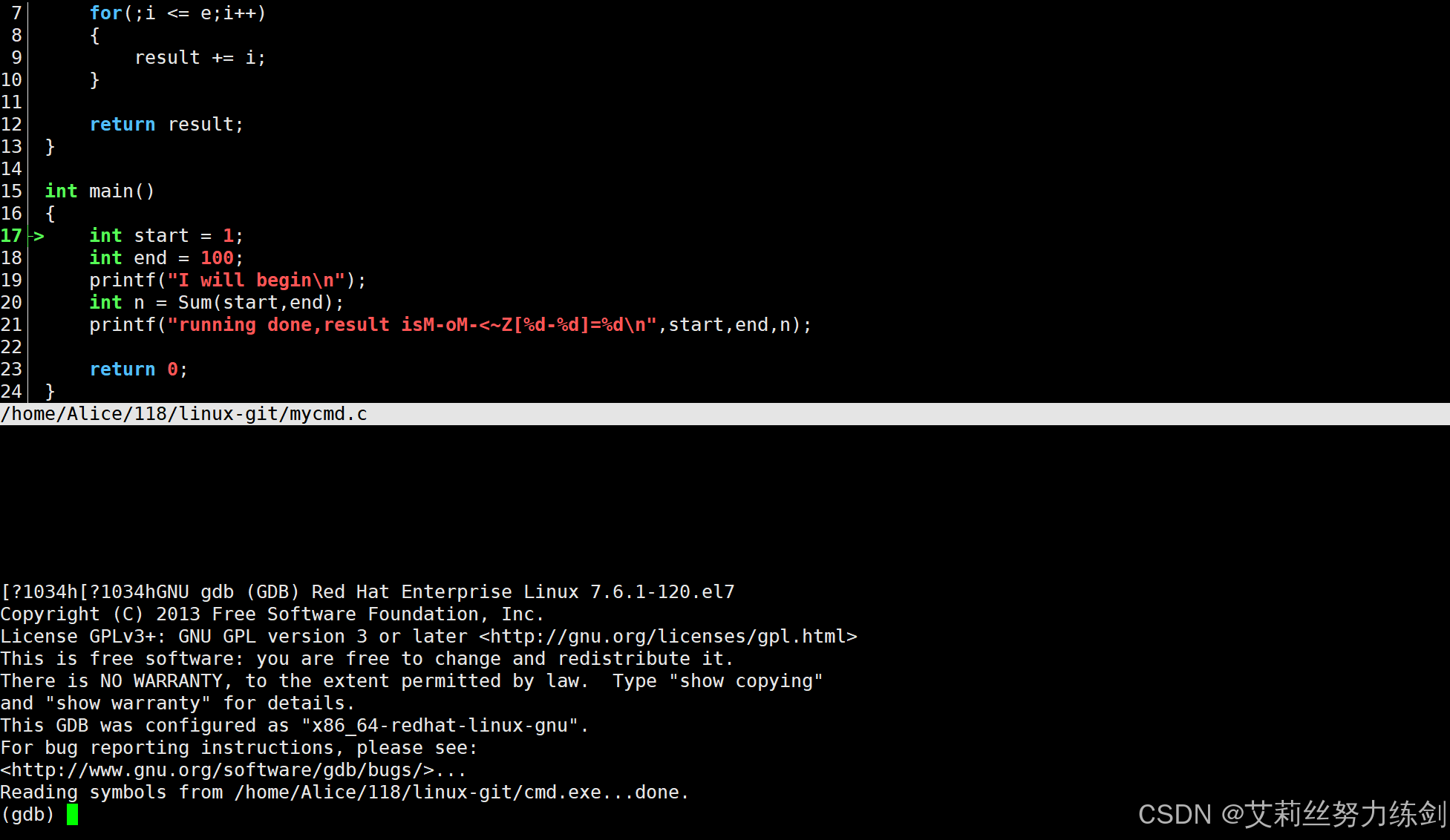
(gdb) l
8	    {
9	        result += i;
10	    }
11
12	    return result;
13	}
14
15	int main()
16	{
17	    int start = 1;
(gdb)
18	    int end = 100;
19	    printf("I will begin\n");
20	    int n = Sum(start,end);
21	    printf("running done,result is:[%d-%d]=%d\n",start,end,n);
22
23	    return 0;
24	}
(gdb) l 0
1	#include<stdio.h>
2
3	int Sum(int s,int e)
4	{
5	    int result = 0;
6	    int i = s;
7	    for(;i <= e;i++)
8	    {
9	        result += i;
10	    }
(gdb) l 1
1	#include<stdio.h>
2
3	int Sum(int s,int e)
4	{
5	    int result = 0;
6	    int i = s;
7	    for(;i <= e;i++)
8	    {
9	        result += i;
10	    }
(gdb) r
Starting program: /home/Alice/118/linux-git/cmd.exe
I will begin
running done,result is:[1-100]=5050
[Inferior 1 (process 32157) exited normally]
Missing separate debuginfos, use: debuginfo-install glibc-2.17-326.el7_9.3.x86_64
(gdb) l 0
1	#include<stdio.h>
2
3	int Sum(int s,int e)
4	{
5	    int result = 0;
6	    int i = s;
7	    for(;i <= e;i++)
8	    {
9	        result += i;
10	    }
(gdb)
11
12	    return result;
13	}
14
15	int main()
16	{
17	    int start = 1;
18	    int end = 100;
19	    printf("I will begin\n");
20	    int n = Sum(start,end);
(gdb)
21	    printf("running done,result is:[%d-%d]=%d\n",start,end,n);
22
23	    return 0;
24	}
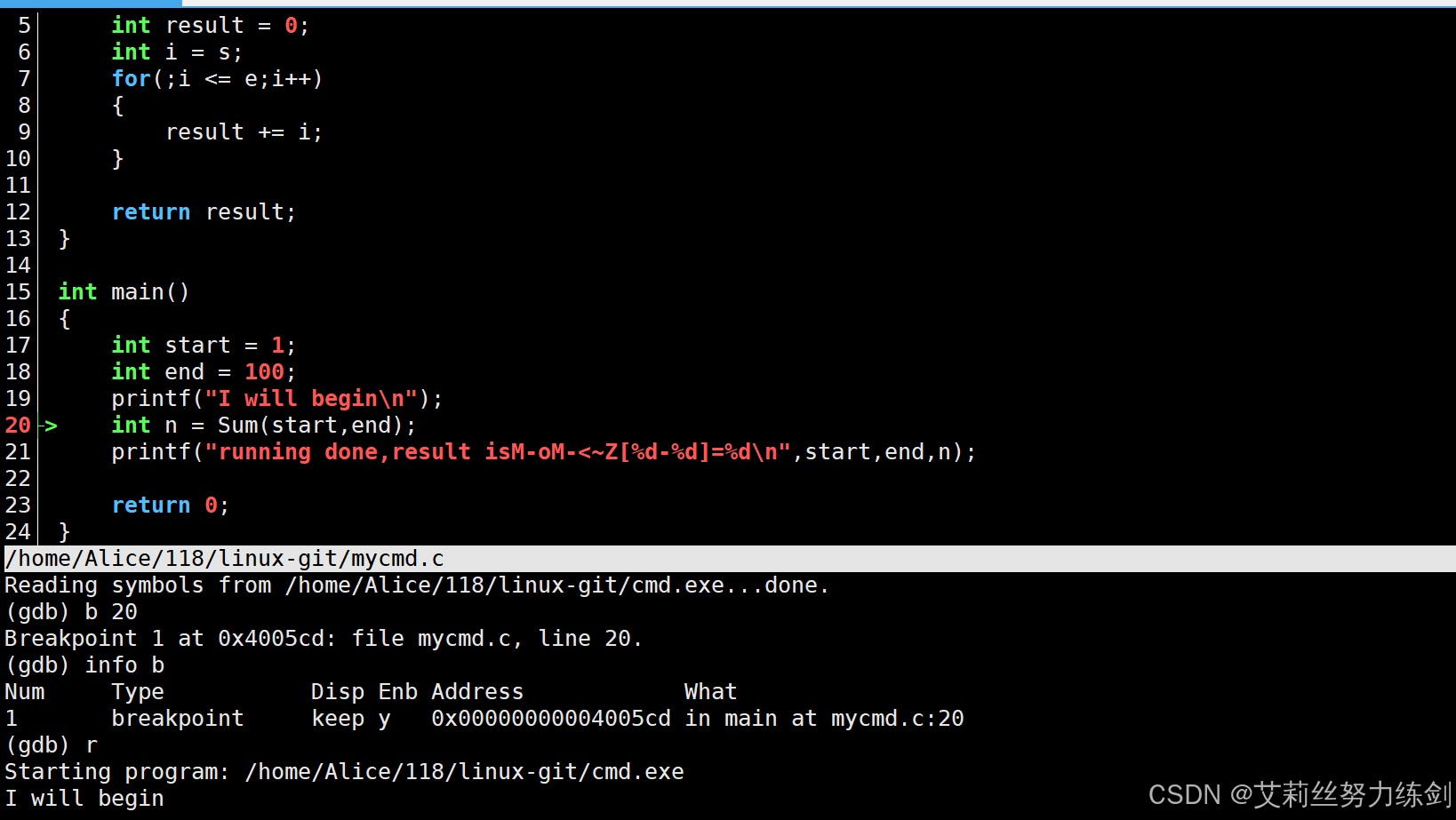
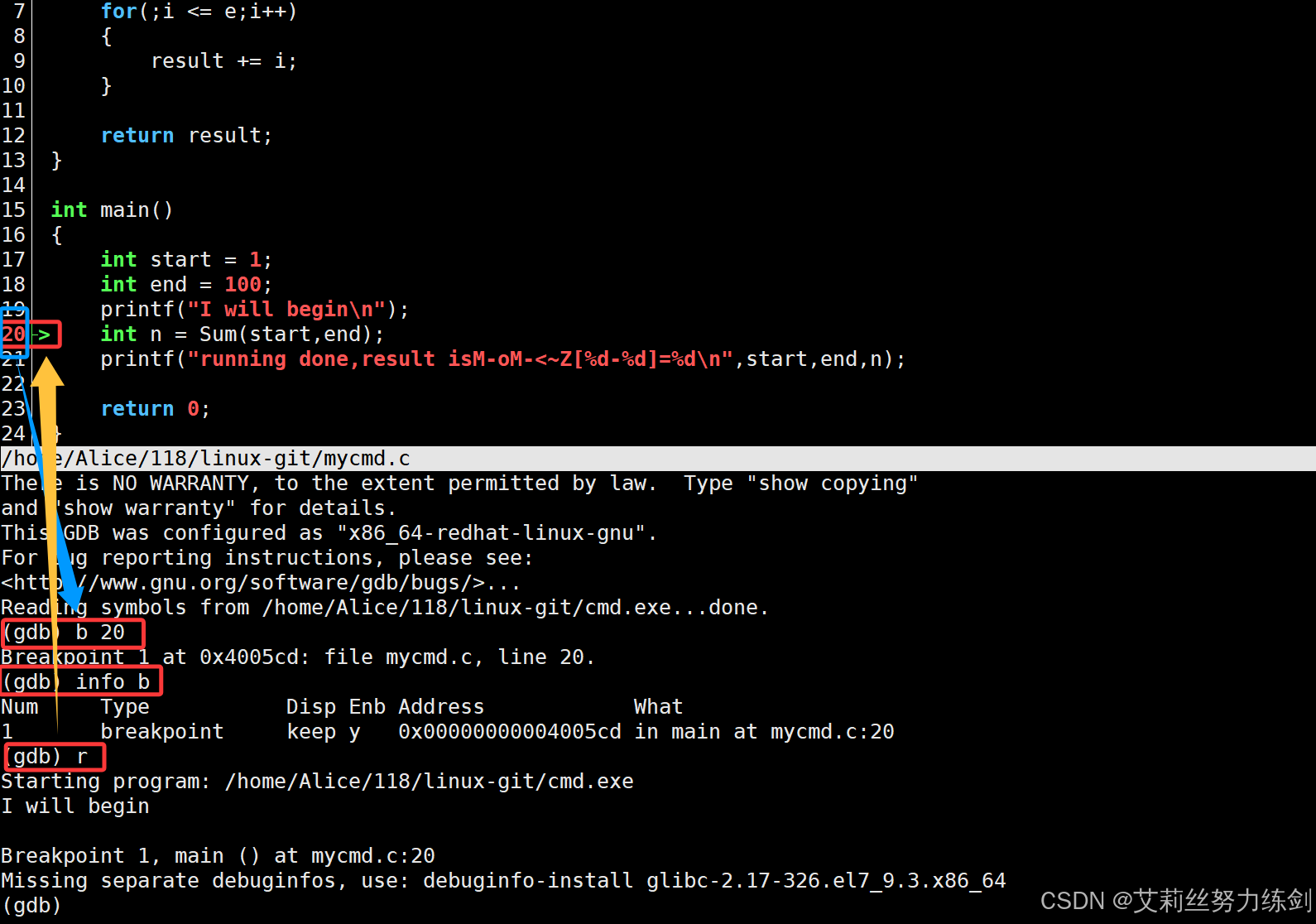
(gdb) b 20
Breakpoint 1 at 0x4005cd: file mycmd.c, line 20.
(gdb) info b
Num     Type           Disp Enb Address            What
1       breakpoint     keep y   0x00000000004005cd in main at mycmd.c:20
(gdb) r
Starting program: /home/Alice/118/linux-git/cmd.exe
I will begin

Breakpoint 1, main () at mycmd.c:20
20	    int n = Sum(start,end);
(gdb) s
Sum (s=1, e=100) at mycmd.c:5
5	    int result = 0;
(gdb) n
6	    int i = s;
(gdb) n
7	    for(;i <= e;i++)
(gdb) n
9	        result += i;
(gdb)
7	    for(;i <= e;i++)
(gdb)
9	        result += i;
(gdb)
7	    for(;i <= e;i++)
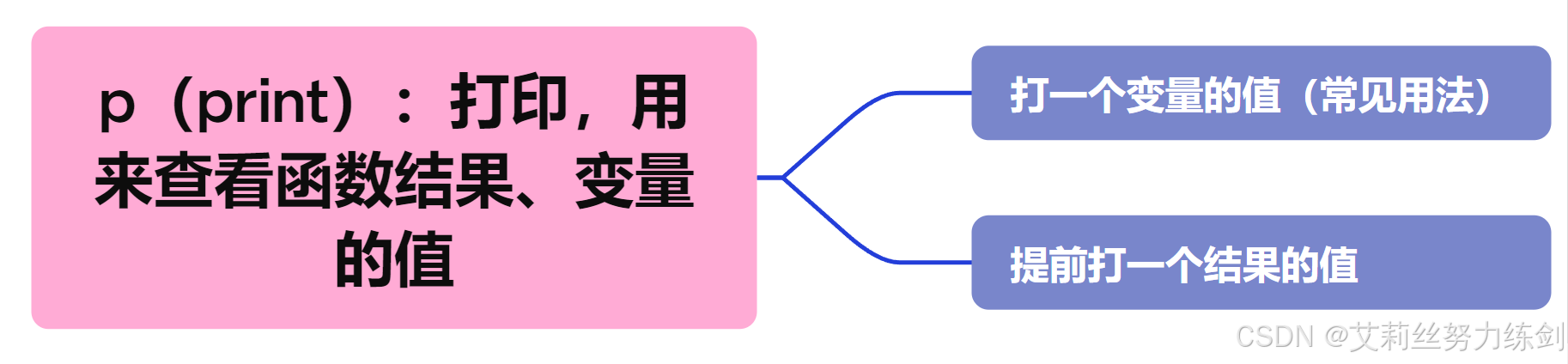
(gdb) p result
$1 = 3
(gdb) p &result
$2 = (int *) 0x7fffffffe40c
(gdb) n
9	        result += i;
(gdb) n
7	    for(;i <= e;i++)
(gdb) n
9	        result += i;
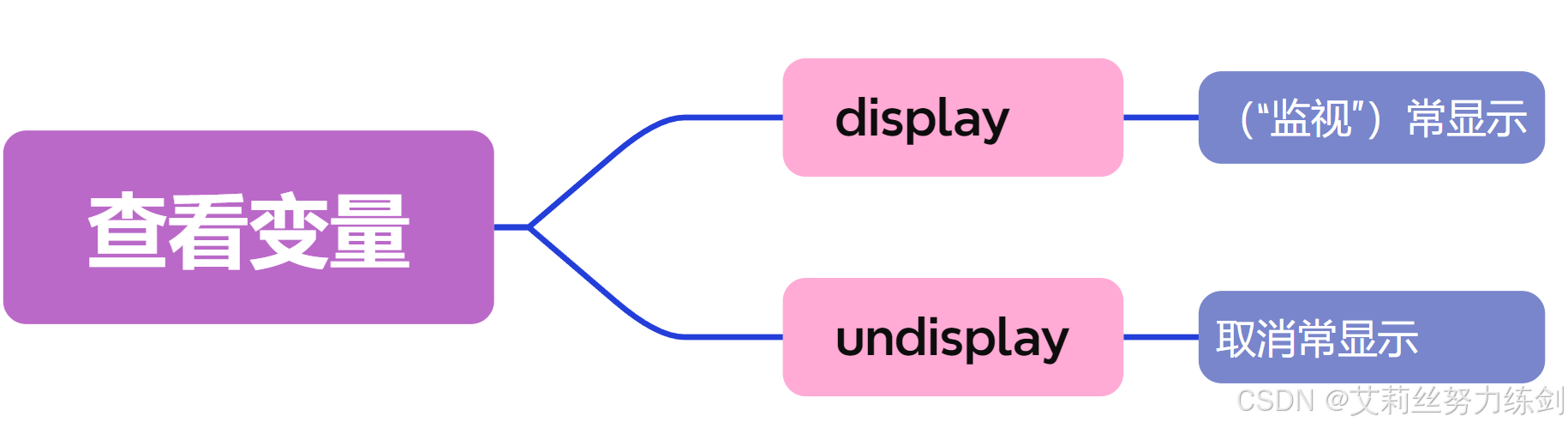
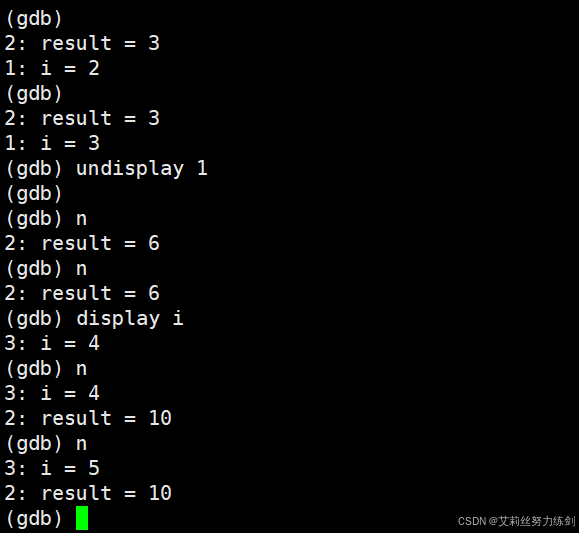
(gdb) display result
1: result = 6
(gdb)
(gdb)
(gdb)
(gdb)
(gdb)
(gdb) n
7	    for(;i <= e;i++)
1: result = 10
(gdb) n
9	        result += i;
1: result = 10
(gdb) n
7	    for(;i <= e;i++)
1: result = 15
(gdb) n
9	        result += i;
1: result = 15
(gdb) n
7	    for(;i <= e;i++)
1: result = 21
(gdb) n
9	        result += i;
1: result = 21
(gdb) n
7	    for(;i <= e;i++)
1: result = 28
(gdb)
9	        result += i;
1: result = 28
(gdb)
7	    for(;i <= e;i++)
1: result = 36
(gdb)
9	        result += i;
1: result = 36
(gdb)
7	    for(;i <= e;i++)
1: result = 45
(gdb)
9	        result += i;
1: result = 45
(gdb)
7	    for(;i <= e;i++)
1: result = 55
(gdb)
9	        result += i;
1: result = 55
(gdb)
7	    for(;i <= e;i++)
1: result = 66
(gdb)
9	        result += i;
1: result = 66
(gdb)
7	    for(;i <= e;i++)
1: result = 78
(gdb)
9	        result += i;
1: result = 78
(gdb) quit
A debugging session is active.

	Inferior 1 [process 32288] will be killed.

Quit anyway? (y or n) y
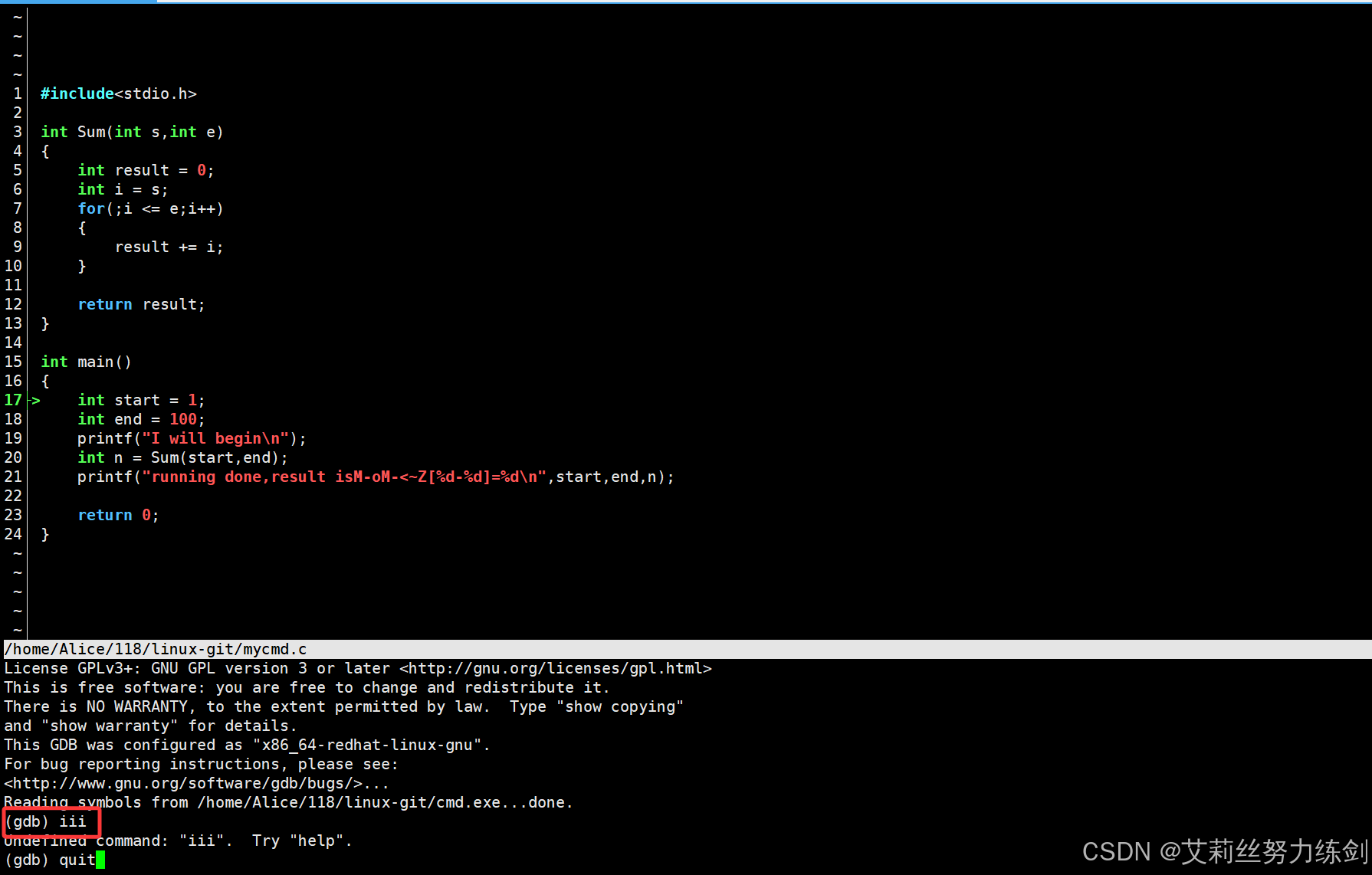
7.6.3 cgdb的使用
7.6.4 打断点和删除断点
Linux操作系统下,打断点和删除断点------
dart复制代码
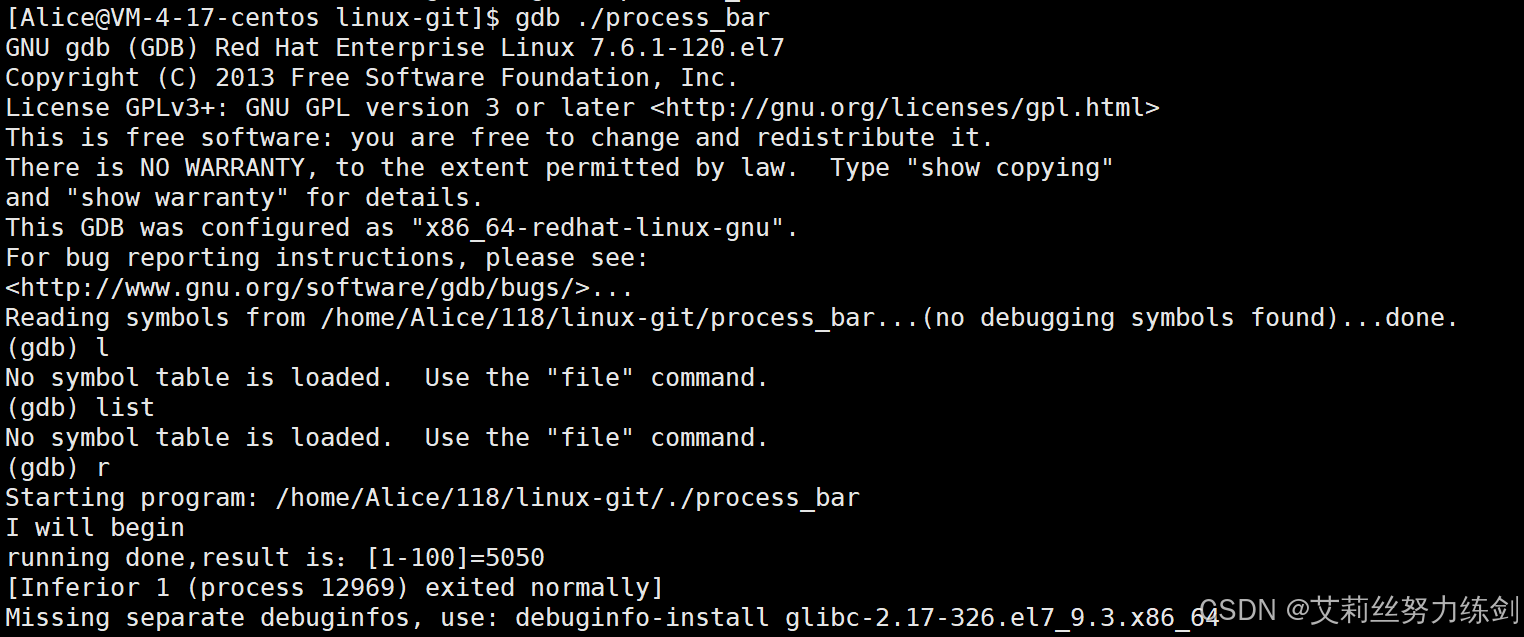
[Alice@VM-4-17-centos linux-git]$ gdb ./process_bar
GNU gdb (GDB) Red Hat Enterprise Linux 7.6.1-120.el7
Copyright (C) 2013 Free Software Foundation, Inc.
License GPLv3+: GNU GPL version 3 or later <http://gnu.org/licenses/gpl.html>
This is free software: you are free to change and redistribute it.
There is NO WARRANTY, to the extent permitted by law.  Type "show copying"
and "show warranty" for details.
This GDB was configured as "x86_64-redhat-linux-gnu".
For bug reporting instructions, please see:
<http://www.gnu.org/software/gdb/bugs/>...
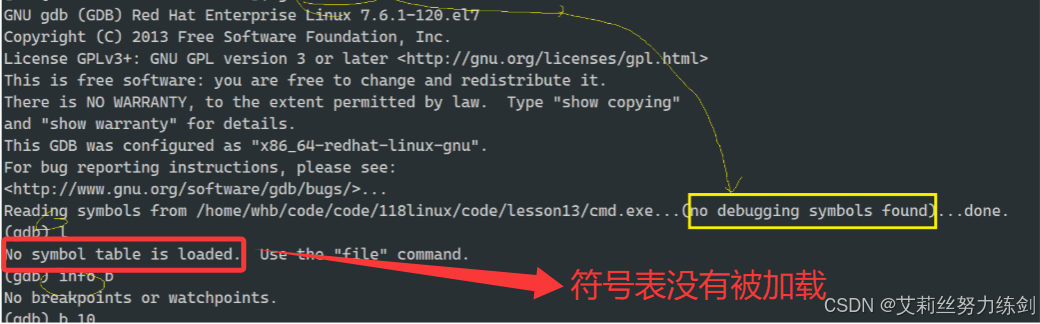
Reading symbols from /home/Alice/118/linux-git/process_bar...(no debugging symbols found)...done.
(gdb) l
No symbol table is loaded.  Use the "file" command.
(gdb) list
No symbol table is loaded.  Use the "file" command.
(gdb) r
Starting program: /home/Alice/118/linux-git/./process_bar
I will begin
running done,result is:[1-100]=5050
[Inferior 1 (process 12969) exited normally]
Missing separate debuginfos, use: debuginfo-install glibc-2.17-326.el7_9.3.x86_64
(gdb) b
No default breakpoint address now.
(gdb) b mycmd.c:20
No symbol table is loaded.  Use the "file" command.
Make breakpoint pending on future shared library load? (y or [n]) y
Breakpoint 1 (mycmd.c:20) pending.
(gdb) b 21
No symbol table is loaded.  Use the "file" command.
(gdb) info b
Num     Type           Disp Enb Address    What
1       breakpoint     keep y   <PENDING>  mycmd.c:20
(gdb) b 21
No symbol table is loaded.  Use the "file" command.
(gdb) breakpoint 21
Undefined command: "breakpoint".  Try "help".
(gdb) d 1
(gdb) info b
No breakpoints or watchpoints.
(gdb) quit
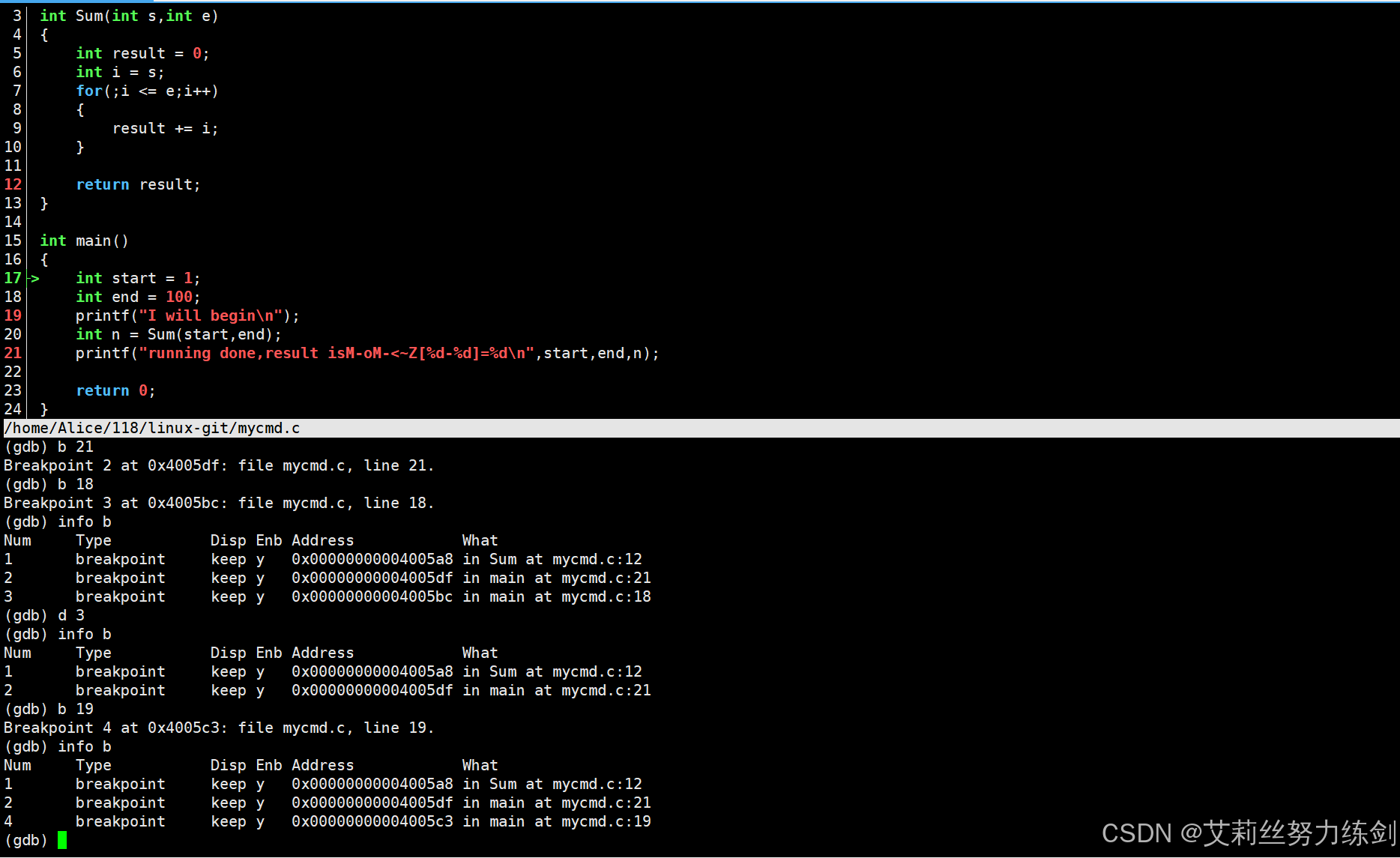
(gdb) b	21
Breakpoint 2 at 0x4005df: file mycmd.c, line 21.
(gdb) b	18
Breakpoint 3 at 0x4005bc: file mycmd.c, line 18.
(gdb) info b
Num     Type           Disp Enb Address            What
1	breakpoint     keep y   0x00000000004005a8 in Sum at mycmd.c:12
2	breakpoint     keep y   0x00000000004005df in main at mycmd.c:21
3	breakpoint     keep y   0x00000000004005bc in main at mycmd.c:18
(gdb) d	3
(gdb) info b
Num     Type           Disp Enb Address            What
1	breakpoint     keep y   0x00000000004005a8 in Sum at mycmd.c:12
2	breakpoint     keep y   0x00000000004005df in main at mycmd.c:21
(gdb) b	19
Breakpoint 4 at 0x4005c3: file mycmd.c, line 19.
(gdb) info b
Num     Type           Disp Enb Address            What
1	breakpoint     keep y   0x00000000004005a8 in Sum at mycmd.c:12
2	breakpoint     keep y   0x00000000004005df in main at mycmd.c:21
4	breakpoint     keep y   0x00000000004005c3 in main at mycmd.c:19
(gdb) l main
11
12 return result;
13 }
14
15 int main()
16 {
17 int start = 1;
18 int end = 100;
19 printf("I will begin\n");
20 int n = Sum(start, end);
(gdb) b 20
Breakpoint 1 at 0x11c3: file mycmd.c, line 20.
(gdb) info b
Num Type Disp Enb Address What
1 breakpoint keep y 0x00000000000011c3 in main at mycmd.c:20
(gdb) r
Starting program: /home/whb/test/test/mycmd
I will begin
Breakpoint 1, main () at mycmd.c:20
20 int n = Sum(start, end);
(gdb) s
Sum (s=32767, e=-7136) at mycmd.c:5
5 {
(gdb) n
6 int result = 0;
(gdb) watch result
Hardware watchpoint 2: result
(gdb) c
Continuing.

Hardware watchpoint 2: result
Old value = -6896
New value = 0
Sum (s=1, e=100) at mycmd.c:7
7 for(int i = s; i <= e; i++)
(gdb) c
Continuing.
Hardware watchpoint 2: result
Old value = 0
New value = 1
Sum (s=1, e=100) at mycmd.c:7
7 for(int i = s; i <= e; i++)
(gdb) c
Continuing.
Hardware watchpoint 2: result
Old value = 1
New value = 3
Sum (s=1, e=100) at mycmd.c:7
7 for(int i = s; i <= e; i++)
(gdb) c
Continuing.
Hardware watchpoint 2: result
Old value = 3
New value = 6
Sum (s=1, e=100) at mycmd.c:7
7 for(int i = s; i <= e; i++)
(gdb) info b
Num Type Disp Enb Address What
1 breakpoint keep y 0x00005555555551c3 in main at mycmd.c:20
 breakpoint already hit 1 time
2 hw watchpoint keep y result
 breakpoint already hit 4 times
(gdb) d 2
(gdb) info b
Num Type Disp Enb Address What
1 breakpoint keep y 0x00005555555551c3 in main at mycmd.c:20
 breakpoint already hit 1 time
(gdb) finish
Run till exit from #0 Sum (s=1, e=100) at mycmd.c:7
0x00005555555551d2 in main () at mycmd.c:20
20 int n = Sum(start, end);
Value returned is $1 = 5050
因此,watch常用于监视指针。
7.7.2 确定问题原因并且验证原因:set var
set var:可以直接在调试期间修改变量。
更改一下标志位(比如flag,+1 / -1这种),假设我们想得到+-result。
我们举个例子,比如set var
c复制代码
// mycmd.c
#include <stdio.h>
int flag = 0; // 故意错误
//int flag = -1;
//int flag = 1;
int Sum(int s, int e)
{
 int result = 0;
 for(int i = s; i <= e; i++)
 {
 result += i;
 }
 return result*flag;
}
int main()
{
 int start = 1;
 int end = 100;
 printf("I will begin\n");
 int n = Sum(start, end);
 printf("running done, result is: [%d-%d]=%d\n", start, end, n);
 return 0;
}
bash复制代码
(gdb) l main
15
16 return result*flag;
17 }
18
19 int main()
20 {
21 int start = 1;
22 int end = 100;
23 printf("I will begin\n");
24 int n = Sum(start, end);
(gdb) b 24
Breakpoint 1 at 0x11ca: file mycmd.c, line 24.
(gdb) r
Starting program: /home/whb/test/test/mycmd
I will begin
Breakpoint 1, main () at mycmd.c:24
24 int n = Sum(start, end);
(gdb) n
25 printf("running done, result is: [%d-%d]=%d\n", start, end,
n);
(gdb) n
running done, result is: [1-100]=0 # 这⾥结果为什么是0?
26 return 0;
(gdb) r
The program being debugged has been started already.
Start it from the beginning? (y or n) y
Starting program: /home/whb/test/test/mycmd
I will begin
Breakpoint 1, main () at mycmd.c:24
24 int n = Sum(start, end);
(gdb) s
Sum (s=32767, e=-7136) at mycmd.c:9
9 {
(gdb) n
10 int result = 0;
(gdb) n
11 for(int i = s; i <= e; i++)
(gdb)
13 result += i;
(gdb)
11 for(int i = s; i <= e; i++)
(gdb)
13 result += i;
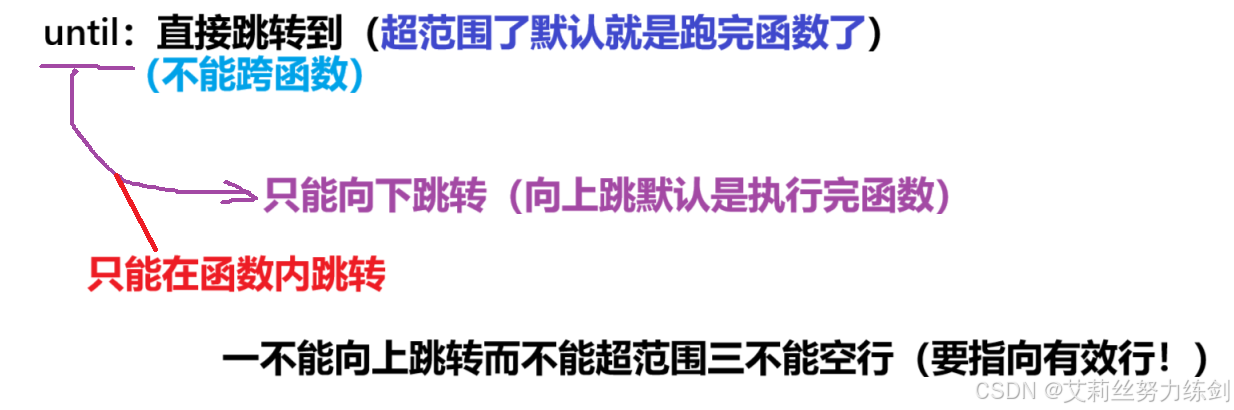
(gdb) until 14
Sum (s=1, e=100) at mycmd.c:16
16 return result*flag;
(gdb) p result
$1 = 5050
(gdb) p flag
$2 = 0
(gdb) set var flag=1 # 更改flag的值,确认是否是它的原因
(gdb) p flag
$3 = 1
(gdb) n
17 }
(gdb) n
main () at mycmd.c:25
25 printf("running done, result is: [%d-%d]=%d\n", start, end,
n);
(gdb) n
running done, result is: [1-100]=5050 # 是它的原因
26 return 0;
7.7.3 条件断点(也是断点)
条件断点的类型和普通断点一样,也是breakpoint,多了个条件------"stop only . . .(条件)"
7.7.3.1 添加条件断点
bash复制代码
(gdb) l main
11
12 return result;
13 }
14
15 int main()
16 {
17 int start = 1;
18 int end = 100;
19 printf("I will begin\n");
20 int n = Sum(start, end);
(gdb) b 20
Breakpoint 1 at 0x11c3: file mycmd.c, line 20.
(gdb) r
Starting program: /home/whb/test/test/mycmd
I will begin
Breakpoint 1, main () at mycmd.c:20
20 int n = Sum(start, end);
(gdb) s
Sum (s=32767, e=-7136) at mycmd.c:5
5 {
(gdb) n
6 int result = 0;
(gdb) n
7 for(int i = s; i <= e; i++)
(gdb) n
9 result += i;
(gdb) display i
1: i = 1
(gdb) n
7 for(int i = s; i <= e; i++)
1: i = 1
(gdb) n
9 result += i;
1: i = 2
(gdb) n
7 for(int i = s; i <= e; i++)
1: i = 2
(gdb) n
9 result += i;
1: i = 3
(gdb)
7 for(int i = s; i <= e; i++)
1: i = 3
(gdb) info b
Num Type Disp Enb Address What
1 breakpoint keep y 0x00005555555551c3 in main at mycmd.c:20
 breakpoint already hit 1 time
(gdb) b 9 if i == 30 # 9是⾏号,表⽰新增断点的位置
Breakpoint 2 at 0x555555555186: file mycmd.c, line 9.
(gdb) info b
Num Type Disp Enb Address What
1 breakpoint keep y 0x00005555555551c3 in main at mycmd.c:20
 breakpoint already hit 1 time
2 breakpoint keep y 0x0000555555555186 in Sum at mycmd.c:9
 stop only if i == 30
(gdb) finish
Run till exit from #0 Sum (s=1, e=100) at mycmd.c:7
Breakpoint 2, Sum (s=1, e=100) at mycmd.c:9
9 result += i;
1: i = 30
(gdb) finish
Run till exit from #0 Sum (s=1, e=100) at mycmd.c:9
0x00005555555551d2 in main () at mycmd.c:20
20 int n = Sum(start, end);
Value returned is $1 = 5050
7.7.3.2 给已经存在的断点新增条件
bash复制代码
(gdb) l main
11
12 return result;
13 }
14
15 int main()
16 {
17 int start = 1;
18 int end = 100;
19 printf("I will begin\n");
20 int n = Sum(start, end);
(gdb) b 20
Breakpoint 1 at 0x11c3: file mycmd.c, line 20.
(gdb) r
Starting program: /home/whb/test/test/mycmd
I will begin
Breakpoint 1, main () at mycmd.c:20
20 int n = Sum(start, end);
(gdb) s
Sum (s=32767, e=-7136) at mycmd.c:5
5 {
(gdb) n
6 int result = 0;
(gdb) n
7 for(int i = s; i <= e; i++)
(gdb) n
9 result += i;
(gdb)
7 for(int i = s; i <= e; i++)
(gdb)
9 result += i;
(gdb)
7 for(int i = s; i <= e; i++)
(gdb)
9 result += i;
(gdb)
7 for(int i = s; i <= e; i++)
(gdb) b 9 # 我们在第9⾏新增⼀个断点,⽤来开始测试
Breakpoint 2 at 0x555555555186: file mycmd.c, line 9.
(gdb) info b
Num Type Disp Enb Address What
1 breakpoint keep y 0x00005555555551c3 in main at mycmd.c:20
breakpoint already hit 1 time
2 breakpoint keep y 0x0000555555555186 in Sum at mycmd.c:9
(gdb) n
Breakpoint 2, Sum (s=1, e=100) at mycmd.c:9
9 result += i;
(gdb) n
7 for(int i = s; i <= e; i++)
(gdb) n
Breakpoint 2, Sum (s=1, e=100) at mycmd.c:9
9 result += i;
(gdb) condition 2 i==30 #给2号断点,新增条件i==30
(gdb) info b
Num Type Disp Enb Address What
1 breakpoint keep y 0x00005555555551c3 in main at mycmd.c:20
 breakpoint already hit 1 time
2 breakpoint keep y 0x0000555555555186 in Sum at mycmd.c:9
 stop only if i==30
 breakpoint already hit 2 times
(gdb) n
7 for(int i = s; i <= e; i++)
(gdb) n
9 result += i;
(gdb) c
Continuing.
Breakpoint 2, Sum (s=1, e=100) at mycmd.c:9
9 result += i;
(gdb) p i
$1 = 30
(gdb) p result
$2 = 435