官方下载地址 :Download ElasticSearch
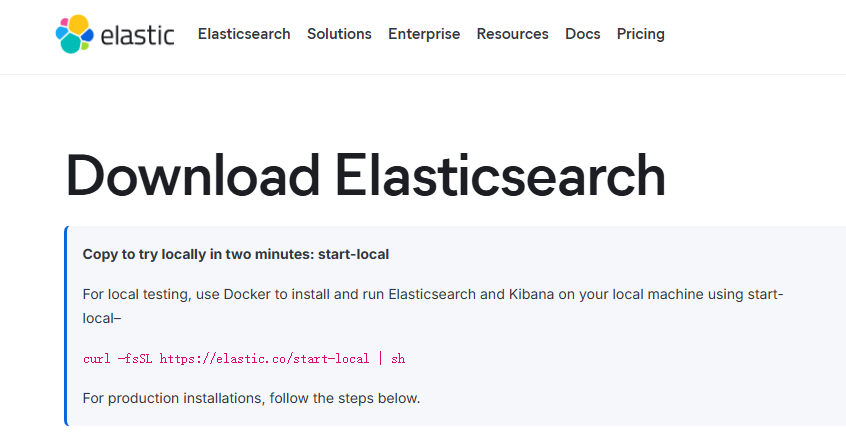
示例使用版本为7.17.18,jDK1.8
一、上传tar包
elasticsearch-7.17.18-linux-x86_64.tar.gz
二、解压服务包
tar -xzf elasticsearch-7.17.18-linux-x86_64.tar.gz

[root@localhost elasticsearch-7.17.18]# ll
总用量 652
drwxr-xr-x  2 elasticsearch elasticsearch   4096  2月  2  2024 bin
drwxr-xr-x  3 elasticsearch elasticsearch    240 12月 11 10:23 config
drwxrwxr-x  3 elasticsearch elasticsearch     19 12月 11 10:25 data
drwxr-xr-x  8 elasticsearch elasticsearch     96  2月  2  2024 jdk
drwxr-xr-x  3 elasticsearch elasticsearch   4096  2月  2  2024 lib
-rw-r--r--  1 elasticsearch elasticsearch   3860  2月  2  2024 LICENSE.txt
drwxr-xr-x  2 elasticsearch elasticsearch   4096 12月 11 10:33 logs
drwxr-xr-x 61 elasticsearch elasticsearch   4096  2月  2  2024 modules
-rw-r--r--  1 elasticsearch elasticsearch 642830  2月  2  2024 NOTICE.txt
drwxr-xr-x  2 elasticsearch elasticsearch      6  2月  2  2024 plugins
-rw-r--r--  1 elasticsearch elasticsearch   2710  2月  2  2024 README.asciidoc
[root@localhost elasticsearch-7.17.18]#
三、修改配置文件
conf/elasticsearch.yml
注意配置修改:
path.data:数据目录
path.logs:日志文件目录
network.host:网络地址
http.port:通信端口
固定写法配置:
xpack.ml.enabled: false
ingest.geoip.downloader.enabled: false
discovery.type: single-node
完整配置:
# ======================== Elasticsearch Configuration =========================
#
# NOTE: Elasticsearch comes with reasonable defaults for most settings.
#       Before you set out to tweak and tune the configuration, make sure you
#       understand what are you trying to accomplish and the consequences.
#
# The primary way of configuring a node is via this file. This template lists
# the most important settings you may want to configure for a production cluster.
#
# Please consult the documentation for further information on configuration options:
# https://www.elastic.co/guide/en/elasticsearch/reference/index.html
#
# ---------------------------------- Cluster -----------------------------------
#
# Use a descriptive name for your cluster:
#
#cluster.name: my-application
#
# ------------------------------------ Node ------------------------------------
#
# Use a descriptive name for the node:
#
#node.name: node-1
#
# Add custom attributes to the node:
#
#node.attr.rack: r1
#
# ----------------------------------- Paths ------------------------------------
#
# Path to directory where to store the data (separate multiple locations by comma):
#
path.data: /usr/local/elasticsearch/data
#
# Path to log files:
#
path.logs: /usr/local/elasticsearch/logs
#
# ----------------------------------- Memory -----------------------------------
#
# Lock the memory on startup:
#
#bootstrap.memory_lock: true
#
# Make sure that the heap size is set to about half the memory available
# on the system and that the owner of the process is allowed to use this
# limit.
#
# Elasticsearch performs poorly when the system is swapping the memory.
#
# ---------------------------------- Network -----------------------------------
#
# By default Elasticsearch is only accessible on localhost. Set a different
# address here to expose this node on the network:
#
network.host: 0.0.0.0
#
# By default Elasticsearch listens for HTTP traffic on the first free port it
# finds starting at 9200. Set a specific HTTP port here:
#
http.port: 19250
#
# For more information, consult the network module documentation.
#
# --------------------------------- Discovery ----------------------------------
#
# Pass an initial list of hosts to perform discovery when this node is started:
# The default list of hosts is ["127.0.0.1", "[::1]"]
#
#discovery.seed_hosts: ["host1", "host2"]
#
# Bootstrap the cluster using an initial set of master-eligible nodes:
#
#cluster.initial_master_nodes: ["node-1", "node-2"]
#
# For more information, consult the discovery and cluster formation module documentation.
#
# ---------------------------------- Various -----------------------------------
#
# Require explicit names when deleting indices:
#
#action.destructive_requires_name: true
#
# ---------------------------------- Security ----------------------------------
#
#                                 *** WARNING ***
#
# Elasticsearch security features are not enabled by default.
# These features are free, but require configuration changes to enable them.
# This means that users don't have to provide credentials and can get full access
# to the cluster. Network connections are also not encrypted.
#
# To protect your data, we strongly encourage you to enable the Elasticsearch security features.
# Refer to the following documentation for instructions.
#
# https://www.elastic.co/guide/en/elasticsearch/reference/7.16/configuring-stack-security.html
xpack.ml.enabled: false
ingest.geoip.downloader.enabled: false
discovery.type: single-node
四、创建elasticsearch用户
elasticsearch不支持使用root用户启动,故而需要新增一个用户启动
# 创建用户组
sudo groupadd elasticsearch
# 创建用户并加入用户组
sudo useradd -g elasticsearch elasticsearch
# 配置用户目录权限
sudo chown -R elasticsearch:elasticsearch /path/to/elasticsearch
五、注册service服务
创建elasticsearch.service
注意修改elasticsearch目录:/opt/service/elasticsearch/bin/elasticsearch
将编辑好的elasticsearch.service上传至/etc/systemd/system目录下
[Unit]
Description=elasticsearch
After=network.target

[Service]
Type=forking
User=elasticsearch
Group=elasticsearch
ExecStart=/opt/service/elasticsearch/bin/elasticsearch -d
PrivateTmp=true
LimitNOFILE=65535
LimitNPROC=4096
LimitMEMLOCK=infinity
TimeoutStopSec=0
KillSignal=SIGTERM
SendSIGKILL=no
SuccessExitStatus=143

[Install]
WantedBy=multi-user.target
注册并启动服务
# 加载systemd配置
sudo systemctl daemon-reload

# 启动服务
sudo systemctl start elasticsearch

# 查看服务状态
sudo systemctl status elasticsearch

# 停止服务
sudo systemctl stop elasticsearch

# 重启服务
sudo systemctl restart elasticsearch
六、验证服务
浏览器访问:http://ip:19250
输出以下信息证明服务正常
{
  "name": "localhost.localdomain",
  "cluster_name": "elasticsearch",
  "cluster_uuid": "1wMz0HsrQRWAHLAEv7pSdA",
  "version": {
    "number": "7.17.18",
    "build_flavor": "default",
    "build_type": "tar",
    "build_hash": "8682172c2130b9a411b1bd5ff37c9792367de6b0",
    "build_date": "2024-02-02T12:04:59.691750271Z",
    "build_snapshot": false,
    "lucene_version": "8.11.1",
    "minimum_wire_compatibility_version": "6.8.0",
    "minimum_index_compatibility_version": "6.0.0-beta1"
  },
  "tagline": "You Know, for Search"
}