--星空露珠工作室制作
--作者韩永旗
--迷你号247312290
--已制作游戏模组z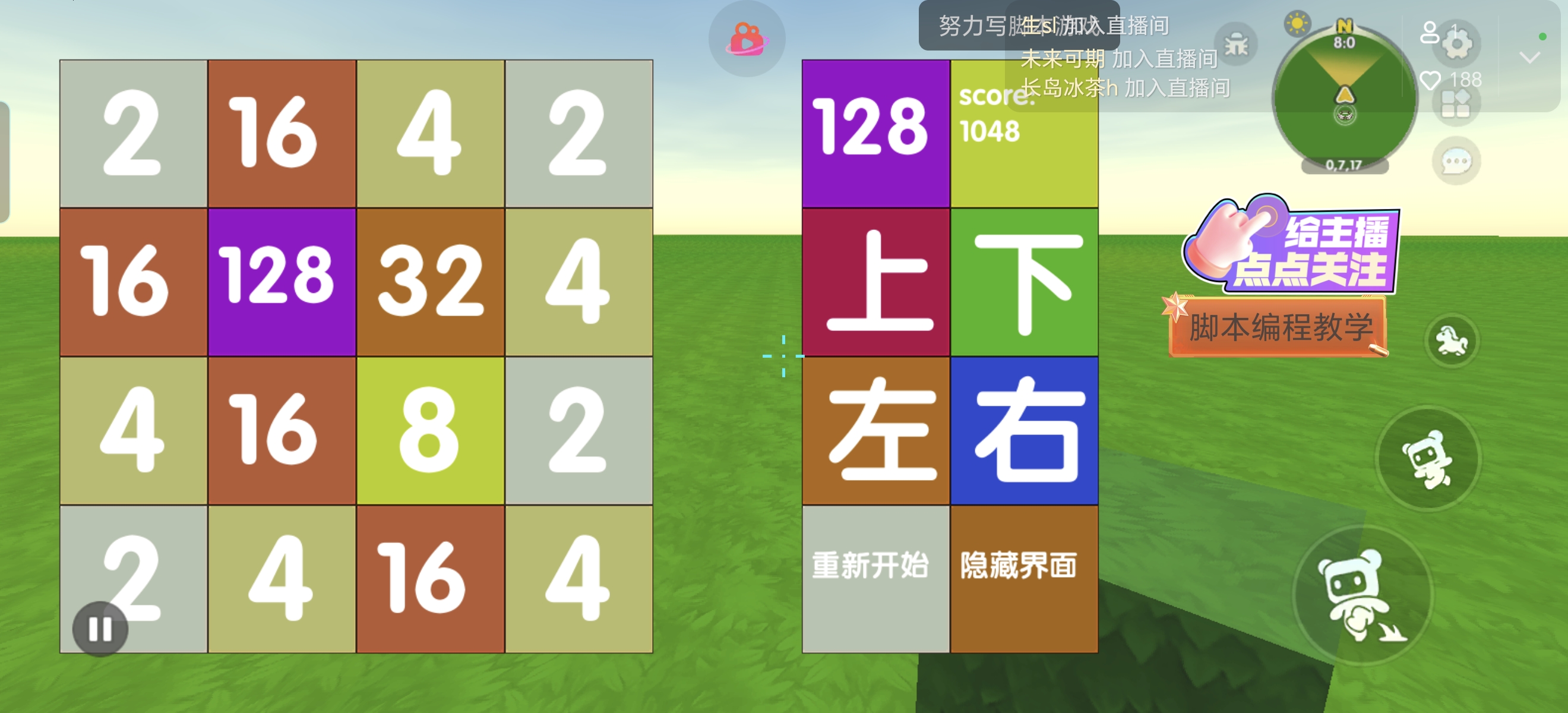
local Script={}
local ui={"7586698161104465826-38451","7586698161104465826-38451_1",}
--创建原件
function Script:createElement(p,url) local gridElementId=CustomUI:CreateElement(p,ui1,url) return gridElementId end
--设置原件子父
function Script:changeParent(p,uia,uib) CustomUI:ChangeParent(p,ui1,uia,uib) end
--设置元件图片
function Script:setTexture(p,id,url) CustomUI:SetTexture(p,ui1,id,url) end
--设置元件大小
function Script:setsize(p,id,d,h) CustomUI:SetSize(p,ui1,id,d,h) end
--设置元件位置
function Script:setpos(p,id,x,y) CustomUI:SetPosition(p,ui1,id,x,y) end
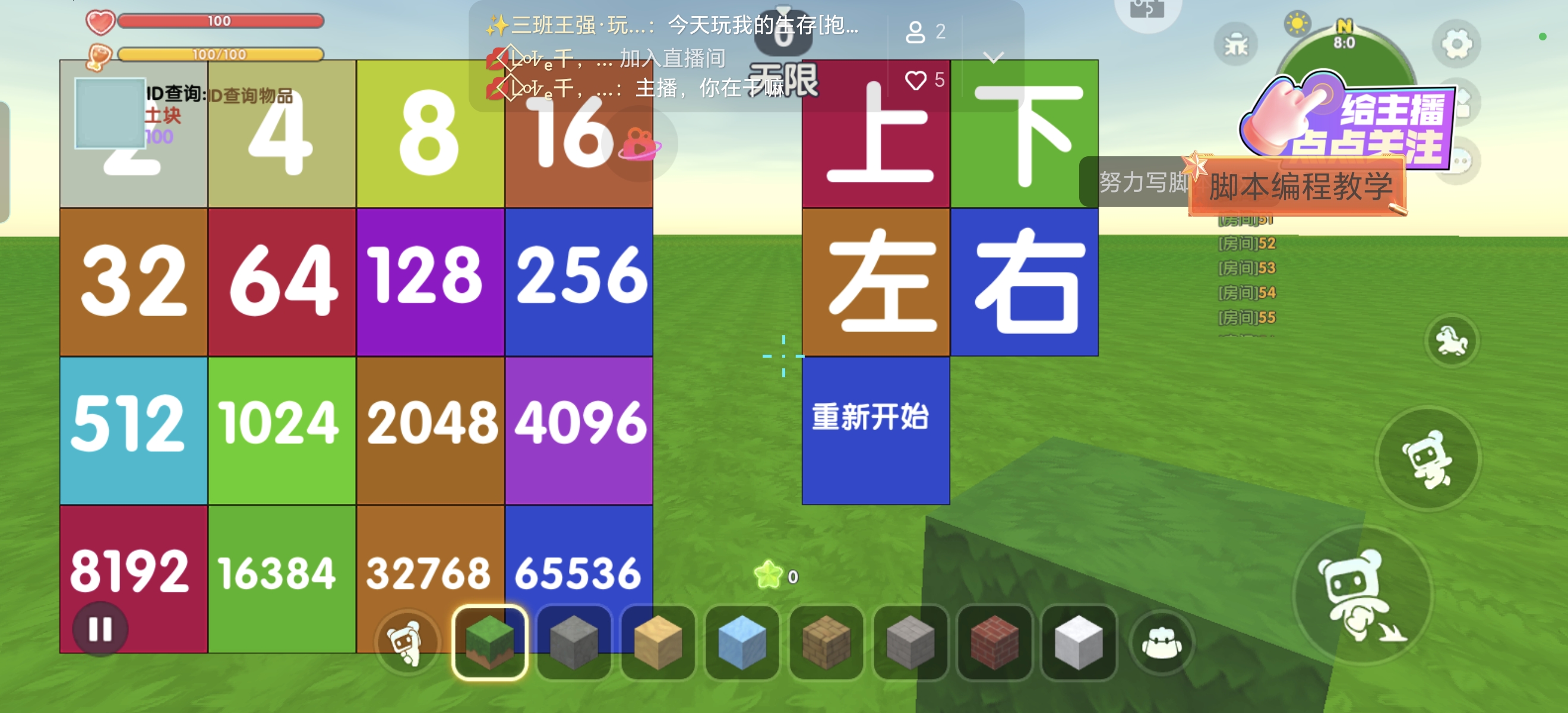
--设置元件颜色
function Script:setcolor(p,id,color) CustomUI:SetColor(p,ui1,id,color) end
--显示界面
function Script:openUIview(p,id) Player:OpenUIView(p,id) end
--显示元件
function Script:show(p,id) CustomUI:ShowElement(p,ui1,id) end
--隐藏元件
function Script:hide(p,id) CustomUI:HideElement(p,ui1,id) end
--设置文字框
function Script:setstr(p,id,str) CustomUI:SetText(p,ui1,id,str) end
--设置元件文字大小
function Script:setfontsize(p,id,size) CustomUI:SetFontSize(p, ui1,id,size) end
--旋转元件
--function Script:rotate(p,pi) CustomUI:RotateElement(p,ui1,ui2..button.rotate1,pi) Trigger.UI:setText(p,ui1,ui2..button.rotate2,pi) end
--元件平滑旋转到指定角度
function Script:smoothrotateto(p,id,time,angle) CustomUI:SmoothRotateTo(p,ui1,id,time,angle) end
--元件平滑旋转到相对角度
function Script:smoothrotateby(p,id,time,angle) CustomUI:SmoothRotateBy(p,ui1,id,time,angle) end
--播放声音
function Script:music(p,id) Actor:PlaySoundEffectById(p,id,15,1,false) end
-- 界面UI配置
--按钮上下左右,界面1-16图案和数字,合成数,当前分数,最好分数
--p={{p,name,iconid,maxnum,maxscore,nowscore},{0,0,0,0,0,0,0,0,0,0,0,0,0,0,0,0}}
--上下左右,重开,关闭,
--界面1-16,最大数,当前分数,最高分数,
--排行榜,关闭,排行榜 1-7.1
local id={2,3,4,5,7,6,175,174,}
--[[ "2*n+8,2*n+9",42,43,45,47,
51,
"6*n+47",
95,96,97,98,99,
]]
local p0=42
--音效
local mid={10948,10946,10949,10947,10379}
local P={}
local num={}
local score=0
local lbrt={1,2,3,4,5,6,7,8,9,10,11,12,13,14,15,16,13,9,5,1,14,10,6,2,15,11,7,3,16,12,8,4,4,3,2,1,8,7,6,5,12,11,10,9,16,15,14,13,1,5,9,13,2,6,10,14,3,7,11,15,4,8,12,16,}
local list=0
local maxnum=0
local maxscore=0
local drct,ising,isend,has=0,0,0,0
local i,j,k=0,0,0
local score=0
--[[
local P2048={1000,247312290,331488399,1562836700}
local P={1000={{"迷你队长",1000,"role_4",10,10000,6666},{10,9,8,7,6,5,4,3,2,1,0,0,0,0,0,0}},
331488399={{"XD迷你村长",331488399,"skin_79",11,35864,35864},{11,10,8,6,5,6,7,5,3,5,4,2,1,2,3,1}},
247312290={{"韩永旗",247312290,"role_1",10,18678,18678},{2,3,1,2,2,4,3,1,5,7,6,4,8,10,9,7}},
1562836700={{"无敌的小雯",1562836700,"role_2",9,9152,9152},{2,3,1,2,2,4,3,1,5,7,6,4,8,8,9,7}},
}
]]
a={ "0_10212","0_10219","0_20018"}
--界面 600,原件4*150 ,合成数 150
--原件颜色 原件位置,x,y,大小
local A={
{"0xFFEFD7",40,10,120,"2"},
{"0xFFE57F",40,10,120,"4"},
{"0xFFFF00",40,10,120,"8"},
{"0xFF6E40",20,20,100,"16"},
{"0xF57F17",20,20,100,"32"},
{"0xFF1744",20,20,100,"64"},
{"0xD500F9",10,25,80,"128"},
{"0x3D5AFE",10,25,80,"256"},
{"0x00E5FF",10,25,80,"512"},
{"0x76FF03",10,35,60,"1024"},
{"0xE77B17",10,35,60,"2048"},
{"0xE040FB",10,35,60,"4096"},
{"0xF50057",10,35,60,"8192"},
{"0x64DD17",10,45,45,"16384"},
{"0xF57F17",10,45,45,"32768"},
{"0x3D5AFE",10,45,45,"65536"},
}
local butn={
--上下左右按钮重新开始
{"0x3D5AFE",10,45,30,"最大合成数"},
{"0xFFFF00",10,20,30,"分数"},
{"0xF50057",20,10,120,"上"},
{"0x64DD17",20,10,120,"下"},
{"0xF57F17",20,10,120,"左"},
{"0x3D5AFE",20,10,120,"右"},
{"0xFFEFD7",10,45,30,"重新开始"},
}
-- 组件启动时初始化背包UI
function Script:OnStart()
-- 监听玩家打开背包指令(示例:按下K键打开)
--self:AddTriggerEvent(TriggerEvent.PlayerInputKeyClick, self.OnKeyClick)
self:AddTriggerEvent(TriggerEvent.PlayerClickBlock, self.OnPlayerClickBlock)
-- 监听UI按钮点击事件
self:AddTriggerEvent(TriggerEvent.UIButtonClick, self.OnUIButtonClick)
self:AddTriggerEvent(TriggerEvent.GameAnyPlayerEnterGame,self.GameAnyPlayerEnterGame)
end
function Script:GameAnyPlayerEnterGame(e) threadpool:work(function() self:upui(e) end) end
function Script:upui(e) print(e) local p=e.CurEventParam.TriggerByPlayer uip={} self:CreateUI(p) end
-- 创建背包UI界面
function Script:CreateUI(p)
Pp={}
Pp.score,Pp.num=0,{0,0,0,0,0,0,0,0,0,0,0,0,0,0,0,0}
-- print(ui)
-- 1. 打开自定义UI界面
--self:openUIview(p,uin1)
-- 2. 设置界面大小和位置
self:setsize(p,ui2,600,600)
self:setpos(p,ui2,60,60)
-- 3. 循环创建界面格子
for k,v in pairs(A) do
local v1=self:createElement(p,ElementType.Button)
table.insert(uip,v1)
self:changeParent(p,v1,ui2)
local x,y=150*((k-1)%4),150*math. floor((k-1)/4)
self:setsize(p,v1,150,150)
self:setpos(p,v1,x,y)
self:setTexture(p,v1,"0_20018")
local v2=self:createElement(p,ElementType.Texture)
table.insert(uip,v2)
self:changeParent(p,v2,v1)
local x,y=0,0
self:setsize(p,v2,150,150)
self:setpos(p,v2,x,y)
self:setTexture(p,v2,"0_10219")
self:setcolor(p,v2,v1)
--local color=string.format("0x%x",math.random(0,255))..string.format("%x",math.random(0,255))..string.format("%x",math.random(0,255))
--self:setcolor(p,v2,color)
local v3=self:createElement(p,ElementType.Text)
table.insert(uip,v3)
self:changeParent(p,v3,v2)
self:setsize(p,v3,150,100)
self:setfontsize(p,v3,v4)
self:setpos(p,v3,v2,v3)
self:setstr(p,v3,v5)
uiptostring(k)={v1,v2,v3}
uipv1=k
end
-- 3. 循环创建界面按钮
for k,v in pairs(butn) do
local v1=self:createElement(p,ElementType.Button)
table.insert(uip,v1)
self:changeParent(p,v1,ui2)
local x,y=150*(5+(k-1)%2),150*math. floor((k-1)/2)
self:setsize(p,v1,150,150)
self:setpos(p,v1,x,y)
self:setTexture(p,v1,"0_20018")
local v2=self:createElement(p,ElementType.Texture)
table.insert(uip,v2)
self:changeParent(p,v2,v1)
local x,y=0,0
self:setsize(p,v2,150,150)
self:setpos(p,v2,x,y)
self:setTexture(p,v2,"0_10219")
self:setcolor(p,v2,v1)
--local color=string.format("0x%x",math.random(0,255))..string.format("%x",math.random(0,255))..string.format("%x",math.random(0,255))
--self:setcolor(p,v2,color)
local v3=self:createElement(p,ElementType.Text)
table.insert(uip,v3)
self:changeParent(p,v3,v2)
self:setsize(p,v3,150,100)
self:setfontsize(p,v3,v4)
self:setpos(p,v3,v2,v3)
self:setstr(p,v3,v5)
uipv\[5]=v1
uipv1=v5
end
--print(ui)
self:Add(p)
end
-- UI按钮点击事件(拾取/使用道具)
function Script:OnUIButtonClick(event)
local playerId = event.eventobjid
local uiId = event.CustomUI
local elementId = event.uielement
-- print(elementId)
-- print(uiplayerIdelementId)
if uiplayerIdelementId=='上' then self:Move(playerId,4)
elseif uiplayerIdelementId=='下' then self:Move(playerId,2)
elseif uiplayerIdelementId=='左' then self:Move(playerId,1)
elseif uiplayerIdelementId=='右' then self:Move(playerId,3)
elseif uiplayerIdelementId=='重新开始' then self:music(playerId,mid1) self:setnum(playerId)
end
end
--界面刷新
function Script:add0(p,i,n)
if n==0 then self:hide(p,uip3\*i-2)
else
self:show(p,uip3\*i-2)
self:setcolor(p,uip3\*i-1,An1)
self:setstr(p,uip3\*i,An5)
self:setfontsize(p,uip3\*i,An4)
self:setpos(p,uip3\*i,An2,An3)
end
end
--刷新
function Script:Re(p)
num,score=Pp.num,Pp.score
for i=1,16 do
self:add0(p,i,numi)
end
local nummax=math.max(unpack(num))
self:add0(p,17,nummax)
self:setstr(p,uip3\*18,'score:\n'..score)
if has==1 then
for i=1,16 do
if numi==11 then
isend=99999
end
end
if isend==99999 then --Game:msgBox("恭喜!2048!")
self:music(p,mid5)
has=2
end
end
end
--随机生成1个2/4
function Script:Add(p)
num,score=Pp.num,Pp.score
math.randomseed(os.time())
local z=0
for i=1,16 do
if numi==0 then
z=z+1
end
end
if z>0 then
local r=math.random(1,z)
for j=1,16 do
if numj==0 then
r=r-1
end
if r==0 then
math.randomseed(os.time())
numj=math.random(1,10)
if numj<3 then
numj=2
score=score+4
else
numj=1
score=score+2
end
r=-1
end
end
end
self:Re(p)
end
--四个数字的合并
function Script:Fin(num1,num2,num3,num4)
local numr={0,0,0,0,}
local score=0
local m=1
if num1~=0 then
numrm=num1
m=m+1
elseif (num2~=0)or(num3~=0)or(num4~=0) then
isend=1
end
if num2~=0 then
numrm=num2
m=m+1
elseif (num3~=0)or(num4~=0) then
isend=1
end
if num3~=0 then
numrm=num3
m=m+1
elseif (num4~=0) then
isend=1
end
if num4~=0 then
numrm=num4
m=m+1
end
if (numr1==numr2)and(numr1~=0)and(numr1~=18) then
numr1=numr1+1
score=score+math.pow(2,numr1)
isend=1
if (numr3==numr4)and(numr3~=0)and(numr3~=18) then
numr2=numr3+1
score=score+math.pow(2,numr2)
isend=1
numr3=0
numr4=0
return numr,score
else
numr2=numr3
numr3=numr4
numr4=0
return numr,score
end
elseif (numr2==numr3)and(numr2~=0)and(numr2~=18) then
numr2=numr2+1
score=score+math.pow(2,numr2)
isend=1
numr3=numr4
numr4=0
return numr,score
elseif (numr3==numr4)and(numr3~=0)and(numr3~=18) then
numr3=numr3+1
score=score+math.pow(2,numr3)
isend=1
numr4=0
return numr,score
else
return numr,score
end
end
--滑动
function Script:Move(p,drct)
isend=0
num=Pp.num
if has==0 then
isend=1
has=1
end
for i=1,4 do
local wn=(drct-1)*16+i*4
local nw,sc=self:Fin(numlbrt\[wn-3],numlbrt\[wn-2],numlbrt\[wn-1],numlbrt\[wn])
for j=1,4 do
numlbrt\[wn+j-4]=nwj
end
Pp.score=sc+Pp.score
end
if isend==0 then
self:music(p,mid3)
else self:music(p,mid2)
self:Add(p)
end
end
--初始化
function Script:setnum(p) Pp.score,Pp.num=0,{0,0,0,0,0,0,0,0,0,0,0,0,0,0,0,0}
self:Add(p)
end
return Scrihpt