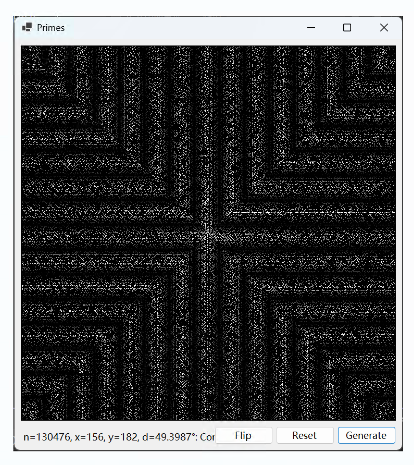
这个图像被称为质数螺旋,其实是不恰当的。
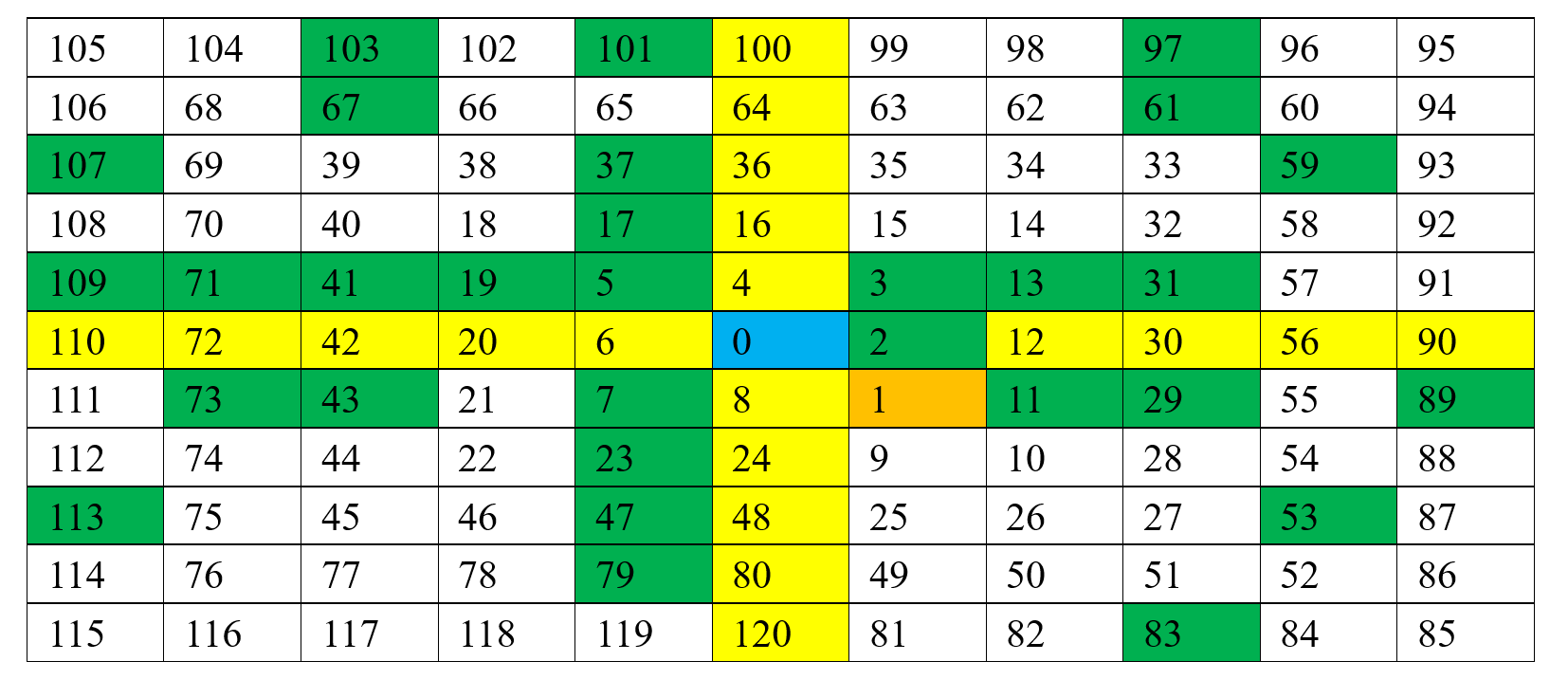
实际上是自然数(包括0)从中心开始,按照螺旋的方式排列,并将其中的质数用白色表示出来,而显示的结果,0和1以及其它合数保持黑色。具体来说,图片的中心点为0,中心点的右下角像素为1,从1开始向上为2,然后是3,然后转向左侧,0的正上方为4,再向前为5,然后转向下方,0的左侧为6,在向下为7,然后转向右方,0的正下方为8,这就完成了从0到8一共9个数的第一个周期。第二个周期从8的右下方开始,然后贴着第一个周期进行环绕,一直到8的下方24,完成第二个周期。所有周期的开始都在图像中心偏右向下方延申的那条线上。以下为0到120之间的整数螺旋,其中质数被标为绿色。
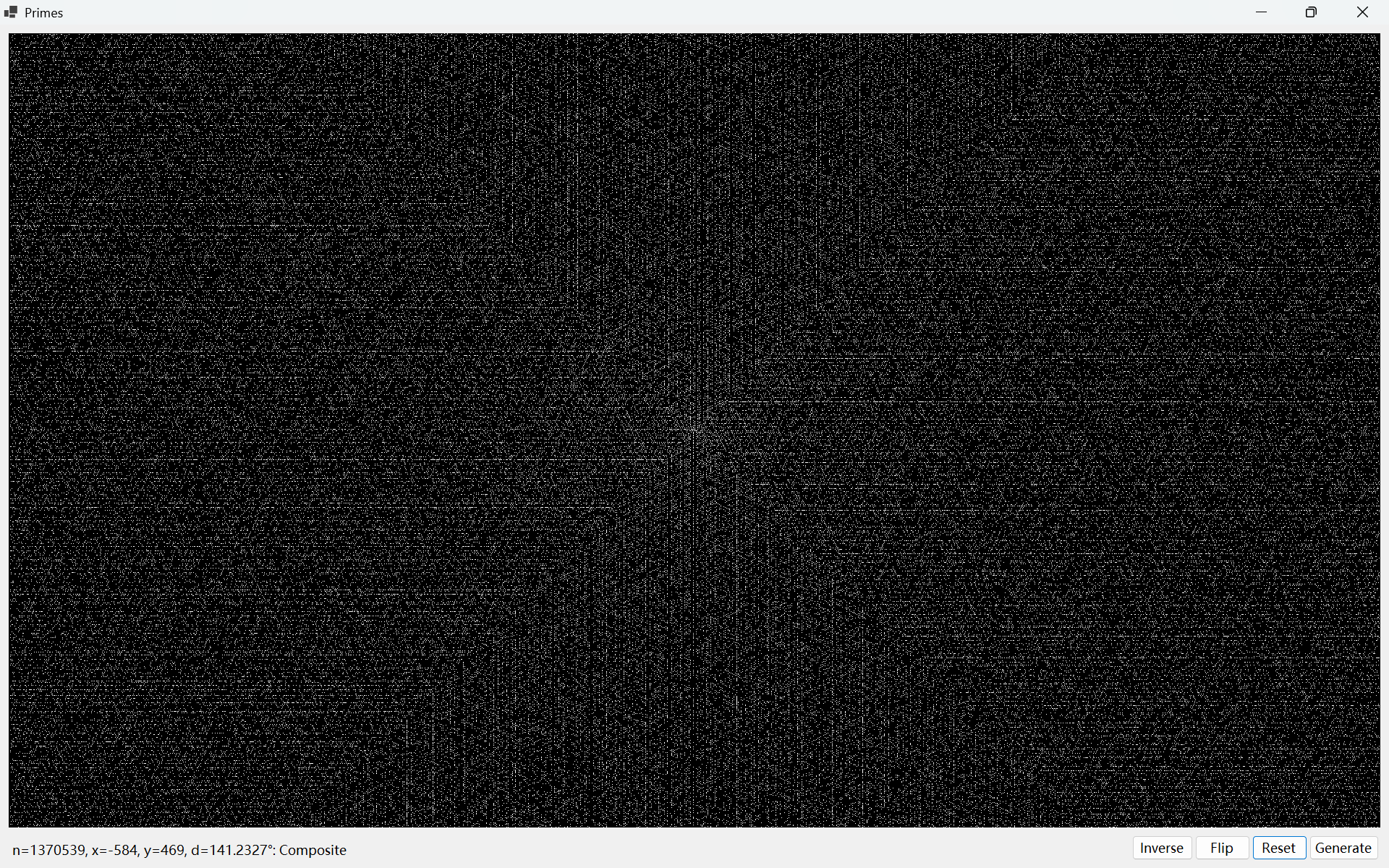
以下是将近整个屏幕(分辨率1920*1200=2304000)将近200万个整数的螺旋,其中白色的点为质数,黑色的点不是(比如0和1既不是质数也不是合数).
这个图像的2D-FFT结果只有一个中间点
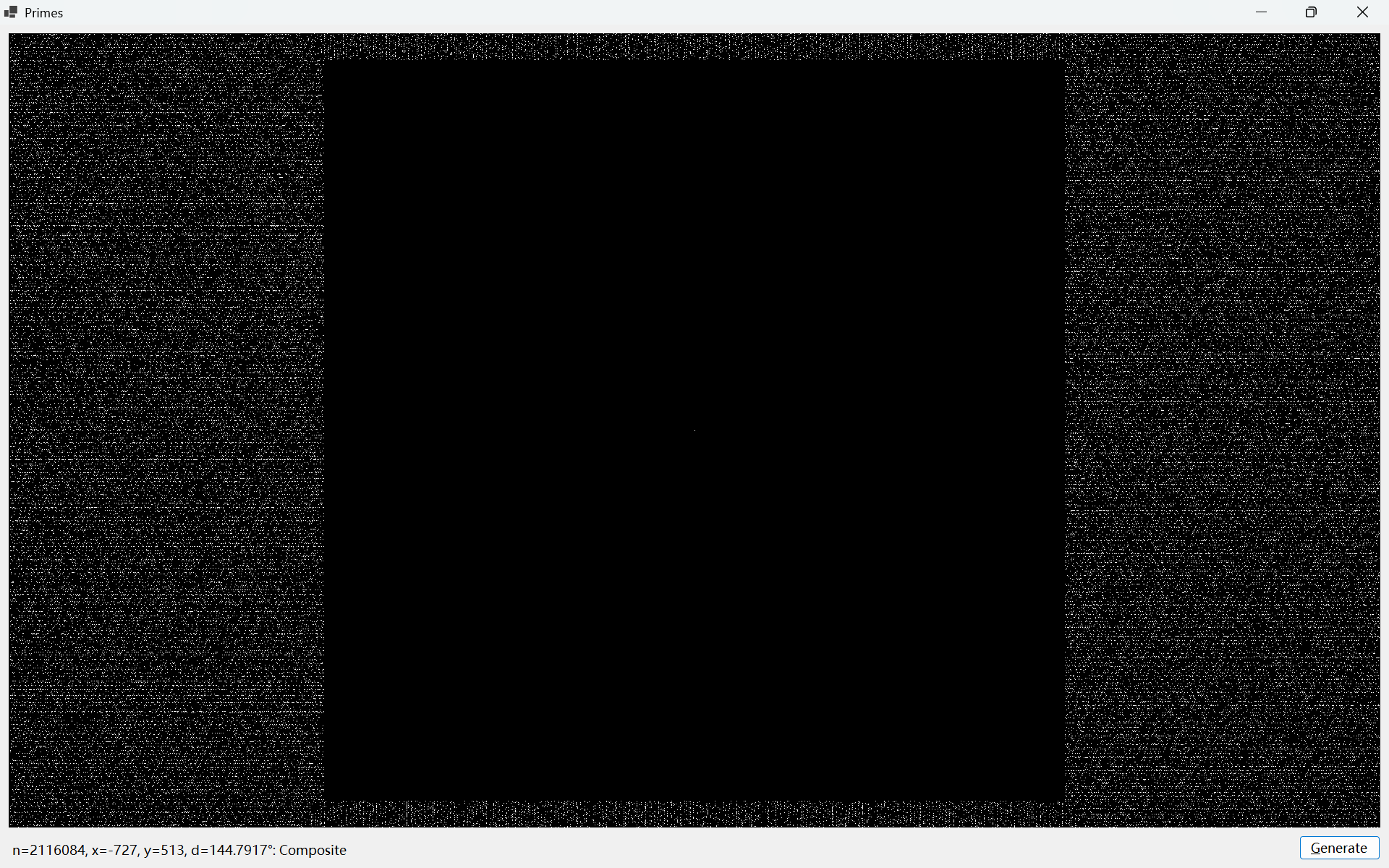
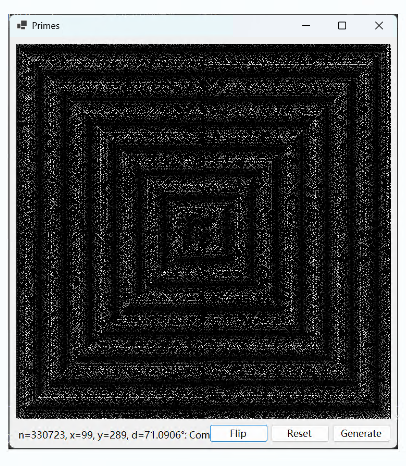
如果四个象限内部各自同时翻转横纵坐标,结果如图,
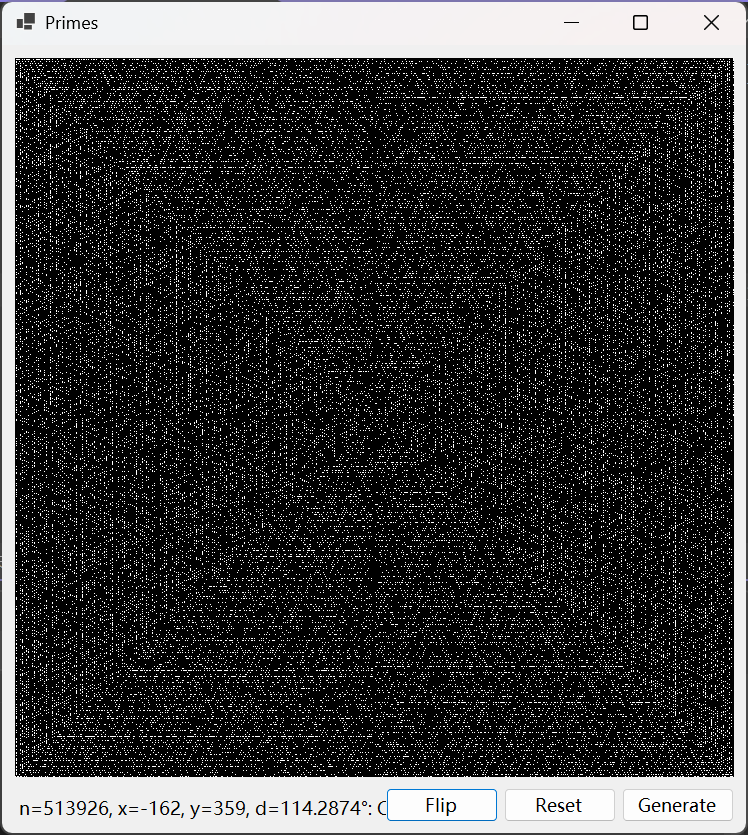
会出现明显的圈层纹路。
以下是实现上述图像的核心算法的程序代码
cs
namespace PrimeCross;

public partial class FormMain : Form
{
    public FormMain()
    {
        InitializeComponent();
    }
    enum Direction : int
    {
        Down = 0,
        Right,
        Up,
        Left
    }

    Direction Turn(Direction d, bool left = true) => left
            ? (Direction)(((int)d + 1) % 4)
            : (d == Direction.Down) ? Direction.Left : ((Direction)((int)d) - 1)
        ;
    Point LeftOf(Point p, Direction d) => d switch
    {
        Direction.Down => new Point(p.X + 1, p.Y),
        Direction.Right => new Point(p.X, p.Y - 1),
        Direction.Up => new Point(p.X - 1, p.Y),
        Direction.Left => new Point(p.X, p.Y + 1),
        _ => p,
    };
    Point RightOf(Point p, Direction d) => d switch
    {
        Direction.Down => new Point(p.X - 1, p.Y),
        Direction.Right => new Point(p.X, p.Y + 1),
        Direction.Up => new Point(p.X + 1, p.Y),
        Direction.Left => new Point(p.X, p.Y - 1),
        _ => p,
    };

    Point ForwardOf(Point p, Direction d) => d switch
    {
        Direction.Down => new Point(p.X, p.Y + 1),
        Direction.Right => new Point(p.X + 1, p.Y),
        Direction.Up => new Point(p.X, p.Y - 1),
        Direction.Left => new Point(p.X - 1, p.Y),
        _ => p,
    };
    bool IsPrime(long n)
    {
        if (n < 2) return false;
        if (n == 2) return true;
        if (n % 2 == 0) return false;
        for (long i = 3; i <= Math.Sqrt(n); i += 2)
        {
            if (n % i == 0) return false;
        }
        return true;
    }
    const int Black = 0x000000;
    const int White = 0xffffff;
    const int Red = 0x0000ff;
    int length = 0;
    (int, long, bool)[,]? primes = null;
    (int, long, bool)[,] BuildPrimesMap(int length)
    {
        var map = new (int, long, bool)[length, length];
        Point center = new(length >> 1, length >> 1);
        var direction = Direction.Up;
        long n = 0;
        map[center.X, center.Y] = (White, n++, false);
        Point p = new(center.X + 1, center.Y + 1);
        map[p.X, p.Y] = (Red, n++, false);
        p.Y--;
        map[p.X, p.Y] = (White, n++, true);
        while (n <= length * length)
        {
            n++;
            p = ForwardOf(p, direction);
            if (p.X < 0 || p.X >= length - 1
                || p.Y < 0 || p.Y >= length - 1)
                break;
            var b = IsPrime(n);
            map[p.X, p.Y] = (b ? White : Red, n, b);

            var l = LeftOf(p, direction);
            if (l.X < 0 || l.X >= length - 1
                || l.Y < 0 || l.Y >= length - 1)
                break;
            var lc = map[l.X, l.Y];
            if (lc.Item1 == Black)
            {
                direction = Turn(direction);
            }
            else
            {
                var pt = ForwardOf(p, direction);
                if (pt.X < 0 || pt.X >= length - 1
                    || pt.Y < 0 || pt.Y >= length - 1)
                {
                    continue;
                }

                var px = map[pt.X, pt.Y];

                if (px.Item1 != Black)
                {
                    var rp = RightOf(p, direction);
                    if (rp.X < 0 || rp.X >= length - 1
                        || rp.Y < 0 || rp.Y >= length - 1)
                        break;
                    p = rp;
                }
            }
        }
        return map;
    }
    private void GenerateButton_Click(object sender, EventArgs e)
    {
        this.length = Math.Max(PrimesPictureBox.Width, PrimesPictureBox.Height);
        this.primes = BuildPrimesMap(this.length);

        var bitmap = new Bitmap(PrimesPictureBox.Width, PrimesPictureBox.Height);

        for (int y = 0; y < PrimesPictureBox.Height; y++)
        {
            for (int x = 0; x < PrimesPictureBox.Width; x++)
            {
                var px = x + ((this.length - PrimesPictureBox.Width) >> 1);
                var py = y + ((this.length - PrimesPictureBox.Height) >> 1);
                var c = this.primes[px, py];
                bitmap.SetPixel(x, y, c.Item3 ? Color.White : Color.Black);
            }
        }

        this.PrimesPictureBox.Image?.Dispose();
        this.PrimesPictureBox.Image = bitmap;

    }

    private void FormMain_Resize(object sender, EventArgs e)
    {
        this.GenerateButton_Click(sender, e);
    }

    private void FormMain_Load(object sender, EventArgs e)
    {
        this.GenerateButton_Click(sender, e);
    }

    private void PrimesPictureBox_MouseMove(object sender, MouseEventArgs e)
    {
        if (this.primes != null && PrimesPictureBox.Image != null)
        {
            var x = e.X + ((PrimesPictureBox.Image.Width - PrimesPictureBox.Width) >> 1);
            var y = e.Y + ((PrimesPictureBox.Image.Height - PrimesPictureBox.Height) >> 1);

            if (x >= 0 && x < PrimesPictureBox.Image.Width
                && y >= 0 && y < PrimesPictureBox.Image.Height)
            {
                PointF cp = new(PrimesPictureBox.Image.Width >> 1, PrimesPictureBox.Image.Height >> 1);
                PointF dp = new(x - cp.X, cp.Y - y);

                PointF mp = new(dp.X + (this.length >> 1), dp.Y + (this.length >> 1));
                var p = this.primes![(int)mp.X, (int)mp.Y];
                long n = p.Item2;
                bool b = p.Item3;
                var t = Math.Atan2(dp.Y, dp.X) / Math.PI * 180.0;
                this.InfoLabel.Text = $"n={n}, x={dp.X}, y={dp.Y}, d={t:N4}°: {(b ? "Prime" : "Composite")}";
            }
        }
    }
}
https://github.com/yyl-20020115/PrimeCross.git
缩小版本看的更清楚,